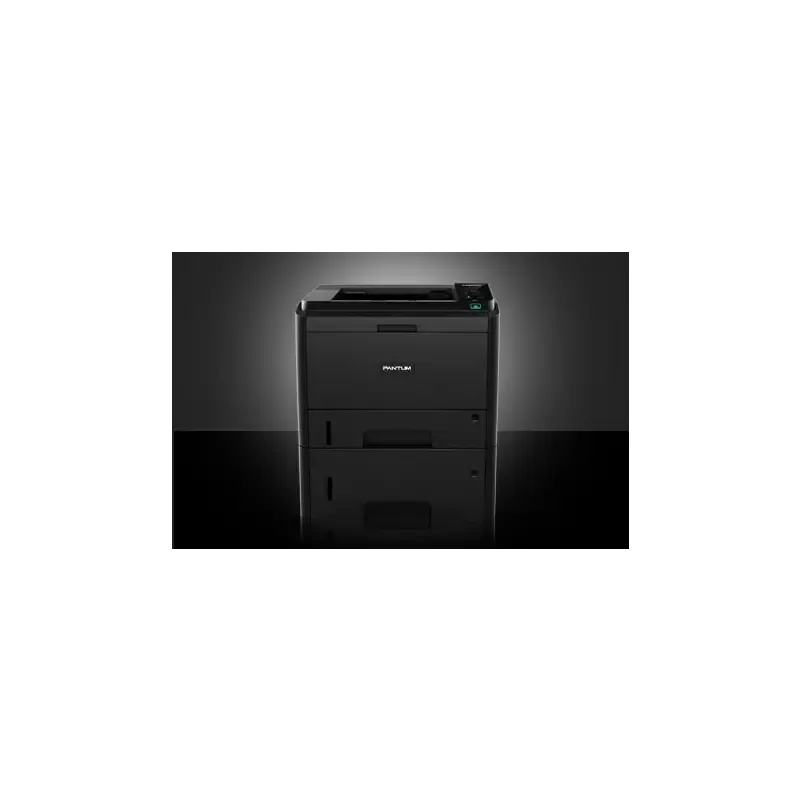

Manuals of product P3500DN


Editorial note
The Pantum P3500DN printer stands out with its impressive printing speed of 33 pages per minute and a maximum resolution of 1200 x 1200 DPI, ensuring sharp and fast prints, ideal for a dynamic office environment. Its maximum monthly duty cycle of 80,000 pages allows for heavy use, making it a wise choice for demanding users. Additionally, the duplex printing feature helps optimize resources and save paper, further enhancing its eco-friendly appeal. However, the lack of Wi-Fi connectivity limits wireless printing options, which may disappoint some users. Furthermore, the weight of 9.4 kg can complicate moving the printer, especially in flexible workspaces. Although the modern and compact design facilitates integration into various environments, the non-touch LCD screen may make navigating the settings less intuitive. In terms of value for money, the Pantum P3500DN offers interesting features for its price, despite some limitations. The power consumption in sleep mode is very low, at only 50 W, making it an energy-conscious choice, supported by ENERGY STAR certification. Overall, the Pantum P3500DN is a robust and high-performing printer that meets the printing needs of businesses while presenting some drawbacks to consider based on user preferences.Score details
User experience
The user experience is generally positive thanks to a compact and modern design. However, the non-touch LCD screen can make navigation in the settings less intuitive.
Performance
The printing speed of 33 pages per minute and the maximum resolution of 1200 x 1200 DPI ensure clear and fast prints, ideal for a dynamic office environment.
Battery life
The power consumption in standby mode is very low, at only 50 W, making it an energy-efficient choice with ENERGY STAR certification.
Features
Although the printer offers interesting features like duplex printing, the lack of Wi-Fi connectivity and color features may be a drawback for some users.
Value for money
The maximum service cycle of 80,000 pages per month and the savings from duplex printing make it a good value for money, despite some limitations.
Design
The design is modern and compact, making it easy to integrate into various workspaces, although the weight of 9.4 kg may complicate its movement.
Advantages
Clear printing at 1200 x 1200 DPI
Double-sided printing to save paper
Print speed of 33 pages per minute
Duty cycle of up to 80,000 pages
Compact design for any workspace
Low power consumption in standby
Disadvantages
No Wi-Fi connectivity
Prints only in black and white
Weight of 9.4 kg
Paper capacity limited to 250 sheets
Non-touch LCD screen
Technical Specifications P3500DN
General Information
-
ModelP3500DN
-
Brand
-
Category
-
Type
-
SKU1456222
-
MPN1456222
Print speed
-
ColorNo
-
Maximum resolution1200 x 1200 DPI
-
Economic printingYes
-
Printing technologyLaser
-
Economic printingYes
-
Print speed (black, normal quality, A4/US Letter)33 ppm
Features
-
Service cycle (Maximum)80000 pages per month
-
Number of print cartridges1
-
Languages of the page descriptionPCL 5e, PCL 6, PCL XL, PDF 1.2, PDF 1.3, PDF 1.4, PDF 1.5, PDF 1.6, PDF 1.7, PDF 1.7+, PostScript 3
-
Printing colorsBlack
Input and output capacity
-
Total power capacity250 sheets
-
Total output capacity150 sheets
-
Input capacity of multi-purpose trays60 sheets
-
Multifunctional trayYes
Paper management
-
Maximum ISO A series paper sizeA4
-
Type of paper tray supportCard stock
-
ISO, Format Series A (A0...A9)Envelopes
-
ISO, Formats Series-B (B0...B9)Labels
-
Weight of paper tray supportPlain paper
-
Weight of the multifunctional tray supportThick paper
-
Thin paper
-
Transparencies
-
A4
-
A5
-
A6
-
B5
-
B6
-
60 - 105 g/m²
-
60 - 200 g/m²
Network
-
Ready-to-use networkYes
-
WifiNo
-
Ready-to-use networkYes
-
Support for network protocols (IPv4)Ipv4, DHCP, DNS, RAW (Port9100), LPD / LPR, SNMP (v1), SMTP, HTTP (v1.1)
Connectivity
-
Standard interfacesEthernet
-
USB 2.0
Representation / realization
-
Internal memory256 MB
-
Maximum internal memory512 MB
-
Integrated into the processorYes
-
Processor frequency600 MHz
Design
-
Product colorBlack
-
Built-in screenYes
-
ScreenLCD
Power
-
Average power consumption in Print mode495 W
-
Energy consumption (loan)50 W
Sustainability
-
Sustainability certificatesENERGY STAR
Environmental conditions
-
Operating temperature10 - 35 °C
-
Operating relative humidity (H-H)20 - 80 %
Weight and dimensions
-
Depth370 mm
-
Depth370 mm
-
Height286 mm
-
Weight9400 g
Packaging contents
-
Quick Start GuideYes
-
Quick Start GuideYes
-
Cables includedSector
Frequently Asked Questions
What is the weight of the Pantum P3500DN printer?
What is the recommended method for removing jammed paper from the printer?
Why is my printer not recognizing the original cartridges?
What could be the reasons for poor print quality?
What is the difference between a laser printer and an inkjet printer?
Why is my inkjet printer printing black streaks?
What does the acronym DPI mean?
How many cartridges can be installed in the Pantum P3500DN?
What is the height of the Pantum P3500DN printer?
What is the width of the Pantum P3500DN printer?
What is the depth of the Pantum P3500DN printer?
Is the manual for the Pantum P3500DN available in French?
Similar products


More product categories from brand Pantum
More product types from brand Pantum

Presentation of product P3500DN specifications from brand Pantum
General Information
The Pantum P3500DN is a printer from the Pantum brand, known for its commitment to quality and innovation in the printing device sector. This model, P3500DN, is designed to deliver optimal performance while enhancing the user experience.
Print Speed
The Pantum P3500DN does not offer color printing, which may suit those who prioritize monochrome prints. With a maximum resolution of 1200 x 1200 DPI, it ensures prints of exceptional clarity, suitable for both professional and personal needs. Additionally, its duplex printing feature saves paper by printing on both sides. Thanks to its laser printing technology, the quality of the results is precise. The print speed reaches 33 pages per minute, making this device efficient for daily use.
Features
The Pantum P3500DN can handle a maximum duty cycle of 80,000 pages per month, ideal for users with high demands. It uses a single cartridge for printing, simplifying maintenance. This model is compatible with various document formats, including PCL and PostScript, thus offering flexibility in use.
Input and Output Capacity
With a total paper capacity of 250 sheets and an output capacity of 150 sheets, the Pantum P3500DN is designed to handle a significant volume of documents without frequent interruptions. Additionally, it features a multifunction tray capable of holding 60 sheets, allowing for versatile use.
Paper Management
This printer accepts A-series paper formats, including A4, and is compatible with various media types such as plain paper, labels, and transparencies. The paper weight can range from 60 to 105 g/m² for the main tray, and up to 200 g/m² for the multifunction tray, ensuring optimal print quality.
Network
The Pantum P3500DN is equipped with Ethernet/LAN connectivity, facilitating its integration into a local network. However, it does not offer Wi-Fi connectivity, limiting wireless printing from mobile devices. Its network configuration is ready to use, allowing for quick internet access.
Connectivity
This printer features standard interfaces that ensure effective connectivity with various devices, facilitating printing tasks.
Representation / Performance
The internal memory of 256 MB, expandable up to 512 MB, allows for efficient management of the data and applications necessary for operation. The processor, with a frequency of 600 MHz, ensures rapid task execution.
Design
The P3500DN model is presented in an elegant black color. It is equipped with an integrated LCD screen that offers clear visibility of information, although it is not touch-sensitive.
Power
In print mode, the average power consumption is 495 W, while in standby mode, it is reduced to 50 W. These figures highlight the energy efficiency of the device.
Durability
The Pantum P3500DN is certified ENERGY STAR, which attests to its compliance with energy efficiency and sustainability standards.
Environmental Conditions
This printer operates optimally within a temperature range of 10 to 35 °C and a relative humidity of 20 to 80 %, making it suitable for various work environments.
Weight and Dimensions
The dimensions of the Pantum P3500DN are 370 mm in width and depth, and 286 mm in height, with a weight of 9.4 kg, making it easy to integrate into different workspaces.
Package Contents
The package contents include drivers for easy installation, a quick start guide for hassle-free setup, as well as a power cable necessary for its operation.


