

Manual of product PoGo
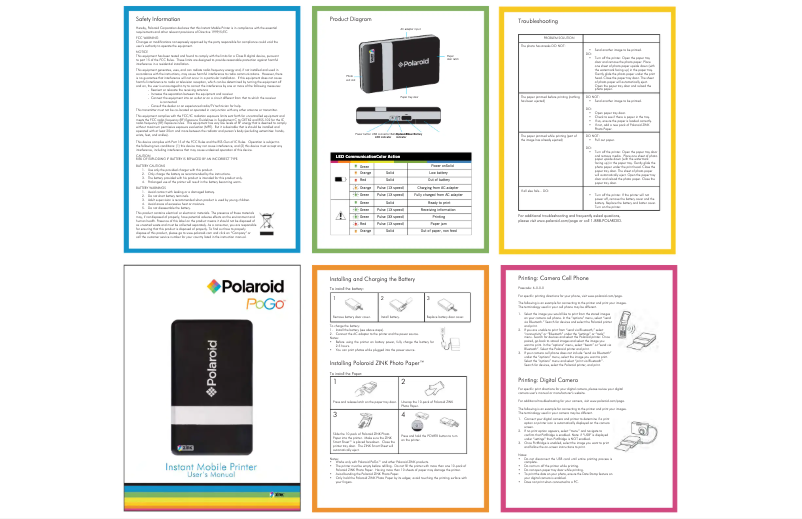
Editorial note
The Polaroid PoGo is a portable printer that stands out for its ability to print photos instantly, providing a fun and immediate experience for capturing memories. Its compact and lightweight design makes it an ideal companion for outings and travel, facilitating transport. Additionally, wireless connectivity via Bluetooth allows for easy connection to smartphones and tablets, simplifying direct printing. However, there are some drawbacks to consider. Print quality may be limited compared to traditional photo printers, particularly in terms of color accuracy and sharpness. Furthermore, the high cost of consumables, such as paper and ink cartridges, can quickly add up. The limited storage capacity, which requires connecting an external device for each print, and the relatively long printing time can also be frustrating points for users in a hurry. Overall, the Polaroid PoGo offers a positive user experience thanks to its intuitive interface and portability, although compromises in print quality and cost should be considered.Score details
User experience
The user experience is very positive thanks to the simple and intuitive interface, allowing everyone to print easily.
Performance
The printer's performance is satisfactory for occasional use, but the print quality may be lower than that of traditional photo printers.
Battery life
Portability is a major asset, but battery life can vary depending on usage, which is something to consider for travel.
Design
The compact and lightweight design of the Polaroid PoGo is ideal for travel, making it easy to carry during events or outings.
Value for money
The cost of consumables, particularly paper and ink cartridges, can quickly increase the cost per print, which may be a disadvantage for some users.
Features
Wireless connectivity via Bluetooth is a strong point, although compatibility with certain devices may be limited.
Advantages
Instant printing in a few seconds.
Compact and lightweight design, easy to carry.
Bluetooth connection for direct printing.
High-quality images without ink.
Simple interface for easy use.
Disadvantages
Print quality inferior to traditional printers.
High cost of consumables for printing.
No internal memory to store photos.
Limited connectivity with only certain devices.
Longer printing time than average.
Technical Specifications PoGo
General Information
-
ModelPOGO
-
Brand
-
Category
-
Type
-
SKU87031
-
MPN87031
Frequently Asked Questions
What is the best method to remove a jammed paper from the printer?
Why is my printer not recognizing the original cartridges?
What are the possible reasons for poor print quality?
What are the differences between a laser printer and an inkjet printer?
Why is my inkjet printer leaving black streaks on prints?
What does the acronym DPI mean?
Is the Polaroid PoGo manual available in French?
Similar products


More product categories from brand Polaroid
More product types from brand Polaroid


Presentation of product PoGo specifications from brand Polaroid
General Information
The Polaroid PoGo is a portable printer from the famous brand Polaroid, known for its commitment to innovation and quality in the electronics sector. The model PoGo | W-POLPOGO is designed to deliver remarkable performance, providing a smooth and enjoyable user experience. Each device is identified by a unique EAN code, specifically 826219012845, facilitating its traceability in distribution systems.
Advantages
Among the main advantages of the Polaroid PoGo, we find:
- Instant printing: This printer allows for prints in just a few seconds, offering a fun experience to capture your memories.
- Compactness and portability: Its lightweight and compact design makes it easy to carry, ideal for travel, outings, or events.
- Wireless connectivity: Thanks to its Bluetooth function, the Polaroid PoGo easily connects to your mobile devices, facilitating direct printing from your smartphone or tablet.
- Print quality: Equipped with ZINK printing technology, it produces good quality images without the need for ink, ensuring vibrant colors and satisfactory details.
- Ease of use: Its intuitive interface allows everyone, even beginners, to make prints without complications.
Disadvantages
Despite its many advantages, the Polaroid PoGo also has some limitations:
- Limited print quality: Prints may not reach the same quality as those from traditional photo printers, particularly regarding color accuracy and sharpness.
- High cost of consumables: Specific paper and ink cartridges can be expensive, thus increasing the cost per print.
- Restricted storage capacity: The lack of internal memory requires an external device for each print, which can be a drawback for some users.
- Limited connectivity: The Polaroid PoGo may not support all devices or file formats, thus restricting its use.
- Relatively long printing time: Compared to other portable models, the printing time may be longer, which can be frustrating for users in a hurry.


