
Manual of product SmartLine SL4M

Editorial note
The Printronix SmartLine SL4M stands out for its optimized performance, offering fast and high-quality prints, making it particularly suitable for demanding work environments. Its intuitive interface makes it easy to use, ensuring a smooth and hassle-free user experience. Additionally, the reliability of the Printronix brand ensures a durable product that meets user expectations. However, the initial purchase cost may be a barrier for some, especially compared to other models on the market. Furthermore, its limited compatibility with certain operating systems could pose integration challenges for users in varied environments. Its weight and dimensions also make the printer difficult to move, which can be a disadvantage for small businesses. Finally, the noise level during printing can disrupt a quiet work environment, and maintenance costs can accumulate over time. Despite these drawbacks, the product comes with a comprehensive manual that facilitates installation and use, and Printronix's after-sales service is known for its quality, providing quick assistance when needed. In summary, the Printronix SmartLine SL4M is a wise choice for those seeking a reliable and high-performing printer, provided they are willing to invest in its benefits.Score details
User experience
The user experience is enhanced by an intuitive interface, allowing for quick handling and hassle-free use.
Performance
The optimized performance of the Printronix SmartLine SL4M ensures fast, high-quality prints, ideal for demanding work environments.
Value for money
The initial purchase cost may be high compared to other models, which can be a barrier for some users.
Design
Its weight and dimensions can make the printer difficult to move, which can be a disadvantage for small businesses.
Support
Printronix offers quality after-sales service and technical support, ensuring quick assistance when needed.
Documentation
The product comes with a comprehensive manual, making installation and understanding of features easier.
Robustness
The reliability of the Printronix brand ensures that the SmartLine SL4M is a durable product that meets user expectations.
Usability
Limited compatibility with certain operating systems may pose integration issues for some users.
Performance
The noise level during printing can be relatively high, disrupting a quiet work environment.
Advantages
Fast and high-quality prints
Intuitive and easy-to-use interface
Brand recognized for its reliability
Comprehensive user manual included
Responsive and quality technical support
Disadvantages
High purchase cost compared to competitors
Limited compatibility with certain operating systems
Weight and size difficult to move
High noise level during printing
High maintenance and consumable costs
Technical Specifications SmartLine SL4M
General Information
-
ModelSMARTLINE SL4M
-
Brand
-
Category
-
Type
-
SKU1704886
-
MPN1704886
Frequently Asked Questions
What is the appropriate method to remove jammed paper from the printer?
Why is my printer refusing to accept original cartridges?
What could be the reasons for poor print quality?
How does a laser printer differ from an inkjet printer?
Why does my inkjet printer leave black streaks on my prints?
What does the acronym DPI mean?
Is the manual for the Printronix SmartLine SL4M available in French?
Similar products


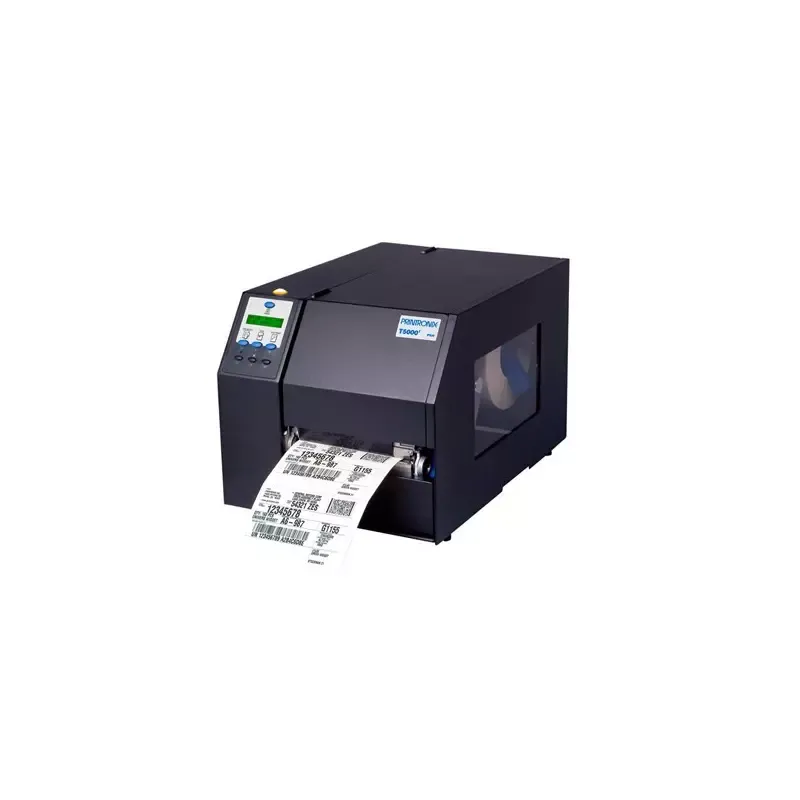


More product categories from brand Printronix
More product types from brand Printronix


Presentation of product SmartLine SL4M specifications from brand Printronix
General Information
The Printronix SmartLine SL4M printer stands out for its efficiency and reliability. Manufactured by the Printronix brand, known for its commitment to quality and innovation, this model is designed to meet the needs of demanding work environments. With the SmartLine SL4M, users benefit from a smooth and optimized printing experience, ensuring high-quality results.
Designed to be intuitive, this device makes it easy to use thanks to its user-friendly interface. The provided documentation allows for simple and quick installation, ensuring a hassle-free start. By choosing a product from the Printronix brand, users also enjoy responsive technical support, guaranteeing assistance when needed.
Technical Specifications
The Printronix SmartLine SL4M offers remarkable printing performance, making it a preferred choice for companies looking for speed and reliability. However, it is important to note certain aspects to consider. Its initial cost may be higher than that of some competitors, which could pose an obstacle for some users. Additionally, the printer's compatibility with certain operating systems may be limited, requiring prior verification before purchase.
Regarding mobility, its weight and dimensions may make it difficult to move, which could be problematic in tight workspaces. Furthermore, the noise level during printing is relatively high, which can disrupt a quiet environment. Finally, maintenance costs, including ink or toner cartridges, can accumulate over time, thus increasing the total cost of use.


