
Manual of product MP8000
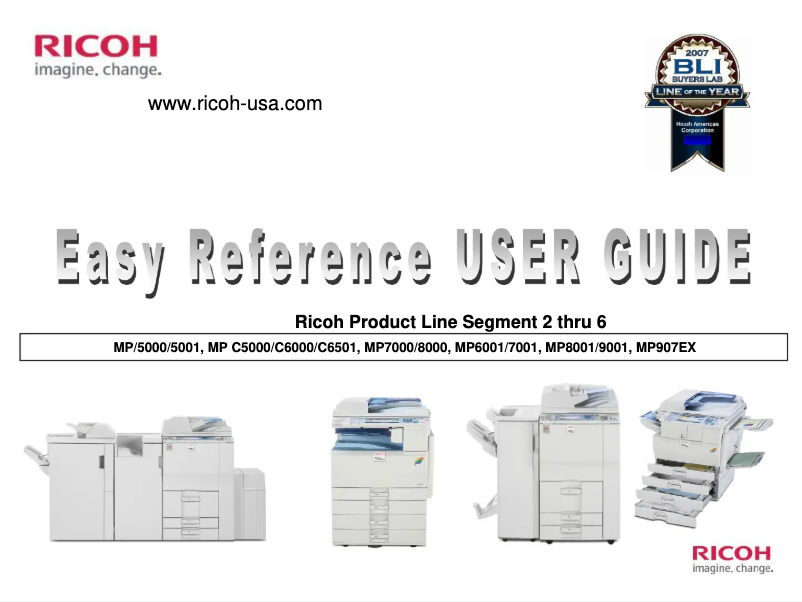
Editorial note
The Ricoh MP8000 is a printer that stands out for its optimal performance, offering fast and high-quality printing, particularly suited for demanding work environments. The reputation of the Ricoh brand for its durability and innovation reinforces user confidence, ensuring a reliable device capable of withstanding intensive use. The user experience is also enhanced by a user-friendly interface and advanced features that facilitate the management of printing and administrative tasks. Additionally, the provided user manual allows for quick familiarization and a thorough understanding of the various features. However, it is important to consider some drawbacks. The acquisition cost of the Ricoh MP8000 can be high, representing a significant investment, especially for small businesses. Its weight and dimensions can complicate its installation and movement in tight spaces. Furthermore, energy consumption is relatively high, which can increase long-term operating costs. Finally, the noise level during printing can be disruptive in quiet work environments, and maintenance costs can accumulate over time. In summary, the Ricoh MP8000 is a wise choice for professionals seeking a high-performing and reliable printer, while keeping in mind the cost and installation aspects.Score details
Performance
The Ricoh MP8000 guarantees optimal performance with fast, high-quality printing, ideal for demanding work environments.
User experience
The user experience is enhanced by a user-friendly interface and advanced features, making print management easier.
Value for money
The acquisition cost can be high, representing a significant investment, especially for small businesses.
Design
Its weight and dimensions can complicate installation and movement in tight spaces.
Battery life
Energy consumption is relatively high, which can increase long-term operating costs.
Support
The provided documentation, with a 60-page user manual, allows for quick familiarization and a thorough understanding of the features.
Robustness
Ricoh's reputation for durability and innovation ensures a reliable device capable of withstanding intensive use.
Advantages
Fast and high-quality printing
Recognized reliability and durability
User-friendly and intuitive interface
Accessible and detailed user manual
Printing of various types of documents
Disadvantages
High acquisition cost for small businesses.
Difficult installation in confined spaces.
Relatively high energy consumption.
Disturbing noise level in silence.
High maintenance and upkeep costs.
Technical Specifications MP8000
General Information
-
ModelMP8000
-
Brand
-
Category
-
Type
-
SKU87008
-
MPN87008
Frequently Asked Questions
What is the recommended method for removing jammed paper from the printer?
Why is my printer not recognizing the original cartridges?
What could be the causes of poor print quality?
What are the differences between a laser printer and an inkjet printer?
Why does my inkjet printer leave black streaks on prints?
What does the acronym DPI mean?
Is the Ricoh MP8000 manual available in French?
Similar products


More product categories from brand Ricoh
More product types from brand Ricoh



Presentation of product MP8000 specifications from brand Ricoh
General Information
The Ricoh MP8000 printer, designed by the renowned brand Ricoh, stands out for its quality and innovation in the office equipment sector. This model, the MP8000, offers remarkable performance, ensuring fast and high-quality printing, making it particularly suitable for demanding work environments.
Thanks to its user-friendly interface and advanced features, the Ricoh MP8000 enhances the user experience, thus facilitating the management of printing and administrative tasks. Additionally, the provided documentation allows for quick familiarization, offering a thorough understanding of the various options available.
Advantages
- Optimal performance: Ideal for fast and quality printing in professional environments.
- Reliability: Ricoh's reputation for durability ensures a device capable of withstanding intensive use.
- User experience: Intuitive interface that simplifies printing operations and document management.
- Accessible documentation: User manual included for quick and effective familiarization.
- Versatility: Capable of printing various types of documents, thus meeting a variety of professional needs.
Disadvantages
- Acquisition cost: Can represent a significant investment, especially for small businesses.
- Weight and dimensions: Its bulk can complicate installation and movement in tight spaces.
- Energy consumption: Relatively high, which can lead to increased operating costs in the long term.
- Noise level: Can be disruptive when printing in quiet work environments.
- Maintenance costs: Expenses related to ink cartridges and spare parts can accumulate.


