Thumbnail of product SP C262SFNw from brand Ricoh
Logo of brand Ricoh

Printer Ricoh SP C262SFNw

The Ricoh SP C262SFNw printer is a versatile model designed to meet the printing needs of modern offices. With its ability to print in color, it allows for the production of high-quality documents thanks to its advanced printing technology.
This multifunction printer also offers scanning, copying, and faxing features, making it a comprehensive tool to enhance the efficiency of your work environment. Its user-friendly interface makes it easy to use, even for novice users.
The Ricoh SP C262SFNw is known for its printing speed, with speeds reaching up to 21 pages per minute, allowing you to manage your tasks quickly and efficiently. Additionally, its automatic duplex printing helps reduce paper consumption and promotes a more sustainable approach.
Wireless connectivity is also a major asset of this model, allowing users to print directly from their mobile devices or computers without the need for cumbersome cables. With a unique EAN code of 0026649081392, this printer is easily identifiable in distribution systems.
In summary, the Ricoh SP C262SFNw is a reliable and multifunctional printer, ideal for small and medium-sized businesses looking to optimize their productivity while ensuring quality prints.

Manual of product SP C262SFNw
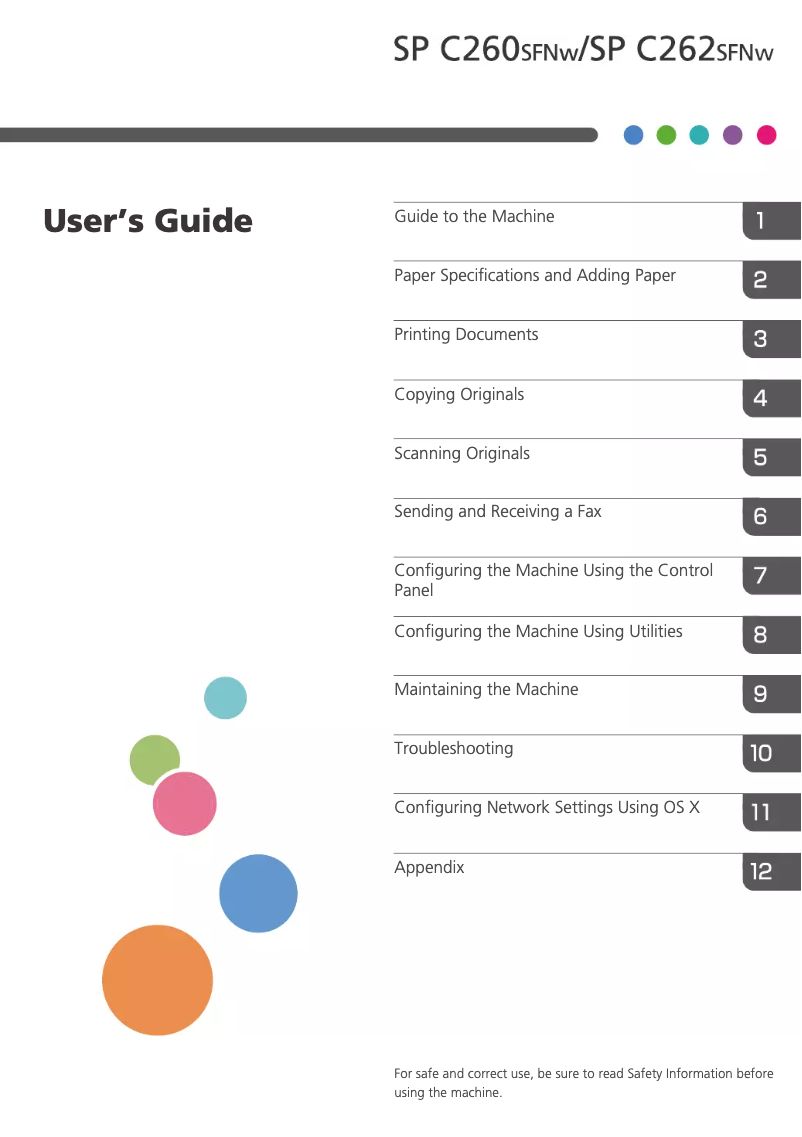
7 10

Editorial note

The Ricoh SP C262SFNw is a multifunction printer that stands out for its exceptional print quality, both in color and black and white. This feature makes it an ideal choice for professional and personal documents. Additionally, its wireless connectivity allows for easy printing from various devices, adding appreciated flexibility in a modern work environment. However, some drawbacks deserve to be highlighted. The high cost of ink cartridges can increase long-term expenses, and the print speed may not be optimal for users with high workloads. Furthermore, although the user interface is generally intuitive, some users may find it complicated, making initial setup and daily use less smooth. According to writing scores, the user experience is generally positive, with a good level of support thanks to a comprehensive manual. Nevertheless, the complexity of certain connectivity options and the noise during operation can detract from the overall experience. In terms of design, the printer fits well into a modern office, and its multifunction features provide significant added value. In summary, the Ricoh SP C262SFNw offers high-quality printing and varied features, but users should consider the cost of consumables and print speed for high volumes.

Score details

User experience

The user experience is generally positive due to a clear manual and intuitive controls, although some users may find the interface complex.

Performance

The printing performance is satisfactory, but the printing speed may be insufficient for high volumes of documents.

Design

The design of the printer is modern and fits well in an office environment.

Value for money

The cost of ink cartridges is high, which can increase long-term expenses, despite the exceptional print quality.

Features

The multifunction features, including printing, scanning, and faxing, add great value to the product.

Usability

Ease of use is an asset, but the complexity of some connectivity options can pose problems.

Support

The user manual is comprehensive, providing a good level of support for users.

Documentation

The available documentation is extensive with 444 pages, providing detailed information on using the printer.


Advantages

High-quality color and black prints

Multifunction features: printing, scanning, copying, faxing

Wireless connectivity for various devices

Easy to use with intuitive controls

Energy-saving for reduced costs

Disadvantages

High cost of ink cartridges

Disturbing operating noise

Insufficient printing speed for large volumes

Complex user interface

Limited wireless connectivity

Technical Specifications SP C262SFNw

General Information

Frequently Asked Questions

What is the optimal method for removing a jammed paper from the printer?
To remove the jammed paper, it is advisable to do so carefully. Turn off the printer and check that the print head is not touching the paper and that no pieces of paper are left inside. Q: Why is my printer not accepting original cartridges? A: It is possible that non-genuine cartridges are not recognized by the printer. In this case, a message will appear indicating that the cartridge is empty. Refer to the manual of the purchased cartridge for solutions. If the problem persists, it is recommended to contact the seller. Q: What are the possible reasons for poor print quality? A: There can be several factors causing poor print quality. Ensure that the cartridges or toners are full. Inkjet printers may require cleaning if the cartridges are dry or if the print head is damaged. For laser printers, calibration is often advised. Q: What is the difference between a laser printer and an inkjet printer? A: A laser printer uses toner, while an inkjet printer operates with ink. Q: Why does my inkjet printer leave black streaks on prints? A: This is usually due to a defective cartridge that needs to be replaced. Q: What does the acronym DPI mean? A: DPI, which stands for Dots Per Inch, indicates the number of ink droplets deposited on the paper per inch during printing. Q: Why won't my printer turn on? A: Check that the power cable is properly connected to the printer and the wall outlet. Also, ensure that the outlet is working by testing it with another device. Q: Why is my printer unable to connect to Wi-Fi? A: Ensure that the Wi-Fi on the Ricoh SP C262SFNw printer is enabled and operational. Also, check that your Wi-Fi network is within range and that you are using the correct network name (SSID) and password during setup. Q: How can I resolve a paper jam in the printer? A: Open the paper tray of the printer and carefully remove any jammed paper. Follow the correct paper path and remove any torn pieces. Avoid applying excessive force and refer to the instructions on paper jams in the printer manual. Q: What is the procedure for replacing toner cartridges? A: Open the front cover of the printer and locate the toner cartridge(s). Gently remove them using the designated handle. Then, take the new toner cartridge out of its packaging, insert it into the appropriate slot, and push firmly until it clicks into place. Q: Why are my prints of poor or dull quality? A: Check the toner level in the cartridges. If they are nearly empty, consider replacing them. Also, ensure that the print density settings are correctly adjusted in the printer menu. Clean the print heads and use high-quality paper compatible with your printer. Q: Is the manual for the Ricoh SP C262SFNw available in French? A: Unfortunately, the manual for the Ricoh SP C262SFNw is not available in French. It is only accessible in English.
Pourquoi mon imprimante n'accepte-t-elle pas les cartouches d'origine ?
Il est possible que les cartouches non authentiques ne soient pas reconnues par l’imprimante. Dans ce cas, un message apparaîtra indiquant que la cartouche est vide. Consultez le manuel de la cartouche achetée pour des solutions. Si le problème persiste, il est recommandé de contacter le vendeur. 189
Quelles en sont les raisons possibles de la mauvaise qualité d'impression ?
Il peut y avoir plusieurs facteurs à l'origine d'une impression de mauvaise qualité. Assurez-vous que les cartouches ou toners sont pleins. Les imprimantes à jet d’encre peuvent nécessiter un nettoyage si les cartouches sont sèches ou si la tête d’impression est endommagée. Pour les imprimantes laser, un calibrage est souvent conseillé. 283
Quelle est la distinction entre une imprimante laser et une imprimante à jet d'encre ?
Une imprimante laser utilise du toner, tandis qu'une imprimante à jet d'encre fonctionne avec de l'encre. 51
Pourquoi mon imprimante à jet d'encre laisse-t-elle des rayures noires sur les impressions ?
Cela est généralement dû à une cartouche défectueuse, qui doit être remplacée. 113
Que signifie l'acronyme DPI ?
DPI, qui signifie Dots Per Inch (points par pouce), indique le nombre de gouttelettes d'encre qui sont déposées sur le papier par pouce lors de l'impression. 49
Pourquoi mon imprimante ne s'allume-t-elle pas ?
Vérifiez que le câble d'alimentation est bien connecté à l'imprimante et à la prise murale. Assurez-vous également que la prise fonctionne en la testant avec un autre appareil. 0
Pourquoi mon imprimante ne parvient-elle pas à se connecter au Wi-Fi ?
Assurez-vous que le Wi-Fi de l'imprimante Ricoh SP C262SFNw est activé et opérationnel. Vérifiez également que votre réseau Wi-Fi est à portée et que vous utilisez le bon nom de réseau (SSID) ainsi que le mot de passe lors de la configuration. 0
Comment puis-je résoudre un bourrage papier dans l'imprimante ?
Ouvrez le bac à papier de l'imprimante et retirez soigneusement tout papier coincé. Suivez le bon chemin du papier et retirez tout morceau déchiré. Évitez d'appliquer une force excessive et référez-vous aux instructions sur les bourrages papier dans le manuel de l'imprimante. 0
Quelle est la procédure pour remplacer les cartouches de toner ?
Ouvrez le capot avant de l'imprimante et localisez la ou les cartouches de toner. Retirez-les délicatement en utilisant la poignée prévue. Ensuite, sortez la nouvelle cartouche de toner de son emballage, insérez-la dans l'emplacement approprié et poussez fermement jusqu'à ce qu'elle s'enclenche. 0
Pourquoi mes impressions sont-elles de qualité médiocre ou ternes ?
Vérifiez le niveau de toner dans les cartouches. Si elles sont presque vides, envisagez de les remplacer. Assurez-vous également que les paramètres de densité d'impression sont correctement réglés dans le menu de l'imprimante. Nettoyez les têtes d'impression et utilisez du papier de haute qualité compatible avec votre imprimante. 0
Le manuel du Ricoh SP C262SFNw est-il disponible en français ?
Malheureusement, le manuel du Ricoh SP C262SFNw n'est pas disponible en français. Il est uniquement accessible en anglais.

Similar products


Discover the technical sheet of Aficio MP C2500 from Ricoh and its manuals...
Available manuals:
Discover the technical sheet of E514dw from Dell and its manuals...
Available manuals:
Discover the technical sheet of MP C306ZSP from Ricoh and its manuals...
Available manuals:
Discover the technical sheet of imageCLASS MF624Cw from Canon and its manuals...
Available manuals:
Discover the technical sheet of MP5000 from Ricoh and its manuals...
Available manuals:
Discover the technical sheet of MP C306ZSPF from Ricoh and its manuals...
Available manuals:
Discover the technical sheet of imageCLASS MF232w from Canon and its manuals...
Available manuals:
Discover the technical sheet of SL-M2020W from Samsung and its manuals...
Available manuals:
Discover the technical sheet of Aficio MP C6000 from Ricoh and its manuals...
Available manuals:
Discover the technical sheet of Aficio MP C4500 from Ricoh and its manuals...
Available manuals:

Presentation of product SP C262SFNw specifications from brand Ricoh

General Information

The Ricoh SP C262SFNw is a multifunction printer from the Ricoh brand, known for its commitment to quality and innovation in office devices. This model, with the reference number SP C262SFNw | 408139, is designed to deliver high-level performance, thus meeting the varied needs of professional and personal users. Its EAN code, 0026649081392, allows for precise and unique identification in the distribution system.

Advantages

The Ricoh SP C262SFNw stands out with several appreciated features:

  • Exceptional print quality: It provides sharp and precise prints, both in color and black and white, ideal for high-quality professional documents.
  • Multifunctional features: This printer integrates printing, scanning, copying, and faxing, thus optimizing workspace and improving efficiency.
  • Wireless connectivity: With its wireless connection capability, it allows easy printing from various devices such as computers, tablets, and smartphones, offering great flexibility.
  • Ease of use: Its clear user manual and intuitive controls make setup and use accessible even for less experienced users.
  • Energy efficiency: Designed to be energy-saving, it helps reduce operating costs while being environmentally friendly.

Disadvantages

However, the Ricoh SP C262SFNw also has some limitations:

  • Cost of cartridges: Ink cartridges can be expensive, which may increase the long-term usage cost.
  • Noise level: The printer can be noisy during operation, which could disrupt a quiet work environment.
  • Print speed: For large volumes of documents, the print speed may not be optimal, thus slowing down the workflow.
  • User interface: Some people may find the interface complex, making initial setup and daily use less intuitive.
  • Connectivity options: Wireless connectivity features may be limited, which can pose problems for those wishing to print from multiple devices.
