
Manual of product VP-X105
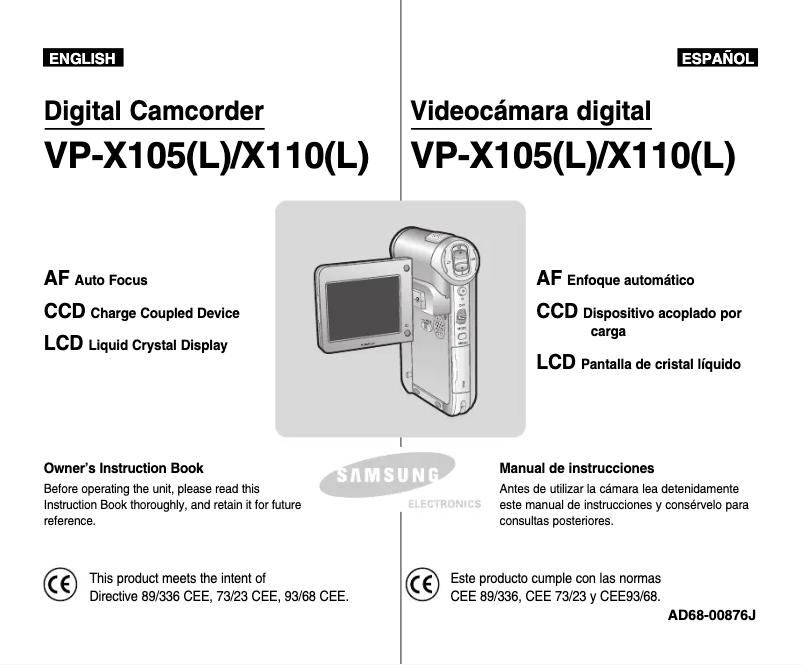
Editorial note
The Samsung VP-X105 is a camcorder that stands out for its recognized quality and ergonomic design. The Samsung brand, known for its innovation, ensures reliable performance, making this model enjoyable to use. Its lightweight and ease of handling make it a practical choice for users wishing to film for extended periods. Additionally, the product comes with comprehensive documentation, allowing for an in-depth understanding of its features. However, the VP-X105 has some drawbacks. The image quality may not satisfy professional users, especially in low-light conditions, which could limit its use for more demanding projects. Furthermore, its battery life is insufficient for extended sessions, requiring frequent recharges. Some users may also find the interface not very intuitive, making navigation through the menus more complex than expected. Finally, the lack of advanced features such as Wi-Fi or Bluetooth may restrict sharing and connectivity options. Overall, the Samsung VP-X105 offers good value for money, particularly suited for hobbyists and casual users. However, those seeking professional performance or modern features may be disappointed.Score details
User experience
The user experience is enhanced by optimized features that facilitate capturing precious moments, although the interface may seem unintuitive to some.
Performance
The performance of the Samsung VP-X105 is generally good, but the image quality may disappoint professional users, especially in low light.
Battery life
The battery life is insufficient for extended shooting sessions, requiring frequent recharges.
Design
The design is ergonomic, lightweight, and easy to handle, which is convenient for prolonged use.
Value for money
The product offers good value for money, although the lack of advanced features like Wi-Fi or Bluetooth may limit its appeal.
Documentation
The documentation is comprehensive with a 137-page user manual, which allows for a better understanding of the features.
Advantages
Samsung quality and innovation
Intuitive and pleasant to use
User manual included
Versatile for various occasions
Lightweight and ergonomic design
Disadvantages
Poor image quality in low light
Bulky compared to other models
Insufficient battery life
Lack of Wi-Fi and Bluetooth connectivity
Unintuitive user interface
Technical Specifications VP-X105
General Information
-
ModelVP-X105
-
Brand
-
Category
-
Type
-
SKU1312855
-
MPN1312855
Frequently Asked Questions
What is a megapixel?
What does the abbreviation "MP" mean?
Is the manual for the Samsung VP-X105 available in French?
Similar products



More product categories from brand Samsung
Television and multimedia Samsung
Home appliances Samsung
Household appliances Samsung
Phones Samsung
Audio Samsung
Other Samsung
Interior Samsung
Tools Samsung
Software Samsung
More product types from brand Samsung


Presentation of product VP-X105 specifications from brand Samsung
General Information
The Samsung VP-X105 is a camcorder from the renowned brand Samsung, known for its innovation and quality in the consumer electronics sector. This model, the VP-X105, is designed to deliver optimal performance while enhancing the user experience through well-thought-out features.
Advantages
Among the strengths of the Samsung VP-X105, we note:
- Brand Quality: Samsung is synonymous with reliability, ensuring high performance with this model.
- Intuitive Use: The optimized features make capturing precious moments easier, making the experience enjoyable.
- Provided Documentation: The camcorder comes with a detailed user manual for quick familiarization.
- Versatility: Ideal for a multitude of occasions, this camcorder excels in both family events and creative projects.
- Ergonomic Design: Lightweight and manageable, the VP-X105 is designed for prolonged use without excessive fatigue.
Disadvantages
However, some aspects may pose problems:
- Image Quality: Professional users may find that the image quality does not meet their expectations, especially in low-light conditions.
- Bulkiness: The camcorder may be perceived as bulky compared to other more compact and lightweight models available on the market.
- Battery Life: The battery life may prove insufficient for extended shooting sessions, leading to frequent recharges.
- Limited Connectivity: The lack of advanced features, such as Wi-Fi or Bluetooth, may restrict sharing and connectivity options.
- User Interface: For some users, the interface may seem somewhat unintuitive, making navigation through the menus somewhat complex.


