

Manual of product NP400B4C-EXP
Editorial note
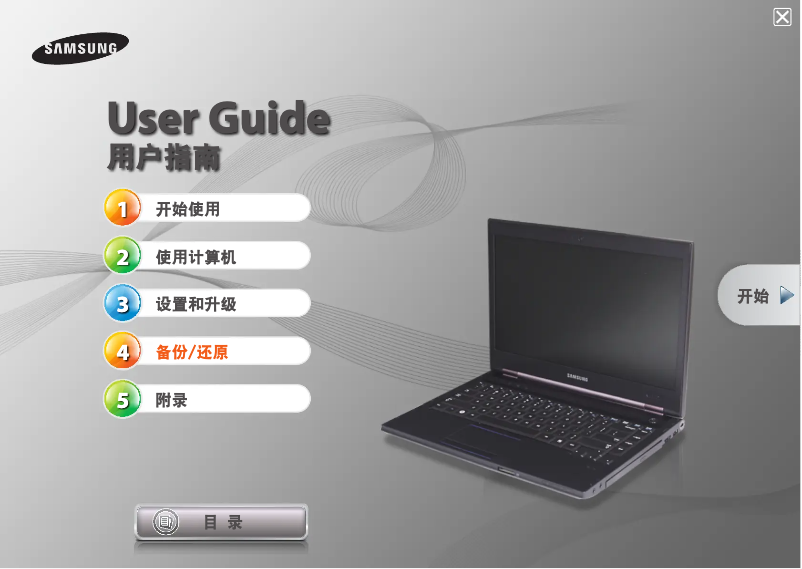
The Samsung NP400B4C-EXP is a laptop that stands out due to the reputation of its brand, synonymous with reliability and quality of manufacturing. With performance suited to the needs of users, whether for work or leisure, this model offers an enhanced user experience thanks to its user-friendly interface and innovative features. The availability of a user manual also makes it easier to get started, which is particularly appreciated by new users. However, some drawbacks must be taken into account. The relatively high weight of the laptop can make it less convenient for on-the-go use. Additionally, the battery life is limited, which can be problematic for professionals who are often traveling. The graphics performance may also not be suitable for users looking to engage in gaming or intensive graphic work. The screen has narrow viewing angles and insufficient brightness for outdoor use, while the cooling system can be noisy in quiet environments. Finally, the price may seem high compared to other models with similar specifications, which could deter some buyers. In summary, the Samsung NP400B4C-EXP is a solid choice for those looking for a reliable and high-performing laptop for general use, but it may not be suitable for all user profiles, particularly those seeking portability or advanced graphics performance.Score details
User experience
The user experience is enhanced by a user-friendly interface and innovative features, making navigation and daily use easier.
Performance
The performance is tailored to the needs of users for work and leisure, but may be limited for intensive graphic tasks.
Battery life
The battery life may not be sufficient for prolonged use without recharging, which can be a drawback for professionals on the go.
Design
The model is designed to meet expectations in terms of ergonomics and design, making it pleasant to use, although its weight may be a disadvantage for portability.
Value for money
The price may be considered high compared to other models offering similar specifications, which could deter some buyers.
Usability
The availability of a user manual allows for quick and effective onboarding, ideal for new users.
Robustness
The reputation of the Samsung brand ensures recognized reliability and build quality, although the model may be considered relatively heavy.
Advantages
Reliability of the Samsung brand
Optimal performance for work and leisure
User-friendly interface and innovative features
User manual for quick setup
Ergonomics and design that are pleasant to use
Disadvantages
Relatively heavy and bulky
Limited battery life
Insufficient graphics performance
Narrow viewing angles
Noisy cooling system
High price for the offered specifications
Technical Specifications NP400B4C-EXP
General Information
-
ModelNP400B4C-EXP
-
Brand
-
Category
-
Type
-
SKU1419110
-
MPN1419110
Frequently Asked Questions
What influences the download speed on the Internet?
Quelles sont les dimensions de l'écran de mon ordinateur portable ?
Que signifie l'acronyme HDMI ?
Quelle est la meilleure méthode pour nettoyer mon ordinateur portable ?
Quelle est la procédure pour nettoyer mon clavier ?
Qu'est-ce que le Bluetooth ?
Le manuel du Samsung NP400B4C-EXP est-il disponible en langue française ?
Similar products


More product categories from brand Samsung
Television and multimedia Samsung
Home appliances Samsung
Household appliances Samsung
Phones Samsung
Audio Samsung
Other Samsung
Interior Samsung
Tools Samsung
Software Samsung
More product types from brand Samsung


Presentation of product NP400B4C-EXP specifications from brand Samsung
General Information
The laptop Samsung NP400B4C-EXP is the result of the expertise of the brand Samsung, known for its innovations and quality in the electronics sector. This model is designed to offer optimal performance, thus meeting the expectations of users in both professional environments and leisure activities.
The Samsung NP400B4C-EXP stands out for its user-friendliness and advanced features, enhancing the daily user experience. A user manual is also included, making it easier for new users to get started, rendering its use quick and intuitive.
Advantages
- The reputation of Samsung ensures solid and reliable manufacturing quality.
- This model is designed to guarantee performance suited to the varied needs of users.
- A user-friendly interface simplifies navigation and daily use.
- The availability of a user manual allows for quick familiarization.
- Its ergonomic design contributes to a pleasant usage experience.
Disadvantages
- The weight of the Samsung NP400B4C-EXP may be a disadvantage for those looking for a lightweight model for travel.
- The battery life may be insufficient for extended sessions without recharging.
- The graphical capabilities may not be suitable for users wishing to game or perform intensive graphic work.
- The screen has narrow viewing angles, making outdoor use sometimes tricky.
- The cooling system may generate noise, which can be disruptive in a quiet environment.
- The price may be perceived as high compared to other models with similar specifications.


