

Manual of product ML-1210
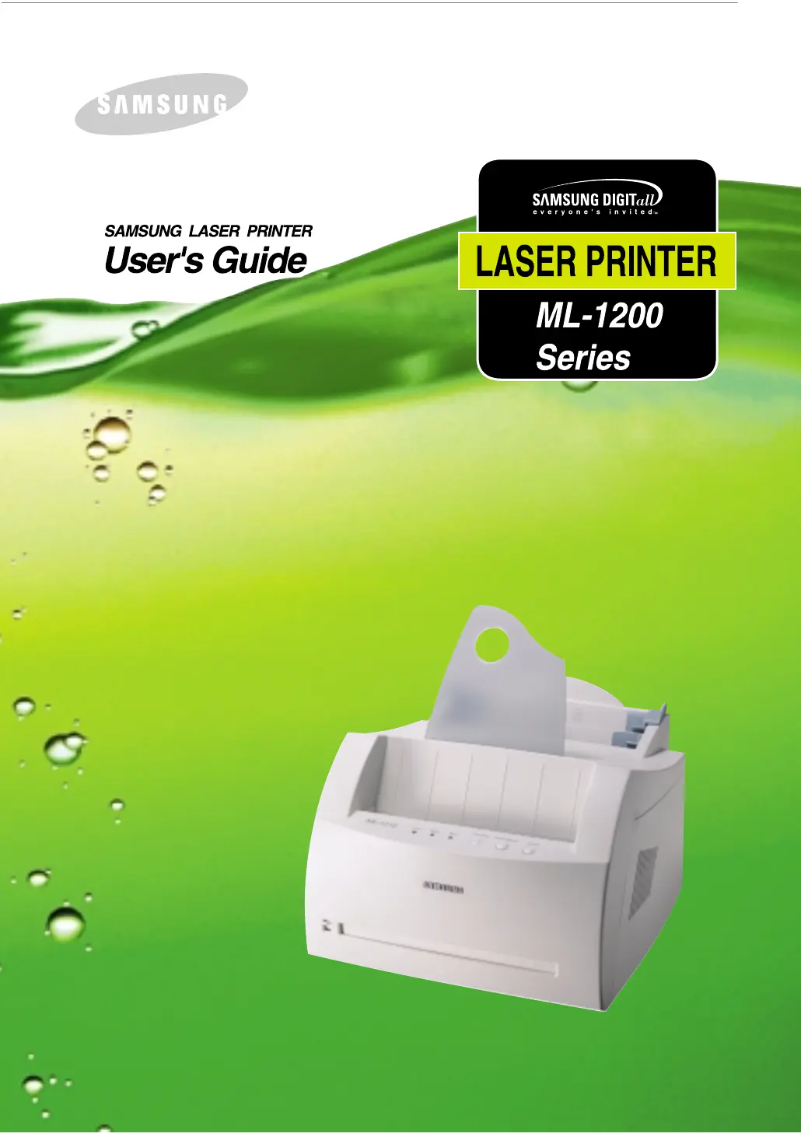
Editorial note
The Samsung ML-1210 printer stands out for its optimal print quality thanks to laser technology, delivering precise results that meet user expectations. Its ability to print up to 2500 pages per toner cartridge reduces the frequency of replacements, thus optimizing printing costs in the long run. Additionally, its island design is both functional and aesthetic, making it an interesting choice for those looking to optimize space in their office or home. However, this printer has some limitations. The lack of color printing may restrict its use for documents requiring graphic elements or visually appealing presentations. Furthermore, although the yield per page is satisfactory, the high cost of toners can weigh on users' budgets, especially for frequent prints. The island design, while attractive, may not suit all types of workspaces. Finally, the absence of advanced features such as wireless connectivity or scanning may disappoint users looking for a multifunction printer. In summary, the Samsung ML-1210 is a reliable and efficient printer for monochrome printing, but it may not meet the needs of all users due to its limitations in terms of features and operating costs.Score details
User experience
The user experience is generally positive, thanks to the print quality and ease of use, despite the lack of color.
Performance
The printing performance is excellent with laser technology, ensuring precise results and high toner yield.
Value for money
The cost of use can be high due to the toners, although the yield per cartridge is satisfactory.
Design
The island design is functional and aesthetic, but may not suit all workspaces.
Features
The lack of advanced features like wireless or scanning limits its appeal to some users.
Advantages
Professional quality laser printing.
Yield of 2500 pages per toner.
Compact design to save space.
Recognized brand for its reliability.
Printing in black only, reduced cost.
Disadvantages
Printing in black only, limited for graphics.
High toner costs for frequent printing.
Bulky design, not suitable for small spaces.
No wireless features or scanning.
Page yield can affect the budget.
Technical Specifications ML-1210
General Information
-
ModelML-1210
-
Brand
-
Category
-
Type
-
SKU1193248
-
MPN1193248
Other features
-
ColorNo
-
Printing technologyLaser printing
Features
-
Printing colorsBlack
-
TypeOriginal
-
Black toner yield per page2500 pages
Frequently Asked Questions
What is the recommended method for removing paper jammed in the printer?
Why is my printer rejecting original cartridges?
What are the possible reasons for poor print quality?
How does a laser printer differ from an inkjet printer?
Why is my inkjet printer leaving black streaks on prints?
What does the acronym DPI mean?
Is the manual for the Samsung ML-1210 available in French?
Similar products




More product categories from brand Samsung
Television and multimedia Samsung
Home appliances Samsung
Household appliances Samsung
Phones Samsung
Audio Samsung
Other Samsung
Interior Samsung
Tools Samsung
Software Samsung
More product types from brand Samsung


Presentation of product ML-1210 specifications from brand Samsung
General Information
The Samsung ML-1210 is a printer from the Samsung brand, known for its innovation and quality in the home appliance sector. This model, identified by the EAN code 8803821371951, is designed to provide reliable performance and a satisfactory user experience, thus meeting common printing needs.
Technical Specifications
This printer operates with laser printing technology, which allows it to produce high-quality and precise prints. The ML-1210 stands out with its compact island design, ideal for maximizing space in an office or at home.
In terms of yield, the black toner of the Samsung ML-1210 allows for printing up to 2500 pages, which reduces the frequency of replacements and contributes to effective cost management for printing.
Advantages and Disadvantages
Among the advantages, we note:
- An optimal print quality thanks to laser technology, ensuring professional results.
- A high yield of the black toner, limiting frequent replacements.
- A compact design, convenient for optimizing workspace.
- The reputation of the Samsung brand, synonymous with reliability and durability.
- The absence of color printing, simplifying use for those who only print in black.
However, the ML-1210 also has some disadvantages:
- Its inability to print in color may restrict its use for documents requiring graphic elements.
- The costs of replacing laser toners can be high, especially for heavy use.
- The island design, while stylish, may not suit all types of work environments.
- The model lacks advanced features, such as wireless connectivity or scanning.
- Although the yield per page is satisfactory, toner costs can affect the long-term budget.


