

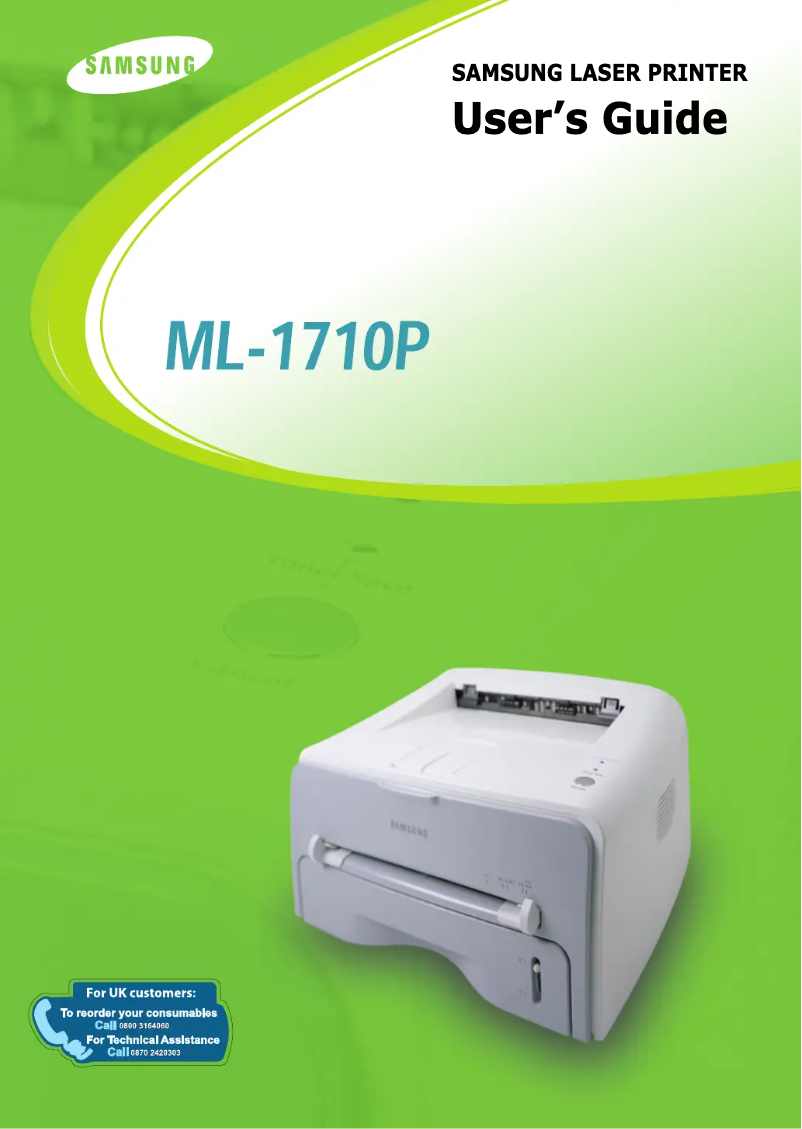
Manual of product ML-1710P
Editorial note
The Samsung ML-1710P is a monochrome laser printer that stands out for its printing speed of 16 pages per minute, making it ideal for demanding work environments where speed is essential. Its print resolution of 600 x 600 DPI ensures clear prints, suitable for both professional and personal documents. Additionally, its 250-sheet input capacity allows for handling a large volume of documents without the need for frequent reloading, which increases daily efficiency. However, some drawbacks are worth noting. The print resolution may be insufficient for those who need higher quality, particularly for images or graphic documents. Furthermore, the printer only supports black and white printing, which limits its use for tasks requiring color prints. The internal memory of 8 MB may also restrict performance when printing large files, and compatibility with recent operating systems is limited, which could pose a problem for some users. In terms of value for money, the Samsung ML-1710P proves to be interesting for use in work environments where high print volumes are common. Its compact design and lightweight make it easy to integrate into various workspaces while providing an overall satisfactory user experience. However, users should be aware of the limitations related to print quality and software compatibility.Score details
User experience
The user experience is generally satisfactory due to compact dimensions and easy integration into different workspaces.
Performance
The printing speed of 16 ppm is suitable for daily use, but may seem slow compared to newer models.
Features
Although the print resolution of 600 x 600 DPI ensures clear prints, it may be insufficient for documents requiring higher quality.
Value for money
The value for money is interesting, especially for use in demanding work environments with high printing volumes.
Usability
Limited compatibility with older operating systems may pose a problem for users of newer systems.
repairability
The internal memory of 8 MB may restrict performance when printing large documents, which could complicate the reuse of the printer.
Advantages
Print speed of 16 pages per minute - "Resolution of 600 x 600 DPI" - "Input capacity of 250 sheets" - "Compatibility with multiple operating systems" - "Compact and lightweight dimensions
Disadvantages
Print resolution limited to 600 x 600 DPI
Printing in black and white only
Internal memory of only 8 MB
Compatibility limited to older operating systems
Print speed of 16 ppm considered slow
Technical Specifications ML-1710P
General Information
-
ModelML-1710P
-
Brand
-
Category
-
Type
-
SKU86983
-
MPN86983
Print speed
-
Maximum resolution600 x 600 DPI
-
Print speed (black, normal quality, A4/US Letter)16 ppm
-
ColorNo
-
Copy time for the first page (Black, normal)11 s
Representation / realization
-
Internal memory8 MB
-
Processor modelSamsung
-
Processor frequency68 MHz
-
Integrated into the processorYes
Paper management
-
Maximum print format210 x 297 mm
-
Maximum ISO A series paper sizeA4
Other features
-
Toner cartridge3, 000 Sheets@IDC 5% coverage
-
Compatible operating systemsCompatibility Windows, Linux, Macintosh
Input and output capacity
-
Maximum input capacity250 sheets
Weight and dimensions
-
Dimensions (LxWxH)348 x 335 x 193 mm
-
Weight7000 g
Frequently Asked Questions
What is the weight of the Samsung ML-1710P printer?
What is the recommended method for removing paper jammed in the printer?
Why does my printer not recognize original cartridges?
Why is the quality of my prints poor?
What is the difference between a laser printer and an inkjet printer?
Why is my inkjet printer producing black streaks?
What does the acronym DPI mean?
Is the manual for the Samsung ML-1710P printer available in French?
Similar products




More product categories from brand Samsung
Television and multimedia Samsung
Home appliances Samsung
Household appliances Samsung
Phones Samsung
Audio Samsung
Other Samsung
Interior Samsung
Tools Samsung
Software Samsung
More product types from brand Samsung


Presentation of product ML-1710P specifications from brand Samsung
General Information
The Samsung ML-1710P printer is a model recognized for its reliability and performance, fitting into the lineage of innovation from the Samsung brand. Designed to meet the needs of both professional and home users, it ensures a quality printing experience.
Print Speed
With a maximum resolution of 600 x 600 DPI, the Samsung ML-1710P offers sharp prints, ideal for various documents. Its print speed reaches 16 pages per minute, allowing for quick printing, which is particularly advantageous in demanding work environments. However, it is important to note that this printer only supports black and white printing, limiting its use for color needs.
Technical Performance
Equipped with an internal memory of 8 MB, the printer can effectively process a reasonable volume of data. Its processor, operating at 68 MHz, ensures rapid execution of printing tasks. An essential component is integrated into the processor, guaranteeing optimal efficiency during use.
Paper Management
The Samsung ML-1710P supports a maximum print size of 210 x 297 mm, perfectly suitable for A4-sized documents, ensuring compatibility with most office equipment.
Other Features
The toner cartridge of this printer offers a print capacity of 3,000 pages at a 5% coverage, ensuring a commendable longevity for users. In terms of compatibility, the printer works with several operating systems, including Windows XP, Vista, and 7, facilitating its integration into various computing environments.
Input and Output Capacity
With an input capacity of 250 sheets, the ML-1710P is capable of handling a significant volume of documents without requiring frequent reloading, which is an asset for busy offices.
Weight and Dimensions
The compact dimensions of the printer, measuring 348 x 335 x 193 mm, allow for easy integration into various workspaces. Additionally, its weight of 7000 g facilitates handling and installation.


