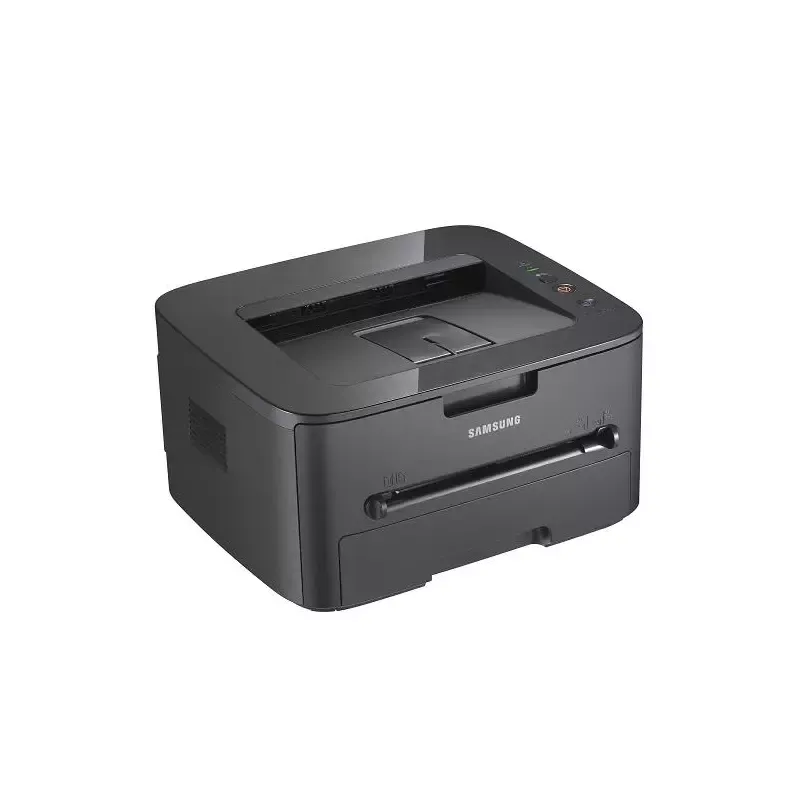

Manual of product ML-2525W

Editorial note
The Samsung ML-2525W printer stands out for its printing speed, reaching 24 pages per minute, as well as an impressive resolution of 1200 x 1200 DPI, ensuring high-quality prints. Its built-in wireless and Ethernet connectivity offers appreciated flexibility of use, allowing it to be easily integrated into various work environments. Additionally, its total paper capacity of 251 sheets facilitates print management without the need for frequent paper replacements. However, some drawbacks are worth noting. The lack of duplex printing functionality may represent a disadvantage for environmentally conscious users, increasing paper consumption. Furthermore, the limited compatibility with Windows operating systems (XP, Vista, 7) excludes Mac users, which may restrict its use in multi-platform environments. Its weight of 7300 g may also make moving and installing it more difficult, and the internal memory of 64 MB may prove insufficient for more complex printing tasks. In terms of user experience, the intuitive interface and wireless connectivity contribute to an overall satisfactory use, although the lack of duplex printing may disappoint some. The printer's performance is deemed good, but the internal memory could limit its effectiveness for demanding tasks. In summary, the Samsung ML-2525W offers good value for money for Windows users, although its incompatibility with Mac systems and its weight may pose obstacles for some.Score details
User experience
The user experience is generally positive thanks to an intuitive interface and wireless connectivity, although the lack of duplex printing may disappoint some environmentally conscious users.
Performance
The printer's performance is satisfactory, with a printing speed of 24 pages per minute and a resolution of 1200 x 1200 DPI, but the 64 MB internal memory may be limited for complex tasks.
Battery life
The sleep function with a noise level of only 26 dB allows for discreet use, contributing to a significant energy saving.
Design
The printer's design is functional, but its weight of 7300 g can make it difficult to move, which is a drawback for some users.
Value for money
The printer offers good value for money for Windows users, but its incompatibility with Mac systems may limit its appeal in multi-platform environments.
Advantages
Fast printing: 24 pages per minute.
Laser resolution of 1200 x 1200 DPI.
Built-in wireless and Ethernet connectivity.
251-sheet capacity for fewer interruptions.
Sleep mode at only 26 dB.
Disadvantages
No double-sided printing.
Limited compatibility to Windows only.
Relatively heavy to move.
Insufficient internal memory of 64 MB.
Average print speed of 24 ppm.
Technical Specifications ML-2525W
General Information
-
ModelML-2525W
-
Brand
-
Category
-
Type
-
SKU176956
-
MPN176956
Print speed
-
Double-sided printingNo
-
Maximum resolution1200 x 1200 DPI
-
Print speed (black, normal quality, A4/US Letter)24 ppm
-
Copy time for the first page (Black, normal)9 s
-
Double-sided printingNo
-
Printing technologyLaser
Representation / realization
-
Internal memory64 MB
-
Sound power level (standby)26 dB
-
Sound pressure level (impression)51 dB
-
Processor frequency360 MHz
-
Maximum internal memory- MB
Network
-
WifiYes
-
WifiYes
-
WifiYes
Other features
-
Standby LEDYes
-
Standby LEDYes
-
Compatible operating systemsWindows 2000/XP/Vista/2003 Server/2008 Server Mac OS X 10.3-10.6
-
Standby LEDLinux OS
-
Cartridge capacityYes
-
2500 sheets
Weight and dimensions
-
Weight7300 g
-
Dimensions (LxWxH)422 x 460 x 260 mm
Paper management
-
ISO, Format Series A (A0...A9)A4
-
JIS series B format (B0...B9)A5
-
JIS series B format (B0...B9)A6
-
Type of paper tray supportB5
-
Non-ISO print support sizesB5
-
Maximum print formatBond paper
-
Weight of paper tray supportEnvelopes
-
Weight of the multifunctional tray supportLabels
-
Maximum ISO A series paper sizePlain paper
-
Recycled paper
-
Transparencies
-
Folio (media size)
-
Letter (media size)
-
Statement (140 x 216mm)
-
216 x 297 mm
-
60 - 105 g/m²
-
60 - 162 g/m²
-
A4
Features
-
Service cycle (Maximum)12000 pages per month
-
Languages of the page descriptionSPL
Design
-
ScreenLCD
Input and output capacity
-
Total power capacity251 sheets
-
Total output capacity80 sheets
Connectivity
-
Standard interfacesUSB 2.0
-
Quantity of USB 2.0 Ports1
Power
-
Average power consumption in Print mode360 W
-
Energy consumption (standby mode)60 W
-
AC input frequency50 - 60 Hz
Frequently Asked Questions
What is the weight of the Samsung ML-2525W printer?
What is the best method to remove paper jammed in the printer?
Why does my printer not recognize original cartridges?
What could be the reasons for poor print quality?
What is the difference between a laser printer and an inkjet printer?
Why is my inkjet printer producing black marks?
What does the acronym DPI mean?
Why won't my printer turn on?
What are the possible causes of blurry prints?
How to resolve paper jams in the Samsung ML-2525W printer?
Why can't my printer connect to my Wi-Fi network?
How to clean the printer's imaging unit?
Does the Samsung ML-2525W printer offer a maximum resolution of 1200 x 1200 DPI?
What is the printing speed of the Samsung ML-2525W printer in normal mode?
How long does the Samsung ML-2525W printer take to print the first page in black?
Is the Samsung ML-2525W printer compatible with wireless technology?
Does the Samsung ML-2525W printer allow duplex printing?
Is the manual for the Samsung ML-2525W printer available in French?
Similar products




More product categories from brand Samsung
Television and multimedia Samsung
Home appliances Samsung
Household appliances Samsung
Phones Samsung
Audio Samsung
Other Samsung
Interior Samsung
Tools Samsung
Software Samsung
More product types from brand Samsung


Presentation of product ML-2525W specifications from brand Samsung
General Information
The Samsung ML-2525W printer, from the renowned brand Samsung, stands out for its quality and innovation in the electronics sector. This model, identified by the EAN code 5051395939234, 635753621617, 8808993603138, 8808993609987, 0635753621617, is designed to provide reliable performance and a pleasant user experience.
Print Speed
This printer is monochrome, not supporting color printing. It offers a maximum resolution of 1200 x 1200 DPI, ensuring high-quality prints. With a print speed of 24 pages per minute (ppm) in A4 format, it proves efficient for daily tasks. Additionally, the time to output the first page is only 9 seconds, which is ideal for fast-paced work environments. However, the lack of duplex printing functionality may lead to increased paper consumption.
Performance and Technical Features
Equipped with 64 MB of internal memory, the printer ensures smooth management of printing tasks. In standby mode, it generates only a noise level of 26 dB, providing discreet usage. During printing, the noise level reaches 51 dB, which is acceptable for most offices. The processor operates at a frequency of 360 MHz, providing sufficient power for quality prints.
Connectivity
The Samsung ML-2525W is ready to use with Ethernet and Wi-Fi connectivity options, allowing for easy integration into various work environments. This facilitates wireless connection with multiple devices, eliminating the need for bulky cables.
Other Features
This printer is not compatible with Mac operating systems but works with Windows XP, Vista, and 7, ensuring an optimal experience for users of these platforms. It also features a standby LED for reduced energy consumption when not in use. Its cartridge has a capacity of 2500 pages, limiting frequent replacements.
Weight and Dimensions
The ML-2525W model weighs 7300 g, which may make it less portable than other alternatives. Its dimensions of 422 x 460 x 260 mm allow for easy integration into various workspaces.
Paper Management
Compatible with several paper formats, such as A4, A5, and B5, the ML-2525W printer handles various types of media, including plain paper, labels, and transparencies. Its paper feed capacity of 251 sheets and a output capacity of 80 sheets ensure efficient print management.
Additional Features
The allowed service cycle for this printer is 12000 pages per month, which is suitable for heavy users. Additionally, it supports SPL page description languages, allowing customization according to user preferences.
Energy Consumption
In print mode, the average power consumption is 360 W, while in standby, it reduces to 60 W, contributing to energy savings. The AC input frequency is 50 - 60 Hz, ensuring compatibility with standard electrical systems.


