

Manual of product ML-2850
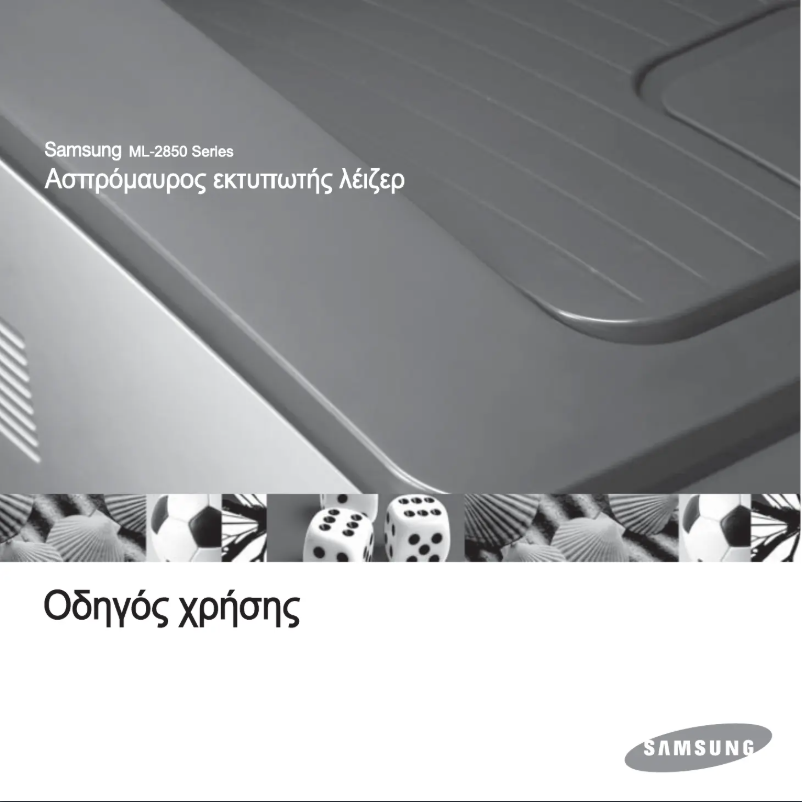
Editorial note
The Samsung ML-2850 printer stands out for its fast printing speed of 28 pages per minute and a maximum resolution of 1200 x 1200 DPI, providing prints of remarkable clarity. Its duplex printing feature is an additional asset, allowing for optimized paper usage and reduced waste. With a paper capacity of 250 sheets, it is well-suited to handle large volumes of documents, making it ideal for demanding work environments. However, some drawbacks deserve to be highlighted. The lack of out-of-the-box network connectivity limits wireless printing options, which can be a hindrance for modern users. Additionally, the internal memory of only 32 MB may restrict the handling of complex print jobs, leading to slowdowns. Its weight of 8800 g can also make it difficult to move, which is a disadvantage in flexible workspaces. Finally, the limited compatibility with recent operating systems may pose issues for some users. Overall, the Samsung ML-2850 offers good value for money for moderate printing needs, with solid features, although improvements are necessary to meet the demands of contemporary work environments.Score details
User experience
The user experience is generally positive due to fast printing speed and high print resolution, although the lack of out-of-the-box network connectivity is a drawback.
Performance
Performance is satisfactory with a printing speed of 28 ppm, but the 32 MB internal memory may limit the handling of complex documents.
Design
The weight of 8800 g can make moving the printer difficult, which is not ideal for flexible workspaces.
Value for money
With a maximum duty cycle of 30,000 pages per month, the product offers good value for money for users with moderate printing needs.
Features
Features like duplex printing and a print resolution of 1200 x 1200 DPI are major assets, although there are compatibility limitations with modern operating systems.
Support
The provided documentation is sufficient, but the limited number of compatible operating systems may pose problems for users of recent versions.
Documentation
The user manual is comprehensive, but the lack of documentation for modern operating systems may limit its effectiveness.
Advantages
Print speed of 28 pages per minute.
Print resolution of 1200 x 1200 DPI.
Double-sided printing to reduce paper usage.
Paper capacity of 250 sheets.
Noise level of 50 dB during printing.
Disadvantages
No built-in network connectivity.
Internal memory limited to 32 MB.
Heavy weight, difficult to move.
Limited compatibility with certain systems.
Insufficient duty cycle for high volumes.
Technical Specifications ML-2850
General Information
-
ModelML-2850
-
Brand
-
Category
-
Type
-
SKU860486
-
MPN860486
Print speed
-
ColorNo
-
Maximum resolution1200 x 1200 DPI
-
Print speed (black, normal quality, A4/US Letter)28 ppm
-
Copy time for the first page (Black, normal)8.5 s
-
Double-sided printingYes
Representation / realization
-
Processor modelSamsung
-
Processor frequency400 MHz
-
Internal memory32 MB
-
Maximum internal memory160 MB
-
Sound power level (standby)26 dB
-
Sound pressure level (impression)50 dB
-
Integrated into the processorYes
Input and output capacity
-
Total power capacity250 sheets
-
Total output capacity150 sheets
Network
-
Ready-to-use networkNo
Other features
-
Compatible operating systemsWindows 2000/XP(32/64bits)/Vista(32/64bits)/2003 Server(32/64bits)
-
Maximum support size (custom)Various Linux OS: - Red Hat 8 - 9, - Fedora Core 1 - 4 - Mandrake 9.2 - 10.1 - SuSE 8.2 - 9.2
-
Mac OS 8.6 - 9.2, 10.1 - 10.4
-
(76 x 127) - (216 x 356) mm
Weight and dimensions
-
Dimensions (LxWxH)364 x 369 x 209.6 mm
-
Weight8800 g
Features
-
Service cycle (Maximum)30000 pages per month
-
Languages of the page descriptionIBM ProPrinter, SPL
Paper management
-
Type of paper tray supportEnvelopes
-
Labels
-
Transparencies
Frequently Asked Questions
What is the weight of the Samsung ML-2850 printer?
What is the recommended method for removing a jammed paper from the printer?
Why does my printer not recognize the original cartridges?
What are the possible reasons for poor print quality?
What are the differences between a laser printer and an inkjet printer?
Why does my inkjet printer leave black streaks on prints?
What does the acronym DPI mean?
Is the manual for the Samsung ML-2850 printer available in French?
Similar products




More product categories from brand Samsung
Television and multimedia Samsung
Home appliances Samsung
Household appliances Samsung
Phones Samsung
Audio Samsung
Other Samsung
Interior Samsung
Tools Samsung
Software Samsung
More product types from brand Samsung


Presentation of product ML-2850 specifications from brand Samsung
General Information
The Samsung ML-2850 printer, from a brand known for its reliability and innovation, positions itself as a high-performance device for various printing needs. This model ensures an enhanced user experience thanks to its features tailored to modern requirements.
Print Speed
Designed for efficient use, the Samsung ML-2850 does not offer color printing, making it ideal for monochrome documents. With a maximum resolution of 1200 x 1200 DPI, it provides prints of exceptional clarity. Its print speed reaches 28 pages per minute in black mode, making it suitable for demanding work environments. Additionally, the time to print the first page is only 8.5 seconds. The duplex printing function also helps optimize paper usage, thereby reducing waste.
Performance / Execution
Equipped with a Samsung processor running at 400 MHz, this printer ensures quick task execution. Its internal memory of 32 MB is sufficient for daily printing tasks, although it may be limited for more complex documents. The maximum supported memory reaches 160 MB, offering some flexibility for future needs. In terms of noise, the sound level in standby is 26 dB, while operation during printing generates a sound of 50 dB, making it relatively quiet.
Input and Output Capacity
The printer's paper capacity is 250 sheets, allowing it to handle a significant volume of documents without interruption. The output capacity is 150 sheets, ensuring continuous performance for your prints.
Network
It is worth noting that the Samsung ML-2850 does not have out-of-the-box network connectivity. This limits wireless printing options, which may be a drawback for modern environments requiring this feature.
Other Features
Compatible with Windows XP, Vista, and 7 operating systems, this printer is designed for smooth use on these platforms. It can handle custom media sizes ranging from (76 x 127) mm to (216 x 356) mm, providing adaptability for various types of documents.
Weight and Dimensions
Measuring 364 x 369 x 209.6 mm, the Samsung ML-2850 can easily fit into standard workspaces. Weighing 8800 g, it is relatively heavy, which may complicate its movement in flexible office settings.
Specifications
The maximum service cycle of the printer is 30000 pages per month, making it suitable for intensive use. It supports page description languages such as IBM ProPrinter and SPL, facilitating integration into various work environments.
Paper Management
The paper tray of the Samsung ML-2850 is designed to accept a variety of media, including envelopes, labels, and transparencies, allowing flexibility in your printing projects.


