

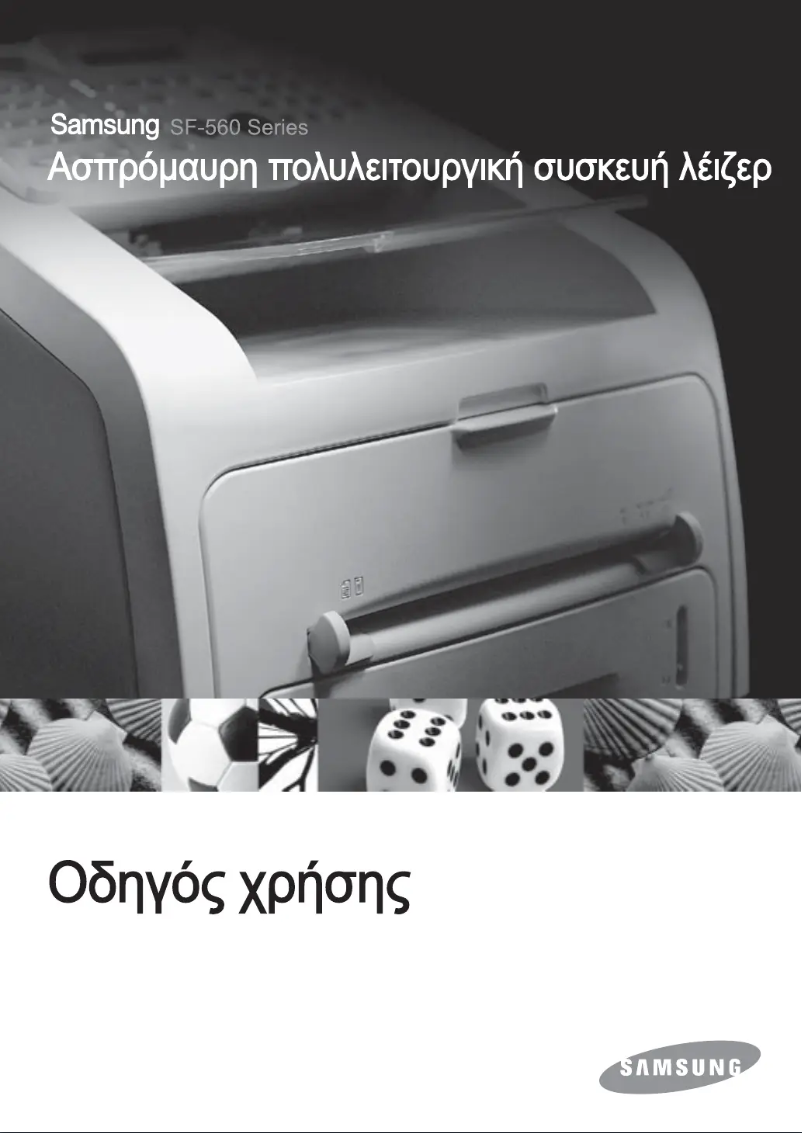
Manual of product SF-560
Editorial note
The Samsung SF-560 printer stands out for its laser printing technology that ensures precise and high-quality results, making it ideal for important documents. With a fast fax transmission speed of 3 seconds per page and a standard input capacity of 250 sheets, it effectively meets users' needs. Additionally, its economical printing feature helps reduce printing costs while maintaining high quality. However, some drawbacks are worth noting. The scanning resolution of 200 x 200 DPI may not be suitable for applications requiring very fine details. Furthermore, the lack of color fax limits the possibilities of sending visually appealing documents. The automatic document feeder capacity of 20 sheets may also prove insufficient for users with heavy printing needs. Finally, the weight of 11 kg can make the printer difficult to move, which is a disadvantage in a dynamic office environment. Regarding performance, the printer scores well with an overall positive user experience, despite some limitations. Its value for money is considered good, particularly due to its economical printing feature. However, the limited compatibility with operating systems, restricted to Windows 7, could pose issues for users of newer versions. In summary, the Samsung SF-560 is a solid option for those looking for an efficient multifunction printer, but it may not be suitable for everyone due to its limitations in features and mobility.Score details
User experience
The user experience is generally positive thanks to the laser printing technology, but the lack of color fax may disappoint some users.
Performance
The printing and faxing performance is solid, with a fast transmission speed of 3 sec/page and a 250-sheet input capacity.
Design
The design is functional, but the weight of 11 kg may pose mobility issues in an office.
Value for money
The value for money is good, especially due to the economical printing feature that reduces printing costs.
Usability
The 20-sheet automatic document feeder capacity may be insufficient for heavy use, leading to frequent interruptions.
Features
Although the product offers interesting features like scanning and faxing, the scanning resolution is limited to 200 x 200 DPI.
Support
The limited compatibility with operating systems (only up to Windows 7) may be problematic for users of newer versions.
Documentation
The user manual is comprehensive and helpful, covering all aspects of the device.
Advantages
Optimal quality laser printing
Fast fax: 3 sec/page
Input capacity: 250 sheets
Output capacity: 150 sheets
Cost-effective printing to reduce expenses
Scanning at 200 x 200 DPI
Disadvantages
Scanning resolution of 200 x 200 DPI
No color fax available
Automatic feeder of only 20 sheets
Weight of 11 kg, difficult to move
Limited compatibility with recent systems
Technical Specifications SF-560
General Information
-
ModelSF-560
-
Brand
-
Category
-
Type
-
SKU1934387
-
MPN1934387
Fax
-
Printing technologyLaser
-
Fax in colorNo
-
Fax resolution203 x 392 DPI
-
Fax transmission speed3 sec/page
-
Modem speed33.6 Kbit/s
-
Fax transmission80 localisations
Copier
-
Copy speed (normal quality, black, A4)16 cpm
-
Resizing copy50 - 150 %
-
Maximum number of copies99 copies
Other features
-
Copy resolution (monochrome)300 x 300 DPI
-
Economic printingYes
-
Economic printingYes
-
Compatible operating systemsWindows 95/98/Me/NT4.0/2000/XP
-
Acoustic emission (standby mode)Linux OS (Red Hat, Caldera, Mandrake, Slackware, SuSE, Turbo Linux)
-
Interface39 dB
-
Economic printingUSB 2.0, IEEE 1284
-
Power requirementsYes
-
Preheating time220-240V; 50/60Hz
-
35 s
Input and output capacity
-
Automatic document feeder capacity20 sheets
-
Standard input capacity250 sheets
-
Standard output capacity150 sheets
Paper management
-
ISO, Format Series A (A0...A9)A4
Digitization
-
Optical scanning resolution200 x 200 DPI
-
Scanning speed6 sec/page
-
Scanning technologyCIS
Memory
-
Fax memory160 pages
-
Fax Memory2 MB
Sound emission
-
Sound level52 dB
Weight and dimensions
-
Dimensions (LxWxH)383.7 x 416.8 x 334.9 mm
-
Weight11000 g
Autonomy
-
Service cycle (Maximum)10000 pages per month
Environmental conditions
-
Operating relative humidity (H-H)20 - 80 %
-
Operating temperature10 - 32 °C
Power
-
Energy consumption (standby mode)95 W
-
Typical electricity consumption300 W
-
Energy consumption (eco mode)12 W
Frequently Asked Questions
What is the weight of the Samsung SF-560 printer?
What is the recommended method for removing jammed paper from the printer?
Why is my printer not recognizing the original cartridges?
What are the possible reasons for poor print quality?
How does a laser printer differ from an inkjet printer?
Why is my inkjet printer producing black streaks?
What does the acronym DPI mean?
Is the manual for the Samsung SF-560 printer available in French?
Similar products




More product categories from brand Samsung
Television and multimedia Samsung
Home appliances Samsung
Household appliances Samsung
Phones Samsung
Audio Samsung
Other Samsung
Interior Samsung
Tools Samsung
Software Samsung
More product types from brand Samsung


Presentation of product SF-560 specifications from brand Samsung
General Information
The Samsung SF-560 printer is a renowned model from the Samsung brand, known for its excellence and innovation in the home appliance sector. This model, identified by the EAN code 8808979014842, 8808979196487, 8808979196500, 8808979197248, guarantees high-level performance and an enhanced user experience.
Fax
Equipped with laser printing technology, the Samsung SF-560 ensures exceptional print quality and precise results. Although it does not offer color faxing, its fax resolution of 203 x 392 DPI guarantees sharp prints, ideal for important documents. With a transmission speed of 3 seconds per page and the ability to send to 80 destinations, faxing is quick and efficient. The modem operates at a speed of 33.6 Kbit/s, ensuring a reliable connection.
Copier
The built-in copier offers a speed of 16 copies per minute in normal quality, black, A4. It allows resizing from 50 to 150 %, providing flexibility and adaptability according to needs. With a maximum capacity of 99 copies, it is suitable for frequent printing tasks.
Other Features
The monochrome copy resolution reaches 300 x 300 DPI, ensuring precise prints for professional use. Compatible with A4 and A5 paper sizes, the model also meets regulatory requirements. It is compatible with Windows XP, Vista, and 7, although its use may be limited for newer versions. In standby mode, its acoustic emission is 39 dB, allowing for quiet operation. With its USB 2.0 and IEEE 1284 interface, connecting to various devices is simplified. The economical printing feature helps minimize printing costs while maintaining quality. Its electrical requirements are 220-240V; 50/60Hz, and its warm-up time is 35 seconds.
Input and Output Capacity
The automatic document feeder has a capacity of 20 sheets, while the standard input capacity is 250 sheets and the output capacity is 150 sheets. This configuration allows for efficient management of printing volumes.
Paper Management
The Samsung SF-560 is designed to be compatible with standard paper sizes, including A4, ensuring flexibility in document management.
Scanning
Its optical scanning resolution of 200 x 200 DPI allows for good quality images, although this may be a limitation for applications requiring finer details. The scanning speed is 6 seconds per page, and it uses CIS scanning technology for quick and efficient results.
Memory
The built-in fax memory can store up to 160 pages, facilitating the management of sent and received documents. With a capacity of 2 MB, it allows for the retention of a significant number of documents.
Sound Emission
The noise level of the device is 52 dB, creating a pleasant working environment without excessive noise disturbances.
Weight and Dimensions
The dimensions of the printer are 383.7 x 416.8 x 334.9 mm and its weight is 11 kg. These features ensure a practical fit in various workspaces.
Durability
The maximum duty cycle is 10,000 pages per month, allowing for intensive use and meeting the demands of frequent users.
Environmental Conditions
The Samsung SF-560 operates optimally in a relative humidity of 20 to 80 % and an ambient temperature of 10 to 32 °C, ensuring its effectiveness in various work environments.
Power
In standby mode, the power consumption is 95 W, while the typical consumption is 300 W. In economy mode, it reduces to 12 W, contributing to energy savings while maintaining satisfactory performance.


