

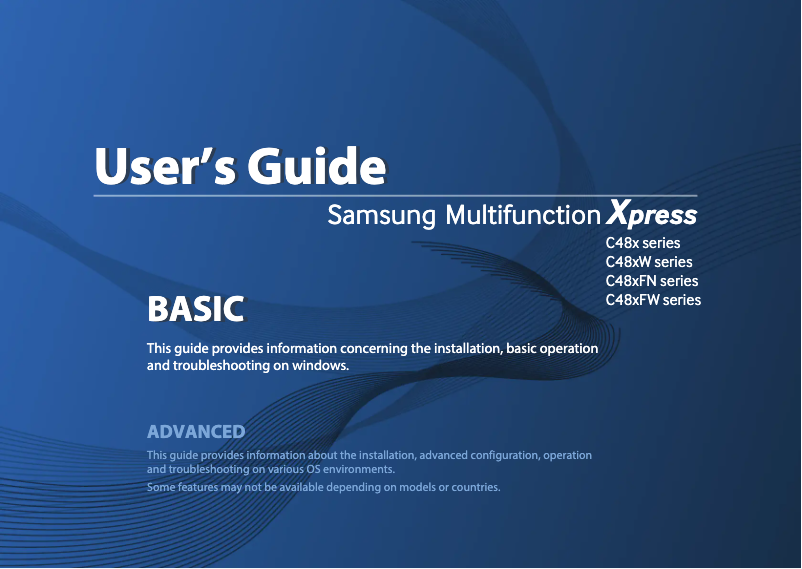
Manual of product Xpress SL-C480FW
Editorial note
The Samsung Xpress SL-C480FW printer stands out for its laser printing quality, delivering precise results and vibrant colors for all your documents and images. Its printing speed of 18 pages per minute in black and white is ideal for everyday use, while the color scanning function with a maximum resolution of 4800 x 4800 DPI ensures detailed and faithful reproductions. Additionally, wireless connectivity and support for mobile printing technologies make it easy to print from various devices. However, there are some drawbacks to consider. The color printing speed, limited to 4 pages per minute, can be frustrating for users with frequent color needs. The duplex printing mode is manual, requiring manual intervention that may be less convenient. Furthermore, the 150-sheet paper capacity can lead to frequent interruptions during heavy use. Its weight of 14 kg complicates transport and installation, and the noise level of 52 dB can be bothersome in quiet work environments. In terms of performance, the user experience is positive, although the manual duplex printing mode may affect usability. The modern and sleek design of the printer fits well in an office, even if its weight can be an issue. The value for money is good, with various features that meet professional needs. In summary, the Samsung Xpress SL-C480FW is a solid choice for those looking for a versatile printer, but it may not be suitable for everyone due to some limitations.Score details
User experience
The user experience is generally positive due to the quality of laser printing and scanning features, but the manual duplex printing mode may be less convenient.
Performance
Performance is good for black and white prints with a speed of 18 ppm, but the color printing speed of 4 ppm may be a drawback for frequent users.
Design
The design is modern and fits well in an office environment, although its weight of 14 kg may complicate transport.
Value for money
The product offers good value for money due to high-quality prints and various features, but the limited paper capacity of 150 sheets may require frequent reloading.
Usability
Although the printer is easy to use for simple prints, the manual duplex printing mode and heavy weight may affect overall usability.
Features
The printer is feature-rich, with color printing capability, high-resolution scanning, and wireless connectivity, meeting the needs of professional users.
Support
The provided documentation is adequate and support is generally responsive, but improvements in the user guides would be beneficial.
Advantages
High-quality laser printing
Manual double-sided printing
Print speed of 18 pages per minute
Color scanning up to 4800 DPI
Wireless connectivity and mobile printing
Disadvantages
Slow color print speed (4 ppm)
Manual duplex printing
Paper capacity limited to 150 sheets
Heavy weight (14 kg) difficult to transport
Annoying noise level of 52 dB
Technical Specifications Xpress SL-C480FW
General Information
-
ModelXPRESS SL-C480FW
-
Brand
-
Category
-
Type
-
SKU786539
-
MPN786539
Print speed
-
Printing technologyLaser
-
PrintingColor printing
-
Duplex printing modeManual
-
Print speed (black, normal quality, A4/US Letter)18 ppm
-
Maximum resolution2400 x 600 DPI
-
Print speed (color, normal quality, A4/US Letter)4 ppm
-
Copy time for the first page (Black, normal)14 s
-
Copy time for the first page (color, normal)26 s
-
Printing technologyLaser
-
Duplex printing modeManual
-
Print speed (black, normal quality, A4/US Letter)18 ppm
-
Maximum resolution2400 x 600 DPI
-
Print speed (color, normal quality, A4/US Letter)4 ppm
-
Copy time for the first page (Black, normal)14 s
-
Copy time for the first page (color, normal)26 s
Copier
-
CopyColor copy
-
Max. resolution of copies- DPI
-
Copy speed (normal quality, black, A4)18 cpm
-
Copy speed (normal quality, color, A4)4 cpm
-
Resizing copy25 - 400 %
-
Maximum number of copies999 copies
-
Release time of the first print (black, normal)14 s
-
Release time of the first print (color, concept)36 s
-
Automatic adjustment functionYes
Digitization
-
DigitizationColor scanning
-
Optical scanning resolution1200 x 1200 DPI
-
Maximum scanning resolution4800 x 4800 DPI
-
Type of scannerADF scanner
-
Scan toEmail, USB
-
Scanning technologyCIS
-
Scan driversTWAIN, WIA
Fax
-
FaxColor fax
-
Fax resolution (black)300 x 300 DPI
-
Modem speed33.6 Kbit/s
-
Fax Memory5 MB
-
Caller IDYes
-
Caller IDYes
-
Caller IDYes
-
Fax resolution (color)200 x 200 DPI
Features
-
Digital sender-
-
Service cycle (Maximum)20000 pages per month
-
Languages of the page descriptionPCL 5c, PCL 6C, PostScript 3, SPL-C, URF
-
Service cycle (Maximum)20000 pages per month
-
Languages of the page descriptionPCL 5c, PCL 6C, PostScript 3, SPL-C, URF
Representation / realization
-
Built-in memory card reader-
-
Built-in memory card reader-
-
Processor frequency800 MHz
-
Internal memory128 MB
-
Sound pressure level (copy)52 dB
-
Sound pressure level (impression)48 dB
-
Processor frequency800 MHz
-
Internal memory128 MB
-
Sound pressure level (impression)48 dB
-
Integrated into the processorYes
-
Integrated into the processorYes
Input and output capacity
-
Total power capacity150 sheets
-
Paper feed typeCassette
-
Total output capacity50 sheets
-
Automatic Document Feeder (ADF) production capacity40 sheets
-
Total power capacity150 sheets
-
Paper feed typeCassette
-
Total output capacity50 sheets
-
Automatic Document Feeder (ADF) production capacity40 sheets
Paper management
-
ISO, Format Series A (A0...A9)A4
-
Type of paper tray supportBond paper
-
ISO, Format Series A (A0...A9)Card stock
-
Weight of paper tray supportGlossy paper
-
Support width customizationLabels
-
Customization of support lengthPlain paper
-
ISO, Format Series A (A0...A9)Pre-Printed
-
Type of paper tray supportRecycled paper
-
ISO, Format Series A (A0...A9)Thick paper
-
Weight of paper tray supportThin paper
-
Support width customizationA4
-
Customization of support length60 - 220 g/m²
-
76 - 216 mm
-
152.4 - 355.6 mm
-
A4
-
Bond paper
-
Card stock
-
Glossy paper
-
Labels
-
Plain paper
-
Pre-Printed
-
Recycled paper
-
Thick paper
-
Thin paper
-
A4
-
60 - 220 g/m²
-
76 - 216 mm
-
152.4 - 355.6 mm
Design
-
ScreenLCD
-
Number of lines displayed2 lines
-
Product colorBlack, Grey
-
Built-in screenYes
-
ScreenLCD
-
Number of lines displayed2 lines
-
Product colorBlack, Grey
-
Built-in screenYes
-
Market positionProfessional
-
Market positionProfessional
Network
-
WifiYes
-
WifiYes
-
LAN Ethernet: data transfer rate10, 100 Mbit/s
-
Wifi standards802.11b, 802.11g, Wi-Fi 4 (802.11n)
-
Mobile printing technologiesSamsung Mobile Print
-
WifiYes
-
WifiYes
-
Wifi standards802.11b, 802.11g, Wi-Fi 4 (802.11n)
-
Mobile printing technologiesSamsung Mobile Print
Connectivity
-
Direct printing-
-
Direct printing-
-
Standard interfacesEthernet
-
Standard interfacesUSB 2.0
-
Wireless LAN
-
Ethernet
-
USB 2.0
-
Wireless LAN
Power
-
Electricity consumption (average operation)- W
-
Energy consumption (eco mode)1.8 W
-
Energy consumption (standby mode)60 W
-
Average power consumption in Print mode290 W
-
Energy consumption (eco mode)1.8 W
-
Energy consumption (standby mode)60 W
-
Average power consumption in Print mode290 W
Minimum system requirements
-
Support for the Linux operating systemYes
-
Support for the Linux operating systemYes
-
Support for the Linux operating systemYes
-
Support for the server operating systemWindows Server 2003, Windows Server 2008, Windows Server 2008 R2
-
Support for the Linux operating systemYes
-
Support for the Linux operating systemYes
-
Support for the Linux operating systemYes
-
Support for the server operating systemWindows Server 2003, Windows Server 2008, Windows Server 2008 R2
Weight and dimensions
-
Width406 mm
-
Depth362 mm
-
Height333.5 mm
-
Weight14060 g
-
Width406 mm
-
Depth362 mm
-
Height333.5 mm
-
Weight14060 g
Other features
-
PrintingColor printing
-
Copy speed (normal quality, black, A4)18 cpm
-
Copy speed (normal quality, color, A4)4 cpm
-
Resizing copy25 - 400 %
-
Maximum number of copies999 copies
-
Release time of the first print (black, normal)14 s
-
Release time of the first print (color, concept)36 s
-
Optical scanning resolution1200 x 1200 DPI
-
Maximum scanning resolution4800 x 4800 DPI
-
Modem speed33.6 Kbit/s
-
Distinctive ringtoneYes
-
Distinctive ringtoneYes
-
Sound level of the copier, in operation52 dB
Frequently Asked Questions
What is the weight of the Samsung Xpress SL-C480FW printer?
What is the best method to remove paper jammed in the printer?
Why is my printer not recognizing the original cartridges?
What are the possible reasons for poor print quality?
What are the differences between a laser printer and an inkjet printer?
Why is my inkjet printer producing black streaks?
What does the acronym DPI mean?
What is the height of the Samsung Xpress SL-C480FW printer?
What is the width of the Samsung Xpress SL-C480FW printer?
What is the depth of the Samsung Xpress SL-C480FW printer?
My printer is not working properly, what could be the potential problem?
How can I connect my printer to a Wi-Fi network?
What should I do if the printer indicates a paper jam error?
How do I replace the toner cartridge?
How do I print from a mobile device?
Does the Samsung Xpress SL-C480FW support duplex printing?
What is the maximum monthly duty cycle of the Samsung Xpress SL-C480FW printer?
What is the processor frequency of the Samsung Xpress SL-C480FW printer?
What is the maximum resolution of the Samsung Xpress SL-C480FW printer?
What is the optical scanning resolution of the Samsung Xpress SL-C480FW printer?
Is the manual for the Samsung Xpress SL-C480FW printer available in French?
Similar products




More product categories from brand Samsung
Television and multimedia Samsung
Home appliances Samsung
Household appliances Samsung
Phones Samsung
Audio Samsung
Other Samsung
Interior Samsung
Tools Samsung
Software Samsung
More product types from brand Samsung


Presentation of product Xpress SL-C480FW specifications from brand Samsung
General Information
The Samsung Xpress SL-C480FW model is a multifunction printer from the Samsung brand, known for its innovation and reliability in the field of electronic devices. This model is designed to deliver optimal performance, thus meeting the varied needs of users. The associated EAN code for this product is 8806086700368, allowing for its unique identification in the distribution system.
Print Speed
Equipped with Laser printing technology, the Samsung Xpress SL-C480FW printer guarantees superior print quality, with vibrant and accurate colors thanks to its color printing capability. The black and white print speed is 18 pages per minute (ppm), ideal for everyday use. In contrast, the color print speed is 4 ppm, which may be a disadvantage for those who require frequent color prints. The maximum resolution reaches 2400 x 600 DPI, ensuring detailed and clear prints. The first page output time is 14 seconds for black prints and 26 seconds for color prints.
Copier
The copier of the Samsung Xpress SL-C480FW printer offers a color copying function, ensuring faithful reproductions of documents. Its copying speed is 18 copies per minute in black and 4 copies per minute in color. It also allows for copy resizing from 25% to 400%, with a maximum of 999 copies per cycle. The first copy output time is 14 seconds for black and 36 seconds for color.
Scanning
In terms of scanning, the Samsung Xpress SL-C480FW offers color scanning with an optical resolution of 1200 x 1200 DPI and a maximum resolution of 4800 x 4800 DPI. It is equipped with an ADF (Automatic Document Feeder) scanner that facilitates scanning multiple documents at once. Scanning modes include options such as sending via e-mail and USB.
Fax
The color fax function allows for efficient sending and receiving of documents. The fax resolution in black is 300 x 300 DPI, while in color it is 200 x 200 DPI. The modem operates at a speed of 33.6 Kbit/s and has a fax memory of 5 MB to store documents.
Features
The maximum service cycle of the printer is 20000 pages per month, which is suitable for users with high print volumes. It supports multiple page description languages, including PCL 5c, PCL 6C, PostScript 3, and SPL-C.
Design
The Samsung Xpress SL-C480FW features a 2-line LCD screen for easy navigation. Its black and gray color gives it a modern aesthetic, suitable for professional environments.
Network and Connectivity
For connectivity, the printer is equipped with Ethernet/LAN ports and offers fast and reliable Wi-Fi access. It supports various Wi-Fi standards, including 802.11b, 802.11g, and 802.11n, allowing for wireless printing from mobile devices.
Power and Consumption
The power consumption in print mode is approximately 290 W, while in standby mode, it drops to 60 W. In energy-saving mode, the printer consumes only 1.8 W, contributing to energy savings.
Minimum System Requirements
The Samsung Xpress SL-C480FW is compatible with several operating systems, including Windows, Mac, and Linux, thus facilitating its integration into various work environments.
Weight and Dimensions
With dimensions of 406 mm wide, 362 mm deep, and 333.5 mm high, the printer weighs 14.060 kg, which may make it more difficult to transport in tight workspaces.
Other Features
In addition to its printing, copying, scanning, and faxing capabilities, the Samsung Xpress SL-C480FW printer offers high-quality color printing and various connectivity options to meet all your printing needs.


