
Manuals of product Keystone 2
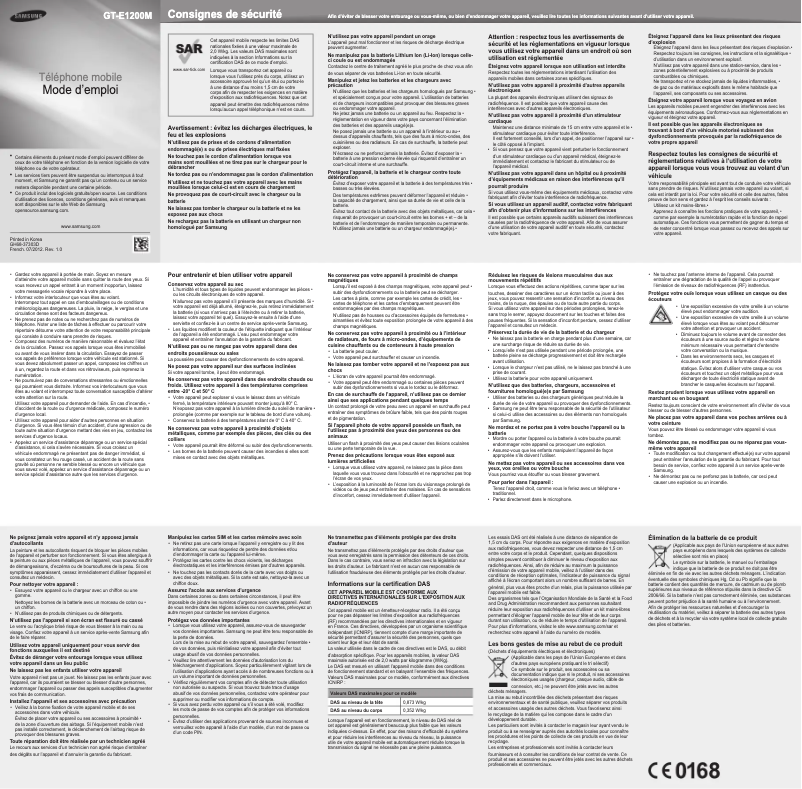

Editorial note
The Samsung Keystone 2 is a mobile phone that stands out for its ease of use, making the user experience very positive, even for those who are not familiar with technology. Its intuitive design and physical keyboard provide a pleasant typing experience, although the small screen size may complicate navigation and reading for some users. The battery life is one of the strong points of this model, with an exceptional lifespan that allows for prolonged use without frequent recharging. Additionally, its robustness makes it a reliable choice for active users, capable of withstanding daily use. As an entry-level phone, the Keystone 2 offers excellent value for money, although it has limited features compared to modern smartphones, which may disappoint users looking for advanced applications. Its design, considered basic and unappealing, may also seem outdated compared to more contemporary models. In summary, the Samsung Keystone 2 is ideal for those seeking a simple, durable, and affordable phone, but it may not be suitable for users wanting more advanced features and a more modern design.Score details
User experience
The Samsung Keystone 2 offers remarkable ease of use, making the user experience very positive, even for those who are not very familiar with technology.
Battery life
The battery life is exceptional, allowing for prolonged use without the need to recharge frequently.
Robustness
The durable design of the Samsung Keystone 2 makes it capable of withstanding daily use, making it a reliable choice for active users.
Value for money
As an entry-level phone, the Keystone 2 offers excellent value for money without compromising essential features.
Design
The design is basic and may seem outdated compared to contemporary models, which may not appeal to all users.
Features
The features are limited compared to modern smartphones, which may not suit users looking for advanced applications.
Usability
Although the physical keyboard offers a appreciated typing experience, the small screen may make navigation and reading difficult for some users.
Advantages
Intuitive and simple to use
Exceptional battery life
Robust and durable design
Excellent value for money
Compact and lightweight size
Physical keyboard for better typing
Disadvantages
Small screen, difficult navigation.
Limited features compared to smartphones.
Lack of 4G, slow internet access.
Low-quality camera.
Basic design, outdated look.
Technical Specifications Keystone 2
General Information
-
ModelKEYSTONE 2
-
Brand
-
Category
-
Type
-
SKU1346594
-
MPN1346594
Frequently Asked Questions
How can I insert the SIM card into my Samsung Keystone 2?
How do I set up speed dialing on my Samsung Keystone 2?
How do I adjust the volume during a call on my Samsung Keystone 2?
How do I turn on the flashlight on my Samsung Keystone 2?
How do I lock the keypad on my Samsung Keystone 2?
Is the manual for the Samsung Keystone 2 available in French?
Similar products






More product categories from brand Samsung
Television and multimedia Samsung
Home appliances Samsung
Household appliances Samsung
Phones Samsung
Audio Samsung
Other Samsung
Interior Samsung
Tools Samsung
Software Samsung
More product types from brand Samsung


Presentation of product Keystone 2 specifications from brand Samsung
General Information
The Samsung Keystone 2 is a mobile phone designed by the renowned brand Samsung, known for its commitment to quality and technological innovation. This model stands out for its ease of use and its ability to provide reliable performance, even for users who are less familiar with modern technologies.
Advantages
This model has several strengths:
- Ease of use: Its intuitive interface allows for quick handling, ideal for those who prioritize the essentials.
- Extended battery life: With a remarkably long-lasting battery, the Keystone 2 ensures durable use without requiring frequent recharges.
- Durability: Its robust design guarantees resistance to daily use, making it perfect for active users.
- Affordable price: As an entry-level phone, it represents an economical option while retaining essential features.
- Compactness: Its small size makes it easy to carry and store, an advantage for those looking for a lightweight phone.
- Physical keyboard: The classic keyboard offers a tactile typing experience appreciated, in contrast to the touch screens of modern smartphones.
Disadvantages
Despite its many advantages, the Samsung Keystone 2 also has some limitations:
- Small screen size: The screen size may make navigation and reading more difficult for some users.
- Limited features: Compared to contemporary smartphones, this model lacks advanced applications, which may not meet all needs.
- Absence of 4G connectivity: This limitation slows down access to the Internet and online services, restricting the user experience.
- Inferior camera quality: The camera does not allow for high-resolution photos, which may disappoint photography enthusiasts.
- Basic design: Its simple and unappealing appearance may seem outdated compared to more contemporary models.


