Thumbnail of product SGH-D500 from brand Samsung
Logo of brand Samsung

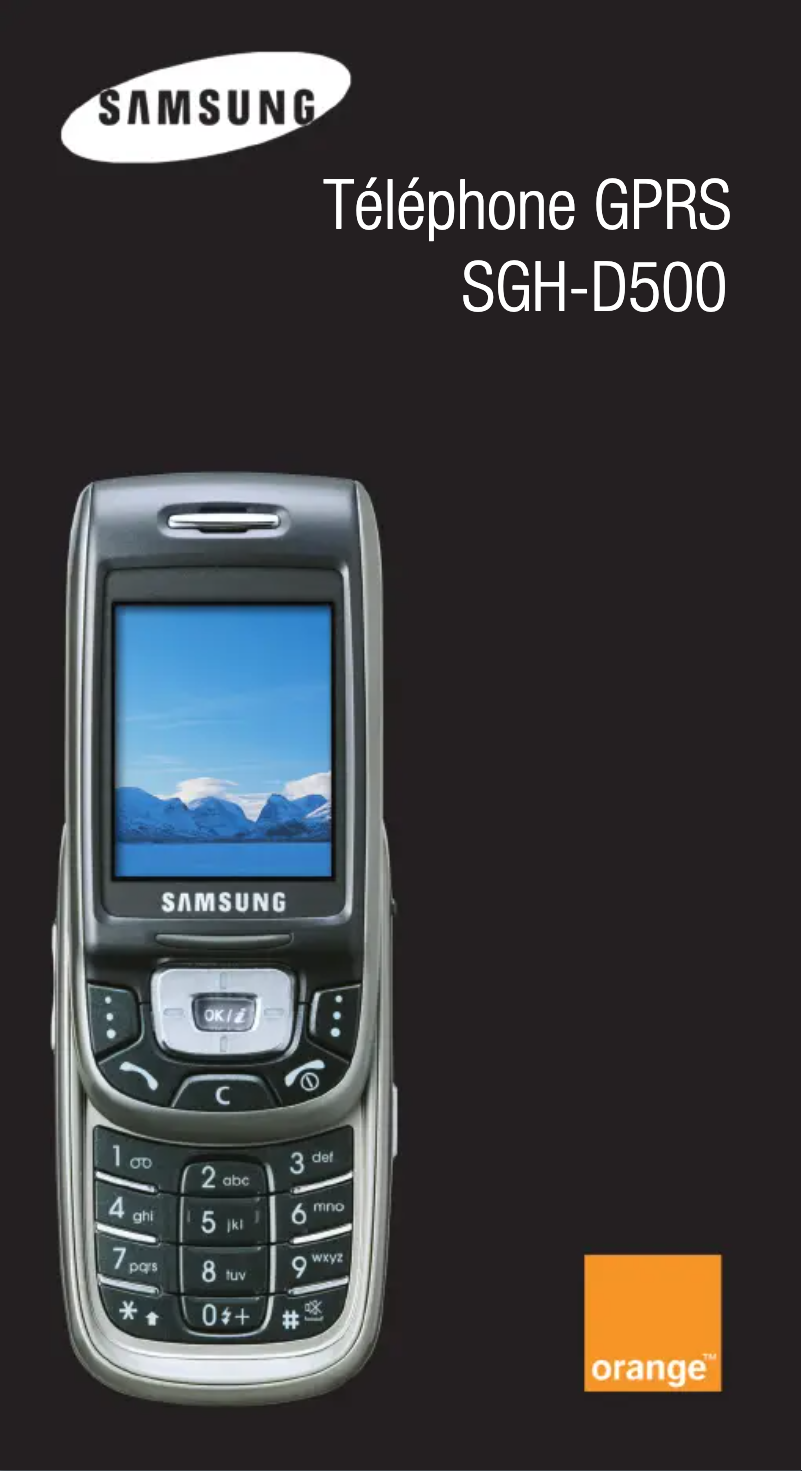
Mobile phone Samsung SGH-D500

The Samsung SGH-D500 is a mobile phone from the renowned brand Samsung, known for its innovation and quality in the field of electronic devices. This model, the SGH-D500, is designed to provide optimal performance and a smooth user experience.

Equipped with practical features, the Samsung SGH-D500 meets the daily needs of users, whether for making calls, sending messages, or navigating through menus.

This phone also comes with a user manual, making it easier to handle and use its various features. In summary, the Samsung SGH-D500 represents a reliable and functional option for those looking for a high-performing mobile phone.

Manual of product SGH-D500
7 10

Editorial note

The Samsung SGH-D500 is a mobile phone that benefits from the quality reputation of the Samsung brand. Its ergonomic design ensures a comfortable grip, making it easy to use on a daily basis. Additionally, it comes with a well-designed user manual, allowing for quick familiarization and a clear understanding of its features. However, this older model has some limitations. Its compatibility with the latest technologies and applications is restricted, which may disappoint users accustomed to modern smartphones. The user interface may seem outdated, and the battery capacity is limited, leading to frequent recharges, especially during intensive use. Furthermore, the camera does not meet the expectations of photography enthusiasts, and the lack of advanced features, such as 4G connectivity, may limit its appeal to some users. In summary, the Samsung SGH-D500 is a reliable phone for basic needs, but it may not be suitable for users seeking modern performance and advanced features.

Score details

User experience

The user experience is generally positive due to ergonomic design, although the interface may seem outdated compared to modern standards.

Performance

Performance is reliable for basic tasks, but the old model limits compatibility with recent applications.

Battery life

The battery capacity is limited, which can lead to frequent recharges, especially with intensive use.

Design

The ergonomic design offers a comfortable grip, although it does not measure up to modern smartphones.

Features

The lack of advanced features, such as 4G connectivity, may restrict its use for some users.

Documentation

The user manual is included and well-designed, facilitating quick handling and a clear understanding of the features.


Advantages

Reliable quality from the Samsung brand

Comfortable and ergonomic grip

User manual included for easy use

Optimized for a smooth user experience

Advanced and innovative features integrated

Disadvantages

Old model, not very compatible with new features.

User interface outdated compared to smartphones.

Limited battery, frequent recharges needed.

Photo quality below current standards.

Basic features, no 4G.

Technical Specifications SGH-D500

General Information

Frequently Asked Questions

How can I access the menu features on the Samsung SGH-D500?
To access the menu features on the Samsung SGH-D500, follow these steps: 1. Press the left soft key to enter the menu. 2. Use the navigation keys to scroll through the options and sub-options. 3. Press the appropriate soft key to select the desired function. 4. If a password or PIN is required, enter it and press the soft key OK. 5. When viewing a list of options, the currently selected option is highlighted. Use the navigation keys to move to the next option. 6. To confirm your selection, press the soft key Select or OK. 7. To return to the previous option, use the Up key. 8. To go back in the menu structure, press the soft key Back or the C key. 9. To exit the menu without changing settings, press the Exit key. By following these steps, you can easily navigate the menu features of your Samsung SGH-D500.
How do I turn on the Samsung SGH-D500?
To turn on your Samsung SGH-D500, do the following: 1. Open the phone. 2. Press and hold the power key until the device activates. 3. If a password is required, enter the default password "00000000" and press the soft key OK. For more information, refer to page 190 of the manual. 4. If a PIN code is requested, enter it and press the soft key OK. See page 191 of the manual for more details. 5. When the phone detects your network, the standby screen will appear, allowing you to make or receive calls. Note: To change the language, go to the Language menu (Menu 3.2.1), see page 68 of the manual. 6. To turn off the phone, hold the power key until the power off option appears. Note: You must open the phone to activate the screen and keyboard. 7. You can also lock the keyboard when the phone is closed. To unlock it, press and hold the soft key Unlock or the left soft key, then press the soft key OK. These instructions specifically apply to the Samsung SGH-D500.
How do I end a call on the Samsung SGH-D500?
To end a call on the Samsung SGH-D500, follow these steps: 1. If you are using a headset, press and hold the headset button for more than 2 seconds to answer the call. To redial the last call, hold the button and press the redial button. 2. If you do not have a headset, simply press the end call button for more than 2 seconds. Note: With a headset, closing the phone does not end the call, even if the "Stop Operation" option is enabled in the settings. You can also answer a call while using the menu or the directory. After ending the call, the screen will return to the function you were previously using. To check missed calls: 1. Open the phone if it is closed. 2. The number of the last missed call will be displayed, if available. 3. Press the soft key Options to access the following choices: - Details: information about the call, number or name (if available), date and time of receipt. - Redial: dial the number. 4. Use the Up or Down keys to navigate through missed calls. These steps are specific to the Samsung SGH-D500.
How do I view my missed calls right after they occur on the Samsung SGH-D500?
To view your missed calls immediately after they occur on the Samsung SGH-D500, do the following: 1. Open the phone if it is closed. 2. The number of the last missed call will be displayed, if available. 3. Press the soft key "Options" to see the following choices: - "Details": displays information about the call, such as the number or name (if available), as well as the date and time of receipt. - "Redial": allows you to dial the number to call back. 4. To scroll through missed calls, use the Up or Down keys. 5. To access the options for a specific missed call, press "Options" again. 6. For more details on a missed call, select "Details." 7. To call back a missed call number, choose the "Redial" option. By following these steps, you can easily manage your missed calls on the Samsung SGH-D500.
Is the manual for the Samsung SGH-D500 available in French?
Yes, the manual for the Samsung SGH-D500 is available in French.

Similar products


Discover the technical sheet of M1 Vodafone 360 from Samsung and its manuals...
Available manuals:
Discover the technical sheet of H1 Vodafone 360 from Samsung and its manuals...
Available manuals:
Discover the technical sheet of M81 from BenQ-Siemens and its manuals...
Available manuals:
Discover the technical sheet of S68 from BenQ-Siemens and its manuals...
Available manuals:
Discover the technical sheet of C81 from BenQ-Siemens and its manuals...
Available manuals:
Discover the technical sheet of SGH-Z710 from Samsung and its manuals...
Available manuals:
Discover the technical sheet of SGH-Z540 from Samsung and its manuals...
Available manuals:
Discover the technical sheet of EL71 from BenQ-Siemens and its manuals...
Available manuals:
Discover the technical sheet of YP-Z5F from Samsung and its manuals...
Available manuals:
Discover the technical sheet of E61 from BenQ-Siemens and its manuals...
Available manuals:
Discover the technical sheet of S81 from BenQ-Siemens and its manuals...
Available manuals:
Discover the technical sheet of SGH-Z720 from Samsung and its manuals...
Available manuals:

Presentation of product SGH-D500 specifications from brand Samsung

General Information

The Samsung SGH-D500 is a mobile phone model manufactured by the renowned brand Samsung, known for its commitment to quality and innovation in the electronics sector. This model, the SGH-D500, is designed to provide reliable performance, thus ensuring a satisfactory user experience.

In terms of design, the Samsung SGH-D500 benefits from well-thought-out ergonomics, allowing for a pleasant grip and facilitating its daily use. A user manual is provided, which helps users quickly familiarize themselves with the features offered by the device.

This phone integrates innovative technologies, adapted to contemporary needs, thus offering a smooth and intuitive use. However, it is important to note that the Samsung SGH-D500 is an older model, which may pose certain limitations. For example, it may not be compatible with the latest applications and technologies, and its user interface may seem outdated compared to modern smartphones.

Furthermore, the battery capacity may prove insufficient for intensive use, leading to frequent recharges. Regarding the camera, it may not meet the expectations of users looking for high image quality. Finally, the absence of certain advanced features, such as 4G connectivity, may restrict its use for some.