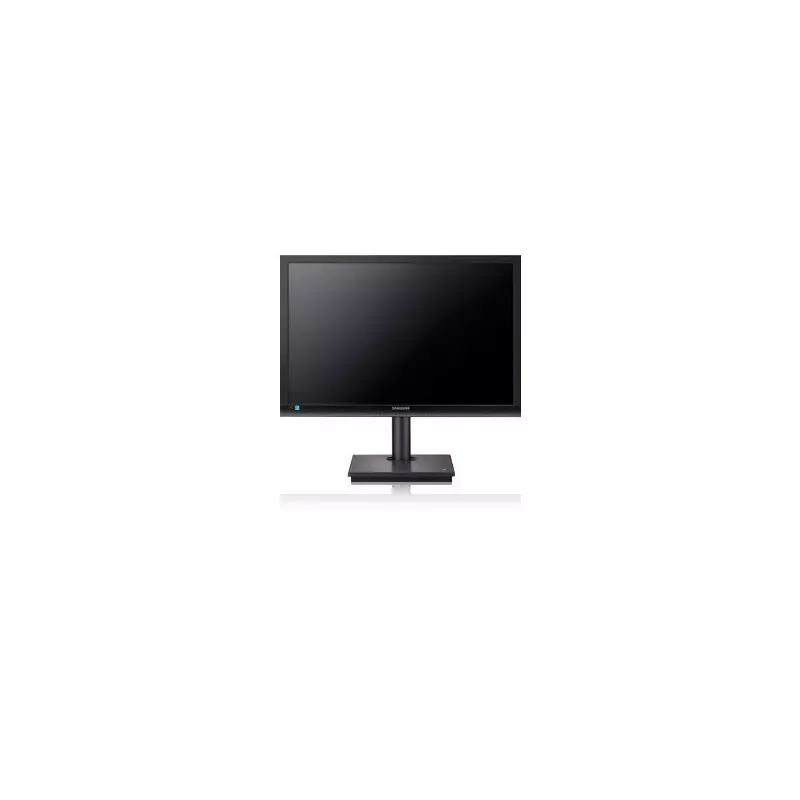

Manual of product NS240

Editorial note
The Samsung NS240 is a television that stands out with its Full HD resolution of 1920 x 1200 pixels, providing an immersive and enjoyable display quality for all your content. With a fast response time of 5 ms, it ensures optimal fluidity when watching videos and playing games, thus avoiding motion blur. Its modern and sleek black design fits harmoniously into various interiors while meeting the needs of professional users. However, some limitations must be taken into account. The lack of HDMI ports and integrated TV features may restrict connectivity with modern devices, requiring the use of an external decoder to watch TV channels. Additionally, the television does not support 3D technology and lacks built-in speakers, which could disappoint users seeking an immersive sound experience. Finally, the absence of USB ports limits the ability to play multimedia content from USB drives or external hard disks. In terms of score, the user experience is rated satisfactory with a score of 80, while performance and design receive respective scores of 75 and 85. Connectivity is rated at 60, and features at 50, highlighting areas for improvement. The value for money is fair with a score of 70, although some limitations may affect the perceived value of the product.Score details
User experience
The user experience is satisfactory thanks to the Full HD resolution of 1920 x 1200 pixels, which offers an immersive and pleasant display quality for all your content.
Performance
The 5 ms response time ensures optimal fluidity when watching videos and playing games, avoiding motion blur.
Design
The modern and elegant black design fits harmoniously into any type of interior while meeting the needs of professional users.
connectivity
The lack of HDMI ports and integrated television features limits connectivity with modern devices and requires the use of an external decoder.
Features
The television does not support 3D technology and lacks built-in speakers, which may disappoint users looking for an immersive sound experience.
Value for money
The value for money is fair, but the absence of USB ports limits the ability to play multimedia content from USB drives or external hard drives.
Advantages
Full HD resolution 1920 x 1200 pixels
Fast response time of 5 ms
VESA compatibility 100 x 100 mm
Brightness of 250 cd/m²
Modern and sleek design in black
Disadvantages
No built-in television, external decoder required
No HDMI ports for limited connectivity
No support for 3D technology
No speakers, external audio system required
No USB ports for external content
Technical Specifications NS240
General Information
-
ModelNS240
-
Brand
-
Category
-
Type
-
SKU1057186
-
MPN1057186
Screen
-
Dynamic contrast report-
-
Screen size24 "
-
Response time5 ms
-
Screen brightness (typical)250 cd/m²
-
Screen resolution1920 x 1200 pixels
-
Contrast ratio1000:1
-
Horizontal viewing angle170 °
-
Vertical viewing angle160 °
-
Number of colors displayed16.78 million colors
-
Image format16:10
-
Type HDFull HD
-
Touch screenNo
-
Supported graphic resolutions1920 x 1200 (WUXGA)
-
Image format16:10
-
Touch screenNo
Other features
-
ScreenLED
-
Number of Ethernet LAN ports (RJ-45)1
-
Integrated TV tunerNo
Connectivity
-
Quantity of DVI-D ports-
-
Number of DVI-D/DVI-I ports-
-
Headset connection-
-
HDCPNo
-
Headset output1
-
Number of downstream USB Type A ports0
-
Number of downstream USB Type A ports0
-
Headset output1
-
Headset output1
-
Microphone jack inputYes
Network
-
Ethernet/LANYes
Design
-
Market position-
-
Product colorBlack
Multimedia
-
Built-in cameraNo
-
Built-in cameraNo
Ergonomics
-
Cable anti-theft lockNo
-
VESA mountYes
-
VESA standard100 x 100 mm
Power
-
Typical electricity consumption45 W
-
Energy consumption (standby mode)2.7 W
-
AC input voltage100 - 240 V
-
AC input frequency50 - 60 Hz
Thin client
-
Thin client installedYes
-
Processor modelTera1100
Weight and dimensions
-
Width (without support)560 mm
-
Depth (without support)50 mm
-
Height (without support)374 mm
-
Weight (without support)5280 g
Packaging contents
-
Quick Start GuideYes
-
Quick Start GuideYes
Frequently Asked Questions
What is the recommended viewing distance for my Samsung TV?
What should I do if my television is no longer receiving a signal?
What are the dimensions of the screen on my television?
What does the acronym HDMI stand for?
Is it possible to connect devices from different brands via Bluetooth?
What is the screen size of the Samsung NS240?
What is the resolution of the screen on the Samsung NS240?
Is the manual for the Samsung NS240 available in French?
Similar products


More product categories from brand Samsung
Television and multimedia Samsung
Home appliances Samsung
Household appliances Samsung
Phones Samsung
Audio Samsung
Other Samsung
Interior Samsung
Tools Samsung
Software Samsung
More product types from brand Samsung


Presentation of product NS240 specifications from brand Samsung
General Information
The Samsung NS240 television, manufactured by the renowned brand Samsung, is designed to deliver high-quality performance and an enhanced user experience. This model, identified by the reference NS240 | LF24NSBTBN, is easily recognizable thanks to its unique EAN code: 8806071765518.
Screen
With a 24-inch screen, the Samsung NS240 ensures a captivating visual experience. Its Full HD resolution of 1920 x 1200 pixels guarantees sharp images and precise details, providing total immersion in your content. The response time of only 5 ms optimizes fluidity when viewing videos and games, minimizing motion blur.
The brightness of 250 cd/m² allows for good visibility in various lighting environments. With a contrast ratio of 1000:1, colors are more vibrant and blacks deeper, enriching the visual experience. The horizontal and vertical viewing angles of 170° and 160° respectively ensure pleasant viewing from different angles.
The Samsung NS240 displays 16.78 million colors, allowing for faithful reproduction of hues. Although it does not support 3D technology, its 16:10 aspect ratio is ideal for optimal visual immersion.
Other Features
The screen of the Samsung NS240 uses LED technology, offering impressive image quality. This model is equipped with an Ethernet LAN (RJ-45) port for a stable network connection, but does not have a built-in TV tuner, which requires an external decoder to receive television channels.
Connectivity
The Samsung NS240 is limited in terms of connectivity: it does not have HDMI ports, which may restrict connection options with modern devices. However, it has a VGA (D-Sub) port to facilitate connections with various monitors. The RS-232 port also allows for reliable communication with other devices. However, the absence of USB and DVI-D ports may disappoint some users.
Network
This model supports an Ethernet/LAN connection, ensuring easy integration into a home or professional network.
Design
The Samsung NS240 comes in an elegant black color, giving it a modern look that easily fits into any environment. This television is particularly suitable for professional users seeking technical specifications tailored to their needs.
Multimedia
This model does not include built-in speakers or a camera, which may require external audio equipment for a satisfactory sound experience.
Ergonomics
The Samsung NS240 does not have a security cable lock feature, but it is compatible with VESA 100 x 100 mm mounting, making it easy to install on wall mounts and optimizing space.
Power
In terms of energy consumption, the Samsung NS240 uses 45 W in normal operation and only 2.7 W in standby mode, contributing to better energy efficiency. It operates with an AC input voltage of 100 - 240 V and a frequency of 50 - 60 Hz.
Thin Client
This model does not have a thin client installed, but it is powered by a Tera1100 processor, ensuring smooth performance for daily use.
Weight and Dimensions
The dimensions of the Samsung NS240 are suitable for easy integration, with a width of 560 mm, a depth of 50 mm, and a height of 374 mm. Its weight of 5280 g makes it relatively easy to move.
Package Contents
The product includes a user manual and a quick start guide, facilitating the setup and use of the device.


