

Manuals of product QE65QN90DAU
Editorial note
The Samsung QE65QN90DAU television is a top choice for those seeking exceptional picture quality. With QLED technology, it offers vibrant colors and deep blacks, creating an immersive viewing experience that will delight movie lovers and gamers alike. Additionally, its sleek and modern design seamlessly fits into any interior, adding a pleasing aesthetic touch. The user experience is enhanced by intuitive features and easy access to streaming applications. However, it is worth noting that the Tizen operating system can sometimes feel less user-friendly, which may pose a slight obstacle for some users. In terms of performance, this model excels in watching high-definition content, although blooming issues have been reported by some users in dark scenes, which can detract from the visual experience. Nevertheless, the price of the Samsung QE65QN90DAU is a factor to consider, as it can be relatively high compared to other models available on the market, which may deter budget-conscious buyers. Additionally, the weight and bulk of the device can pose challenges during installation, requiring adequate support. Finally, the documentation provided, including a user manual and installation guide, is comprehensive and facilitates setup. However, connectivity could be improved, as the number of HDMI and USB ports may not be sufficient for all desired devices, potentially requiring additional adapters. Overall, the Samsung QE65QN90DAU stands out for its picture quality and design, but it is important to consider its potential drawbacks before making a purchase.Score details
User experience
The user experience is enhanced by intuitive features and easy access to streaming applications, although the Tizen operating system may be less user-friendly for some users.
Performance
Performance is optimal for watching high-definition content, making it an excellent choice for movie lovers and gamers.
Design
The design is sleek and modern, fitting perfectly into any interior, which adds an aesthetic touch to any space.
Value for money
The price can be relatively high compared to other models, which may deter some budget-conscious buyers.
Documentation
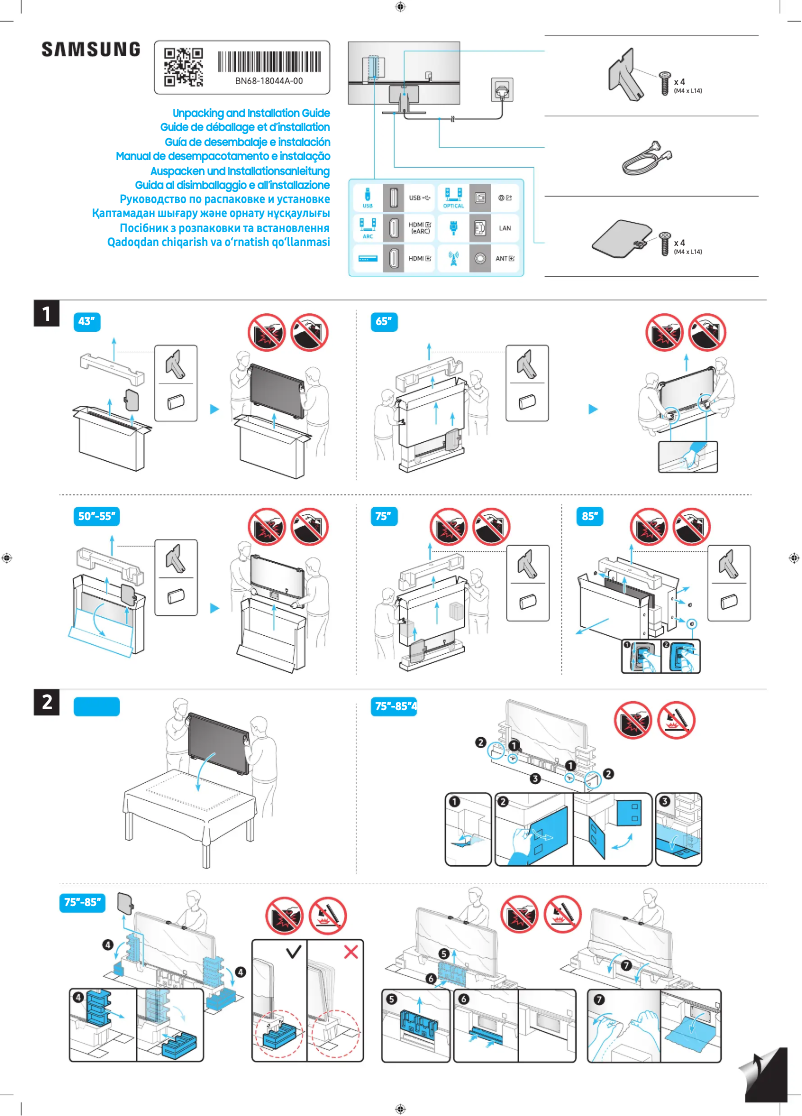
The documentation is comprehensive, including a user manual and installation guide, making it easy to set up the product.
Robustness
The weight and bulk of the device can pose installation issues, requiring adequate support and careful handling.
Features
Although the picture quality is exceptional, some users have reported blooming issues in dark scenes.
connectivity
Connectivity may be limited for some, as the number of HDMI and USB ports may not be sufficient for all desired devices.
Advantages
QLED image quality, vibrant colors, and deep blacks
Intuitive interface and easy access to apps
Modern design that fits all interiors
Optimal HD performance for movie lovers and gamers
Manual and installation guide included
Disadvantages
High price for some budgets
Blooming issues in dark scenes
Less intuitive Tizen interface
Weight and bulk difficult to install
Limited connectivity with few ports
Technical Specifications QE65QN90DAU
General Information
-
ModelQE65QN90DAU
-
Brand
-
Category
-
Type
-
SKU1951009
-
MPN1951009
Frequently Asked Questions
What is the recommended viewing distance for my Samsung TV?
What should I do if my TV is not receiving a signal?
What are the dimensions of my TV screen?
What does the acronym HDMI stand for?
Is it possible to connect devices from different brands via Bluetooth?
Is the manual for the Samsung QE65QN90DAU available in French?
Similar products


More product categories from brand Samsung
Television and multimedia Samsung
Home appliances Samsung
Household appliances Samsung
Phones Samsung
Audio Samsung
Other Samsung
Interior Samsung
Tools Samsung
Software Samsung
More product types from brand Samsung


Presentation of product QE65QN90DAU specifications from brand Samsung
General Information
The Samsung QE65QN90DAU television embodies the excellence of the Samsung brand, known for its innovation and reliability in the electronics sector. This 65-inch model offers exceptional performance, designed to enhance the viewing experience for users.
Advantages
This television stands out for its remarkable picture quality, thanks to QLED technology that produces vibrant colors and deep blacks. Movie enthusiasts and gamers will appreciate its optimal performance for high-definition content. Additionally, its modern design seamlessly integrates into various interior styles, adding a touch of elegance to your space. The intuitive user interface makes it easy to access streaming applications, and the provided documentation, including a user manual and installation guide, simplifies the setup process.
Disadvantages
However, the price of the Samsung QE65QN90DAU may be a barrier for buyers on a limited budget, making it relatively more expensive compared to other models. Although the picture quality is generally excellent, some users have reported issues with blooming or halos around bright objects in dark scenes, which can detract from the viewing experience. Furthermore, the Tizen operating system, while effective, is sometimes considered less intuitive than others, making navigation through menus less user-friendly. Finally, its weight and bulk can complicate installation, especially for wall mounting, requiring proper support and careful handling. Connectivity may also pose issues for some users, as the number of HDMI and USB ports is sometimes insufficient, which could necessitate the use of additional adapters or switches.


