

Manuals of product QN75QN85DBG
Editorial note
The Samsung QN75QN85DBG television stands out for its exceptional picture quality, thanks to QLED technology that offers vibrant colors and deep contrasts. With a size of 75 inches, it promises an immersive cinematic experience within your home. Its modern and sleek design integrates harmoniously into various interiors, making it an aesthetic choice for users. However, the high price of this model can be a barrier for some consumers, making it less accessible compared to other options on the market. Additionally, its weight and size can complicate installation, potentially requiring the help of several people or a sturdy wall mount. Energy consumption is also relatively high, which can impact your electricity bills. While the picture quality is remarkable, some users may find that limited viewing angles affect their experience. Finally, the complexity of features and settings could pose a challenge for less tech-savvy users. In terms of user experience, the built-in smart features are appreciated, although their complexity may require assistance for some. The available documents, such as the user manual and installation guide, are helpful, but the wealth of settings may require additional support. In summary, while the Samsung QN75QN85DBG is an excellent choice for television enthusiasts, it is important to consider its drawbacks before making a purchase.Score details
User experience
The user experience is generally positive thanks to the integrated smart features, although the complexity of the settings may pose a challenge for some less tech-savvy users.
Performance
The image quality performance is exceptional, thanks to QLED technology providing vibrant colors and deep contrasts, although the limited viewing angles may affect the experience for some users.
Design
The modern and sleek design of the television fits perfectly into any type of interior, which is a major asset for users concerned about aesthetics.
Value for money
The high price of this model can be a barrier for some consumers, making it less accessible compared to other options on the market.
Battery life
The energy consumption is relatively high, which can lead to higher electricity bills compared to other more energy-efficient models.
Support
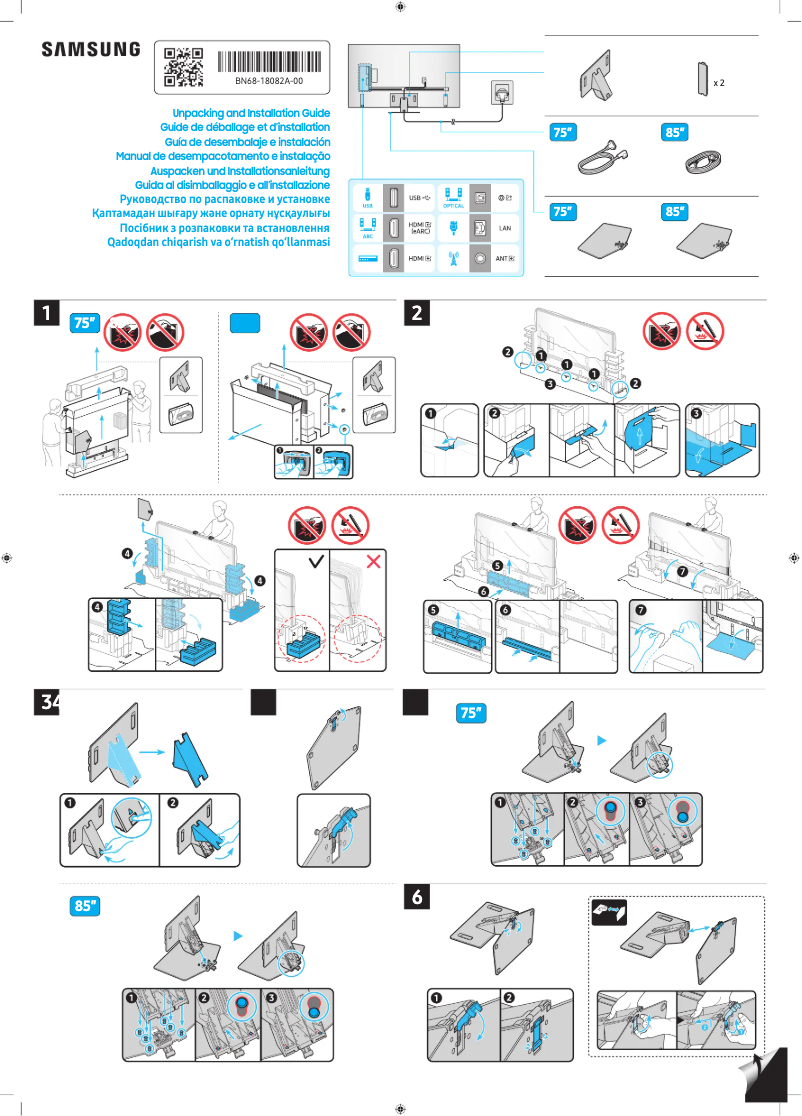
The available documents, such as the user manual and installation guide, are helpful, but the complexity of the features may require additional support for some users.
Advantages
QLED image quality, vibrant colors.
Modern design, fits anywhere.
Smart features for streaming.
75-inch size for a cinematic experience.
Audio system optimized for total immersion.
Disadvantages
High price for some consumers
Complex installation due to its weight
Relatively high energy consumption
Limited viewing angles for some users
Difficult features for the less tech-savvy
Technical Specifications QN75QN85DBG
General Information
-
ModelQN75QN85DBG
-
Brand
-
Category
-
Type
-
SKU1992214
-
MPN1992214
Frequently Asked Questions
What is the recommended viewing distance for my Samsung TV?
What should I do if my TV is no longer receiving a signal?
What are the dimensions of my TV screen?
What does the acronym HDMI stand for?
Is it possible to connect devices from different brands via Bluetooth?
Is the user manual for the Samsung QN75QN85DBG available in French?
Similar products


More product categories from brand Samsung
Television and multimedia Samsung
Home appliances Samsung
Household appliances Samsung
Phones Samsung
Audio Samsung
Other Samsung
Interior Samsung
Tools Samsung
Software Samsung
More product types from brand Samsung


Presentation of product QN75QN85DBG specifications from brand Samsung
General Information
The Samsung QN75QN85DBG is a television from the Samsung brand, which is widely recognized for its excellence and innovation in the electronics sector. This model, with its designation QN75QN85DBG, is designed to deliver high-level performance, thus ensuring an enriched and enjoyable user experience.
Advantages
This television stands out for its remarkable picture quality, thanks to its QLED technology that produces vibrant colors and striking contrasts. Its modern and refined design allows it to blend harmoniously into any interior. The integrated smart features facilitate access to various streaming applications and other multimedia content, making the viewing experience even more rewarding. With a size of 75 inches, this model is perfect for creating a cinematic atmosphere at home. Moreover, its optimized audio system provides total immersion when watching movies or series.
Disadvantages
However, the high price of the Samsung QN75QN85DBG may be a barrier for some consumers, making it less accessible compared to other models. Its size and weight can also pose challenges during installation, potentially requiring the assistance of several people or the use of a sturdy wall mount. Additionally, the energy consumption of this television is relatively high, which can result in higher electricity bills. Although the picture quality is impressive, some users may feel that the limited viewing angles detract from their viewing experience from side positions. Finally, the wealth of features and settings may present a challenge for less tech-savvy users, making the learning curve for its use more complex.


