

Manual of product UE32C4000
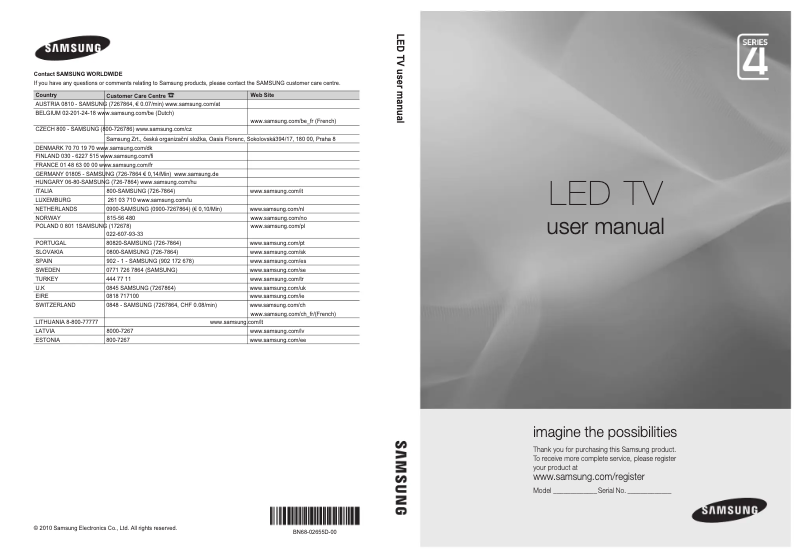
Editorial note
The Samsung UE32C4000 television stands out with its 32-inch screen size, providing a pleasant viewing experience, particularly suited for small spaces. With a resolution of 1366 x 768 pixels and a HD type, it ensures decent image quality for everyday use. Management features, such as picture-in-picture (PIP) and sleep timer, enhance the user experience by making the device more convenient. However, this model has some limitations. Its resolution is relatively low compared to current standards, which may affect image quality, especially for high-definition content. Additionally, the refresh rate of 60 Hz may not be sufficient for sports or video game enthusiasts. The lack of Ethernet LAN ports and the presence of only one USB 2.0 port may also limit connectivity options. In terms of design, the Samsung UE32C4000 showcases a modern black appearance, blending seamlessly into various interior decors. The value for money is considered fair, although some performance shortcomings may affect overall user satisfaction. Features like multiple HDMI ports and the electronic program guide enrich the experience, but the lack of 3D compatibility may disappoint some consumers. In summary, the Samsung UE32C4000 is a television suitable for standard use, but users seeking an immersive viewing experience are advised to consider other models offering better technical specifications.Score details
User experience
The user experience is pleasant thanks to practical features like image overlay and sleep timer, although some limitations may be felt.
Performance
The performance is adequate for typical use, but the resolution of 1366 x 768 pixels and the refresh rate of 60 Hz may disappoint high-definition content and sports enthusiasts.
Design
The modern and sleek black design allows for seamless integration into various interior decors, providing a pleasing visual appearance.
Value for money
The value for money is fair, offering interesting features, but some performance limitations may affect overall satisfaction.
Usability
Ease of use is enhanced by practical features, although the lack of Ethernet LAN ports and only one USB 2.0 port may limit connectivity.
Features
The offered features, such as multiple HDMI ports and the electronic program guide, enrich the experience, but the lack of 3D compatibility could disappoint some users.
Support
The user manual, although bulky, provides useful information for optimal product use.
Documentation
The available documentation is comprehensive, but the number of pages may seem excessive for some users.
Advantages
32-inch screen, ideal for small spaces
HD resolution for a sharp image
PIP function and sleep timer
4 HDMI ports for easy connectivity
Modern black design, fits well
Disadvantages
Low resolution for HD content.
Refresh rate limited to 60 Hz.
Absence of Ethernet LAN port.
32-inch size considered too small.
Only one USB 2.0 port available.
No 3D compatibility.
Technical Specifications UE32C4000
General Information
-
ModelUE32C4000
-
Brand
-
Category
-
Type
-
SKU863447
-
MPN863447
Screen
-
Screen size32 "
-
Screen resolution
-
Type HD1366 x 768 pixels
-
Screen Size (Visible Diagonal)
-
Native refresh rateHD
-
-
80 cm
-
-
60 Hz
Management features
-
Electronic Program GuideYes
-
Electronic Program GuideYes
-
Electronic Program GuideYes
-
Electronic Program GuideYes
Design
-
Product colorBlack
-
VESA standard200 x 200 mm
TV Tuner
-
Automatic channel searchYes
Audio
-
Rated power of RMS20 W
-
Number of speakers2
-
Audio systemDolby Digital
-
Built-in subwooferYes
Connectivity
-
Quantity of HDMI ports4
-
Quantity of SCART ports1
-
Quantity of SCART ports1
-
Quantity of SCART ports1
-
Common Interface (CI)Yes
-
Quantity of SCART ports1
-
Common Interface (CI)Yes
-
Number of Ethernet LAN ports (RJ-45)0
-
Quantity of SCART ports1
-
Quantity of SCART ports1
-
Number of Ethernet LAN ports (RJ-45)0
-
Common Interface (CI)Yes
Representation / realization
-
Teletext FunctionYes
Weight and dimensions
-
Device width (support included)774.6 mm
-
Depth (without support)29.9 mm
-
Height (without support)491.8 mm
-
Device width (support included)774.6 mm
-
Depth (support included)255 mm
-
Height (support included)549.1 mm
-
Weight (without support)8400 g
-
Weight (with support)9200 g
-
Package dimensions (LxWxH)990 x 120 x 615 mm
Packaging information
-
Package weight11300 g
Other features
-
Power requirements220-240V, 50/60Hz
-
3D CompatibilityNo
Frequently Asked Questions
What is the recommended viewing distance for my Samsung TV?
What should I do if my TV is no longer receiving a signal?
What are the dimensions of my TV screen?
What is HDMI?
Is it possible to establish a Bluetooth connection between devices from different brands?
What is the screen size of the Samsung UE32C4000?
What is the resolution of the Samsung UE32C4000 screen?
How do I set up channels on my Samsung UE32C4000 TV?
The image on my TV is distorted. How do I adjust the picture settings?
How do I connect external devices like a DVD player to my Samsung UE32C4000 TV?
How do I access audio settings to adjust the sound output of my TV?
How do I set a sleep timer for my TV to turn off automatically?
Does the Samsung UE32C4000 have a display resolution of 1366 x 768 pixels?
Does the Samsung UE32C4000 feature Picture-in-Picture?
Does the Samsung UE32C4000 have a Dolby Digital audio system?
Does the Samsung UE32C4000 have 4 HDMI ports?
Does the Samsung UE32C4000 have a PC input?
Is the user manual for the Samsung UE32C4000 available in French?
Similar products


More product categories from brand Samsung
Television and multimedia Samsung
Home appliances Samsung
Household appliances Samsung
Phones Samsung
Audio Samsung
Other Samsung
Interior Samsung
Tools Samsung
Software Samsung
More product types from brand Samsung


Presentation of product UE32C4000 specifications from brand Samsung
General Information
The Samsung UE32C4000 is a television from the renowned brand Samsung, known for its innovation and the quality of its electronic devices. This model, identified by the EAN codes 8808993748532 and 8808993761043, ensures reliable performance and an optimized user interface.
Screen
Equipped with a 32-inch (80 cm) screen, the Samsung UE32C4000 offers a pleasant visual experience, suitable for small spaces. Its resolution of 1366 x 768 pixels provides satisfactory image quality, although this is below current standards for high definition. The HD display type guarantees immersion in your multimedia content, while its 60 Hz refresh rate ensures reasonable fluidity, although it may not be suitable for gaming or sports users.
Management Features
The Samsung UE32C4000 includes practical features such as picture-in-picture (PIP), allowing you to view multiple sources at the same time. It also has a sleep timer to turn off the device after a period of inactivity, a power on/off timer to schedule its use, and an electronic program guide to facilitate navigation through channels.
Design
With its black finish, the Samsung UE32C4000 adopts a modern design that easily fits into various environments. It is compatible with the VESA 200 x 200 mm standard, making it easy to install on wall mounts.
TV Tuner
This model is equipped with an automatic channel search, simplifying the initial setup and access to available channels.
Audio
The audio system of the Samsung UE32C4000, with an RMS power of 20 W, is stereo and includes two speakers for an immersive sound experience. Additionally, it features a built-in subwoofer for richer and deeper bass.
Connectivity
In terms of connectivity, the Samsung UE32C4000 offers four HDMI ports and one USB 2.0 port, allowing you to connect various multimedia devices. It also has composite and component video inputs, as well as a PC connector (D-Sub). Its digital audio output (optical) and PC audio input ensure quality audio connection. However, the lack of an Ethernet port limits network connection options.
Representation / Performance
The television includes a teletext function, allowing the display of subtitles and other relevant information, thus enriching the viewing experience.
Weight and Dimensions
The dimensions of the Samsung UE32C4000 are 774.6 mm wide, 491.8 mm high, and 29.9 mm deep without the stand. With its stand, it measures 549.1 mm high and weighs 9200 g, making it relatively easy to handle. The package weight is 11300 g, ensuring adequate protection during transport.
Packaging Information
The package dimensions are 990 x 120 x 615 mm, ensuring safe packaging for efficient delivery.
Other Features
The Samsung UE32C4000 operates with a power supply of 220-240V, 50/60Hz. It is worth noting that it is not compatible with 3D technology.


