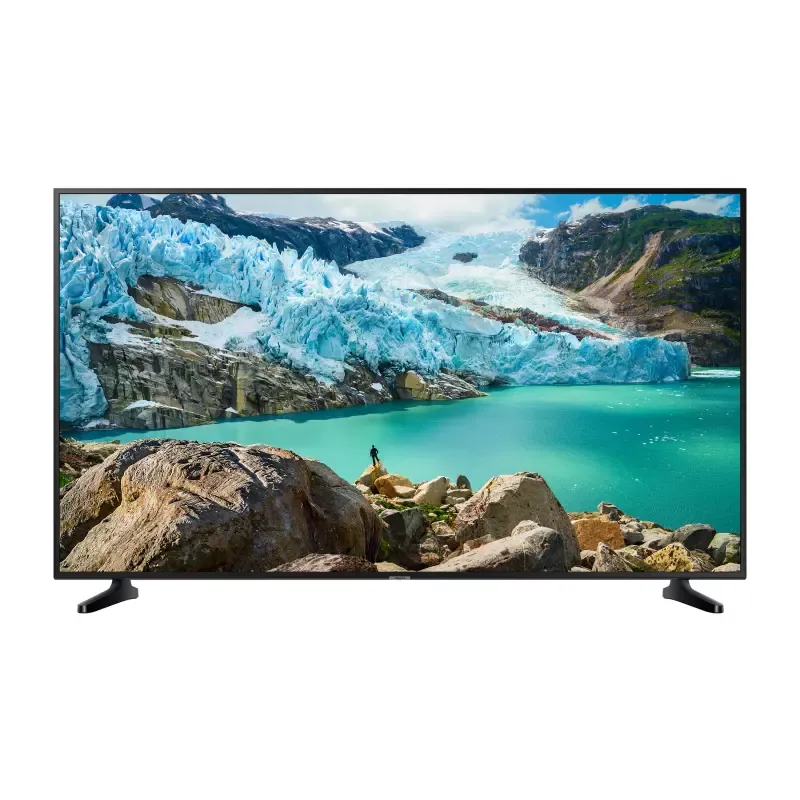
Thumbnail of product UE43RU7025K from brand Samsung
Logo of brand Samsung

Television Samsung UE43RU7025K

The Samsung UE43RU7025K television is a model that combines performance and innovation, an emblematic characteristic of the Samsung brand. With a 43-inch diagonal, this television is ideal for medium-sized living spaces, offering an immersive visual experience.

This model guarantees optimal performance thanks to advanced technologies, ensuring exceptional image quality for watching movies, series, and sports programs. The clarity of details and the vibrancy of colors will immerse you in the heart of the action.

The Samsung UE43RU7025K is also easy to use, with a user manual provided to guide you through its setup and use. Whether you are a movie enthusiast or a video game lover, this television will meet your expectations.

In summary, the Samsung UE43RU7025K is a wise choice for those looking for a quality television that combines cutting-edge technology and user-friendliness.

Manual of product UE43RU7025K
7 10

Editorial note

The Samsung UE43RU7025K television stands out for its remarkable picture quality, offering vibrant colors and precise details thanks to the brand's advanced technology. Its sleek and modern design easily fits into various interiors, adding a touch of sophistication to your space. Moreover, the user experience is facilitated by an intuitive interface, although the operating system may seem less responsive compared to some competitors. However, it is important to note that the picture quality may be inferior to that of higher-end models, particularly in terms of contrast and color depth. The absence of certain advanced features, such as OLED technology or a sufficient number of HDMI ports, could disappoint users looking for a premium visual experience. Additionally, the sound quality is average and may require the addition of an external audio system for an optimal experience. In terms of value for money, the Samsung UE43RU7025K is positioned correctly, although it lacks some options that one might expect from a more expensive model. In summary, this television will be perfectly suitable for users looking for a good product at a reasonable price, while being aware of its limitations.

Score details

User experience

The user experience is improved thanks to an intuitive interface, but the operating system may be less responsive than that of some competitors.

Performance

Performance is generally good, but image quality may be inferior to that of higher-end models, particularly in contrast.

Design

The design is sleek and modern, easily fitting into various interiors, adding a touch of sophistication.

Value for money

The value for money is fair, although some advanced features are lacking compared to more expensive models.

Features

The absence of certain options like OLED technology or a sufficient number of HDMI ports may disappoint demanding users.

sound_quality

The sound quality is average and may lack power, potentially requiring the purchase of an external audio system.


Advantages

Exceptional image quality and vibrant colors

Modern and elegant design for all interiors

Intuitive interface for easy navigation

Recognized reliability of the Samsung brand

Easy access to a wide range of content

Disadvantages

Lower image quality than high-end models

Lack of advanced features, such as OLED

Less intuitive operating system

Limited connectivity with few ports

Sound lacking in power and clarity

Technical Specifications UE43RU7025K

General Information

Frequently Asked Questions

What is the recommended viewing distance for my Samsung TV?
The recommended viewing distance for your Samsung TV depends on the screen size. Generally, it is advised to sit about 2.4 times the diagonal size of the screen.
What should I do if my TV is not receiving a signal?
If your TV is not receiving a signal, check the following: - Make sure your TV is set to the correct source. - Check that the connections are correct via the HDMI or SCART input.
What are the dimensions of my TV screen?
The size of your TV is usually indicated in inches, with 1 inch equaling 2.54 centimeters. The size refers to the diagonal of the screen, which you can measure from the bottom left corner to the top right corner.
What does the acronym HDMI stand for?
HDMI stands for High-Definition Multimedia Interface. An HDMI cable allows for the transmission of audio and video signals between different devices.
Is it possible to connect devices from different brands via Bluetooth?
Yes, Bluetooth technology is universal and allows for connection between various compatible devices.
How do I pair my Samsung Smart remote with the Samsung UE43RU7025K TV?
To pair your Samsung Smart remote with the Samsung UE43RU7025K TV, follow these steps: 1. When you first turn on the TV, the remote should pair automatically. If not, 2. Point the remote at the TV. 3. Press and hold the 'Return' and 'Play/Pause' buttons simultaneously for at least 3 seconds. After that, the remote should be successfully paired. Note that the appearance and functions of the remote may vary by model or region.
Why are some buttons on my Samsung Smart remote not working properly?
If the buttons on your Samsung Smart remote are not working well, try these steps: 1. Ensure you are within 6 meters of the TV. 2. Make sure no obstacles are blocking the line of sight between the remote and the TV. 3. Check that the remote batteries are properly inserted and charged. Change them if necessary. 4. If you are using the remote to control an external device, ensure it is properly connected via HDMI and compatible with HDMI-CEC. 5. If the problem persists, reset the remote by removing the batteries, holding down a button for 5 seconds, then reinserting the batteries. If these solutions do not work, consult the manual or contact Samsung customer support.
How do I activate the menu learning screen on the Samsung UE43RU7025K TV?
To activate the learning screen on the Samsung UE43RU7025K TV, proceed as follows: 1. Press the 'Menu' button on your remote. 2. Use the arrows to access the 'Accessibility' menu. 3. Select 'Menu Learning Screen'. 4. Once activated, the TV will provide audio guidance on the structure and features of the menus. Note that the availability of this feature may vary by model or region.
What accessibility features are available on the Samsung UE43RU7025K TV?
The Samsung UE43RU7025K TV offers several accessibility features, including: 1. Voice guide to describe menu options for the visually impaired, which can be activated in the accessibility settings. 2. Audio description to provide explanations of video scenes, available for certain broadcasts. 3. High contrast for a black and white display with strong contrast, which can be activated in the accessibility settings. 4. Grayscale for a black and white display, although some menus may be limited when activated. 5. Color inversion to facilitate reading text. The availability of these options may vary by model or region.
How do I navigate the menu with the Samsung Smart remote for the Samsung UE43RU7025K TV?
To navigate the menu with the Samsung Smart remote, follow these steps: 1. Use the directional buttons to scroll through the options. 2. Press the 'Select' button to confirm your choice. 3. To enter numbers, use the numeric keypad. 4. To adjust the volume, point the remote at the TV and use the VOL button. The volume level will be announced. 5. While watching TV, press 'Select' to display information about the program. Note that some features may vary by model or region.
How do I pair the Samsung Smart remote with the Samsung UE43RU7025K TV?
To pair the Samsung Smart remote with the Samsung UE43RU7025K TV, follow these steps: 1. Turn on the TV for the first time; the remote should pair automatically. 2. If it does not work, point it at the TV. 3. Press and hold the 'Return' and 'Play/Pause' buttons for at least 3 seconds. Note that the appearance and functions may vary by model or region.
What should I do if some buttons on the Samsung Smart remote do not work with my Samsung UE43RU7025K TV?
If some buttons on your Samsung Smart remote do not work, try the following steps: 1. Ensure the remote is properly paired with the TV. 2. Check the batteries to ensure they are properly inserted and charged. 3. Clean the buttons to remove any dirt. 4. Make sure there are no obstructions between the remote and the TV. By following these steps, you should be able to resolve the issue.
How do I activate the menu learning screen on the Samsung UE43RU7025K TV?
To activate the menu learning screen on the Samsung UE43RU7025K TV, proceed as follows: Hold down the volume button on the remote to display the accessibility menu. Navigate to 'Menu Learning Screen' and select it. Once activated, the TV will provide audio information about the menus. Note that this feature may vary by model or region.
What should I do if the Samsung Smart remote is not responding to my commands for the Samsung UE43RU7025K TV?
If your Samsung Smart remote is not responding, try these steps: 1. Check the batteries to ensure they are charged. 2. Make sure there are no obstructions between the remote and the TV. 3. Reset the remote by removing the batteries and holding down a button for 5 seconds. 4. Re-pair the remote with the TV. 5. If the problem persists, use the buttons on the TV to navigate. By following these steps, you should be able to resolve the issue.
Can I use the Samsung Smart remote from another model or region with the Samsung UE43RU7025K TV?
No, it is not possible to use the Samsung Smart remote from another model or region with the Samsung UE43RU7025K TV. The compatibility of the remote varies by model and region, and each remote is designed to work with a specific model.
How do I pair the Samsung Smart remote with the Samsung UE43RU7025K TV?
To pair the Samsung Smart remote with the Samsung UE43RU7025K TV, follow these steps: 1. Turn on the TV for the first time; the remote should pair automatically. 2. If it does not, point it at the TV. 3. Press and hold the 'Return' and 'Play/Pause' buttons simultaneously for 3 seconds. Note that the appearance and functions may vary by model or region.
Why are some buttons on the Samsung Smart remote not working?
There can be several reasons why some buttons on your Samsung Smart remote are not working. Check if you are in TV mode, if the batteries are low, or if there are obstructions blocking the remote. Also, ensure that the remote is properly paired with the TV.
How do I adjust the volume with the Samsung Smart remote?
To adjust the volume with the Samsung Smart remote, point it at the TV, locate the VOL button, and move it up to increase or down to decrease the volume. The new level will be announced.
What should I do if the Samsung Smart remote is not responding?
If the Samsung Smart remote is not responding, check the connection with the TV, replace the batteries if necessary, and try disabling functions like Voice Wake to extend battery life.
How do I activate accessibility features on the Samsung UE43RU7025K TV?
To activate accessibility features on the Samsung UE43RU7025K TV, go to the 'Settings' menu, then to 'Accessibility'. Activate the desired options such as voice guide and audio description. You can also use an accessibility shortcut by holding down the volume button.
Is the manual for the Samsung UE43RU7025K available in French?
Yes, the manual for the Samsung UE43RU7025K is available in French.

Similar products


Discover the technical sheet of 55LED1600 from Salora and its manuals...
Available manuals:
Discover the technical sheet of 28LED1600 from Salora and its manuals...
Available manuals:
Discover the technical sheet of UE32F6510SX from Samsung and its manuals...
Available manuals:
Discover the technical sheet of 43LED1600 from Salora and its manuals...
Available manuals:
Discover the technical sheet of UE48JU6000WXXH from Samsung and its manuals...
Available manuals:
Discover the technical sheet of 20LED1600 from Salora and its manuals...
Available manuals:
Discover the technical sheet of UE55J5500AWXXH from Samsung and its manuals...
Available manuals:
Discover the technical sheet of 22LED1600 from Salora and its manuals...
Available manuals:
Discover the technical sheet of UE60JU6870UXZG from Samsung and its manuals...
Available manuals:
Discover the technical sheet of UE50F5000AW from Samsung and its manuals...
Available manuals:
Discover the technical sheet of UE32J6270SU from Samsung and its manuals...
Available manuals:
Discover the technical sheet of 32LED1600 from Salora and its manuals...
Available manuals:

Presentation of product UE43RU7025K specifications from brand Samsung

General Information

The Samsung UE43RU7025K television represents the excellence of the Samsung brand, known for its innovations and quality in the home appliance sector. This model is designed to deliver optimal performance, thus ensuring an enhanced user experience. With a 43-inch diagonal, this television integrates seamlessly into various environments, adding a modern touch to your interior decor.

Advantages

This television stands out for its exceptional picture quality, resulting from Samsung's advanced technology that ensures vibrant colors and precise details. Its elegant and contemporary design allows for easy integration into any space while adding a note of sophistication. Moreover, the intuitive interface and practical features enhance the user experience, making navigation between applications and various content easier.

As a product of the Samsung brand, it benefits from a recognized reliability, a symbol of durability and innovation in the multimedia field. Finally, the television offers access to a wide range of content thanks to its smart connectivity, allowing easy enjoyment of favorite movies, series, and games.

Disadvantages

However, some limitations can be noted. The picture quality may sometimes be inferior compared to other higher-end models, particularly regarding contrast and color depth. Additionally, the lack of advanced features such as OLED technology or high refresh rate options may not satisfy users seeking a premium visual experience.

Furthermore, the operating system may be perceived as less intuitive and responsive than those of some competitors, making navigation less enjoyable. The connectivity options are also limited, which can pose a problem for those wishing to connect multiple devices. Finally, the sound quality may lack power and clarity, potentially prompting an investment in an external audio system for an optimal experience.