

Manual of product AR-M207
Editorial note
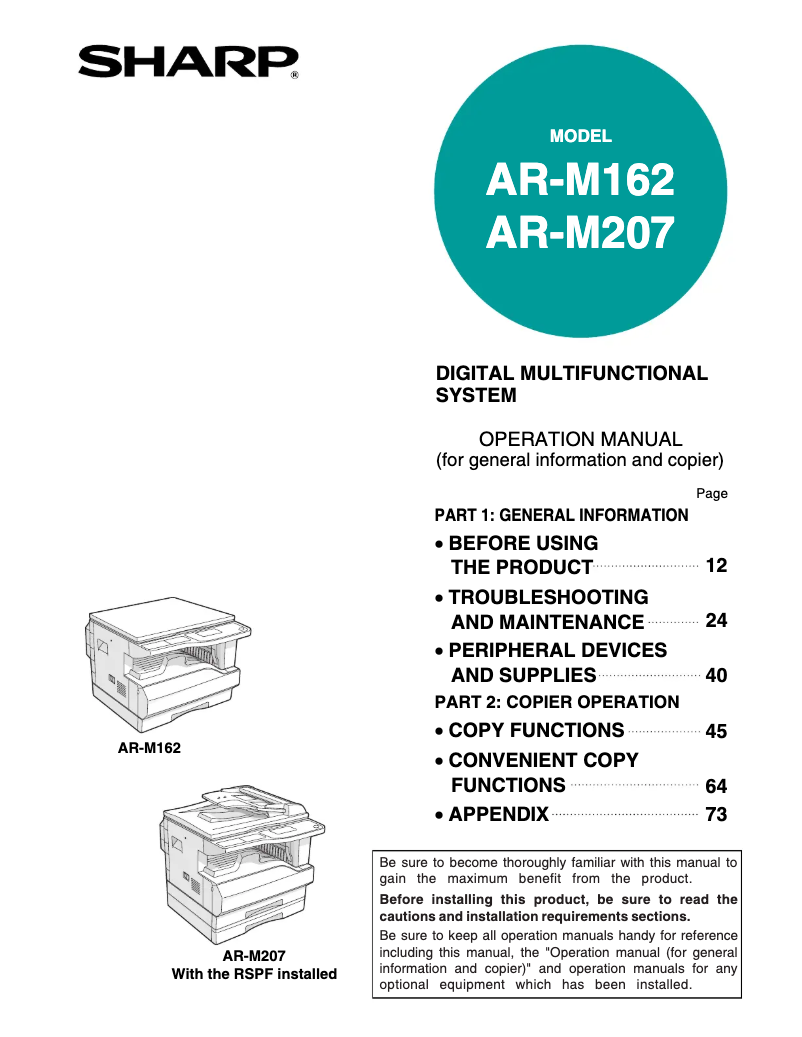
The Sharp AR-M207 stands out for its exceptional versatility, integrating all-in-one functions such as printing, copying, scanning, and faxing. This combination makes it an ideal choice for professionals with varied document management needs. Its print quality is high thanks to a maximum resolution of 600 x 600 DPI, ensuring clear and precise results. Additionally, with a printing speed of 20 pages per minute, this device is well-suited to efficiently handle large workloads. The built-in duplex printing and a maximum input capacity of 1100 sheets also optimize resource usage. However, some drawbacks must be considered. The lack of compatibility with modern Mac operating systems may restrict its use for some users. Furthermore, the 32 MB internal memory may prove insufficient for processing complex documents, which can limit performance. The absence of Ethernet/LAN connectivity and Wi-Fi features may also hinder the integration of the device into modern office environments. Finally, its substantial weight of 34,200 g makes it difficult to move, which can be problematic for those looking to rearrange their workspace. Overall, the Sharp AR-M207 offers good value for money with solid performance and varied features. However, it is essential to consider these limitations to determine if this device meets your specific needs.Score details
User experience
The user experience is positive due to the versatility of the device, which combines printing, copying, scanning, and faxing. However, the lack of compatibility with modern Mac operating systems may be a drawback for some users.
Performance
The print quality is high with a resolution of 600 x 600 DPI, and the print speed of 20 ppm is acceptable for daily use. However, the internal memory of only 32 MB may limit performance when printing complex documents.
Features
The all-in-one features are a major asset, offering great versatility. Additionally, the built-in duplex printing and maximum input capacity of 1100 sheets are very appreciated.
Design
The design is functional, but the weight of 34,200 g makes the device difficult to move. This can be a problem for users who want to rearrange their workspace.
Value for money
The product offers good value for money with solid performance and various features, although the lack of Ethernet/LAN connectivity and Wi-Fi may limit its integration into modern office environments.
Advantages
All-in-one functions: printing, copying, scanning, faxing.
High-quality laser printing, 600 x 600 DPI.
Print speed of up to 20 pages per minute.
Built-in duplex printing to save paper.
1100-sheet input capacity, rare refill.
Disadvantages
Incompatible with modern Macs."
Internal memory of only 32 MB."
No Ethernet or Wi-Fi connectivity."
High weight of 34,200 g."
Printing speed considered slow.
Technical Specifications AR-M207
General Information
-
ModelAR-M207
-
Brand
-
Category
-
Type
-
SKU246506
-
MPN246506
Other features
-
All-in-one functionsCopy
-
All-in-one color functionsFax
-
Dimensions (LxWxH)Print
-
Compatible operating systemsScan
-
Formats of scanned filesNo
-
Emulations590 x 595 x 520 mm
-
Supported support weightWin 95/98/Me/NT4.0/2000/XP/Vista
-
Mac OS 8.6-9.2.2/Mac 10.1.5/10.2.8/10.3.9/10.4-10.4.10/10.5-10.5.1
-
JPG, PDF, TIFF
-
PCL5e/PCL6, Opt PostScript 3
-
56 - 90 g/m²
Print speed
-
Printing technologyLaser
-
Maximum resolution600 x 600 DPI
-
Print speed (black, normal quality, A4/US Letter)20 ppm
-
Print speed (black, normal quality, A3)11 ppm
-
Preheating time45 s
-
PrintingMonochrome printing
-
Double-sided printingYes
Features
-
Service cycle (Maximum)- pages per month
-
Digital senderNo
Copier
-
Max. resolution of copies600 x 600 DPI
-
Maximum number of copies999 copies
-
Resizing copy25 - 400 %
-
Release time of the first print (black, normal)7.2 s
-
CopySingle copy
Digitization
-
Optical scanning resolution600 x 600 DPI
-
Scan toE-mail, FTP
-
Supported image formatsJPG, TIF
-
Gray levels256
-
DigitizationMonochrome scanning
Fax
-
Fax transmission speed3 sec/page
-
Modem speed33.6 Kbit/s
-
Fax coding methodsJBIG, MH, MMR (Fax coding method), MR
-
CommunicationSuper G3
-
Fax Memory10 Mo
-
FaxSimple fax
Input and output capacity
-
Total power capacity600 sheets
-
Maximum input capacity1100 sheets
-
Total output capacity- sheets
Paper management
-
Maximum print format297 x 420 mm
-
Type of paper tray supportOrdinary paper
-
ISO, Format Series A (A0...A9)A3, A4, A5, A6
-
Maximum ISO A series paper sizeA3
Design
-
ScreenLCD
-
Built-in screenYes
-
Market positionProfessional
Connectivity
-
Direct printing-
-
Standard interfacesUSB 1.1, USB 2.0
-
USB portYes
-
Quantity of USB 1.1 ports1
Network
-
Wifi-
-
Ethernet/LANNo
-
Support for network protocols (IPv4)TCP/IP, IPX/SPX (NetWare), NetBEUI, Ether Talk
Representation / realization
-
Internal memory32 MB
-
Built-in memory card readerNo
-
Mac CompatibilityYes
Power
-
Electricity consumption (average operation)1.2 W
-
AC input frequency50 - 60 Hz
Weight and dimensions
-
Weight34200 g
Minimum system requirements
-
Support for the Windows operating systemWindows 2000
-
Support for the Mac operating systemWindows 98
-
Mac OS 8.6
-
Mac OS 9.0
-
Mac OS 9.1
-
Mac OS 9.2
-
Mac OS X 10.2 Jaguar
-
Mac OS X 10.3 Panther
-
Mac OS X 10.4 Tiger
-
Mac OS X 10.5 Leopard
Frequently Asked Questions
What is the weight of the Sharp AR-M207?
What is the best method to remove a jammed paper from the printer?
Why is my printer not accepting original cartridges?
Why is the quality of my prints poor?
What is the difference between a laser printer and an inkjet printer?
Why is my inkjet printer producing black streaks?
What does the acronym DPI mean?
Is the manual for the Sharp AR-M207 available in French?
Similar products


More product categories from brand Sharp
Television and multimedia Sharp
Home appliances Sharp
Household appliances Sharp
Audio Sharp
Phones Sharp
Other Sharp
Interior Sharp
More product types from brand Sharp


Presentation of product AR-M207 specifications from brand Sharp
General Information
The Sharp AR-M207 is a multifunction printer from the Sharp brand, known for its innovation and reliability in the office equipment sector. This model, designated by the code AR-M207, ensures quality performance, providing a smooth and efficient user experience. Its EAN code, 4974019458908, allows for precise identification in distribution systems.
Features
This all-in-one printer offers various functions such as copying, faxing, printing, and scanning, thus meeting a wide range of professional needs. The compact dimensions of 590 x 595 x 520 mm facilitate its integration into various workspaces. Compatible with operating systems Windows XP, Vista, and 7, it ensures optimal use. Scanned files can be saved in JPG, PDF, and TIFF formats, offering flexibility in document sharing and storage. Its emulation mode, which includes PCL5e/PCL6 and PostScript 3, ensures broad compatibility with different printing systems.
Print Speed
The Sharp AR-M207 uses laser printing technology, offering a maximum resolution of 600 x 600 DPI for exceptionally clear prints. With a print speed of 20 pages per minute in black and 11 ppm in color, it is ideal for daily use. The warm-up time of 45 seconds allows for quick availability with each use. Additionally, the printer supports duplex printing, contributing to efficient paper usage.
Copying Capabilities
The maximum resolution for copies is also 600 x 600 DPI, ensuring high-quality results. The copier can produce up to 999 copies and allows resizing from 25 to 400 %, thus adapting to the specific needs of users. The time for the first print is 7.2 seconds, offering great responsiveness.
Scanning
For scanning, the Sharp AR-M207 offers an optical resolution of 600 x 600 DPI and supports E-mail and FTP scanning modes. Supported image formats include JPG and TIF, allowing for high image quality retention. Color scanning is also available, ensuring faithful reproductions of original documents.
Fax
The fax transmission speed is 3 seconds per page, and the modem operates at 33.6 Kbit/s, ensuring a fast and efficient connection. Several coding methods, such as JBIG, MH, and MMR, ensure quality transmission. The automatic redial function in case of a busy line optimizes document sending, and the fax memory of 10 MB allows for storing multiple transmissions.
Input and Output Capacity
The Sharp AR-M207 has a paper feed capacity of 600 sheets and a maximum input capacity of 1100 sheets, making it easy to manage large volumes of documents without frequent reloading.
Paper Management
It supports print sizes up to 297 x 420 mm and is compatible with standard paper types such as A3, A4, and A5. The paper tray is designed to accommodate plain paper, allowing it to adapt to different printing needs.
Design and Connectivity
Equipped with a built-in LCD screen, the Sharp AR-M207 offers an intuitive user interface. Although it does not have Ethernet or Wi-Fi connectivity, it includes a USB 1.1 port for direct connection with compatible devices.
Technical Specifications
The printer's internal memory is 32 MB, which may be limited for complex tasks. It consumes an average of 1.2 W during operation, ensuring energy efficiency. Its weight of 34,200 g may pose challenges in terms of mobility.
System Compatibility
The Sharp AR-M207 supports several versions of Windows but is not compatible with modern Mac systems. This limits its use for some users. The required AC input frequency is 50-60 Hz, ensuring compatibility with most electrical systems.


