Thumbnail of product CCD-SC55E from brand Sony
Logo of brand Sony

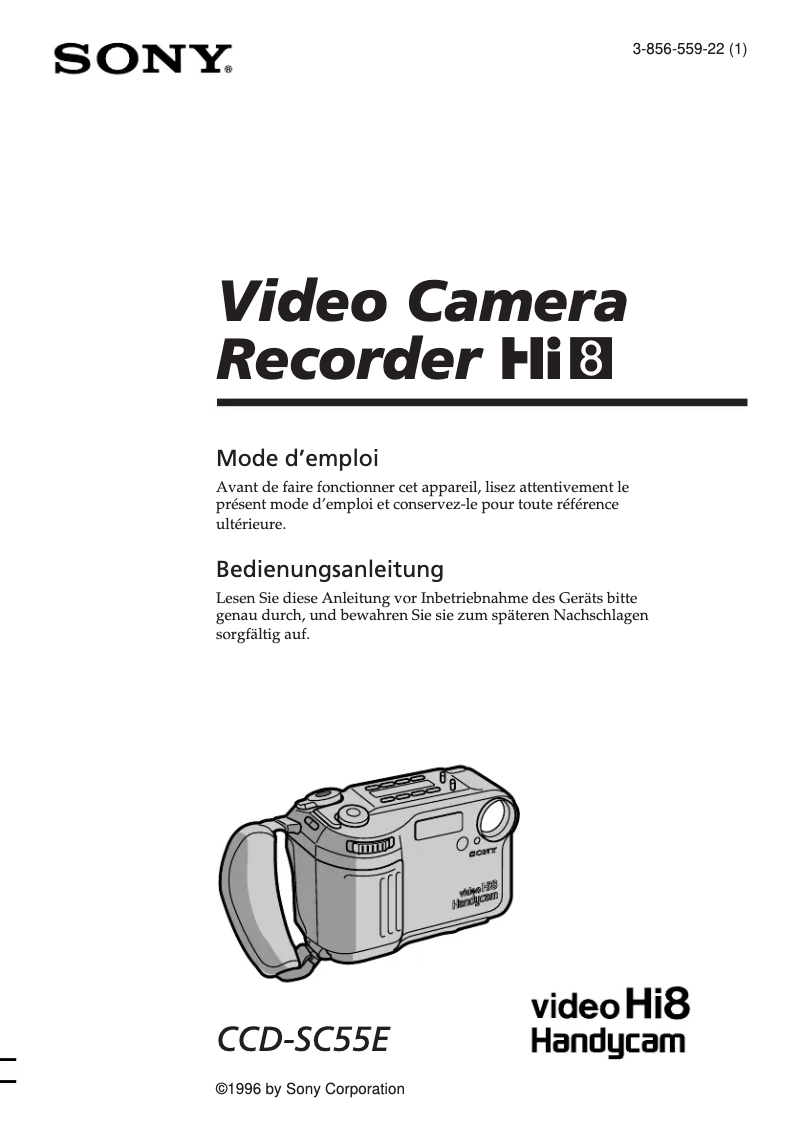
Camcorder Sony CCD-SC55E

The Sony CCD-SC55E is a camcorder from the renowned brand Sony, known for its quality and innovation in the field of photography and video. This model guarantees optimal performance, providing an enhanced user experience for capturing precious moments.

Designed to meet the expectations of video enthusiasts, the Sony CCD-SC55E is equipped with technical features that ensure high-quality shooting. Its ergonomic design allows for easy handling, whether for family recordings or special events.

This camcorder also comes with a user manual, making it easy to get started and utilize all its features. Whether you are an amateur videographer or an occasional user, the Sony CCD-SC55E proves to be a valuable tool for immortalizing your memories.

In summary, the Sony CCD-SC55E is a reliable camcorder, combining performance and ease of use, ideal for anyone looking to capture and relive their important moments.

Manual of product CCD-SC55E
7 10

Editorial note

The Sony CCD-SC55E is a camcorder that stands out for its exceptional image quality thanks to CCD technology, offering vibrant colors and precise details. Its ergonomic design makes it easy to handle, making it enjoyable to use for both beginners and professionals. Additionally, the reliability of the Sony brand ensures appreciable durability, and the included user manual allows for a quick understanding of the features. However, this relatively old model has some limitations. It may not meet the expectations of modern users, particularly in terms of connectivity and advanced features, such as Wi-Fi or Bluetooth. The ergonomics, while functional, may seem outdated, and the weight of the camcorder can make it less convenient for travel. Furthermore, the image quality, while good, may appear insufficient compared to that of recent digital camcorders. In terms of performance, the Sony CCD-SC55E is suitable for various shooting environments, although its capabilities may be limited compared to newer models. The value for money remains reasonable, especially considering its strengths, but users looking for modern features may be disappointed. In summary, this camcorder will suit those who prioritize image quality and ease of use, while being aware of its limitations in the face of current innovations.

Score details

User experience

The ergonomic design makes it easy to handle, although the ergonomics may seem outdated for some modern users.

Performance

The performance is suitable for various shooting environments, but the older model may limit certain features compared to recent camcorders.

Battery life

The battery life is satisfactory for extended use, although it is not exceptional.

Design

The design is functional but may seem heavy and bulky compared to more modern and compact models.

Value for money

The value for money is fair, given the exceptional image quality, but the limitations compared to modern camcorders may disappoint.

Documentation

The included user manual is comprehensive and allows for a quick understanding of the camcorder's features.


Advantages

CCD image quality, vibrant colors.

Ergonomic design for easy use.

Reliability and durability of the Sony brand.

Manual included for quick handling.

Optimal performance indoors and outdoors.

Disadvantages

Old model, limited features

Image quality inferior to recent camcorders

Outdated and uncomfortable ergonomics

Size and weight impractical for travel

Lack of Wi-Fi and Bluetooth

Technical Specifications CCD-SC55E

General Information

Frequently Asked Questions

What is a megapixel?
The term megapixel refers to the number of pixels present in the sensor. One megapixel equals one million pixels. The higher the number of pixels, the better the potential image quality.
What does the abbreviation "MP" mean?
The abbreviation MP stands for megapixels.
How can I adjust the focus on the Sony CCD-SC55E camcorder?
To adjust the focus on the Sony CCD-SC55E camcorder, follow these steps: 1. Put the camcorder in standby or recording mode. 2. Identify the subject you want to focus on. 3. Press the focus lock button when the subject is sharp on the LCD screen. 4. The focus will then be locked, and the 'FOCUS LOCK' indicator will appear. 5. To unlock the focus, press the button again. This function is useful for keeping focus on an unstable subject. Remember to adjust the focus whenever you change subjects or distances for sharp images.
Why won't my camcorder turn on even after being plugged in?
If the Sony CCD-SC55E camcorder does not turn on after being plugged in, try the following steps: 1. Check that the battery is properly inserted. 2. Ensure that the battery is charged; if it is low, connect the device to the power adapter to charge it. 3. Check that the adapter is properly connected to the camcorder and to a working outlet. 4. If the camcorder has a reset button, press it with a pointed object to restore factory settings. 5. If the camcorder has been in standby for more than 5 minutes, turn it off and then back on. If the problem persists, contact a Sony dealer or customer service for assistance.
How do I connect the camcorder to a TV to play videos?
To connect the Sony CCD-SC55E camcorder to a TV for playback, follow these steps: 1. Turn off the camcorder and the TV. 2. Find the provided audio/video cable. 3. Plug one end of the cable into the A/V OUT jacks of the camcorder. 4. Connect the other end to the A/V IN jacks of the TV, matching the colors. 5. If the TV has an S-Video input, use an S-Video cable (not included) for better quality. 6. Turn on the TV and select the appropriate input source. 7. Put the camcorder in playback mode. 8. Use the camcorder controls to select and play your videos. Steps may vary depending on the TV model; refer to its manual if needed.
What should I do if the camcorder is not functioning properly?
If the Sony CCD-SC55E camcorder is malfunctioning, try the following steps to troubleshoot: 1. Ensure that the battery is properly inserted and charged. 2. Check that the tape is correctly inserted and in good condition. 3. Make sure the camcorder is in recording mode, not playback. 4. Clean the video heads with a cleaning tape. 5. Check the available recording space on the tape. 6. Adjust the focus and exposure for better quality. 7. Test with another tape to see if the problem persists. 8. If issues continue, contact a Sony dealer or customer service. These tips are general recommendations and may vary depending on the issue encountered.
How do I navigate the settings and options on the Sony CCD-SC55E camcorder?
To navigate the various settings on the Sony CCD-SC55E camcorder, follow these steps: 1. Turn on the camcorder and set it to standby or recording mode. 2. Press the MENU button to open the menu on the LCD screen. 3. Use the v or V buttons to scroll through the menu options. 4. Press the EXECUTE button to select an option. 5. Use the v or V buttons to choose the desired setting. 6. Confirm your choice with the EXECUTE button. 7. Repeat these steps for other settings if necessary. 8. Press MENU to exit the menu. Note that options may change depending on the mode of use. Refer to the camcorder manual for more detailed instructions.
How do I turn on the Sony CCD-SC55E camcorder?
To turn on the Sony CCD-SC55E camcorder, follow these steps: 1. Locate the power button, often marked with a power symbol. 2. Press and hold the button for a few seconds until the camcorder turns on. 3. A beep or the activation of the screen will indicate that the device is ready. Make sure the battery is charged or that the device is plugged in before trying to turn it on.
Why is the image quality of my recordings on the Sony CCD-SC55E camcorder unsatisfactory?
The image quality of recordings on the Sony CCD-SC55E camcorder may be disappointing for several reasons. Here are some possible solutions: 1. Clean the lens with a soft cloth. 2. Ensure that the camcorder is properly focused on the subject; adjust the focus if necessary. 3. Make sure you have good lighting when recording. 4. Check that the recording settings are suitable for the desired quality. 5. Stabilize the camcorder to avoid movements that affect clarity. If the problem persists, consult the manual or contact Sony customer support.
How do I connect the Sony CCD-SC55E camcorder to a PAL TV?
To connect the Sony CCD-SC55E camcorder to a PAL TV, do the following: 1. Turn off the camcorder and the TV. 2. Locate the AV output port on the camcorder. 3. Use the provided AV cable, which has three connectors. 4. Plug the yellow connector into the AV OUT port of the camcorder. 5. Connect the other end to the AV input ports of the TV, matching the colors. 6. Ensure that the connections are secure. 7. Turn on the camcorder and the TV. 8. Select the AV input channel on the TV. 9. The camcorder's image should appear on the screen. Instructions may vary slightly depending on models; refer to manuals if necessary.
Why can't I record certain TV shows or movies on the Sony CCD-SC55E camcorder?
Several reasons may explain why you cannot record certain shows or movies with the Sony CCD-SC55E camcorder. Here are some points to consider: 1. Copy protection: Some content has protections that prevent recording. 2. TV system incompatibility: Ensure that the camcorder works with the PAL system; otherwise, recording may not occur correctly. 3. Signal interference: Check connections to avoid signal issues. 4. Recording restrictions: Some channels or services may prohibit recording. If problems persist, consult the manual or contact Sony customer service for further assistance.
How do I effectively navigate the manual for the Sony CCD-SC55E camcorder?
To easily navigate the manual for the Sony CCD-SC55E camcorder, follow these steps: 1. Press the MENU button to access the menu. 2. Use the v or V buttons to scroll through the options. 3. Select an option with the EXECUTE button. 4. Choose the desired setting and confirm with the EXECUTE button. 5. Repeat these steps for other settings if necessary. 6. Press MENU to exit. You can also use the provided remote control to navigate. Insert R6 batteries and use the playback functions. The DISPLAY button can show information on the screen. Steps may vary slightly depending on the version of the manual.
Is the manual for the Sony CCD-SC55E available in French?
Yes, the manual for the Sony CCD-SC55E is available in French.

Similar products


Discover the technical sheet of ACE800 from Salora and its manuals...
Available manuals:
Discover the technical sheet of CCD-TRV99 from Sony and its manuals...
Available manuals:
Discover the technical sheet of HMX-H203BN from Samsung and its manuals...
Available manuals:
Discover the technical sheet of HMX-H200SN from Samsung and its manuals...
Available manuals:
Discover the technical sheet of HMX-H200BN from Samsung and its manuals...
Available manuals:
Discover the technical sheet of CCD-TRV95 from Sony and its manuals...
Available manuals:
Discover the technical sheet of PXW-FS5K from Sony and its manuals...
Available manuals:
Discover the technical sheet of PXW-FS5 from Sony and its manuals...
Available manuals:
Discover the technical sheet of Handycam HDR-CX105 from Sony and its manuals...
Available manuals:
Discover the technical sheet of HXR-MC50E from Sony and its manuals...
Available manuals:
Discover the technical sheet of Pixpro 4KVR360 from Kodak and its manuals...
Available manuals:
Discover the technical sheet of HMX-H200LN from Samsung and its manuals...
Available manuals:

Presentation of product CCD-SC55E specifications from brand Sony

General Information

The Sony CCD-SC55E is an iconic camcorder from the Sony brand, renowned for its excellence and innovation in the photography and video sector. This model, although relatively old, offers solid performance and a satisfying user experience, making it a popular choice for both beginners and more experienced users.

Advantages

This camcorder stands out for its exceptional image quality, made possible by CCD technology, which delivers vibrant colors and precise details. Its ergonomic design allows for a comfortable grip, facilitating prolonged use. Furthermore, the reliability and durability of Sony products add to its value, reinforcing users' confidence in their device choices. A user manual is included, providing a quick understanding and clear comprehension of the features. Additionally, it is suitable for various shooting environments, whether indoors or outdoors.

Disadvantages

However, the Sony CCD-SC55E has some drawbacks. Being an older model, it may seem limited in terms of features compared to modern camcorders, particularly regarding connectivity and recording technology. The image quality, while acceptable, may disappoint some users, especially when compared to recent digital camcorders that offer better resolution and low-light capabilities. Moreover, its ergonomic design may appear outdated and does not always meet contemporary comfort expectations. Its weight and size can also make it impractical for users on the go, especially when compared to lighter and more compact models. Finally, the lack of advanced features such as Wi-Fi or Bluetooth limits the ease of sharing and transferring videos.
