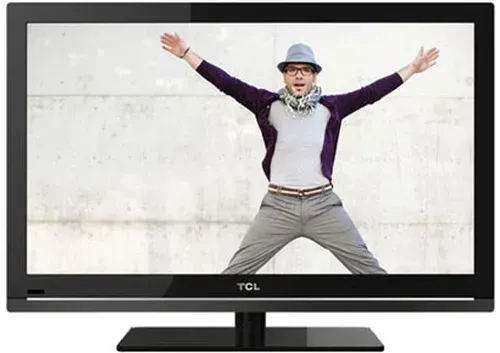
Thumbnail of product 58P638 from brand TCL
Logo of brand TCL

Television TCL 58P638

Discover the TCL 58P638 television, a model that combines innovation and quality to provide an exceptional viewing experience. With its 58-inch size, it is ideal for living rooms and entertainment spaces, ensuring total immersion in your favorite movies and series.

The TCL brand is known for its optimal performance, and the 58P638 model is no exception. It is designed to enhance your user experience with advanced features that meet modern needs. This television is perfect for enjoying your multimedia content, whether it's watching TV, playing video games, or streaming videos.

The TCL 58P638 also comes with a user manual to guide you in the installation and use of your device. With this television, you can transform your living space into a true entertainment center.

Manual of product 58P638

7 10

Editorial note

The TCL 58P638 is a television that stands out for its exceptional picture quality, offering a high resolution that ensures sharp images and vibrant colors for an immersive viewing experience. Its modern design seamlessly integrates into any type of interior, bringing a contemporary touch to your space. However, some users may find the sound quality lacking, requiring the addition of external speakers for a satisfying audio experience. Additionally, the user interface may seem less intuitive compared to some competitors, which could complicate navigation for some. Backlight issues, including light bleed at the edges, can also detract from the viewing experience in specific lighting conditions. Despite these drawbacks, the reliability of the TCL brand ensures appreciable durability, and the available user manual makes it easy to get started. However, support for streaming applications is limited, which may frustrate those looking to access a wide range of content. In summary, the TCL 58P638 is a good choice for those who prioritize picture quality and design, while being aware of its limitations in sound and interface.

Score details

User experience

The user manual makes it easy to get started, but the interface may seem less intuitive than that of some competitors.

Performance

The TCL 58P638 offers exceptional picture quality with high resolution, but support for streaming applications is limited.

Design

The modern and aesthetic design of the television integrates harmoniously into any type of interior.

sound_quality

The sound quality may be insufficient for demanding users, requiring the addition of external speakers.

Robustness

The reliability of the TCL brand ensures appreciable durability, although backlighting issues may occur.


Advantages

Sharp image and vibrant colors

Modern technology for improved performance

Reliable and durable brand

Quick and intuitive installation

Contemporary and elegant design

Disadvantages

Insufficient sound quality for some users

User interface not very intuitive

Backlighting issues on the edges

Limited streaming applications

Slow remote response time

Technical Specifications 58P638

General Information

Frequently Asked Questions

What is the recommended viewing distance for my TCL TV?
The ideal viewing distance for your TCL TV depends on the screen size. Generally, it is recommended to sit about 2.4 times the diagonal of the screen.
What should I do if my TV is not receiving a signal?
If your TV is not receiving a signal, check the following: - Make sure your TV is set to the correct source. - Check the connections, especially if your TV is properly connected via HDMI or SCART.
What are the dimensions of my TV screen?
The size of your TV is usually measured in inches, with 1 inch equal to 2.54 centimeters. This measurement corresponds to the diagonal of the screen, measured from the bottom left corner to the top right corner.
What does the acronym HDMI stand for?
HDMI stands for High-Definition Multimedia Interface. An HDMI cable allows for the simultaneous transmission of audio and video signals between various devices.
Is it possible to connect Bluetooth devices from different brands?
Yes, Bluetooth technology is universal and allows devices from different brands to connect with each other.
How do I pair an additional remote with the TCL 58P638 TV?
To pair an additional remote with your TCL 58P638, follow these steps: 1. Open the battery compartment of the remote. 2. Insert two AAA batteries, ensuring the correct polarity. 3. Close the compartment. 4. Turn on the TV using the power button. 5. Press and hold the Google Assistant button on the additional remote to initiate pairing. 6. Follow the on-screen instructions to complete the pairing. 7. Once paired successfully, you can use the remote to navigate menus and adjust settings. Note: Steps may vary slightly depending on the model or software version.
Why is my remote not working properly with the TCL 58P638 TV?
Several reasons may explain the remote's malfunction. Here are some troubleshooting steps: 1. Check the batteries: Ensure they are correctly inserted and sufficiently charged. 2. Remove obstacles: Make sure nothing is blocking the signal between the remote and the TV. 3. Reset the remote: Remove the batteries and press each button to discharge any residual energy. Reinsert the batteries and try again. 4. Pair the remote: If necessary, refer to the manual for the pairing process. 5. Replace the remote: If the problem persists, consider replacing it. Note: These steps may vary slightly depending on the model.
How do I mute or unmute the sound with the TCL 58P638 remote?
To manage the sound with the TCL 58P638 remote, follow these steps: 1. Take the remote. 2. Press the volume button to lower the sound to mute. 3. To reactivate the sound, press the volume button again to increase the sound. 4. If the sound is not working, check the audio settings in the menu. 5. If the problem persists, replace the remote batteries and try again.
Why is the volume control not working on the TCL 58P638 TV?
Several reasons may explain the volume control issue. Here are some things to check: 1. Check the remote: Ensure it is functioning properly and the batteries are in good condition. 2. Check the settings: Make sure the volume is not muted. 3. Test other sources: If the volume does not respond on a specific source, try directly on the source device. 4. Reset the TV: If necessary, refer to the manual for performing a factory reset. 5. Contact customer service: If no solution is found, feel free to ask for help.
How do I access the TCL Channel with the TCL 58P638 remote?
To access the TCL Channel, do the following: 1. Turn on the TV and make sure you are on the home screen. 2. Find the remote. 3. Press the 'TCL Channel' button on the remote. This will redirect you to the TCL Channel, where you can explore various content. Note: The availability of this channel may vary depending on your location.
How do I display program information on the TCL 58P638 TV?
To see program information, do this: 1. Turn on the TV and watch a channel. 2. Take the remote. 3. Press the 'Guide' or 'EPG' button. 4. Use the arrows to navigate and select the desired program by pressing 'OK'. 5. To exit, press 'Exit' or 'Back'. Note: Options may vary depending on your software version.
How do I access the Smart TV home page on the TCL 58P638?
To reach the home page, follow these steps: 1. Turn on your TV. 2. Take the remote. 3. Press the 'Home' or 'TCL Channel' button. 4. Navigate using the arrows to explore apps and settings. 5. Use 'OK' to access a function or app. 6. To return to the home page, press 'Home' again. Note: Options may vary slightly depending on the software.
Why is the Smart TV home page not displaying on the TCL 58P638?
There are several possible reasons for this issue. Here are some troubleshooting steps: 1. Check your internet connection. 2. Restart the TV. 3. Update the TV's software. 4. Reset to factory settings if needed. 5. Contact customer support if the problem persists. Note: These steps may vary slightly depending on the model.
What software licenses are used in the TCL 58P638 TV?
The TCL 58P638 uses several software licenses, including: 1. GPL Software: Linux Kernel, glib, libiconv, gcc, etc. 2. LGPL Software: DFB, gstreamer, etc. 3. BSD Software: webp, mng, etc. 4. GNU Software: dosfstools. These licenses ensure compliance with open-source software requirements.
How can I protect the screen of my TCL 58P638 TV from permanent damage?
To preserve the screen, follow these tips: 1. Avoid displaying static images for too long. 2. Adjust brightness and contrast to prevent wear. 3. Use the correct aspect ratio. 4. Clean the screen gently with a soft cloth. 5. Protect the TV from extreme temperatures and humidity.
Why are there black bars on either side of the image on the TCL 58P638?
The black bars may be due to the aspect ratio settings. Here’s how to adjust them: 1. Access the picture settings menu. 2. Change the aspect ratio according to the content. 3. Ensure the source device is configured correctly. By adjusting these settings, you can avoid black bars.
How can I access Netflix on the TCL 58P638?
To use Netflix, do the following: 1. Turn on the TV and go to the home screen. 2. Locate the remote. 3. Press the 'Netflix' button. 4. If the app is not installed, find it in the app menu. 5. Log in with your credentials or sign up if necessary.
How do I access Prime Video on the TCL 58P638?
To open Prime Video, follow these steps: 1. Turn on the TV and go to the home screen. 2. Take the remote. 3. Press the 'Prime Video' button. 4. If the app is not available, access it from the app menu. 5. Log in with your credentials or create an account if needed.
Why is Netflix not working properly on the TCL 58P638?
Although there are no specific details in the manual, here are some troubleshooting steps: 1. Check your internet connection. 2. Restart the TV and the app. 3. Update the app if necessary. 4. Clear the app cache. 5. Contact Netflix support if the problem persists.
Why is Prime Video not working properly on the TCL 58P638?
Although no specific information is provided, here are some troubleshooting steps to consider: 1. Ensure your internet connection is stable. 2. Restart the TV and the app. 3. Update the app if updates are available. 4. Clear the app cache. 5. Contact Prime Video support if the problem persists.
Is the manual for the TCL 58P638 available in French?
Yes, the manual for the TCL 58P638 is available in French.

Similar products


Discover the technical sheet of 55LED1600 from Salora and its manuals...
Available manuals:
Discover the technical sheet of 28LED1600 from Salora and its manuals...
Available manuals:
Discover the technical sheet of L39F3390FC from TCL and its manuals...
Available manuals:
Discover the technical sheet of 43LED1600 from Salora and its manuals...
Available manuals:
Discover the technical sheet of 50DP660 from TCL and its manuals...
Available manuals:
Discover the technical sheet of L32D3300C from TCL and its manuals...
Available manuals:
Discover the technical sheet of 20LED1600 from Salora and its manuals...
Available manuals:
Discover the technical sheet of U60P6026 from TCL and its manuals...
Available manuals:
Discover the technical sheet of 22LED1600 from Salora and its manuals...
Available manuals:
Discover the technical sheet of 65DP660 from TCL and its manuals...
Available manuals:
Discover the technical sheet of 43DP640 from TCL and its manuals...
Available manuals:
Discover the technical sheet of 32LED1600 from Salora and its manuals...
Available manuals:

Presentation of product 58P638 specifications from brand TCL

General Information

The TCL 58P638 is a television from the TCL brand, known for its commitment to quality and innovation in the multimedia device sector. This 58-inch model offers impressive performance, ensuring an enriching visual experience thanks to its high resolution and vibrant colors.

Designed to seamlessly integrate into various environments with its modern design, the TCL 58P638 is aimed at those seeking both aesthetics and functionality. Its use is facilitated by an accessible user manual, allowing for quick and intuitive handling.

Advantages

This television stands out for several strengths:

  • Exceptional image quality: With high resolution, the TCL 58P638 offers sharp images and vivid colors, providing total immersion in your favorite programs.
  • Advanced technology: The model incorporates modern innovations, ensuring optimal performance and smooth usage.
  • Brand reliability: TCL is synonymous with durability, ensuring appreciable longevity for its products.
  • Ease of use: The available user manual allows for simple and quick installation and daily use.
  • Modern design: Its contemporary aesthetic fits any type of interior, making the television attractive in any room.

Disadvantages

However, the TCL 58P638 also presents some limitations:

  • Sound quality: Audio performance may not satisfy demanding users, making it necessary to add external speakers for an optimal sound experience.
  • User interface: Navigation may seem less intuitive compared to some competitors, which can make usage more complex for certain users.
  • Backlight issues: Light leaks at the edges can affect the visual experience, especially in specific lighting conditions.
  • Streaming applications: Support for certain applications may be limited, which can frustrate those looking to access a wide range of content.
  • Remote response time: Users accustomed to more responsive devices may be disappointed by the remote's slowness.