Thumbnail of product LED40UHD20B from brand Technical

Technical

Television Technical LED40UHD20B

Discover the Technical LED40UHD20B, a television that combines quality and innovation. Designed by the brand Technical, known for its performance in the field of household appliances, this model guarantees an optimal viewing experience thanks to its advanced features.

The Technical LED40UHD20B is equipped with a 40-inch screen, offering Ultra HD resolution for sharp and precise images. Whether it's to watch your favorite movies, follow series, or enjoy your video games, this television will meet your expectations.

In addition to its excellent display, it comes with a user manual to help you make the most of its features. With the LED40UHD20B model, you are assured of benefiting from cutting-edge technology for an enriching multimedia experience.

In summary, the Technical LED40UHD20B is a wise choice for those looking for a high-performance and quality television, perfect for enhancing their entertainment space.

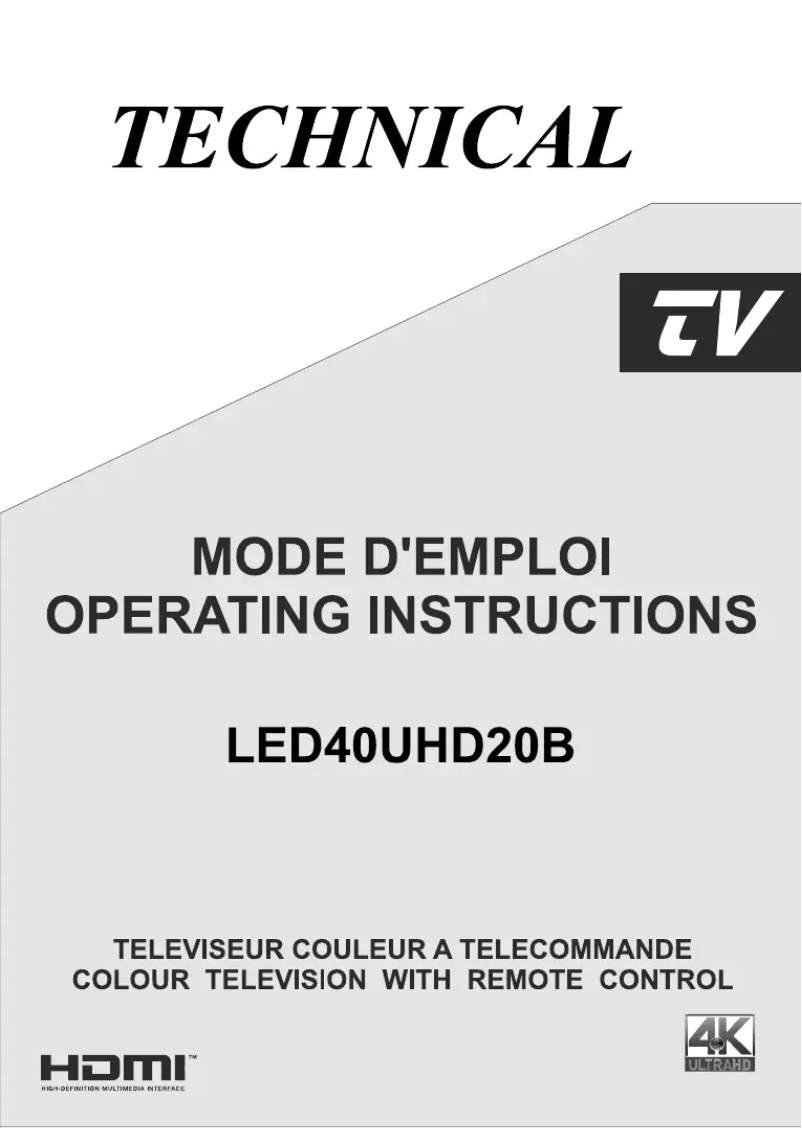
Manual of product LED40UHD20B
8 10

Editorial note

The Technical LED40UHD20B television stands out for its exceptional picture quality, thanks to its UHD resolution that offers precise details and vibrant colors. The Technical brand is recognized for its innovation and reliability, thus ensuring a satisfying user experience. Moreover, the modern and elegant design of this model allows it to blend harmoniously into all types of interiors. Ease of use is also a major asset, with a well-designed user manual that allows for a quick grasp of the features. However, this television has some drawbacks. Its 40-inch size may prove insufficient for large living rooms, thus limiting the immersive experience. Additionally, it lacks certain advanced features found in high-end models, such as extended connectivity options or advanced image processing technologies. The built-in sound quality may not satisfy audiophiles, potentially requiring an external audio system for a better experience. Finally, the screen's response time could be improved for video games, as it may cause slight motion blur in fast scenes. In terms of value for money, the Technical LED40UHD20B offers good value, although one should keep in mind its limitations compared to higher-end models. Overall, this television is a solid option for those looking for a reliable and aesthetically pleasing device, while being aware of its few shortcomings.

Score details

User experience

Ease of use is a major asset, thanks to a well-designed user manual that allows for a quick grasp of the features.

Performance

Performance is optimal for various multimedia content, but can be limited by a response time that is not ideal for video games.

Design

The modern and elegant design fits perfectly into any type of interior, adding an aesthetic touch to the room.

Value for money

The product offers good value for money, although some advanced features are lacking compared to high-end models.

Robustness

The Technical brand is known for its reliability, but there are concerns about the built-in sound quality that may require an external audio system.


Advantages

UHD image with details and vibrant colors

Reliable and innovative brand

User manual for quick setup

Modern design that fits any interior

Optimal performance for movies, series, and games

Disadvantages

40-inch screen too small.

Missing advanced features.

Insufficient built-in sound quality.

Response time not suitable for gaming.

Limitations on software updates.

Technical Specifications LED40UHD20B

General Information

Frequently Asked Questions

What is the recommended viewing distance for my Technical TV?
For your Technical TV, the optimal viewing distance varies depending on the screen size. Generally, it is advised to sit about 2.4 times the diagonal of the screen.
What should I do if my television is no longer receiving a signal?
If your television is not receiving a signal, check the following: - Make sure your television is on the correct source. - Ensure that your television is properly connected via the HDMI or SCART input.
What are the dimensions of my television screen?
The size of your television is usually indicated in inches, where 1 inch equals 2.54 centimeters. This size corresponds to the diagonal of the screen, measured from the bottom left corner to the top right corner.
What does the acronym HDMI stand for?
HDMI stands for High-Definition Multimedia Interface. An HDMI cable allows for the transmission of audio and video signals between different devices.
Is it possible to connect devices from different brands via Bluetooth?
Yes, Bluetooth technology is universal and allows for connection between various compatible devices.
How can I find out the energy efficiency class of the Technical LED40UHD20B television?
To find out the energy efficiency class of the Technical LED40UHD20B television, follow these steps: 1. Open the product manual. 2. Find the 'PRODUCT SHEET' section. 3. Look for information on the energy efficiency class, usually indicated by a letter such as A+, A, B, etc.
How do I activate the energy-saving settings on the Technical LED40UHD20B television?
To activate the energy-saving settings on your Technical LED40UHD20B television, follow these steps: 1. Turn on the television. 2. Press 'Menu' to access the main menu. 3. Navigate to 'Settings' and press 'OK'. 4. Look for the 'Energy Saving' option and select it. 5. Choose the desired energy-saving level and confirm with 'OK'. 6. Exit the menu by pressing 'Menu' or 'Exit'.
What options are available in the OSD menu of the Technical LED40UHD20B television?
The OSD (On-Screen Display) menu of the Technical LED40UHD20B television offers several options, including: 1. AVL for automatic volume limiting. 2. Selection of audio output mode (headphone/line out). 3. Options to enable or disable dynamic bass and surround sound. 4. Language settings and parental options. 5. Timers, date/time, source management, and more.
Why does my Technical LED40UHD20B television go into standby after 3 minutes without an input signal?
The Technical LED40UHD20B television enters standby mode after 3 minutes without an input signal to save energy and prolong its lifespan. This feature automatically turns off the television when it is not in use, reducing energy consumption and preventing wear on components. To change this setting, refer to the manual.
How do I control the volume and change channels on the Technical LED40UHD20B television using the control button?
To manage the volume and change channels on your Technical LED40UHD20B television, locate the control button on the panel or remote. For volume, press '+' to increase or '-' to decrease. To change channels, use the buttons to go up (▲) or down (▼) the channels. You can also directly enter the channel number using the numeric keypad.
How do I access the PRODUCT SHEET page in the manual of the Technical LED40UHD20B television?
To find the PRODUCT SHEET page in the manual of the Technical LED40UHD20B television, open the manual and refer to the table of contents. Look for the 'PRODUCT SHEET' section and go to the corresponding page. This page contains detailed information about the product.
How do I activate the energy-saving settings on the Technical LED40UHD20B television?
To activate the energy-saving settings on the Technical LED40UHD20B television, press 'Menu' to access the menu. Navigate to the System menu, then select 'Picture'. Find the energy-saving option and choose from the different available settings before confirming your selection.
How do I connect external devices to the Technical LED40UHD20B television via HDMI and USB?
To connect external devices to your Technical LED40UHD20B television: 1. For HDMI: connect an HDMI cable from your external device to the HDMI input of the television, then select the corresponding source. 2. For USB: plug your USB device into the USB port of the television, which will automatically detect the available media content.
Why does the Technical LED40UHD20B television go into standby mode after 3 minutes without an input signal?
The Technical LED40UHD20B television goes into standby mode after 3 minutes without an input signal to save energy, protect the screen from wear, and prolong the lifespan of the device. In standby mode, the television consumes less energy while remaining ready to quickly restart.
How do I adjust the volume and change channels on the Technical LED40UHD20B television using the control button?
To adjust the volume and change channels on the Technical LED40UHD20B television, use the remote control. Press '+' to increase the volume or '-' to decrease it. To change channels, press '+' to go to the next channel or '-' to return to the previous channel.
Is the manual for the Technical LED40UHD20B available in French?
Yes, the manual for the Technical LED40UHD20B is available in French.

Similar products


Discover the technical sheet of 55LED1600 from Salora and its manuals...
Available manuals:
Discover the technical sheet of 28LED1600 from Salora and its manuals...
Available manuals:
Discover the technical sheet of 43LED1600 from Salora and its manuals...
Available manuals:
Discover the technical sheet of WTL1042CB1 from Technical and its manuals...
Available manuals:
Discover the technical sheet of MR 6100x from SilverCrest and its manuals...
Available manuals:
Discover the technical sheet of LED3219DHDB from Technical and its manuals...
Available manuals:
Discover the technical sheet of 20LED1600 from Salora and its manuals...
Available manuals:
Discover the technical sheet of 22LED1600 from Salora and its manuals...
Available manuals:
Discover the technical sheet of LED4001UHD19B from Technical and its manuals...
Available manuals:
Discover the technical sheet of 32LED1600 from Salora and its manuals...
Available manuals:

More product categories from brand Technical

Presentation of product LED40UHD20B specifications from brand Technical

General Information

The Technical LED40UHD20B television is an innovative model from the Technical brand, known for its commitment to quality and performance in the multimedia device sector. This 40-inch television is designed to provide an enriching visual experience thanks to its UHD resolution, allowing for precise details and vibrant colors.

The Technical LED40UHD20B stands out for its ease of use, with a handy manual that guides users through its many features. Its modern and sleek design fits harmoniously into a variety of interiors, making this television an aesthetic choice for any room.

Advantages and Disadvantages

Among the notable advantages, this model offers exceptional image quality, ideal for watching movies, series, or playing video games. The Technical brand is also synonymous with reliability, ensuring high user satisfaction.

However, some disadvantages must be taken into account. The screen size may not be suitable for large rooms, limiting immersion. Additionally, the model may lack some advanced features found in high-end televisions, such as varied connectivity options or sophisticated image processing technologies.

Finally, the built-in sound quality may not satisfy audiophiles, suggesting the use of an external audio system for an optimal experience. The screen's response time may also not be ideal for fast-paced gaming, resulting in slight motion blur. Furthermore, there may be limitations regarding software updates, affecting access to new applications or features.