

Manual of product NEO
Editorial note
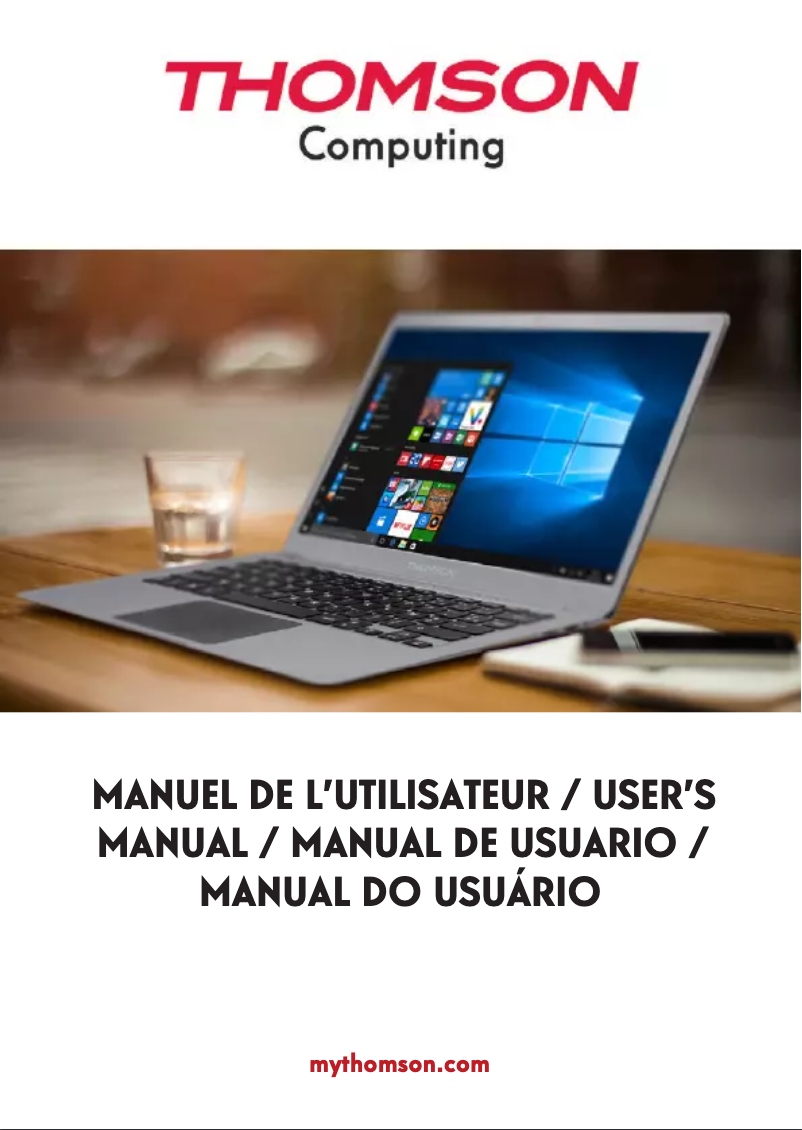
The Thomson NEO stands out with its modern and sleek design, featuring a white finish that gives it an attractive look. Its 17.3-inch screen with an HD+ resolution (1600 x 900 pixels) provides a pleasant visual experience, ideal for viewing various content. Additionally, it offers a storage capacity of 500 Go on a hard drive, which is sufficient to meet the needs of many users regarding data and applications. However, some limitations must be taken into account. The Intel® Celeron N3350 processor, while effective for simple tasks, may show signs of weakness when running heavy or multiple applications, thus affecting the smoothness of the user experience. Furthermore, the absence of USB 3.2 ports and HDMI connectivity limits expansion options, which can be a drawback for those looking to connect modern peripherals. The battery life, although reasonable with a maximum of 5 hours, may prove insufficient for prolonged use, requiring frequent recharges. In terms of value for money, the Thomson NEO presents a good balance, offering interesting features like Wi-Fi 4 and Bluetooth. However, the lack of certain characteristics, such as a backlit keyboard, may reduce practicality in low-light environments. Overall, this product will be perfectly suitable for users looking for a stylish and efficient laptop for basic tasks, but it may not satisfy those with more demanding needs.Score details
User experience
The user experience is generally satisfactory due to a modern design and practical use, but it may be limited by processor performance during heavy tasks.
Performance
The Intel® Celeron N3350 processor offers good performance for simple tasks but shows limitations when running heavy or multiple applications, which can affect smoothness.
Battery life
The battery life reaches a maximum of 5 hours, which may not be sufficient for prolonged use, requiring frequent recharges.
Design
The design of the Thomson NEO is sleek and modern, with a white color that gives it an attractive look. The practical format allows for easy use in various contexts.
Value for money
With a storage capacity of 500 GB on the hard drive, the product offers good value for money, although some limitations in connectivity and ports may restrict its use.
Features
The product has interesting features like Wi-Fi 4 and Bluetooth, but the absence of USB 3.2 ports and HDMI connectivity limits expansion options.
Advantages
High-performance Intel® Celeron® N3350 processor
Modern and elegant design in white
17.3-inch HD+ display
500 GB HDD storage
Wi-Fi 4 and Bluetooth connectivity
Disadvantages
Limited processor for heavy applications
No USB 3.2 or HDMI ports
Insufficient battery life
Low screen resolution for high definition
No backlit keyboard for low light
Technical Specifications NEO
General Information
-
ModelNEO
-
Brand
-
Category
-
Type
-
SKU1349229
-
MPN1349229
Design
-
Product colorWhite
-
Product typeLaptop
-
FormatFlap
Processor
-
Processor familyIntel® Celeron®
-
Processor modelN3350
-
Processor frequency1.1 GHz
-
Processor Turbo Frequency2.4 GHz
-
Processor cache memory2 MB
-
Processor cache typeL2
-
Number of processor threads2
-
Number of processor threads2
-
Processor socket (processor receptacle)BGA 1296
-
Computer bus5 GT/s
-
Processor lithography14 nm
-
Processor operating modes64-bit
-
Processor code nameApollo Lake
-
ECC supported by the processorNo
-
Thermal envelope (TDP, Thermal Design Power)6 W
-
Processor seriesIntel Celeron N3000 series
-
Maximum number of PCI Express lanes6
-
Version of PCI Express locations2.0
-
PCI Express Configurations1x2+2x1, 4x1
-
Tjunction105 °C
-
Power supply by scenario (SDP, Scenario Design Power)4 W
-
Processor manufacturerIntel
Memory
-
Internal memory4 GB
-
Type of internal memoryDDR3L-SDRAM
-
Maximum internal memory- GB
Storage support
-
Hard drive capacity500 GB
-
Storage mediaHDD
-
Hard drive capacity500 GB
-
Number of installed hard drives1
-
Hard drive capacity500 GB
-
Hard drive interfaceSATA
-
Hard drive size2.5 "
-
Built-in memory card readerYes
-
Compatible memory cardsMicroSD (TransFlash)
-
Optical readerNo
Software
-
Installed operating systemWindows 10 Home
-
Provided softwareNorton
Graphique
-
Integrated graphics cardYes
-
Dedicated graphics card adapterNo
-
Graphics adapter model includedIntel® HD Graphics 500
-
Distinct graphics adapter modelUnavailable
-
Base frequency of integrated graphics card200 MHz
-
Dynamic frequency (max) of integrated graphics card650 MHz
-
Maximum memory of integrated graphics card8 GB
-
Number of execution units12
-
ID of the integrated graphics card0x5A85
-
Dynamic frequency (max) of integrated graphics card650 MHz
Network
-
Antenna type-
-
Ethernet/LANYes
-
Ethernet/LANYes
-
Wi-Fi standardWi-Fi 4 (802.11n)
-
Wifi standards802.11b, 802.11g, Wi-Fi 4 (802.11n)
-
Ethernet/LANYes
-
Bluetooth model4.0
Connectivity
-
Number of Ethernet LAN ports (RJ-45)1
-
Number of Ethernet LAN ports (RJ-45)1
-
Quantity of Thunderbolt 3 ports0
-
Quantity of Thunderbolt 3 ports0
-
Quantity of Thunderbolt 3 ports0
-
Number of Ethernet LAN ports (RJ-45)1
-
Quantity of Thunderbolt 3 ports0
-
Number of Ethernet LAN ports (RJ-45)1
-
Microphone jack inputYes
-
Number of Ethernet LAN ports (RJ-45)1
Camera
-
Front cameraYes
-
Front camera resolution (digital)0.3 MP
Audio
-
Built-in microphoneYes
Weight and dimensions
-
Height25 mm
-
Depth239 mm
-
Width370 mm
-
Weight1850 g
Screen
-
Screen size17.3 "
-
Dual-screenNo
-
Screen resolution1600 x 900 pixels
-
Type HDHD+
-
Dual-screenNo
Packaging contents
-
User manualYes
-
Unknown1
Other features
-
Power adapter includedYes
Keyboard
-
Numeric keypadYes
-
Backlight keyboardNo
-
Pointing deviceTouchpad
-
Keyboard layoutAZERTY
-
Keyboard languageFrench
Battery
-
Maximum battery life5 h
-
Battery voltage3.7 V
-
Battery capacity7500 mAh
Special features of the processor
-
Intel® Smart Idle TechnologyNo
-
Intel® Smart Idle TechnologyNo
-
Intel® Smart Idle TechnologyNo
-
Secure Boot Intel®Yes
-
Intel® Smart Idle TechnologyNo
-
Intel® Smart Idle TechnologyNo
-
Intel® Smart Idle TechnologyNo
-
Intel® Smart Idle TechnologyNo
-
Secure Boot Intel®Yes
-
Secure Boot Intel®Yes
-
Secure Boot Intel®Yes
-
Secure Boot Intel®Yes
-
Intel® Smart Idle TechnologyNo
-
Intel® Smart Idle TechnologyNo
-
Secure Boot Intel®Yes
-
Secure Boot Intel®Yes
-
Intel® Smart Idle TechnologyNo
-
Secure Boot Intel®Yes
-
Secure Boot Intel®Yes
-
Secure Boot Intel®Yes
-
Intel® Smart Idle TechnologyNo
-
Secure Boot Intel®Yes
-
Secure Boot Intel®Yes
-
Secure Boot Intel®Yes
-
Secure Boot Intel®Yes
-
Secure Boot Intel®Yes
-
Secure Boot Intel®Yes
-
Processor packaging size24 x 31 mm
-
CPU Configuration (max)1
-
Secure Boot Intel®Yes
-
Secure Boot Intel®Yes
-
Secure Boot Intel®Yes
-
Version of Small Business Advante (SBA) from Intel®0.00
-
Version of Intel® security key technology1.00
-
Version of Small Business Advante (SBA) from Intel®0.00
-
Version of Intel® security key technology1.00
-
Version of Small Business Advante (SBA) from Intel®0.00
-
Version of Intel® security key technology1.00
-
Version of Small Business Advante (SBA) from Intel®0.00
-
Secure Boot Intel®Yes
-
Secure Boot Intel®Yes
-
Intel® Smart Idle TechnologyNo
-
Processor ID ARK95598
-
Intel® Smart Idle TechnologyNo
-
Secure Boot Intel®Yes
Frequently Asked Questions
What factors influence download speed on the Internet?
What are the dimensions of my laptop screen?
What does the acronym HDMI stand for?
What is the best method to clean my laptop?
How can I clean my keyboard?
What is Bluetooth?
What is the weight of the Thomson NEO?
What is the screen size of the Thomson NEO?
What is the height of the Thomson NEO?
What is the resolution of the Thomson NEO's screen?
What is the width of the Thomson NEO?
What is the depth of the Thomson NEO?
How do I connect my Thomson NEO laptop to a Wi-Fi network?
How do I adjust the screen brightness on my Thomson NEO laptop?
What steps should I follow to perform a system backup on my Thomson NEO laptop?
How can I recover a file that I accidentally deleted on my Thomson NEO laptop?
How do I change the power settings on my Thomson NEO laptop to optimize battery life?
What processor family is used by the Thomson NEO laptop?
What is the internal memory capacity of the Thomson NEO?
What is the total storage capacity of the Thomson NEO?
Does the Thomson NEO come with a solid-state drive (SSD)?
What operating system is pre-installed on the Thomson NEO?
Is the manual for the Thomson NEO available in French?
Similar products


More product categories from brand Thomson
Audio Thomson
Household appliances Thomson
Phones Thomson
Home appliances Thomson
Other Thomson
Interior Thomson
Tools Thomson
More product types from brand Thomson




Presentation of product NEO specifications from brand Thomson
General Information
The Thomson NEO is a laptop from the renowned brand Thomson, known for its commitment to quality and innovation, particularly in the home appliance sector. This model, identified by the reference NEO | NEO17C.4WH500, is designed to deliver optimal performance and an enhanced user experience. It features a unique EAN code 3663792007168, facilitating its identification in distribution systems.
Design
With its white finish, the Thomson NEO presents a modern and elegant design. Its bar format makes it practical for varied use, whether at home or on the go, while allowing for an immersive and comfortable audio experience.
Processor
The heart of this computer is an Intel® Celeron® N3350 processor, providing adequate performance for everyday tasks. Its base frequency is 1.1 GHz, which can reach 2.4 GHz in Turbo mode for more demanding applications. Its 2 MB cache and 2 cores ensure efficient task management. The 5 GT/s bus and BGA 1296 socket ensure good communication with other components.
Memory
The Thomson NEO is equipped with 4 GB of DDR3L-SDRAM RAM, allowing for smooth data and application storage. This capacity is sufficient for daily use, although it may reach its limits during intensive tasks.
Storage
With a total capacity of 500 GB on a HDD, this computer offers ample space to store files, applications, and multimedia. The hard drive, in a 2.5" format, uses the SATA interface for fast data transfers. Additionally, an integrated memory card reader compatible with MicroSD cards is present, facilitating access to other data.
Software
The pre-installed operating system is Windows 10 Home, which offers an intuitive user interface and features suitable for everyday use. Furthermore, a Norton security software is included, enhancing the protection of user data.
Graphics
The Thomson NEO integrates an Intel® HD Graphics 500 graphics card, which ensures adequate graphical performance for multimedia without requiring a dedicated card. While this is sufficient for daily tasks, users seeking higher graphical performance may find limitations.
Network
This model is equipped with Bluetooth and Wi-Fi 4 (802.11n) connectivity, allowing for fast and reliable wireless connections. It also has an Ethernet/LAN port for a stable wired connection.
Connectivity
The Thomson NEO has a USB 2.0 port and a Mini HDMI port, but it lacks USB 3.2 ports or additional HDMI ports, which may limit its expansion options. An Ethernet port is also available for network connections.
Camera and Audio
It features a 0.3 MP front camera for video calls, accompanied by a built-in microphone for clear sound during communications.
Weight and Dimensions
With dimensions of 370 x 239 x 25 mm and a weight of 1850 g, the Thomson NEO is designed to be easily portable while providing a comfortable user experience.
Screen
Its 17.3-inch screen with a HD+ resolution of 1600 x 900 pixels allows for pleasant viewing, although it is not touch-sensitive. This unique format ensures a satisfying visual experience for most users.
Battery
The battery offers a runtime of up to 5 hours, which is suitable for moderate use but may require frequent recharges during intensive use. Its capacity is 7500 mAh.
Special Features
The Thomson NEO does not support certain advanced Intel technologies such as anti-theft technology or quick response, but it benefits from Intel® identity protection and Intel® Clear Video technology, thus enhancing the multimedia experience.


