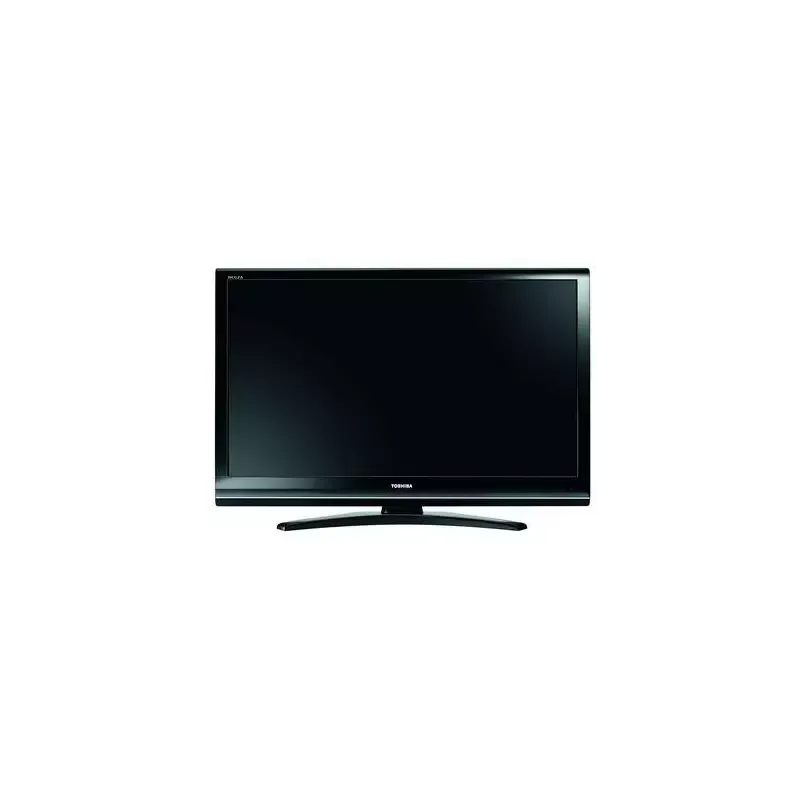
Thumbnail of product 32AV565D from brand Toshiba
Logo of brand Toshiba

Television Toshiba 32AV565D

The Toshiba 32AV565D television is a compact and high-performing model, ideal for those seeking optimal picture quality in a reduced size. With its 32-inch screen, it fits perfectly into small spaces while providing a pleasant viewing experience.

This model, known for its reliability and innovation, ensures solid performance for watching movies, series, and television programs. The Toshiba brand is synonymous with quality, and the 32AV565D is no exception, offering an enhanced user experience.

Additionally, a user manual is available to assist with the setup and use of the television's features. Whether for daily use or movie nights, the Toshiba 32AV565D is a wise choice for multimedia enthusiasts.

Manual of product 32AV565D

7 10

Editorial note

The Toshiba 32AV565D stands out for its brand quality, recognized for its reliability and innovation, providing a satisfying user experience. With a 32-inch screen, this television is ideal for small spaces, ensuring optimal performance for everyday use, whether for watching movies, playing video games, or following television shows. The included user manual makes installation and handling easy, making the product accessible even for less experienced users. However, some drawbacks should be noted. The screen size may be considered too small for large rooms, limiting the immersive experience during viewings. Additionally, the lack of Smart TV features and the screen resolution, which does not meet current standards, may disappoint users seeking modernity and superior image quality. Connectivity is also limited, with a restricted number of HDMI and USB ports, complicating the connection of multiple devices simultaneously. Finally, the design of the television may seem a bit dated, which may not suit those who prioritize contemporary aesthetics. In summary, the Toshiba 32AV565D is a solid choice for those looking for a reliable and efficient television for small spaces, but users seeking advanced features and optimal image quality may be disappointed.

Score details

User experience

The user experience is good thanks to an accessible user manual, but the lack of Smart TV features may disappoint some users.

Performance

The performance is satisfactory for everyday use, but the screen resolution may not meet the expectations of users looking for superior image quality.

Design

The design of the television may seem a bit dated, which could displease those who prioritize modern aesthetics.

Value for money

For its price, the Toshiba 32AV565D offers recognized brand quality, but limitations in connectivity and features may restrict its perceived value.

Usability

The product's accessibility is a strong point, with a user manual that makes installation and handling easy.


Advantages

Reliable and recognized brand

Optimal performance for the user

32-inch screen, ideal for small spaces

User manual for easy handling

Versatile for movies, games, and shows

Disadvantages

32-inch screen too small.

No Smart TV features.

Resolution below current standards.

Limited connectivity in HDMI/USB ports.

Outdated and not modern design.

Technical Specifications 32AV565D

General Information

Frequently Asked Questions

What is the recommended viewing distance for my Toshiba television?
The ideal viewing distance for your Toshiba television depends on the screen size. Generally, it should be about 2.4 times the diagonal of the screen.
What should I do if my television is no longer receiving a signal?
If your television is not receiving a signal, check the following: - Make sure your television is set to the appropriate source. - Check the connection of your television via the HDMI or SCART input.
What are the dimensions of my television screen?
The size of your television is usually indicated in inches, where 1 inch equals 2.54 centimeters. To measure, take the diagonal of the screen, measuring from the bottom left corner to the top right corner.
What does the acronym HDMI stand for?
HDMI stands for High-Definition Multimedia Interface. An HDMI cable allows for the transfer of audio and video signals between different devices.
Is it possible to connect devices from different brands via Bluetooth?
Yes, Bluetooth technology is universal, allowing connection between various compatible devices.
How do I connect external devices to the Toshiba 32AV565D television?
To connect external devices to your Toshiba 32AV565D, follow these steps: 1. Turn off all devices and unplug the television. 2. Connect the antenna cable to the back of the television. 3. Use SCART cables to link the devices to the television. 4. For audio signals, use the phono jacks. 5. For surround sound, connect to the digital audio output. 6. Connect the devices via the HDMI input. 7. Set the input to EXT2 for S-VIDEO devices. 8. Turn on the television and the devices. 9. Select the input using the external source button. 10. If necessary, manually adjust the input via the setup menu.
Why am I not receiving any DVB-T channels on my Toshiba 32AV565D television?
If you are not receiving DVB-T channels, try these steps: 1. Access the 'SETUP' menu with the 'M' button. 2. Highlight 'DTV Settings' and select 'Channels'. 3. Move to the desired channel and save it. 4. If needed, adjust the channel skip setting. 5. If that doesn't work, perform a manual scan for DVB-T channels. 6. Check the signal strength and adjust the antenna if necessary. 7. Contact technical support if the problem persists.
How do I access the video input on the Toshiba 32AV565D television?
To access the video input, follow these steps: 1. Press the 'o' button to open the external source menu. 2. Highlight the desired video input using the arrows. 3. Select it with the 'Q' button. 4. For an S-Video signal, look for 'S' next to the input. 5. If the switch is not automatic, use the input selection window.
Why is HDMI input 1 on my Toshiba 32AV565D television not receiving a signal?
If HDMI input 1 is not receiving a signal, try these steps: 1. Check the HDMI cable connections. 2. Ensure the connected device is powered on. 3. Test with another HDMI cable if necessary. 4. Select HDMI input 1 on the television. 5. Check the audio settings if the device does not support digital audio.
How do I switch to HDMI input 2 on the Toshiba 32AV565D television?
To switch to HDMI input 2, follow these steps: 1. Press the 'o' button to access the source menu. 2. Highlight 'HDMI 2' using the arrows. 3. Press 'Q' to select. 4. If the switch is not automatic, use the 'o' button again to select manually.
How do I connect external devices to the Toshiba 32AV565D television?
To connect external devices, follow these steps: 1. Turn off all devices and unplug the television. 2. Connect the antenna cable. 3. Use SCART cables to connect the devices. 4. For audio, use the appropriate jacks. 5. Connect via the HDMI input for high-definition devices. 6. Select the desired input source using the 'o' button.
Why am I not receiving DVB-T channels on my Toshiba 32AV565D television?
If you are not receiving DVB-T channels, check: 1. The connection of the antenna cable. 2. The settings of the digital terrestrial television. 3. Perform a manual scan if necessary. 4. Check the signal strength and adjust the antenna. 5. Contact technical support if needed.
How do I access the video input on the Toshiba 32AV565D television?
To access the video input, proceed as follows: 1. Press 'o' for the input selection menu. 2. Use the arrows to select the video input. 3. Press 'Q' to confirm. Make sure the equipment is properly connected.
Why is HDMI input 1 on my Toshiba 32AV565D television not receiving a signal?
For HDMI input 1, check: 1. The connection of the HDMI cable. 2. That the source device is powered on. 3. The HDMI settings on the television. 4. Test with another device or HDMI cable if necessary.
How do I switch to HDMI input 2 on the Toshiba 32AV565D television?
To switch to HDMI input 2, proceed as follows: 1. Connect your device to HDMI input 2. 2. Turn it on. 3. Press 'o' to access the selection menu. 4. Highlight 'HDMI 2' and select it.
Is the manual for the Toshiba 32AV565D available in French?
Yes, the manual for the Toshiba 32AV565D is available in French.

Similar products


Discover the technical sheet of 55LED1600 from Salora and its manuals...
Available manuals:
Discover the technical sheet of 28LED1600 from Salora and its manuals...
Available manuals:
Discover the technical sheet of 42XV635DB from Toshiba and its manuals...
Available manuals:
Discover the technical sheet of 43LED1600 from Salora and its manuals...
Available manuals:
Discover the technical sheet of 32AV502R from Toshiba and its manuals...
Available manuals:
Discover the technical sheet of 42ZV635DB from Toshiba and its manuals...
Available manuals:
Discover the technical sheet of 32XV625D from Toshiba and its manuals...
Available manuals:
Discover the technical sheet of 20LED1600 from Salora and its manuals...
Available manuals:
Discover the technical sheet of 37XV625 from Toshiba and its manuals...
Available manuals:
Discover the technical sheet of 22LED1600 from Salora and its manuals...
Available manuals:
Discover the technical sheet of 32LED1600 from Salora and its manuals...
Available manuals:
Discover the technical sheet of 46XV635DB from Toshiba and its manuals...
Available manuals:

Presentation of product 32AV565D specifications from brand Toshiba

General Information

The Toshiba 32AV565D is a television from the Toshiba brand, known for its innovation and reliability in the home appliance sector. This model, with its 32-inch screen size, is designed to provide a satisfying visual experience in small spaces such as apartments or bedrooms.

With the Toshiba 32AV565D, users can expect optimal performance that meets daily needs, whether for watching movies, playing video games, or following television shows. Additionally, its design allows for a quick setup thanks to an included user manual, making the installation and use of the television accessible to everyone.

Advantages

  • Brand Quality: Toshiba is synonymous with durability and innovation, ensuring confidence in the product's longevity.
  • Suitable Size: The 32-inch screen is ideal for tight spaces while providing satisfactory image quality.
  • Versatility: This model is suitable for various uses, whether for home cinema or gaming.
  • Accessibility: The user manual facilitates intuitive installation and use.

Disadvantages

  • Screen Size: With its 32 inches, the television may seem too small for large rooms or for total immersion during movie watching.
  • Lack of Smart TV Features: This model does not allow access to modern streaming apps or internet browsing, which may disappoint some users.
  • Limited Resolution: The display quality may not meet current standards, especially compared to televisions offering Full HD or 4K resolutions.
  • Restricted Connectivity: The limited number of HDMI and USB ports may complicate connecting multiple devices at once.
  • Outdated Design: Its aesthetic may seem less modern compared to newer models, which may not match the tastes of some users.