

Manual of product 48L1433

Editorial note
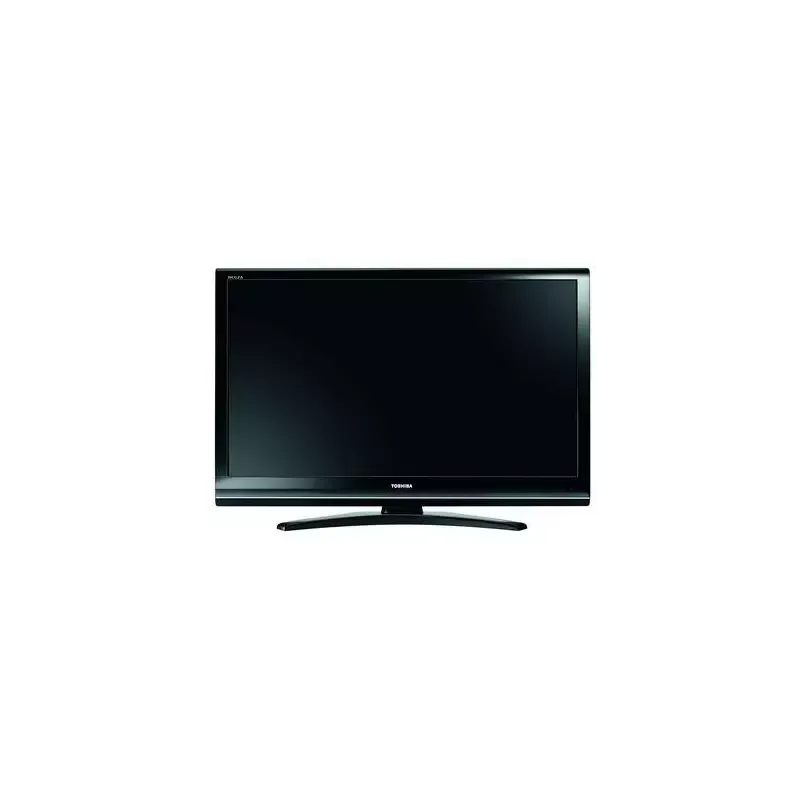
The Toshiba 48L1433 television stands out for the brand's renowned quality, offering durability and reliability appreciated by users. This model guarantees impressive visual performance, thus enhancing the viewing experience with an elegant design that seamlessly integrates into various interiors. Additionally, the availability of a user manual facilitates quick handling and effective use of the different features. However, some aspects may disappoint the most demanding users. The screen resolution, while acceptable, does not always meet the high standards of contemporary televisions, particularly those offering 4K quality. Connectivity options are also limited, with a restricted number of HDMI and USB ports, which can complicate the connection of multiple devices simultaneously. Furthermore, the sound quality may not be sufficient for an immersive audio experience, prompting users to consider purchasing a soundbar or an external audio system. Finally, the user interface, sometimes perceived as not very intuitive, can make navigation through the menus less enjoyable. Overall, the Toshiba 48L1433 offers good value for money, but it is essential to consider its limitations in connectivity and sound quality to determine if it will meet the specific needs of each user.Score details
User experience
The user experience is enhanced by well-thought-out features, but the interface may seem unintuitive for some users.
Performance
The visual performance is impressive, but the screen resolution may not satisfy demanding users.
Design
The sleek design of the Toshiba 48L1433 fits well into various interiors, offering a modern aesthetic.
Value for money
The product offers good value for money, especially considering Toshiba's reputation for durability.
connectivity
Connectivity options are limited, which may pose problems for those looking to connect multiple devices simultaneously.
audio_quality
The sound quality may be insufficient for an immersive audio experience, requiring the purchase of additional equipment.
Advantages
Recognized brand for its durability
Impressive visual performance
Easy access to multimedia functions
User manual included for simplicity
Modern and sleek design
Disadvantages
Insufficient screen resolution for some users
Limited viewing angle for image quality
Restricted connectivity, few ports available
Poor sound quality, need for external system
Unintuitive and outdated user interface
Technical Specifications 48L1433
General Information
-
Model48L1433
-
Brand
-
Category
-
Type
-
SKU861308
-
MPN861308
Frequently Asked Questions
What is the recommended viewing distance for my Toshiba TV?
What should I do if my television is no longer receiving a signal?
What are the dimensions of my television screen?
What does the acronym HDMI stand for?
Can a Bluetooth connection be established between devices of different brands?
How can I enable or disable sources on my Toshiba 48L1433 TV?
What should I do if the TV does not automatically switch to a connected source on my Toshiba 48L1433?
How can I safely mount the Toshiba 48L1433 TV on the wall?
Is the manual for the Toshiba 48L1433 available in French?
Similar products




More product categories from brand Toshiba
Home appliances Toshiba
Audio Toshiba
Phones Toshiba
Other Toshiba
Interior Toshiba
More product types from brand Toshiba








Presentation of product 48L1433 specifications from brand Toshiba
General Information
The Toshiba 48L1433 television stands out for its reputation for quality, as a product of the renowned Toshiba brand, known for its innovation in the electronics sector. This 48-inch model is designed to provide an enjoyable viewing experience thanks to optimized visual performance.
Users appreciate the reliability of the brand, which ensures durability and satisfaction. The Toshiba 48L1433 features characteristics that enhance access to multimedia functionalities, making its use intuitive and user-friendly. Additionally, it comes with a user manual to facilitate the understanding of the various available options.
Its elegant design harmoniously integrates into various interior decors, adding a modern touch to your living space.
Advantages
- Recognized quality: Toshiba is synonymous with reliable and durable products.
- Visual performance: The 48L1433 model delivers satisfactory image quality for good visual comfort.
- Enhanced user experience: The features are designed to simplify access to multimedia content.
- User manual included: Facilitates the discovery and use of all features.
- Modern design: Its contemporary aesthetic adapts to different interior styles.
Disadvantages
- Limited resolution: The screen quality may not satisfy demanding users, especially compared to other 4K models available on the market.
- Restricted viewing angle: Image quality may degrade if the television is viewed from a side angle.
- Limited connectivity: The number of HDMI and USB ports may restrict the simultaneous connection of multiple devices.
- Insufficient sound quality: For an immersive audio experience, an external audio system may be necessary.
- Non-intuitive user interface: Navigating through the menus may seem complex for some users.


