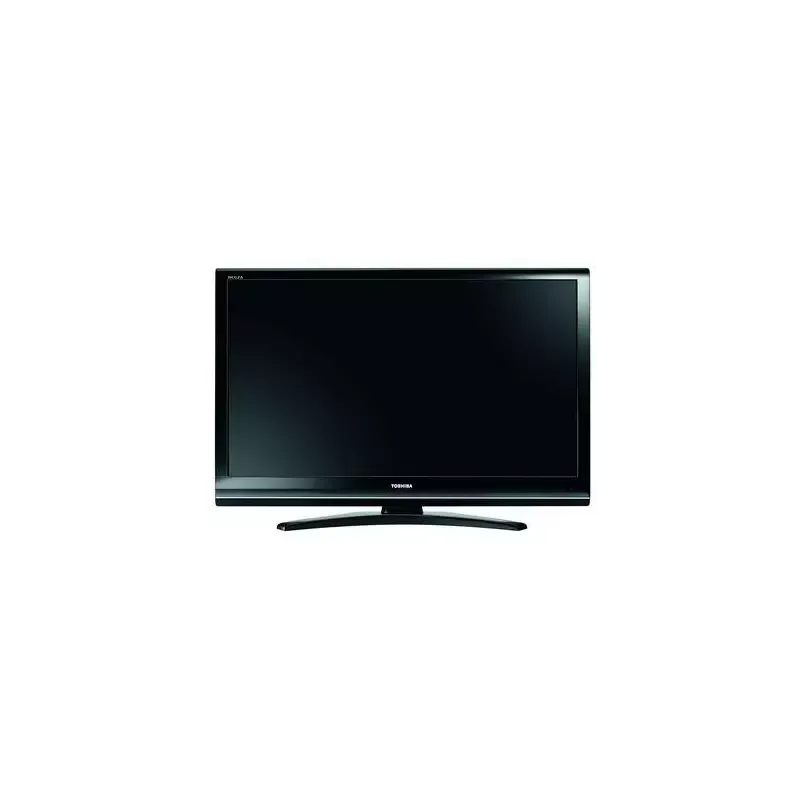
Thumbnail of product 55UV3363DG from brand Toshiba
Logo of brand Toshiba

Television Toshiba 55UV3363DG

Discover the Toshiba 55UV3363DG, a television that combines elegance and advanced technology. With its 55-inch size, it offers an immersive visual experience, perfect for watching your favorite movies and series.

This model is manufactured by Toshiba, a renowned brand for its quality and reliability in the field of household appliances. The 55UV3363DG guarantees optimal performance, thanks to its advanced technical features that enhance the user experience.

The television is designed to easily fit into any living space while providing a clear image and vibrant colors. It also comes with a user manual to help you make the most of its features.

In summary, the Toshiba 55UV3363DG is a wise choice for those looking for a television that combines performance, design, and innovation.

Manual of product 55UV3363DG

7 10

Editorial note

The Toshiba 55UV3363DG television stands out due to the well-established reputation of its brand, offering recognized quality and reliability. With a modern design, this model easily fits into various interiors, adding an aesthetic touch to your living space. The inclusion of a user manual facilitates understanding of its features, ensuring a positive user experience. However, some aspects may disappoint users. The picture quality is deemed average compared to other models in the same range, which can be a disadvantage for those seeking a high-end visual experience. Additionally, the lack of modern features, such as compatibility with voice assistants or integrated streaming apps, limits entertainment possibilities. The relatively low refresh rate may lead to motion blur when viewing fast-paced content, such as sports events. Furthermore, connectivity options are limited, with a restricted number of HDMI and USB ports, which can pose issues for connecting multiple devices simultaneously. Finally, despite its modern design, some users may find it uninspiring and basic. In terms of value for money, the Toshiba 55UV3363DG remains acceptable, especially considering the brand's reputation. However, it is advisable to consider other options on the market that may offer better visual performance.

Score details

User experience

The user experience is generally positive thanks to an included user manual, but the average image quality may disappoint some users.

Performance

The visual performance is good, but the relatively low refresh rate may cause issues when viewing fast content.

Design

The modern design fits well into various interiors, but some may find it uninspiring and basic.

Features

The lack of modern features like compatibility with voice assistants limits the available entertainment options.

Value for money

The value for money is acceptable given Toshiba's brand reputation, but some competitors offer better visual performance.

Support

The presence of a user manual allows for a better understanding of the features and access to necessary support.


Advantages

Renowned brand for its reliability

Enhanced visual experience

Traceability through the EAN code

User manual included

Contemporary and aesthetic design

Disadvantages

Average image quality for the range.

No compatibility with voice assistants.

Low refresh rate, motion blur.

Limited connectivity, few ports available.

Basic and unappealing design.

Technical Specifications 55UV3363DG

General Information

Frequently Asked Questions

What is the recommended viewing distance for my Toshiba TV?
The recommended viewing distance for your Toshiba TV depends on the screen size. Generally, it is advised to sit about 2.4 times the length of the screen's diagonal.
What should I do if my TV is not receiving a signal?
If your TV is not receiving a signal, here are a few checks to make: - Ensure that your TV is set to the correct source. - Check that your TV is properly connected via the HDMI or SCART input.
What are the dimensions of my TV screen?
The size of your TV is usually measured in inches, where 1 inch equals 2.54 centimeters. This size corresponds to the diagonal of the screen, which you can measure from the bottom left corner to the top right corner.
What does the acronym HDMI stand for?
HDMI stands for High-Definition Multimedia Interface. An HDMI cable allows for the transmission of audio and video signals between different devices.
Is it possible to connect devices from different brands via Bluetooth?
Yes, Bluetooth technology is universal and allows for connection between devices from different brands.
How do I connect external devices to my Toshiba 55UV3363DG TV?
To connect external devices to your Toshiba 55UV3363DG TV, follow these steps: 1. Connect a compatible HDMI & CEC device to the TV with an HDMI cable. 2. Turn on the external device. The TV will automatically detect it. 3. Use the remote to access the device's menu on the TV screen. 4. To have the device turn off with the TV, go to Settings > System > HDMI & CEC > Device Auto Power Off and enable this option. 5. To have the device turn on with the TV, set Settings > System > HDMI & CEC > Device Auto Power On to Enabled. 6. To have the TV turn on when compatible external devices are on, enable the option in Settings > System > HDMI & CEC > TV Auto Power On. 7. For optimal compatibility, go to Settings > System > HDMI & CEC > HDMI Format and choose the appropriate format (Enhanced, Standard, or Automatic). 8. Make sure to use HDMI cables for HDMI & CEC compatible devices and enable this function on the connected device. For other types of devices like a set-top box or Blu-ray/DVD player, refer to the manual for specific instructions on connecting them to the TV.
Why is the picture quality of my Toshiba 55UV3363DG TV not meeting my expectations?
The picture quality of your Toshiba 55UV3363DG TV may not be up to par due to several factors. Here are some suggestions to improve the image: 1. Adjust the brightness: change the brightness level for clearer or darker images. 2. Adjust the contrast: change the contrast level to influence the brightness of the images. 3. Adjust the color saturation: modify the intensity of colors for more vibrant images. 4. Adjust the sharpness: enhance or soften the edges according to your preferences. 5. Enable adaptive contrast: this feature automatically adjusts dark and light areas to reveal more details. 6. Reduce motion blur: enable the clear motion feature to decrease blur from fast-moving objects. 7. Enable noise reduction: improve picture quality by reducing noise. 8. Adjust the color temperature: modify the warmth or coolness of whites. 9. Check the viewing angle: ensure you are watching from the optimal angle for a better experience. 10. Reset picture settings: if necessary, restore default settings. Note that these steps may vary depending on your specific model and region.
How can I access Ultra HD content on the Toshiba 55UV3363DG TV?
To access Ultra HD content on your Toshiba 55UV3363DG TV, follow these steps: 1. Connect the TV to the Internet by selecting "Internet Connection" from the home screen and following the instructions to connect to your Wi-Fi network. 2. Once connected, you can access Ultra HD content through various sources. Use the built-in apps by pressing the Home button on your remote and selecting "Apps" to explore those offering Ultra HD content. 3. You can also connect compatible external devices, such as a Blu-ray player or streaming device, using an HDMI cable. Press the Source button on the remote and select the connected device. Follow the instructions of that device to access Ultra HD content. 4. Ensure that the content you wish to watch is indeed available in Ultra HD by looking for the Ultra HD or 4K logo, or by checking the video settings of the app or device to confirm the resolution. Follow these steps to enjoy an Ultra HD viewing experience on your Toshiba 55UV3363DG TV.
Is the manual for the Toshiba 55UV3363DG available in French?
Yes, the manual for the Toshiba 55UV3363DG is available in French.

Similar products


Discover the technical sheet of 55LED1600 from Salora and its manuals...
Available manuals:
Discover the technical sheet of 28LED1600 from Salora and its manuals...
Available manuals:
Discover the technical sheet of 42XV635DB from Toshiba and its manuals...
Available manuals:
Discover the technical sheet of 43LED1600 from Salora and its manuals...
Available manuals:
Discover the technical sheet of 32AV502R from Toshiba and its manuals...
Available manuals:
Discover the technical sheet of 42ZV635DB from Toshiba and its manuals...
Available manuals:
Discover the technical sheet of 32XV625D from Toshiba and its manuals...
Available manuals:
Discover the technical sheet of 20LED1600 from Salora and its manuals...
Available manuals:
Discover the technical sheet of 37XV625 from Toshiba and its manuals...
Available manuals:
Discover the technical sheet of 22LED1600 from Salora and its manuals...
Available manuals:
Discover the technical sheet of 32LED1600 from Salora and its manuals...
Available manuals:
Discover the technical sheet of 46XV635DB from Toshiba and its manuals...
Available manuals:

Presentation of product 55UV3363DG specifications from brand Toshiba

General Information

The Toshiba 55UV3363DG is a television from the renowned brand Toshiba, known for its commitment to innovation and quality in the electronics sector. This model, the 55UV3363DG, offers a satisfying visual experience while being designed to meet the expectations of modern users. The EAN code, 4024862131302, allows for precise identification and facilitates after-sales service processes.

Advantages

  • Recognized quality: Toshiba is synonymous with reliability and innovation, providing users with assurance of quality.
  • Optimal performance: The 55UV3363DG model promises an enjoyable viewing experience, ideal for movie nights.
  • Unique identification: Thanks to its EAN code, product traceability is simple and effective.
  • User manual included: A practical guide is provided, allowing users to discover and fully utilize the television's features.
  • Modern design: With its contemporary aesthetic, the Toshiba 55UV3363DG fits harmoniously into any interior.

Disadvantages

  • Average image quality: Compared to other models in the same range, the image quality may not satisfy users looking for a high-end visual experience.
  • Lack of modern features: The television does not offer certain contemporary options, such as compatibility with voice assistants or streaming applications, thus limiting entertainment choices.
  • Limited refresh rate: A relatively low refresh rate can cause motion blur, especially when streaming fast-paced content like sports events.
  • Restricted connectivity options: The limited number of HDMI and USB ports may pose difficulties in connecting multiple devices simultaneously.
  • Uninspiring design: Although modern, the design may seem basic and lack appeal for those who prefer devices with bolder styles.