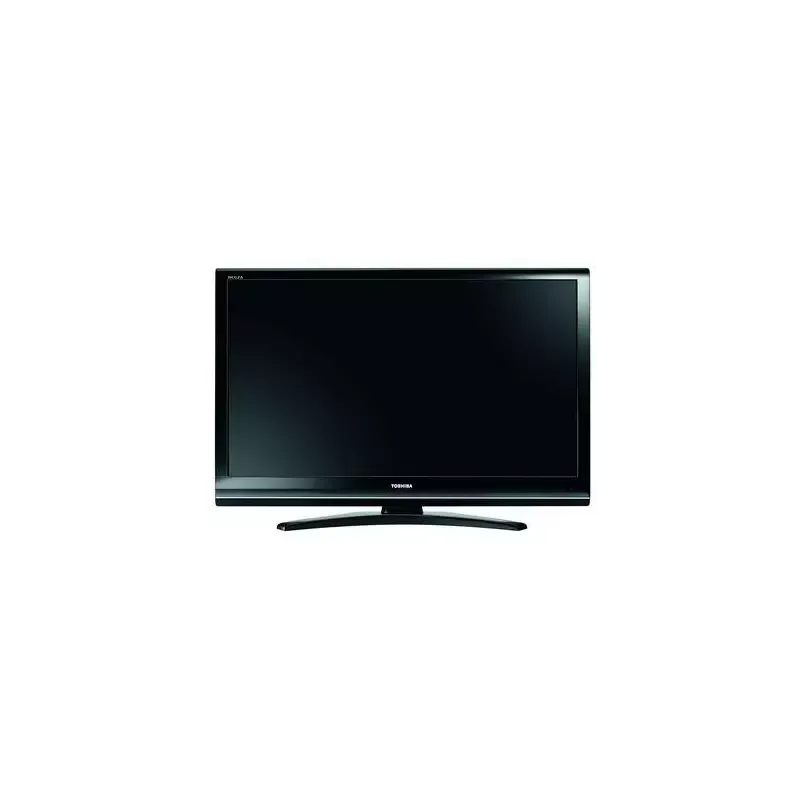
Thumbnail of product 65U6663DG from brand Toshiba
Logo of brand Toshiba

Television Toshiba 65U6663DG

The Toshiba 65U6663DG television is a 65-inch model that combines performance and innovation. Known for its quality, the Toshiba brand offers a television that provides an immersive visual experience thanks to its large screen size and true-to-life colors.

The 65U6663DG model guarantees optimal performance for home entertainment, whether it's for watching movies, series, or playing video games. Its sleek design fits perfectly into any interior, adding a modern touch to your living room.

Additionally, the television comes with a user manual to guide you through its setup and use. With the Toshiba 65U6663DG, you benefit from cutting-edge technology that enhances your entertainment moments.

In summary, the Toshiba 65U6663DG is an ideal choice for those looking for a quality television, offering a captivating visual experience and advanced features.

Manual of product 65U6663DG

8 10

Editorial note

The Toshiba 65U6663DG stands out for its build quality and modern design. With a generous screen size of 65 inches, it is ideal for large rooms, providing total immersion when watching movies or series. This model ensures optimal performance, guaranteeing a pleasant user experience. Additionally, a user manual is provided, making it easier for all users to get accustomed to the television. However, a few drawbacks deserve to be highlighted. The sound quality may prove to be insufficient, which could necessitate the addition of a soundbar for a more satisfying auditory experience. The user interface may seem less intuitive compared to that of other brands, making navigation a bit less smooth. Furthermore, some users might be disappointed by the lack of advanced features, such as certain HDR technologies, which are often sought after for a high-end viewing experience. In summary, the Toshiba 65U6663DG is a high-performing and well-designed television, but it has some limitations in terms of sound and advanced features. For those looking for good value for money in the large-screen television category, this model remains an interesting option.

Score details

User experience

The user experience is enhanced by the optimal performance of the model 65U6663DG, but the interface may seem less intuitive compared to other brands.

Performance

The performance is generally good for viewing, but some users may find the sound insufficient without a soundbar.

Design

The design is modern and the 65-inch screen size is ideal for large rooms, but the television can be heavy and bulky.

Features

The television incorporates modern technologies, but the absence of certain advanced features like some HDR technologies may be disappointing.

Documentation

The 36-page user manual is available, which makes it easier to get started and use the television.


Advantages

Reliable and innovative brand

Smooth viewing experience

User manual included

65-inch screen size

Advanced multimedia features

Disadvantages

Insufficient sound quality without a soundbar

User interface not very intuitive

Uneven backlighting in dark scenes

Absence of certain HDR features

Heavy and bulky television to install

Technical Specifications 65U6663DG

General Information

Frequently Asked Questions

What is the recommended viewing distance for my Toshiba TV?
For your Toshiba TV, the ideal viewing distance depends on the screen size. Generally, it is about 2.4 times the diagonal of the screen.
What should I do if my TV is no longer receiving a signal?
If your TV is not receiving a signal, check the following: - Make sure your TV is set to the correct source. - Check that the HDMI or SCART connections are secure.
What are the dimensions of my TV screen?
The size of your TV is usually given in inches, with 1 inch equal to 2.54 centimeters. This is the measurement of the screen's diagonal, which you can obtain by measuring from the bottom left corner to the top right corner.
What does the acronym HDMI stand for?
HDMI stands for High-Definition Multimedia Interface. An HDMI cable allows for the transmission of audio and video signals between different devices.
Is it possible to connect Bluetooth devices from different brands?
Yes, Bluetooth technology is universal and allows for connection between various compatible devices.
How do I enable or disable standby notifications on the Toshiba 65U6663DG TV?
To manage standby notifications on your Toshiba 65U6663DG, follow these steps: 1. Press the Menu button on your remote to access the main menu. 2. Use the arrows to navigate to 'Power Mode' and press OK. 3. Choose between 'Last State' or 'Standby' according to your preference. 4. Press OK to confirm. Standby notifications will be adjusted accordingly. Steps may vary slightly depending on the model.
Why does my Toshiba 65U6663DG TV automatically go into standby mode?
The Toshiba 65U6663DG TV may go into standby mode for several reasons: 1. Prolonged inactivity without an input signal. 2. Startup mode settings configured to activate standby. 3. Standby search function enabled. 4. Timer set. To prevent this, adjust the startup settings or disable timers.
How do I use the joystick on the Toshiba 65U6663DG TV for control?
To use the joystick on your Toshiba 65U6663DG: 1. Locate the joystick on the back or side. 2. Move it in different directions to navigate the menus. 3. Press inward to confirm a selection. 4. To adjust the volume, move it up or down. 5. To change channels, move it left or right. 6. To turn on or off, hold the joystick for a few seconds.
Why won't my Toshiba 65U6663DG TV turn on?
There could be several reasons why your Toshiba 65U6663DG won't turn on. Here are some checks to perform: 1. Ensure the power cable is securely connected. 2. Press the Power button on the TV or remote. 3. Test the wall outlet with another device. 4. Check the standby light. 5. Perform a power cycle by unplugging the TV, waiting a few minutes, and then plugging it back in. If the problem persists, contact Toshiba customer support.
How can I improve the picture quality on my Toshiba 65U6663DG TV?
To optimize the picture quality of your Toshiba 65U6663DG: 1. Adjust the Picture Mode in the settings menu. 2. Modify brightness, contrast, sharpness, and color settings. 3. Enable Dynamic Contrast for better contrast. 4. Turn on Noise Reduction if necessary. 5. Adjust the backlight according to your preferences. 6. Check for firmware updates on the Toshiba website.
Why do I have no picture on my Toshiba 65U6663DG TV?
If no picture appears on your Toshiba 65U6663DG, try these steps: 1. Check that all cables are properly connected. 2. Reset the TV by unplugging it and then plugging it back in after a minute. 3. Adjust the brightness level in the settings menu. 4. Check the backlight setting. 5. If nothing works, consider a factory reset. Contact Toshiba customer support if the problem persists.
Why do I have no sound on my Toshiba 65U6663DG TV?
If you hear no sound on your Toshiba 65U6663DG, try the following solutions: 1. Check the volume level and ensure it is not muted. 2. Make sure the audio output source is correct. 3. Check that all audio cables are securely connected. 4. Power off the TV by unplugging it. 5. Check the audio settings of external devices. If the problem persists, contact Toshiba customer service.
Why is my Toshiba 65U6663DG TV remote not working?
If your Toshiba 65U6663DG remote is unresponsive, try these steps: 1. Check the batteries and replace them if necessary. 2. Ensure there are no obstacles between the remote and the TV. 3. Clean the remote to remove dust. 4. Reset the remote by removing the batteries and then reinserting them. 5. Consult the manual if pairing the remote is required. If it still doesn't work, contact Toshiba customer service.
How do I record on my Toshiba 65U6663DG TV?
To record on your Toshiba 65U6663DG, follow these steps: 1. Insert a USB drive into the TV's USB port. 2. Press the Record button for instant recording. 3. For delayed recording, press Pause during a program. 4. View recordings via the media browser menu. 5. Configure recording settings if necessary. Ensure the USB drive meets speed requirements.
What are the requirements for using a USB storage device with my Toshiba 65U6663DG TV?
To use a USB device with your Toshiba 65U6663DG, ensure it meets the following criteria: 1. USB 2.0 or 3.0 compatibility. 2. At least 2 GB of free space. 3. FAT32 formatting recommended. 4. Sufficient write speed for recording. 5. USB hard drives are recommended for HD recordings. 6. Do not unplug the device during recording. Consult the manual for more information.
What video display modes are compatible with the PC input of my Toshiba 65U6663DG TV?
The video display modes supported by the PC input of the Toshiba 65U6663DG include: - Resolutions such as 640x480, 800x600, 1024x768, 1280x768, 1280x960, 1360x768, 1366x768, 1280x1024, 1400x1050, 1600x900, and 1920x1080. - Refresh rates: 56Hz, 60Hz, 66Hz, 70Hz, 72Hz, and 75Hz. Check compatibility with your device for optimal display quality.
Is the manual for the Toshiba 65U6663DG available in French?
Unfortunately, the manual for the Toshiba 65U6663DG is not available in French. It is only available in English.

Similar products


Discover the technical sheet of 55LED1600 from Salora and its manuals...
Available manuals:
Discover the technical sheet of 28LED1600 from Salora and its manuals...
Available manuals:
Discover the technical sheet of 42XV635DB from Toshiba and its manuals...
Available manuals:
Discover the technical sheet of 43LED1600 from Salora and its manuals...
Available manuals:
Discover the technical sheet of 32AV502R from Toshiba and its manuals...
Available manuals:
Discover the technical sheet of 42ZV635DB from Toshiba and its manuals...
Available manuals:
Discover the technical sheet of 32XV625D from Toshiba and its manuals...
Available manuals:
Discover the technical sheet of 20LED1600 from Salora and its manuals...
Available manuals:
Discover the technical sheet of 37XV625 from Toshiba and its manuals...
Available manuals:
Discover the technical sheet of 22LED1600 from Salora and its manuals...
Available manuals:
Discover the technical sheet of 32LED1600 from Salora and its manuals...
Available manuals:
Discover the technical sheet of 46XV635DB from Toshiba and its manuals...
Available manuals:

Presentation of product 65U6663DG specifications from brand Toshiba

General Information

The Toshiba 65U6663DG is a television from the Toshiba brand, known for its commitment to quality and innovation in the electronics sector. This model, with its 65-inch diagonal, is designed to provide an immersive viewing experience, perfectly suited for large rooms. With its advanced features, it ensures optimal performance and superior user comfort.

Advantages

This television stands out for its build quality, a guarantee of durability and reliability. The user experience is also enhanced, allowing for smooth and enjoyable viewing of various content. A user manual is provided, making it easy for all users to get started, regardless of their level of expertise.

Its generous screen size offers total immersion in movies and series, making each viewing session captivating. Additionally, the model incorporates modern technologies, promoting connectivity and compatibility with various multimedia formats.

Disadvantages

However, a few points could be improved. The sound quality may sometimes not meet the expectations of audiophiles, suggesting the addition of a soundbar for an optimized acoustic experience. Furthermore, the user interface may seem less intuitive than that of other brands, making navigation less smooth for some users.

Issues with backlight uniformity may arise in dark scenes, impacting the visual experience. Additionally, the lack of certain advanced features, such as support for HDR technologies, could disappoint users seeking a high-end experience. Finally, it is worth noting that the television can be relatively heavy and bulky, complicating its installation, especially on wall mounts.