

Manual of product TAB 7 S8
Editorial note
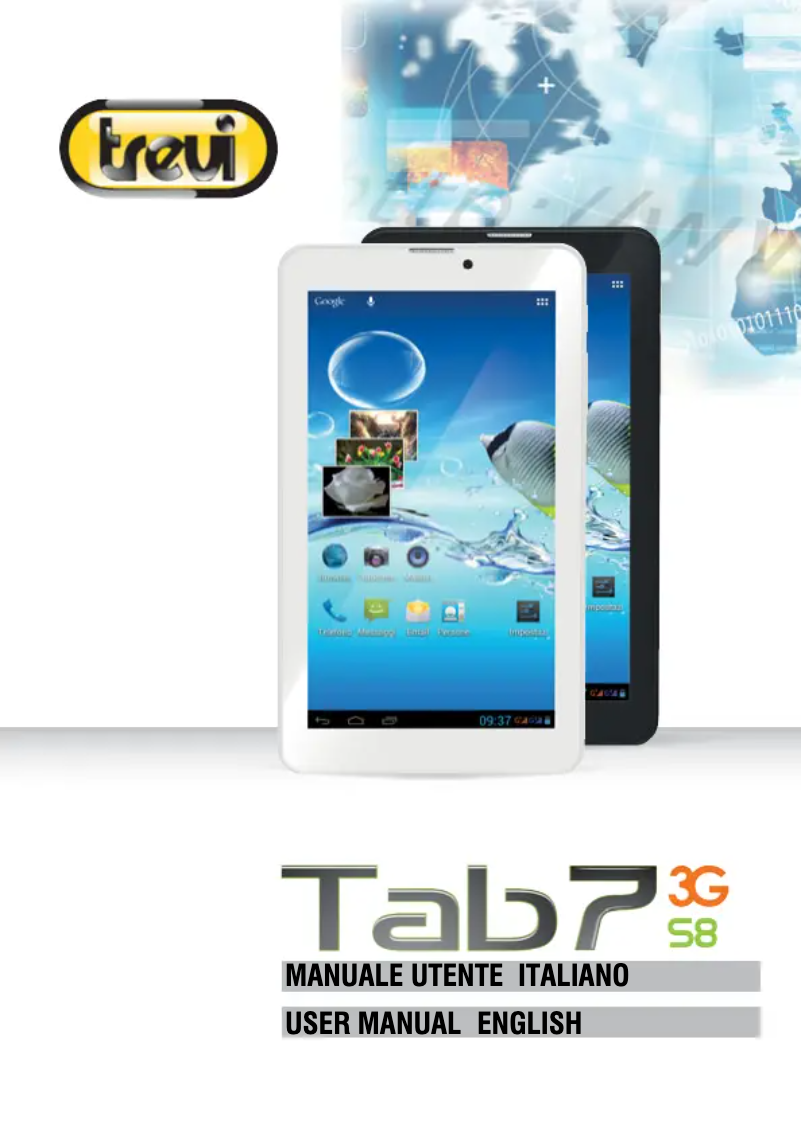
The Trevi TAB 7 S8 is a lightweight and compact tablet, weighing only 286 g, making it ideal for on-the-go use. Its 7-inch screen with a resolution of 1024 x 600 pixels provides a pleasant visual experience for browsing and reading. Additionally, the ability to expand memory via a microSD card reader up to 32 GB is an advantage for users needing more storage space. With its Wifi and Bluetooth connectivity, it facilitates data sharing and internet access. However, the tablet has some notable drawbacks. Its internal memory of only 0.5 GB may limit the storage of applications and multimedia files, thus affecting the user experience. Furthermore, the screen resolution may not meet the demands of modern multimedia content. The front camera, with a resolution of 0 MP, does not allow for quality selfies or video calls. The lack of USB and HDMI ports also restricts connectivity options, complicating data transfers. Regarding performance, the 1.3 GHz processor and 0.5 GB of RAM are adequate for basic tasks but may show their limits when using more demanding applications. The battery life remains uncertain, as its capacity is not specified, making it difficult to assess prolonged use without recharging. In terms of user experience, the tablet stands out for its lightweight and compact design, offering a good grip. Users will also appreciate the comprehensive user manual that makes it easier to get acquainted with the product. In summary, the Trevi TAB 7 S8 offers good value for money for those looking for a basic and easily portable device, despite some limitations in terms of performance and connectivity.Score details
User experience
The user experience is generally satisfactory thanks to an intuitive interface and the ability to use Android applications, but the limited internal memory of 0.5 GB may restrict some features.
Performance
The performance is adequate for basic tasks, but the 0.5 GB of memory and the 1.3 GHz processor may limit the experience when using more demanding applications.
Battery life
Since the battery capacity is not specified, it is difficult to assess its autonomy, which complicates prolonged use of the device without recharging.
Design
The lightweight and compact design of the Trevi TAB 7 S8, weighing 286 g, makes it an easy-to-carry device, ideal for on-the-go use.
Value for money
With an affordable price and features like expandable memory via microSD, the tablet offers good value for money for users looking for a basic device.
Features
Features such as Wifi and Bluetooth connectivity are convenient, but the lack of USB and HDMI ports limits connectivity options.
Usability
The use of the 7-inch screen is pleasant for browsing and reading, but the resolution of 1024 x 600 pixels may not satisfy users of modern multimedia content.
Support
The product comes with a comprehensive 92-page user manual, making it easier for new users to get started.
Documentation
The quick start guide and available documents provide a good understanding of the features of the Trevi TAB 7 S8 tablet.
Advantages
Lightweight and easy to carry
7-inch screen, resolution 1024 x 600
Expandable memory up to 32 GB
Fast Wifi and Bluetooth connectivity
Compatible with Android applications
Disadvantages
Internal memory of only 0.5 GB.
Low screen resolution (1024 x 600 pixels).
Front camera of 0 MP, poor quality.
No USB or HDMI ports.
Android version 4.2, outdated and limited.
Unspecified battery life.
Technical Specifications TAB 7 S8
General Information
-
ModelTAB 7 S8
-
Brand
-
Category
-
Type
-
SKU219342
-
MPN219342
Processor
-
Processor frequency1.3 GHz
-
Processor familyARM
-
Processor modelMT8312
-
The architecture of the processorARM Cortex-A7
-
Number of processor cores2
Memory
-
Internal memory0.5 GB
-
Type of internal memoryDDR3-SDRAM
Storage support
-
Internal storage capacity4 GB
-
Built-in memory card readerYes
-
Storage mediaFlash
-
Compatible memory cardsMicroSD (TransFlash)
-
Maximum memory card size32 GB
Screen
-
Touch technology-
-
Screen size7 "
-
Screen resolution
-
LED backlighting1024 x 600 pixels
-
Image formatYes
-
16:9
Camera
-
Front cameraYes
-
Resolution of the rear camera (digital)2 MP
-
Front cameraYes
-
Maximum video resolution- pixels
-
Front cameraYes
-
Front camera resolution (digital)0 MP
-
Rear camera typeSingle camera
Audio
-
Built-in microphone-
-
Built-in speakersYes
Other features
-
WifiYes
Network
-
Mobile network connectionYes
-
Wifi standards802.11b, 802.11g, Wi-Fi 4 (802.11n)
-
3G StandardsUMTS
-
Wi-Fi standardWi-Fi 4 (802.11n)
-
Mobile network connectionYes
-
Mobile network generation3G
Connectivity
-
Quantity of HDMI ports0
-
Quantity of Micro-USB 2.0 ports1
-
High-Definition Mobile Interface (MHL, Mobile High-Definition Link)No
-
Quantity of HDMI ports0
-
Headphone outputYes
-
Headphone outputYes
Messaging
-
E-mailYes
Software
-
Provided software-
-
PlatformAndroid
-
Operating system version4.2
-
PlatformAndroid
Representation / realization
-
Location of positionYes
-
Location of positionYes
-
Location of positionYes
-
Location of positionYes
Formats of media
-
Supported audio formatsAAC
-
Supported image formatsAPE
-
Visual compression formatsFLAC
-
MP2
-
MP3
-
WAV
-
-
BMP
-
JPG
-
PNG
-
-
3GP
-
AVI
-
FLV
-
MKV
-
MP4
-
MPEG
-
VOB
-
WMV
Design
-
FormatSlate
-
Product colorBlack
-
Device typeMobile tablet
Special features of the processor
-
Intel® Smart Connect TechnologyNo
-
Intel® Smart Connect TechnologyNo
-
Intel® Smart Connect TechnologyNo
-
Intel® Smart Connect TechnologyNo
-
Intel® Smart Connect TechnologyNo
-
Intel® Smart Connect TechnologyNo
-
Intel® Smart Connect TechnologyNo
-
Intel® Smart Connect TechnologyNo
-
Intel® Smart Connect TechnologyNo
-
Intel® Smart Connect TechnologyNo
Battery
-
Battery technologyLithium
-
Maximum battery life- h
Weight and dimensions
-
Width188 mm
-
Depth9.8 mm
-
Height108 mm
-
Weight286 g
Packaging contents
-
Cables includedUSB
-
Quick Start GuideYes
-
Quick Start GuideYes
-
Quick Start GuideYes
-
Provided keyboardNo
Frequently Asked Questions
What operating system is used by the Trevi TAB 7 S8?
What influences the download speed on the Internet?
What are the dimensions of my tablet's screen?
What is the weight of the Trevi TAB 7 S8?
What is the screen size of the Trevi TAB 7 S8?
What is the height of the Trevi TAB 7 S8?
What is the resolution of the screen of the Trevi TAB 7 S8?
What is the width of the Trevi TAB 7 S8?
What is the depth of the Trevi TAB 7 S8?
What is the storage capacity of the Trevi TAB 7 S8?
Is the manual for the Trevi TAB 7 S8 available in French?
Similar products


More product categories from brand Trevi
More product types from brand Trevi


Presentation of product TAB 7 S8 specifications from brand Trevi
General Information
The Trevi TAB 7 S8 is a tablet designed by the Trevi brand, known for its innovation and quality in the electronics sector. The TAB 7 S8 | 0T07GS00 model offers optimal performance, ensuring a smooth user experience. The EAN code, 8011000036373, 8011000036755, allows for unique identification of the product in the distribution system.
Processor
Equipped with an ARM Cortex-A7 processor with a frequency of 1.3 GHz and 2 cores, the Trevi TAB 7 S8 ensures fast task execution. The processor model, MT8312, guarantees efficient use for various applications, thus optimizing the overall performance of the device.
Memory
The internal memory of 0.5 GB, of DDR3-SDRAM type, allows for storing a limited set of data and applications, although this may restrict the user experience for more demanding tasks.
Storage Support
The internal storage capacity is 4 GB, allowing for the retention of a certain amount of multimedia files and applications. The presence of a compatible MicroSD (TransFlash) memory card reader allows for storage expansion up to 32 GB, thus providing a practical solution for users needing more space.
Screen
The tablet features a 7-inch screen with a resolution of 1024 x 600 pixels, offering a pleasant visual experience for browsing, reading, and watching videos. The LED backlighting enhances visibility, while the 16:9 aspect ratio promotes greater immersion in content.
Camera
The Trevi TAB 7 S8 is equipped with a 2 MP rear camera, allowing for capturing images of acceptable quality. However, the front camera, with a resolution of 0 MP, does not allow for quality selfies or video calls. The possibility of video recording is also present.
Audio
Integrated speakers provide a practical audio experience, although the absence of a built-in microphone may limit recording and communication capabilities.
Other Features
The tablet is equipped with Wifi and Bluetooth connections, ensuring fast and reliable wireless connectivity for browsing the Internet and sharing data.
Network
The Trevi TAB 7 S8 supports 3G standards, such as HSDPA, HSUPA, and WCDMA, allowing for effective mobile connectivity. The Wi-Fi 4 (802.11n) standard ensures a stable connection with other devices.
Connectivity
The product includes a Micro-USB 2.0 port for data transfers and charging. However, the absence of USB and HDMI ports limits connectivity options with other devices.
Software
Running on Android 4.2, the Trevi TAB 7 S8 offers an intuitive user interface, although this older version may pose compatibility issues with some modern applications.
Representation / Realization
The integrated GPS system allows for precise location tracking, while the orientation sensor facilitates the use of the device in different positions.
Media Formats
The tablet supports various audio, image, and video formats, ensuring a satisfying multimedia experience.
Design
With a bar format and an elegant black color, the Trevi TAB 7 S8 is both modern and practical. Its lightweight of 286 g makes it ideal for on-the-go use.
Battery
The tablet uses a nickel-metal hybrid (NiMH) battery, offering durability suitable for daily use, although the maximum battery life is not specified.
Weight and Dimensions
The dimensions of the Trevi TAB 7 S8 are 188 mm wide, 9.8 mm deep, and 108 mm high, with a weight of 286 g, making it easy to handle and transport.
Package Contents
The packaging includes a power cable, a user manual, a power adapter, and a quick start guide, facilitating a quick setup of the device.


