

Manual of product P-3525 MFP

Editorial note
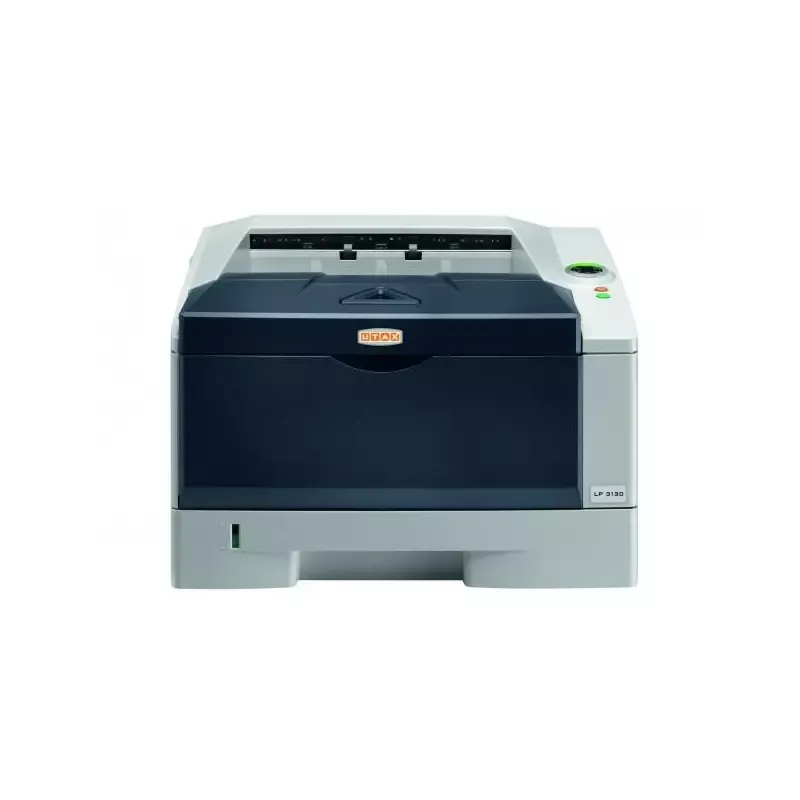
The Utax P-3525 MFP is a multifunction printer that stands out for its remarkable printing performance, with a speed of 35 pages per minute, ideal for demanding work environments. Its laser printing technology and maximum resolution of 600 x 600 DPI ensure documents of exceptional quality. Additionally, it offers practical features such as built-in duplex printing and various scanning capabilities, thus facilitating document management. However, there are some drawbacks to consider. The weight of 18 kg can make it difficult to move, especially in tight spaces. The color duplex scanning speed, limited to 8 ppm, could slow down tasks when managing numerous documents. Furthermore, the lack of Wi-Fi connectivity may be a disadvantage for those seeking a wireless printing solution. Finally, the warm-up time of 20 seconds may seem long for users needing quick prints. In terms of user experience, the interface is intuitive, although the unspecified total output capacity may raise questions for users with high printing needs. The value for money is interesting due to the variety of features, but the absence of Wi-Fi could limit the appeal of this device for some users. Overall, the Utax P-3525 MFP represents a solid option for professionals looking for a high-performing and reliable printer.Score details
User experience
The user experience is generally positive thanks to the intuitive interface and well-thought-out features, although the weight of the printer may make it difficult to move.
Performance
The printing performance is excellent with a speed of 35 pages per minute, ideal for demanding work environments, but the duplex color scanning speed of 8 ppm can be a drawback.
Battery life
Although the printer does not have a battery, its power consumption is reasonable. However, the 20-second warm-up time may seem long for users seeking quick printing.
Design
The design is modern and professional, but the weight of 18 kg can pose difficulties when handling in tight spaces.
Value for money
The value for money is interesting due to the laser print quality and varied features, although the lack of Wi-Fi connectivity may be a disadvantage for some users.
Features
The features are robust with built-in duplex printing and versatile scanning capabilities, facilitating document management.
Usability
The usage is generally easy, but the unspecified total output capacity could pose problems for users with high printing needs.
Advantages
Fast printing at 35 pages per minute
Built-in duplex printing to save paper
Laser print quality 600 x 600 DPI
Color scanning and various formats
Ethernet network connectivity and mobile printing
Disadvantages
Weight of 18 kg, difficult to move
Color scanning limited to 8 ppm
Output capacity not specified
No Wi-Fi connectivity
Preheating time of 20 seconds
Technical Specifications P-3525 MFP
General Information
-
ModelP-3525 MFP
-
Brand
-
Category
-
Type
-
SKU957469
-
MPN957469
Print speed
-
Printing technologyLaser
-
PrintingMonochrome printing
-
Print speed (black, normal quality, A4/US Letter)35 ppm
-
Maximum resolution600 x 600 DPI
-
Copy time for the first page (Black, normal)6.9 s
-
Preheating time20 s
-
Double-sided printingYes
Copier
-
CopySimple copy
-
Max. resolution of copies600 x 600 DPI
-
Copy speed (normal quality, black, A4)35 cpm
-
Resizing copy25 - 400 %
-
Maximum number of copies999 copies
Digitization
-
DigitizationColor scanning
-
Optical scanning resolution600 x 600 DPI
-
Maximum scan areaA4 (210 x 297) mm
-
Scan toE-mail, FTP, SMB, USB
-
Scanning speed (color)14 ppm
-
Scanner speed (black)35 ppm
-
Duplex scanning speed (color)8 ppm
-
Duplex scanning speed (black)18 ppm
-
Supported image formatsJPG, TIF
-
Support for text formatsPDF, XPS
-
Scanning technologyCCD (charge-coupled device)
-
Scan driversTWAIN, WIA
Fax
-
Fax-
-
Fax resolution (black)400 x 400 DPI
-
Fax transmission speed3 sec/page
-
Modem speed33.6 Kbit/s
-
Fax memory3.5x pages
-
Fax Memory3.5 MB
-
Automatic reminderYes
Features
-
Digital sender-
-
Service cycle (Maximum)- pages per month
-
Printing colorsBlack
-
Languages of the page descriptionEpson LQ, Microsoft XPS, PCL 5e, PCL 6, PCL XL, PDF 1.7, PostScript 3
Network
-
Wifi-
-
Mobile printing technologies-
-
Authentication methodSMTP
-
Ethernet/LANYes
-
LAN Ethernet: data transfer rate10,100,1000 Mbit/s
-
Support for network protocols (IPv4)TCP/IP
-
Wiring technology10/100/1000Base-T(X)
Representation / realization
-
Processor model465S
-
Processor familyPowerPC
-
Processor frequency667 MHz
-
Internal memory- Mo
-
Integrated into the processorYes
-
Compatible memory cardsSD
-
Integrated into the processorYes
Input and output capacity
-
Total power capacity250 sheets
-
Total output capacity- sheets
Paper management
-
ISO, Format Series A (A0...A9)A4
-
Type of paper tray supportOrdinary paper
-
ISO, Format Series A (A0...A9)A4
Design
-
Screen-
-
Product colorBlack
-
Market positionGrey
-
Professional
Connectivity
-
USB portYes
-
Standard interfacesEthernet, USB 2.0
-
USB portYes
Power
-
Electricity consumption (average operation)972 W
-
AC input frequency50 - 60 Hz
-
AC input voltage220 - 240 V
Minimum system requirements
-
Support for the Windows operating systemWindows 7 Home Basic
-
Support for the server operating systemWindows 7 Home Basic x64
-
Windows 7 Home Premium
-
Windows 7 Home Premium x64
-
Windows 7 Professional
-
Windows 7 Professional x64
-
Windows 7 Starter
-
Windows 7 Starter x64
-
Windows 7 Ultimate
-
Windows 7 Ultimate x64
-
Windows 8
-
Windows 8 Enterprise
-
Windows 8 Enterprise x64
-
Windows 8 Pro
-
Windows 8 Pro x64
-
Windows 8 x64
-
Windows 8.1
-
Windows 8.1 Enterprise
-
Windows 8.1 Enterprise x64
-
Windows 8.1 Pro
-
Windows 8.1 Pro x64
-
Windows 8.1 x64
-
Windows Vista Business
-
Windows Vista Business x64
-
Windows Vista Enterprise
-
Windows Vista Enterprise x64
-
Windows Vista Home Basic
-
Windows Vista Home Basic x64
-
Windows Vista Home Premium
-
Windows Vista Home Premium x64
-
Windows Vista Ultimate
-
Windows Vista Ultimate x64
-
Windows XP Home
-
Windows XP Home x64
-
Windows XP Professional
-
Windows XP Professional x64
-
Windows Server 2003
-
Windows Server 2003 R2
-
Windows Server 2003 x64
-
Windows Server 2008
-
Windows Server 2008 R2
-
Windows Server 2008 x64
-
Windows Server 2012
-
Windows Server 2012 R2
-
Windows Server 2012 R2 x64
-
Windows Server 2012 x64
Sustainability
-
Sustainability certificatesENERGY STAR
Certificate
-
CertificationGS/TÜV
-
CE
Weight and dimensions
-
Width494 mm
-
Depth430 mm
-
Height448 mm
-
Weight18000 g
Frequently Asked Questions
What is the weight of the Utax P-3525 MFP?
What is the recommended method for removing paper jammed in the printer?
Why does my printer not recognize original cartridges?
What are the possible reasons for poor print quality?
What is the difference between a laser printer and an inkjet printer?
Why does my inkjet printer leave black streaks on prints?
What does the acronym DPI mean?
What certifications does the Utax P-3525 MFP have?
What is the height of the Utax P-3525 MFP?
What is the width of the Utax P-3525 MFP?
What is the depth of the Utax P-3525 MFP?
Is the manual for the Utax P-3525 MFP available in French?
Similar products



More product categories from brand Utax
More product types from brand Utax

Presentation of product P-3525 MFP specifications from brand Utax
General Information
The Utax P-3525 MFP model, belonging to the renowned brand Utax, is a multifunction device that combines quality and innovation. Designed to meet the demands of professional environments, this model ensures exceptional performance and a smooth user experience.
Print Speed
Equipped with laser printing technology, the Utax P-3525 MFP offers remarkable print quality with vibrant and accurate colors. Its print speed reaches up to 35 pages per minute in black and white, making it an ideal choice for daily use. Additionally, it offers a maximum resolution of 600 x 600 DPI, ensuring documents with optimal clarity. The built-in duplex printing feature saves paper by printing on both sides.
Copier
The copier integrated into the P-3525 MFP model allows for color copies with a quality of 600 x 600 DPI. It offers a copy speed of 35 copies per minute, thus facilitating the management of printing tasks. With its resizing function of 25 to 400 %, it perfectly adapts to the varied needs of users. This copier can produce up to 999 copies at once, which is convenient for large workloads.
Scanning
Color scanning is also one of the standout features of the Utax P-3525 MFP. It offers an optical resolution of 600 x 600 DPI, allowing for precise detail capture in your documents. With a maximum scan area of A4 size, this device can efficiently handle standard-sized documents. It supports various scanning modes, including E-mail, FTP, SMB, and USB, providing you with flexibility and convenience. Its scanning speed reaches 14 pages per minute in color and 35 pages per minute in black and white.
Fax
The integrated fax machine allows for quick sending and receiving of documents. With a fax resolution of 400 x 400 DPI and a transmission speed of 3 seconds per page, it ensures effective communication. Its fax memory of 3.5 MB allows for storing multiple pages, thus facilitating the management of sends and receives.
Features
The maximum duty cycle of the Utax P-3525 MFP is designed for intensive use, meeting the needs of demanding users. It supports multiple page description languages, such as Epson LQ, Microsoft XPS, PCL 5e, PCL 6, and PostScript 3.
Network
For optimal connectivity, the device features an Ethernet/LAN interface but does not support Wi-Fi. It offers data transfer rates of 10/100/1000 Mbit/s for efficient print management. Supported network protocols include TCP/IP, ensuring easy integration within a professional network.
Design and Dimensions
With dimensions of 494 mm wide, 430 mm deep, and 448 mm high, the Utax P-3525 MFP easily fits into any office space. Its weight of 18 kg may make it more complex to move, especially in confined environments.
Durability and Certification
This model is certified ENERGY STAR, demonstrating its energy efficiency. It also holds GS/TÜV and CE certifications, ensuring compliance with safety and performance standards.
Minimum System Requirements
The Utax P-3525 MFP is compatible with several Windows operating systems, including Windows 7 to 8.1 and Windows Vista to XP, as well as server environments such as Windows Server 2003 to 2012 R2.
Power
The average power consumption during operation is 972 W, with an AC input voltage of 220 - 240 V and a frequency of 50 - 60 Hz, ensuring efficient use and stable performance.


