

Manual of product P-4035i MFP

Editorial note
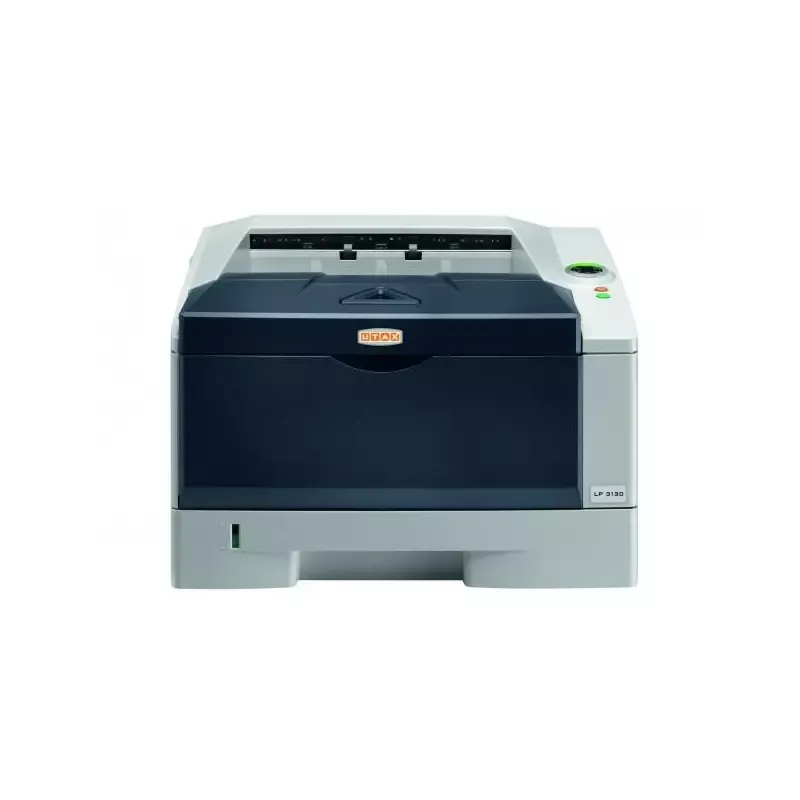
The Utax P-4035i MFP stands out for its printing speed, reaching up to 40 pages per minute, making it an ideal choice for demanding work environments. Its exceptional print quality, with a resolution of 600 x 600 DPI, ensures documents and images with vibrant and accurate colors. Additionally, its versatile features, including duplex printing, scanning, and faxing, meet various professional needs in a single device. Network connectivity via Ethernet facilitates integration into modern offices. However, some drawbacks are worth noting. Weighing 22 kg, moving and installing the device can be challenging, especially in tight spaces. The lack of Wi-Fi connectivity limits usage flexibility, requiring a wired connection. Furthermore, the color printing speed is lower than that of black and white, which could slow down workflows for users who need frequent color prints. Finally, the power consumption during operation is relatively high, potentially leading to significant energy costs in the long run. Regarding user experience, it is generally satisfactory thanks to an intuitive interface and suitable features, with a score of 85. Performance is also solid, rated at 80, reflecting the speed and print quality. The design, while functional, receives a score of 70 due to its weight. In terms of value for money, the product is rated at 75, but energy consumption and the lack of Wi-Fi are negative points. The features, rated at 90, highlight the versatility of the device, while the provided documentation, rated at 80, offers comprehensive information for optimal use.Score details
User experience
The user experience is generally satisfactory thanks to an intuitive interface and features tailored to professional needs.
Performance
The printing speed of 40 pages per minute and the print quality of 600 x 600 DPI ensure optimal performance for intensive use.
Design
The design is functional, but the weight of 22 kg can make it difficult to move in certain environments.
Value for money
The product offers good value for money, but the relatively high power consumption and lack of Wi-Fi can be drawbacks.
Features
Features such as double-sided printing, scanning, and faxing make it a versatile device that meets various needs.
Documentation
The 421-page user manual provides comprehensive information for optimal use of the device.
Advantages
Fast printing up to 40 pages per minute
Double-sided printing for paper savings
Print quality 600 x 600 DPI
Features: copy, scan, fax
Built-in Ethernet network connectivity
Disadvantages
Weight of 22 kg, difficult to move.
No Wi-Fi connectivity, wired connection required.
Color printing speed lower than black and white.
High power consumption, significant energy costs.
Preheating time of 21 seconds.
Technical Specifications P-4035i MFP
General Information
-
ModelP-4035I MFP
-
Brand
-
Category
-
Type
-
SKU270623
-
MPN270623
Print speed
-
Printing technologyLaser
-
PrintingMonochrome printing
-
Print speed (black, normal quality, A4/US Letter)40 ppm
-
Maximum resolution600 x 600 DPI
-
Duplex printing speed (Black, normal quality, A4/US Letter)20 ppm
-
Copy time for the first page (Black, normal)9 s
-
Preheating time21 s
-
Double-sided printingYes
Copier
-
CopySimple copy
-
Max. resolution of copies600 x 600 DPI
-
Copy speed (normal quality, black, A4)40 cpm
-
Resizing copy25 - 400 %
-
Maximum number of copies999 copies
-
Release time of the first print (black, normal)9 s
Digitization
-
DigitizationColor scanning
-
Optical scanning resolution600 x 600 DPI
-
Scan toE-mail, File, Image, USB
-
Supported image formatsJPG, TIF
-
Support for text formatsPDF, XPS
-
Gray levels256
-
Scanning technologyCCD (charge-coupled device)
Fax
-
FaxSimple fax
-
Fax resolution (black)200 x 100 DPI
-
Fax transmission speed3 sec/page
-
Modem speed33.6 Kbit/s
-
Fax Memory8 MB
-
Deferred fax sendingYes
-
Deferred fax sendingYes
-
Fax coding methodsJBIG, MH, MMR (Fax coding method), MR
Features
-
Digital sender-
-
Service cycle (Maximum)- pages per month
-
Printing colorsBlack
Input and output capacity
-
Total power capacity500 sheets
-
Total output capacity250 sheets
Paper management
-
ISO, Format Series A (A0...A9)A4
-
Type of paper tray supportEnvelopes
-
ISO, Format Series A (A0...A9)A4
-
Weight of the multifunctional tray support60 - 220 g/m²
-
Support weight supported in duplex mode60 - 120 g/m²
Design
-
ScreenLCD
-
Built-in screenYes
-
Product colorBlack, Grey
-
Built-in screenYes
-
Market positionProfessional
-
Order typeTouchscreen
Network
-
Ethernet/LANYes
-
WifiNo
-
LAN Ethernet: data transfer rate10,100,1000 Mbit/s
-
Mobile printing technologiesApple AirPrint
-
Wiring technology10/100/1000Base-T(X)
Connectivity
-
USB portYes
-
Standard interfacesEthernet, USB 2.0
-
USB portYes
Representation / realization
-
Internal memory512 MB
-
Built-in memory card readerYes
-
Memory locations1
-
Compatible memory cardsSD
-
Sound power level (standby)53 dB
-
Sound pressure level (impression)5 dB
Power
-
Electricity consumption (average operation)685 W
-
Energy consumption (standby mode)61.6 W
-
AC input frequency50 Hz
-
AC input voltage220 - 240 V
Minimum system requirements
-
Support for the Windows operating systemYes
Weight and dimensions
-
Width475 mm
-
Depth455 mm
-
Height575 mm
-
Weight22000 g
Frequently Asked Questions
What is the weight of the Utax P-4035i MFP?
What is the recommended method for removing paper jammed in the printer?
Why does my printer not recognize original cartridges?
What could be the reasons for poor print quality?
What is the difference between a laser printer and an inkjet printer?
Why does my inkjet printer leave black streaks on prints?
What does the acronym DPI mean?
What is the height of the Utax P-4035i MFP?
What is the width of the Utax P-4035i MFP?
What is the depth of the Utax P-4035i MFP?
Why does my printer not turn on?
How can I resolve a paper jam?
What should I do if my prints have lines or spots?
How do I connect my printer to a Wi-Fi network?
Why are my copies or scans distorted?
Does the Utax P-4035i MFP use laser printing?
Can the Utax P-4035i MFP multifunction printer make color copies?
What is the maximum printing speed of the Utax P-4035i multifunction printer?
What is the maximum resolution of the Utax P-4035i multifunction printer?
How many copies can the Utax P-4035i multifunction printer produce at once?
Is the manual for the Utax P-4035i MFP available in French?
Similar products



More product categories from brand Utax
More product types from brand Utax

Presentation of product P-4035i MFP specifications from brand Utax
General Information
The Utax P-4035i MFP multifunction printer stands out for its robustness and performance, making it a preferred choice for professional environments. With a model identified as P-4035i MFP | 614004035, this machine combines innovation and quality, promising a smooth and efficient user experience.
Print Speed
Equipped with laser printing technology, the Utax P-4035i MFP offers remarkable print quality. It allows color printing, with an impressive speed of up to 40 pages per minute in black and white and 20 pages per minute in duplex. Its maximum resolution of 600 x 600 DPI ensures documents of exceptional clarity, ideal for both professional and personal use. Additionally, the first page print time is only 9 seconds, and the warm-up time is 21 seconds, ensuring appreciable responsiveness.
Copier
The integrated copier allows color copies with a resolution identical to that of prints, offering superior quality. With a speed of 40 copies per minute in black and white, this function is designed to optimize your workflows. The resizing of copies can vary from 25 to 400 %, and up to 999 copies can be made in a single operation, thus meeting the most demanding printing needs.
Scanning
The color scanning of the Utax P-4035i MFP allows for precise document capture, with a resolution of 600 x 600 DPI. Scanning options include various formats such as JPG, TIF, PDF, and XPS, providing flexibility in document processing. Thanks to CCD technology, image quality is optimized, while grayscale levels reach 256 shades.
Fax
The fax system of the Utax P-4035i MFP facilitates the sending and receiving of documents, with a resolution of 200 x 100 DPI ensuring adequate clarity. The transmission speed is 3 seconds per page, and the fax memory of 8 MB allows for storing multiple documents. Features such as automatic redial and delayed fax sending add a practical dimension to this device.
Features
This printer is designed for high usage cycles, although an exact figure for the maximum service cycle is not specified. Its print color is primarily black, ensuring high-quality visual outputs.
Input and Output Capacity
With a feed capacity of 500 sheets and an output capacity of 250 sheets, the Utax P-4035i MFP is well-equipped to handle a large volume of documents without frequent interruptions.
Paper Management
Compatible with paper sizes up to A4, it supports various types of media, including envelopes. The paper weight range varies from 60 to 220 g/m², ensuring great flexibility in the choice of printing materials.
Design
Featuring a built-in touch LCD screen, the Utax P-4035i MFP offers an intuitive user interface. Its modern design in black and gray integrates seamlessly into a professional office environment.
Network
This printer supports Ethernet connectivity but does not have Wi-Fi, which may limit its usability in certain spaces. The data transfer rate is 10, 100, 1000 Mbit/s, ensuring fast and efficient connections.
Connectivity
The Utax P-4035i MFP model allows for direct printing and is equipped with USB ports, facilitating connection to various devices for simplified use.
Representation / Performance
Its internal memory of 512 MB ensures smooth performance, while the presence of a built-in memory card reader, compatible with SD cards, allows easy access to additional data. In terms of noise level, the printer operates at 53 dB in standby and 5 dB during printing, making it suitable for noise-sensitive work environments.
Power
The power consumption during operation is 685 W, while in standby mode, it is reduced to 61.6 W, contributing to overall energy efficiency. The AC input voltage ranges between 220 and 240 V, ensuring compatibility with standard electrical systems.
Minimum System Requirements
This model is compatible with Windows operating systems, allowing for smooth integration into work environments using this platform.
Weight and Dimensions
With dimensions of 475 mm wide, 455 mm deep, and 575 mm high, weighing 22 kg, the Utax P-4035i MFP is designed for stationary use, although its weight may pose challenges when installing in tight spaces.


