
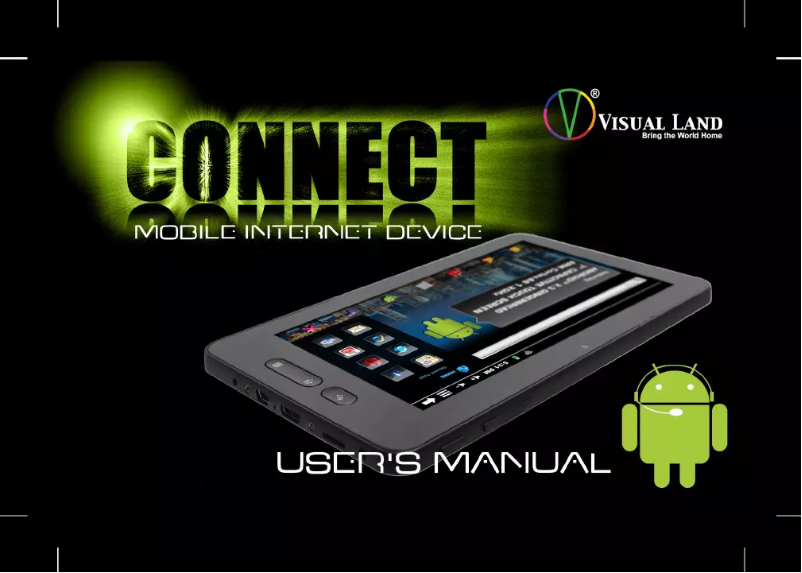
Manual of product Connect 4.0
Editorial note
The Visual Land Connect 4.0 tablet stands out for its ergonomic and aesthetic design, providing a comfortable user experience during browsing and reading. Users will also appreciate the provided documentation, which makes it easier to get started with the product thanks to an accessible user manual. In terms of performance, the tablet is suitable for everyday tasks, ensuring a smooth experience for daily use. However, some drawbacks must be taken into account. The performance of the Connect 4.0 may be limited for more demanding applications, and the screen quality might not meet expectations in terms of brightness and color accuracy. Additionally, the battery life may not be sufficient for extended use without recharging, which can be an issue for some users. Finally, the brand's technical support seems to be a weak point, with limited assistance available in case of need for help or repairs. Overall, the Visual Land Connect 4.0 is a solid choice for those looking for a versatile and well-designed tablet, but it may not be suitable for users with more specific or demanding needs.Score details
User experience
The user experience is generally positive, thanks to an ergonomic design and an intuitive interface, but limited performance may affect usage with heavy applications.
Performance
Although the tablet offers optimal performance for common tasks, it may be limited for more demanding applications compared to other brands.
Battery life
The battery life may be insufficient for prolonged use without recharging, which can be a disadvantage for some users.
Design
The design is aesthetic and practical, providing comfort during browsing or reading, which is a strong point of the product.
Documentation
The product comes with an accessible user manual, making it easier to get started and use the tablet.
Support
Technical support is limited, which can be problematic in case of needing assistance or repairs, an aspect to improve for the brand.
Advantages
High performance and smooth experience
Recognized brand for quality and innovation
Accessible documentation for easy handling
Ergonomic and aesthetic design
Versatile for many applications
Disadvantages
Limited performance for heavy applications.
Poor quality screen, low brightness.
Insufficient battery life for prolonged use.
Infrequent system updates.
Unresponsive technical support.
Technical Specifications Connect 4.0
General Information
-
ModelCONNECT 4.0
-
Brand
-
Category
-
Type
-
SKU1181032
-
MPN1181032
Frequently Asked Questions
What factors influence download speed on the Internet?
What are the dimensions of my tablet's screen?
Is the manual for the Visual Land Connect 4.0 available in French?
Similar products


More product categories from brand Visual Land
More product types from brand Visual Land


Presentation of product Connect 4.0 specifications from brand Visual Land
General Information
The Visual Land Connect 4.0 is a tablet designed by the brand Visual Land, known for its commitment to innovation and quality in the electronics sector. This model stands out for its high performance, providing a smooth and enjoyable user experience. The Connect 4.0 is ideal for a variety of uses, ranging from internet browsing to document viewing, while ensuring user comfort thanks to its ergonomic design.
Advantages
Among the main strengths of the Visual Land Connect 4.0, we note:
- Optimal performance: The model is designed to ensure responsive and seamless use.
- Recognized innovation: The brand is synonymous with reliability and modern technologies, reassuring users.
- Accessibility of documentation: A user manual is provided, making it easier to get started with the device.
- Ergonomic design: Aesthetic and practical, the tablet ensures comfort during browsing or reading.
- Versatility: Suitable for many applications, the Connect 4.0 is an effective tool for various users.
Disadvantages
However, the Visual Land Connect 4.0 also has some limitations:
- Limited performance: Compared to other competing tablets, it may struggle with demanding applications.
- Screen quality: Brightness and color accuracy may not meet the expectations of some users.
- Battery life: The duration of use without recharge may prove insufficient for extended sessions.
- System updates: The lack of regular updates can pose security and compatibility issues with certain applications.
- Limited technical support: In case of needing assistance or repairs, the service may not be up to par.


