
Manuals of product WorkCentre 6027


Editorial note
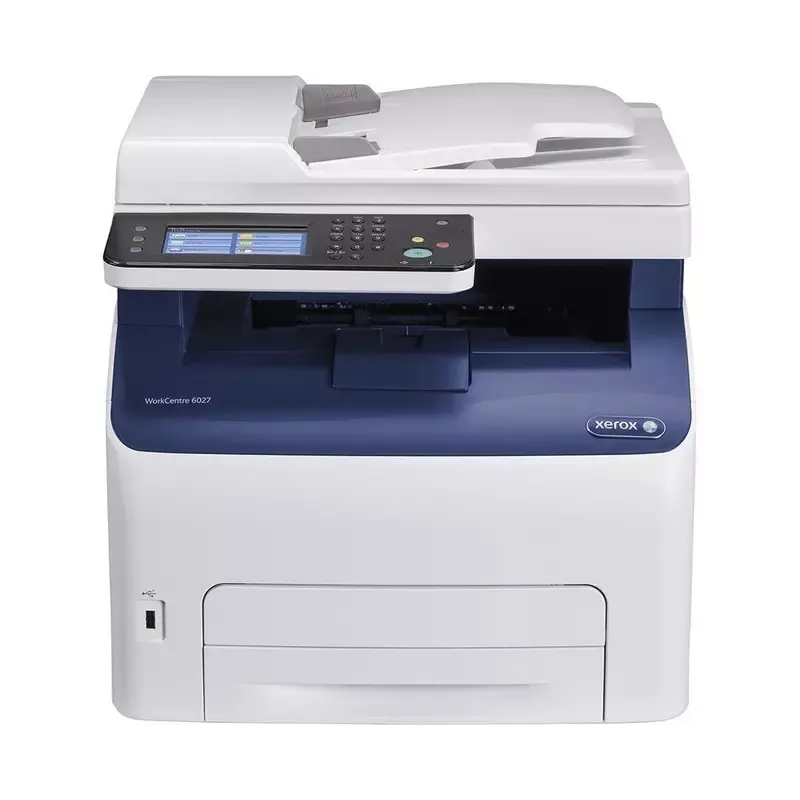
The Xerox WorkCentre 6027 stands out for its print quality, delivering sharp and professional results. Its versatility as a multifunction printer allows for printing, copying, and scanning, thus meeting the various needs of an office. Additionally, its compact design facilitates integration into any work environment while providing robust performance. The user-friendly interface, accompanied by a user manual and installation guide, ensures a quick start for users. However, some aspects of the printer may pose issues. The print speed may prove insufficient for users needing to handle large volumes of documents, which could hinder productivity in a demanding professional setting. Furthermore, the high cost of ink and toner cartridges represents a significant long-term expense for those who print frequently. Some advanced features, such as automatic duplex scanning, are not available, which may disappoint users looking for greater versatility. Moreover, the user interface may seem unintuitive to some, thus increasing the learning curve. Finally, the high noise level during operation can be disruptive in quiet work environments. In summary, the Xerox WorkCentre 6027 is a solid choice for those seeking a quality and versatile printer, but it is important to consider its limitations in terms of speed and operating costs.Score details
User experience
Ease of use is a strong point thanks to a user-friendly interface and supporting documents, although some users may find the interface unintuitive.
Performance
Performance is good for quality prints, but the slowness when printing large volumes can hinder efficiency in a dynamic environment.
Features
The printer offers versatile features, but some advanced options, such as automatic double-sided scanning, are missing, which could disappoint demanding users.
Value for money
The cost of ink and toner cartridges is high, which can increase long-term expenses for users who print frequently.
Design
The compact design of the printer allows for easy integration into various workspaces while providing robust performance.
Robustness
The printer is built to last, although the noise level during operation can be a drawback in quiet work environments.
Advantages
Clear and professional prints.
Printing, copying, and scanning features.
User-friendly and easy-to-use interface.
Compact design, ideal for small spaces.
Versatile connectivity for different devices.
Disadvantages
Slow printing for large volumes.
High cost of ink cartridges.
Lack of automatic duplex scanning.
Non-intuitive user interface.
High noise level during operation.
Technical Specifications WorkCentre 6027
General Information
-
ModelWORKCENTRE 6027
-
Brand
-
Category
-
Type
-
SKU798593
-
MPN798593
Frequently Asked Questions
What is the recommended method for removing paper jammed in the printer?
Why is my printer refusing to accept original cartridges?
What are the possible reasons for poor print quality?
How does a laser printer differ from an inkjet printer?
Why is my inkjet printer producing black streaks?
What does the abbreviation DPI mean?
Is the manual for the Xerox WorkCentre 6027 available in French?
Similar products


More product categories from brand Xerox
Other Xerox
More product types from brand Xerox


Presentation of product WorkCentre 6027 specifications from brand Xerox
General Information
The Xerox WorkCentre 6027 is a printer model from the renowned brand Xerox, known for its commitment to quality and innovation in the office equipment sector. This model stands out for its high performance and intuitive user interface, providing a pleasant printing experience.
The EAN code of the Xerox WorkCentre 6027 includes several references (0095205867961, 0095205867985, 0095205868135, 0686727721574, 0724893693551, 4923773179208, 4943783136350, 4943793134414, 4963263184633, 4963263189249, 4973153185633, 5201103270818), allowing for precise identification within distribution systems.
Advantages
This printer offers high-quality printing, ensuring clear and professional documents. Its multifunctional nature allows for printing, copying, and scanning, thus meeting various needs in the workplace. Thanks to its user-friendly interface, it is easy to use, supported by accompanying documents such as the user manual and installation guide. Its compact design allows it to fit easily into different workspaces while maintaining solid performance. Additionally, it offers flexible connectivity, making it easy to print from various devices.
Disadvantages
However, the Xerox WorkCentre 6027 has some limitations. Its printing speed may be insufficient for high volumes, which can affect efficiency in dynamic work environments. Moreover, the high cost of ink and toner cartridges can lead to significant expenses for users who print frequently. Some advanced features, such as automatic duplex scanning, are not available, which may disappoint users seeking versatility. The user interface may also seem unintuitive for those unfamiliar with this type of device, making initial learning a bit challenging. Finally, the noise level of the printer can be relatively high during operation, which may disrupt a quiet work environment.


