

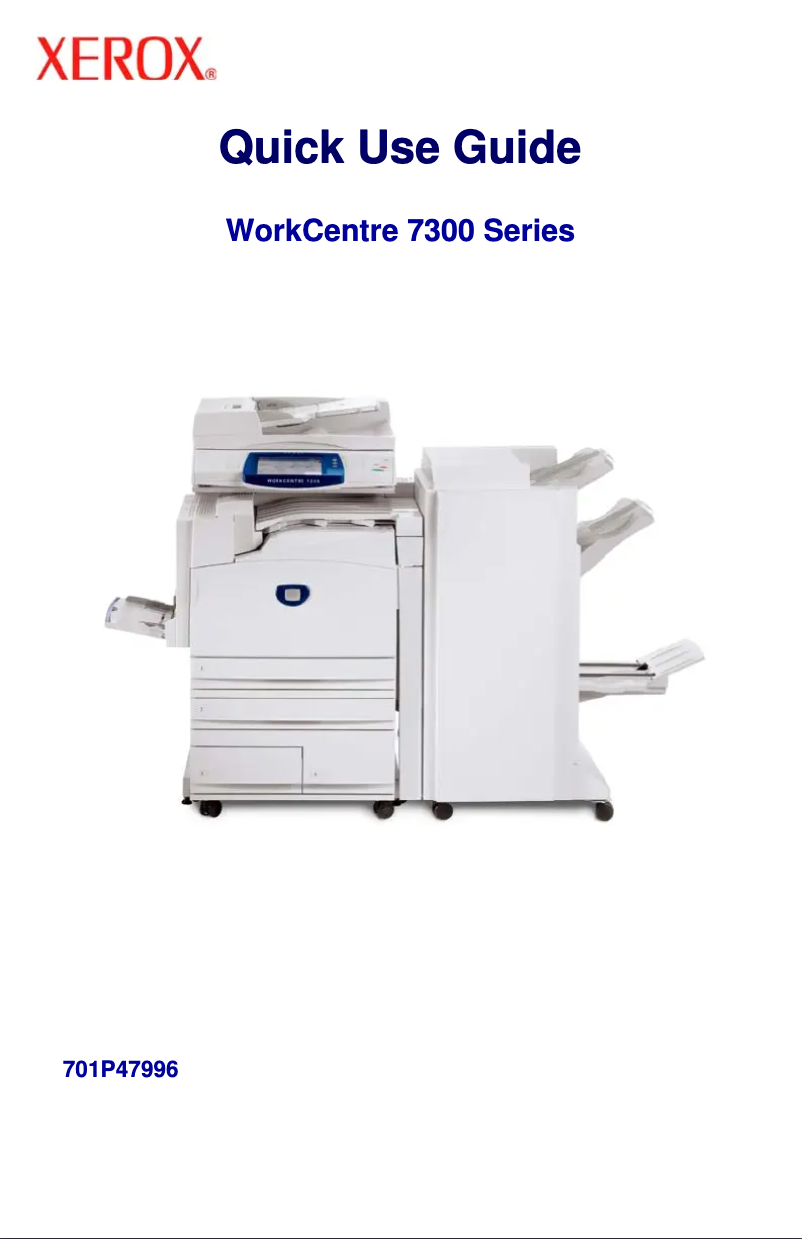
Manual of product WorkCentre 7328V FP
Editorial note
The Xerox WorkCentre 7328V FP stands out for its exceptional print quality, offering a maximum resolution of 1200 x 1200 DPI that ensures clear and precise documents, suitable for both professional needs and personal use. Its print speed of 28 ppm in black and 26 ppm in color helps optimize efficiency in dynamic work environments. Additionally, its all-in-one features, including color printing, copying, and scanning, provide appreciated versatility. The intuitive touchscreen makes navigation easy, enhancing the user experience. However, this model has some drawbacks. It lacks a duplex copying function, which can limit efficiency when printing double-sided documents. Furthermore, its incompatibility with Mac operating systems restricts its use for some users. The absence of Wi-Fi connectivity is also a disadvantage for those who prefer wireless printing, thus requiring an Ethernet connection. In terms of value for money, the Xerox WorkCentre 7328V FP offers satisfactory performance and features suited to professional needs, although connectivity limitations may pose issues for some. Overall, this device is a solid option for those seeking a reliable multifunction printer, although its features may not suit all work environments.Score details
User experience
The user experience is very pleasant thanks to an intuitive touchscreen that makes navigation through the device options easy.
Performance
The printing performance is satisfactory with a speed of 28 ppm in black and 26 ppm in color, although this may be insufficient for very demanding environments.
Features
The all-in-one features, including color printing, copying, and scanning, provide appreciated versatility, even though the lack of duplex copying is a drawback.
Value for money
The value for money is fair, offering high-quality printing and features suited to professional needs, despite some connectivity limitations.
Support
The lack of compatibility with Mac systems and the absence of Wi-Fi may restrict use for some users.
Advantages
Printing 1200 x 1200 DPI, optimal quality.
Print speed of 28 ppm black.
Multifunction: printing, copying, scanning.
Intuitive touchscreen, easy navigation.
Ethernet/LAN connectivity for secure network.
Disadvantages
No duplex copy available.
Not compatible with Mac.
No Wi-Fi connectivity.
Limited printing speed.
Insufficient internal storage capacity.
Technical Specifications WorkCentre 7328V FP
General Information
-
ModelWORKCENTRE 7328V FP
-
Brand
-
Category
-
Type
-
SKU236877
-
MPN236877
Print speed
-
Maximum resolution1200 x 1200 DPI
-
Print speed (black, normal quality, A4/US Letter)28 ppm
-
Print speed (color, normal quality, A4/US Letter)26 ppm
-
Printing technologyLaser
-
PrintingColor printing
Copier
-
Max. resolution of copies600 x 600 DPI
-
CopyColor copy
-
Duplex copyYes
Design
-
Touch screenYes
-
Market positionProfessional
-
Order typeTouchscreen
Paper management
-
Maximum print format297 x 420 mm
-
Maximum ISO A series paper sizeA3
Other features
-
Standard average formatsA3
-
Compatible operating systemsA4
-
Power requirementsA5
-
All-in-one functionsWindows XP/Server 2003/Vista, Mac OS 10.3+, AIX 51 v5.3, HP UX 11.0/11i v2, Solaris 8/9/10,
-
All-in-one color functionsLinux Fedora Core 1/5, Red Hat ES4, SUSE10.x
-
220-240V, 50 Hz, 10A
-
Copy, Scan
-
copy, print, scan
Representation / realization
-
Mac CompatibilityYes
-
Internal storage capacity40 GB
Network
-
Ethernet/LANYes
-
WifiNo
Environmental conditions
-
Operating temperature10 - 28 °C
-
Operating relative humidity (H-H)15 - 85 %
Features
-
Languages of the page descriptionPCL 5c
-
Digital senderPCL 6
-
PDF 1.5
-
TIFF
-
No
Certificate
-
CertificationFCC Part 15, Class A, RoHS 2002/95/EC
Digitization
-
DigitizationColor scanning
Fax
-
FaxNo
Frequently Asked Questions
What is the recommended method for removing jammed paper from the printer?
Why does my printer not recognize original cartridges?
What are the possible reasons for poor print quality?
How does a laser printer differ from an inkjet printer?
Why does my inkjet printer leave black marks on prints?
What does the acronym DPI mean?
What certifications does the Xerox WorkCentre 7328V FP have?
What is the memory capacity of the Xerox WorkCentre 7328V FP?
Is the manual for the Xerox WorkCentre 7328V FP available in French?
Similar products


More product categories from brand Xerox
Other Xerox
More product types from brand Xerox


Presentation of product WorkCentre 7328V FP specifications from brand Xerox
General Information
The Xerox WorkCentre 7328V FP is a multifunction printer model from the Xerox brand, known for its excellence and innovation in office equipment. This model is specifically designed to deliver high-level performance, thus ensuring an enhanced user experience tailored to professional requirements.
Print Speed
With a maximum print resolution of 1200 x 1200 DPI, the Xerox WorkCentre 7328V FP ensures exceptional clarity for all your documents, whether for professional or personal use. It offers a print speed of 28 pages per minute in black and 26 pages per minute in color, allowing for efficient handling of daily printing tasks. Thanks to its laser printing technology, this device guarantees precise and quality results.
Copier
The integrated copier of the Xerox WorkCentre 7328V FP allows for copies with a maximum resolution of 600 x 600 DPI, providing high-quality prints. It supports color copying, ensuring faithful and vibrant reproductions. However, it is worth noting that this device does not offer duplex copying functionality, which may limit its efficiency for double-sided printing.
Design
This model is equipped with a touchscreen that facilitates navigation and use of the various features. Designed for professional use, it meets the specific needs of users with an intuitive and practical interface.
Paper Management
The Xerox WorkCentre 7328V FP supports a maximum print size of 297 x 420 mm and is compatible with paper sizes up to A3, thus ensuring flexibility for various types of documents.
Other Features
It supports standard formats such as A3, A4, and A5, making it ideal for a wide range of applications. Although it is compatible with operating systems such as Windows XP, Windows Vista, and Windows 7, it is not suitable for Mac platforms. This model operates with a power supply of 220-240V, 50 Hz, 10A. Its all-in-one features include printing, copying, and color scanning, providing valuable versatility to meet various office needs.
Representation / Performance
The Xerox WorkCentre 7328V FP has an internal storage capacity of 40 GB, allowing for efficient management of a considerable amount of data and files. However, it is important to note that this device does not have a digital sender.
Network
Regarding connectivity, the model is equipped with an Ethernet/LAN port, facilitating its integration into a corporate network. However, it does not have Wi-Fi connectivity, which could be a disadvantage for users preferring a wireless connection.
Environmental Conditions
The optimal operation of the device is guaranteed within a temperature range of 10 to 28 °C and with a relative humidity of 15 to 85 %, making it suitable for various work environments.
Features
The Xerox WorkCentre 7328V FP supports several page description languages, including PCL 5c, PCL 6, PDF 1.5, and TIFF. It is important to note that it does not offer fax functionalities.
Certification
This product meets the required safety and performance standards, as evidenced by its FCC Part 15, Class A and RoHS 2002/95/EC certification.
Scanning
The model supports color scanning, thus allowing for high-quality and faithful reproductions of your documents and images.
Fax
Finally, it is worth mentioning that the Xerox WorkCentre 7328V FP does not have fax functionality, which may be a factor to consider for some users.


