

Manual of product WorkCentre 7346V FX
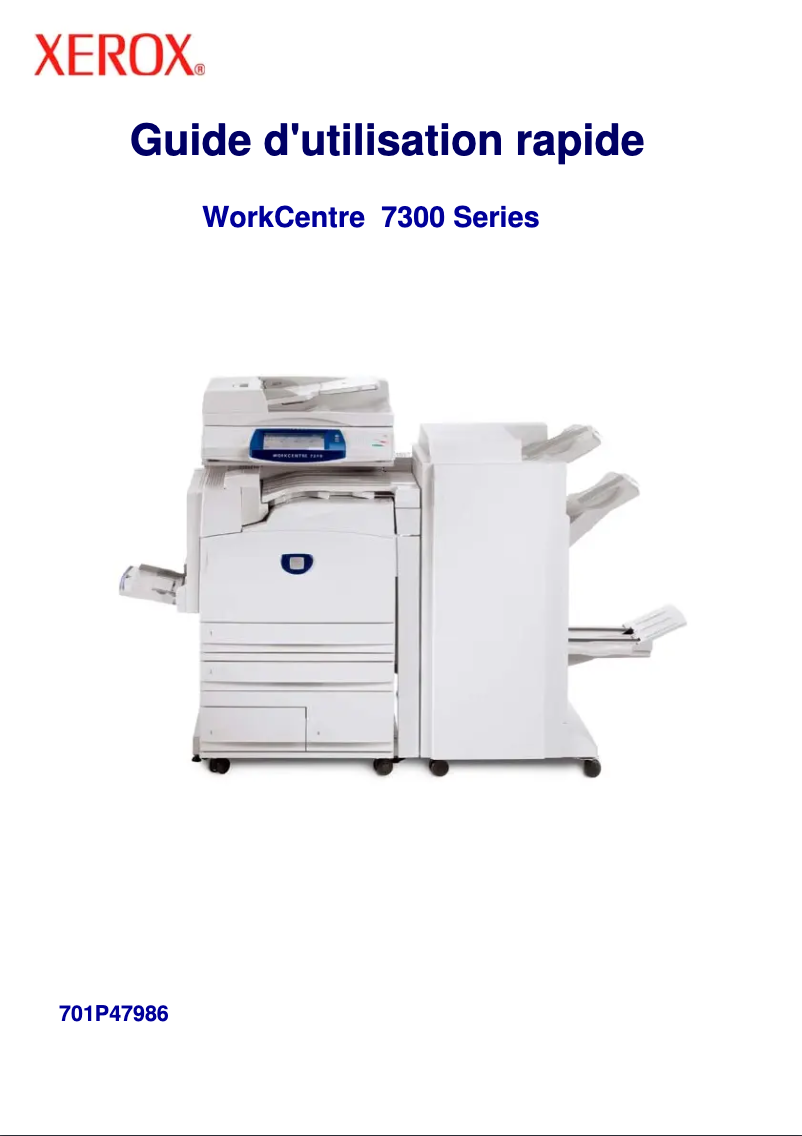
Editorial note
The Xerox WorkCentre 7346V FX stands out for its printing speed, reaching up to 45 pages per minute in black and 40 pages in color. This performance makes it an ideal choice for demanding work environments, where time is a crucial factor. The printing resolution of 1200 x 1200 DPI ensures high-quality documents with vibrant colors and precise details, perfectly meeting various professional needs. Additionally, its all-in-one features, including color printing, copying, and scanning, offer valuable versatility. However, some drawbacks are worth noting. The lack of compatibility with Mac systems limits its use for some users. Furthermore, the absence of duplex copying functionality may be a hindrance for those looking to optimize their paper consumption. The warm-up time of 45 seconds may also be considered long, especially in work contexts where speed is essential. Finally, the lack of Wifi connectivity restricts wireless connection options, making integration into modern networks more complex. In terms of user experience, the model benefits from a touchscreen that facilitates access to features, contributing to intuitive use. Nevertheless, the resolution limited to 600 x 600 DPI for copies may not satisfy all printing quality needs. In summary, the Xerox WorkCentre 7346V FX is a high-performing and versatile device, suitable for professional use, but it has some limitations that should be considered before purchase.Score details
User experience
The user experience is generally positive thanks to a touchscreen and an intuitive interface, facilitating quick access to features.
Performance
The performance is excellent with a fast printing speed of 45 ppm in black and 40 ppm in color, ideal for demanding work environments.
Features
The all-in-one features, including color printing, copying, and scanning, offer optimal versatility, although the lack of duplex copying may limit efficiency.
Battery life
The warm-up time of 45 seconds can be considered long, especially in an environment where speed is essential.
Support
The incompatibility with Mac systems and the lack of Wifi connectivity may restrict usage and complicate integration into a modern network.
Design
The design is ergonomic, but the resolution of copies, limited to 600 x 600 DPI, may not meet quality requirements for certain professional applications.
Advantages
Fast printing up to 45 pages per minute
Resolution 1200 x 1200 DPI for high quality
All-in-one functions: printing, copying, scanning
40 GB internal storage, 1536 MB memory
Touchscreen for intuitive and quick use
Disadvantages
Not compatible with Mac systems.
No automatic duplex copying.
Preheating time too long.
No Wifi connectivity.
Copy resolution limited to 600 DPI.
Technical Specifications WorkCentre 7346V FX
General Information
-
ModelWORKCENTRE 7346V FX
-
Brand
-
Category
-
Type
-
SKU233995
-
MPN233995
Print speed
-
Maximum resolution1200 x 1200 DPI
-
Print speed (black, normal quality, A4/US Letter)45 ppm
-
Print speed (color, normal quality, A4/US Letter)40 ppm
-
Copy time for the first page (color, normal)6.7 s
-
Copy time for the first page (Black, normal)4.8 s
-
Printing technologyLaser
-
Preheating time45 s
-
PrintingColor printing
Copier
-
Max. resolution of copies600 x 600 DPI
-
CopyColor copy
-
Duplex copyYes
Representation / realization
-
Processor frequency667 MHz
-
Internal memory1536 MB
-
Mac CompatibilityYes
-
Internal storage capacity40 GB
-
Sound pressure level (impression)56 dB
Design
-
Touch screenYes
-
Market positionProfessional
-
Order typeTouchscreen
Paper management
-
Maximum print format297 x 420 mm
-
Maximum ISO A series paper sizeA3
Other features
-
Standard average formatsA3
-
Compatible operating systemsA4
-
Power requirementsA5
-
All-in-one functionsWindows XP/Server 2003/Vista, Mac OS 10.3+, AIX 51 v5.3, HP UX 11.0/11i v2, Solaris 8/9/10,
-
All-in-one color functionsLinux Fedora Core 1/5, Red Hat ES4, SUSE10.x
-
220-240V, 50 Hz, 10A
-
Copy, Scan
-
copy, print, scan
Network
-
Ethernet/LANYes
-
WifiNo
Environmental conditions
-
Operating temperature10 - 28 °C
-
Operating relative humidity (H-H)15 - 85 %
Features
-
Languages of the page descriptionPCL 5c
-
Digital senderPCL 6
-
PDF 1.5
-
TIFF
-
No
Power
-
Energy consumption (eco mode)85 W
-
Electricity consumption (stop)10 W
Certificate
-
CertificationFCC Part 15, Class A, RoHS 2002/95/EC
Digitization
-
DigitizationColor scanning
Fax
-
FaxNo
Frequently Asked Questions
What is the recommended method for removing jammed paper from the printer?
Why is my printer not recognizing the original cartridges?
What could be the reasons for poor print quality?
What is the difference between a laser printer and an inkjet printer?
Why does my inkjet printer leave black streaks on prints?
What does the acronym DPI mean?
What are the certifications of the Xerox WorkCentre 7346V FX?
What is the storage capacity of the Xerox WorkCentre 7346V FX?
Is the manual for the Xerox WorkCentre 7346V FX available in French?
Similar products


More product categories from brand Xerox
Other Xerox
More product types from brand Xerox


Presentation of product WorkCentre 7346V FX specifications from brand Xerox
General Information
The Xerox WorkCentre 7346V FX printer is a recognized model from the Xerox brand, famous for its innovation and quality in the office equipment sector. This model is designed to deliver optimal performance and enhance the user experience in a professional environment.
Print Speed
With a maximum resolution of 1200 x 1200 DPI, the Xerox WorkCentre 7346V FX ensures prints of remarkable clarity, suitable for both personal and professional needs. Its print speed reaches 45 pages per minute in black and 40 pages per minute in color, which is ideal for demanding work environments where time is precious. The first page copy time is 6.7 seconds for color prints and 4.8 seconds for black prints, thus ensuring increased efficiency.
Copier
The maximum copy resolution is 600 x 600 DPI, allowing for good quality copies. The Xerox WorkCentre 7346V FX also offers color copying functionality, ensuring faithful reproductions of original documents. It is worth noting that this model does not support automatic duplex copying, which may limit functionality for some users.
Performance / Execution
The printer's processor operates at a frequency of 667 MHz, which directly influences the device's performance. With an internal memory of 1536 MB and a storage capacity of 40 GB, it is possible to efficiently manage a large volume of documents. However, it should be noted that the Xerox WorkCentre 7346V FX is not compatible with Mac systems. In terms of noise, the sound pressure level during printing is 56 dB, allowing for relatively quiet operation.
Design
The printer features a touchscreen that facilitates its use, making access to various functions intuitive. This model is primarily intended for professional use, with touch controls for easy interaction.
Paper Management
The maximum supported print size is 297 x 420 mm, and the printer is compatible with ISO A series paper sizes up to A3, making it suitable for a wide variety of professional documents.
Other Features
The Xerox WorkCentre 7346V FX supports several standard paper sizes including A3, A4, and A5, thus allowing flexibility in use. It is compatible with operating systems such as Windows XP, Vista, and 7. The power requirements are 220-240V, 50 Hz, and 10A, ensuring optimal operation. This model offers all-in-one features, including printing, copying, and color scanning, making it versatile to meet various needs.
Network
Regarding connectivity, the Xerox WorkCentre 7346V FX is equipped with an Ethernet/LAN port, although it does not have Wi-Fi connectivity, which may limit its integration into modern networks.
Environmental Conditions
For optimal operation, the operating temperature should be between 10 and 28 °C, and the relative humidity should be between 15 and 85 %.
Specifications
The Xerox WorkCentre 7346V FX supports several page description languages such as PCL 5c, PCL 6, PDF 1.5, and TIFF. However, it does not include a digital sender function, which could restrict some shipment management features.
Power
The power consumption in energy-saving mode is 85 W, while in standby mode, it is reduced to 10 W. These features contribute to a more energy-efficient use.
Certification
The Xerox WorkCentre 7346V FX is certified compliant with FCC Part 15, Class A, and RoHS 2002/95/EC standards, ensuring its safety and performance.
Scanning
This model offers color scanning capabilities, allowing for the production of faithful and detail-rich reproductions of your documents.
Fax
It is important to note that the Xerox WorkCentre 7346V FX does not have a fax function.


