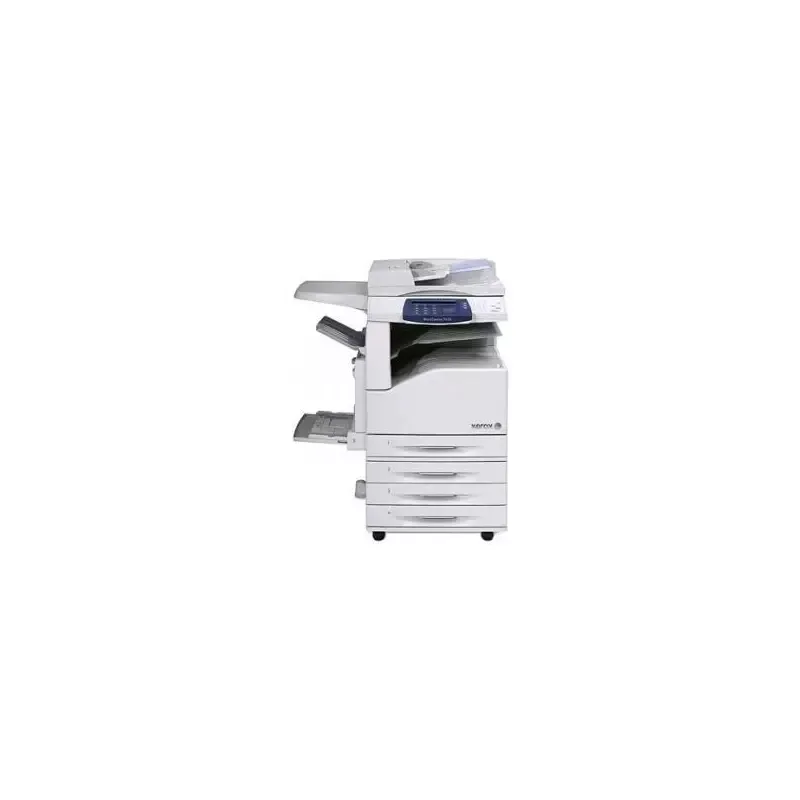

Manual of product WorkCentre 7425V FL

Editorial note
The Xerox WorkCentre 7425V FL stands out for its exceptional print quality, with a maximum resolution of 1200 x 2400 DPI. Its fast printing speed, reaching 25 pages per minute (ppm) in black and 20 ppm in color, makes it particularly suitable for a dynamic work environment. Additionally, its built-in duplex printing feature optimizes paper usage, while its color copying and scanning capabilities add valuable versatility for various document needs. However, this model has some notable drawbacks. Its limited compatibility with operating systems, particularly the lack of support for Mac, may restrict its use for some users. Furthermore, its impressive weight of 144 kg complicates installation and handling, especially in tight spaces. The absence of Wi-Fi connectivity also limits usage flexibility, requiring a wired connection to operate. Finally, the 45-second warm-up time and the operating noise level (56 dB) could pose issues in environments where silence is required. In summary, the Xerox WorkCentre 7425V FL is a solid choice for those seeking a high-performance printer, but it is essential to consider its limitations regarding compatibility and installation.Score details
User experience
The ergonomic design with an intuitive touchscreen makes it easy to use and access the device's features.
Performance
The printer offers high-quality printing with a maximum resolution of 1200 x 2400 DPI and a fast printing speed of 25 ppm in black and 20 ppm in color, ideal for a dynamic work environment.
Features
The built-in duplex printing feature and the ability to copy and scan in color add valuable versatility, although limited compatibility with operating systems may restrict its use.
Robustness
The heavy weight of 144 kg can make installation and handling difficult, especially in tight spaces.
Usability
The lack of Wi-Fi connectivity limits usage flexibility, requiring a wired connection to operate, which can be a disadvantage for some users.
Support
The 45-second warm-up time and the operating noise level (56 dB) may be considered too high for work environments where silence is required.
Advantages
High-quality printing up to 1200 x 2400 DPI.
Fast printing speed: 25 ppm black, 20 ppm color.
Built-in duplex printing for paper savings.
Color copying and scanning available.
Intuitive touchscreen for easy use.
Disadvantages
Limited compatibility with certain operating systems.
Heavy weight, difficult installation in small spaces.
Lack of Wi-Fi connectivity.
Preheating time of 45 seconds.
High noise level during operation.
Technical Specifications WorkCentre 7425V FL
General Information
-
ModelWORKCENTRE 7425V FL
-
Brand
-
Category
-
Type
-
SKU24686
-
MPN24686
Print speed
-
Maximum resolution1200 x 2400 DPI
-
Print speed (black, normal quality, A4/US Letter)25 ppm
-
Print speed (color, normal quality, A4/US Letter)20 ppm
-
Copy time for the first page (color, normal)8.7 s
-
Copy time for the first page (Black, normal)6.7 s
-
Preheating time45 s
-
Printing technologyLaser
-
PrintingColor printing
-
Double-sided printingYes
Copier
-
Copy speed (normal quality, black, A4)25 cpm
-
Copy speed (normal quality, color, A4)20 cpm
-
Max. resolution of copies600 x 600 DPI
-
Resizing copy25 - 400 %
-
CopyColor copy
Representation / realization
-
Processor frequency667 MHz
-
Internal memory1536 MB
-
Integrated into the processorYes
-
Sound pressure level (impression)56 dB
-
Sound power level (standby)22 dB
-
Internal storage capacity40 GB
-
Integrated into the processorYes
-
Processor familyPowerPC
Design
-
Touch screenYes
-
Market positionProfessional
-
Order typeTouchscreen
Other features
-
Compatible operating systemsWindows XP
-
Dimensions (LxWxH)Server 2003
-
Network featuresVista
-
Power requirementsMac OS 10.3+
-
All-in-one functionsAIX 5Iv5.3
-
All-in-one color functionsHP UX 11.0/11i v2
-
Solaris 8/9/10
-
Linux FedoraCore 1/5
-
RedHat Enterprise Linux 4
-
SUSE 10.x
-
1046 x 1125 x 678 mm
-
10/100BaseTX
-
220-240V, 50 Hz, 10A
-
Copie
-
copy, print
Network
-
Ethernet/LANYes
-
WifiNo
Weight and dimensions
-
Weight144000 g
Environmental conditions
-
Operating temperature10 - 28 °C
-
Operating relative humidity (H-H)15 - 85 %
Paper management
-
Maximum print format297 x 420 mm
-
Type of paper tray supportBond paper
-
Maximum ISO A series paper sizeEnvelopes
-
Glossy paper
-
Labels
-
Plain paper
-
Recycled paper
-
Transparencies
-
A3
Connectivity
-
Quantity of USB 2.0 Ports1
Features
-
Languages of the page descriptionPCL 5C
-
Digital senderPCL 6
-
TIFF
-
No
Power
-
Electricity consumption (average operation)615 W
-
Energy consumption (standby mode)95 W
Sustainability
-
Sustainability certificatesENERGY STAR
Certificate
-
Certification89/336/EEC
-
TUV Listed
-
CB Certified (IEC 60950-1/EN 60950-1)
-
73/23/EEC
Digitization
-
DigitizationNo
Fax
-
FaxNo
Frequently Asked Questions
What is the weight of the Xerox WorkCentre 7425V FL?
What is the best method to remove paper jammed in the printer?
Why is my printer not accepting original cartridges?
Why is the quality of my prints poor?
What are the differences between a laser printer and an inkjet printer?
Why is my inkjet printer producing black lines?
What does the acronym DPI mean?
What certifications does the Xerox WorkCentre 7425V FL have?
What is the memory capacity of the Xerox WorkCentre 7425V FL?
Is the manual for the Xerox WorkCentre 7425V FL available in French?
Similar products


More product categories from brand Xerox
Other Xerox
More product types from brand Xerox


Presentation of product WorkCentre 7425V FL specifications from brand Xerox
General Information
The model Xerox WorkCentre 7425V FL, from the renowned brand Xerox, is designed to provide superior printing and copying quality. Known for its innovation in the office equipment field, Xerox ensures optimal performance with this model tailored for professional environments.
Print Speed
The maximum resolution of the printer reaches 1200 x 2400 DPI, offering exceptional clarity for professional documents. With a print speed of 25 ppm in black and 20 ppm in color, the WorkCentre 7425V FL ensures increased productivity. The first page out time is 6.7 seconds for black prints and 8.7 seconds for color prints. The laser printing technology guarantees consistent quality, and the built-in duplex printing function optimizes paper usage.
Copier
The copier of the Xerox WorkCentre 7425V FL offers a speed of 25 cpm in black and 20 cpm in color in A4 format, with a copy resolution of 600 x 600 DPI. It also allows resizing from 25 to 400 %, providing flexibility and adaptability for various reproduction needs.
Performance / Execution
Equipped with a 667 MHz processor and an internal memory of 1536 Mo, the Xerox WorkCentre 7425V FL ensures rapid task execution. Although it is not compatible with Mac systems, it works with Windows XP, Vista, and 7. Its operating noise level is 56 dB, which could be a drawback in noise-sensitive environments.
Design
This model features a touchscreen that facilitates access to various functions, making its use intuitive. Designed primarily for professional use, it meets users' demands for efficiency and practicality.
Other Features
The dimensions of the Xerox WorkCentre 7425V FL are 1046 x 1125 x 678 mm, and its weight of 144 kg can make installation challenging. The network is equipped with 10/100BaseTX features, ensuring a reliable connection, although it lacks Wi-Fi connectivity.
Environmental Conditions
For optimal operation, the operating temperature should be between 10 and 28 °C, with a relative humidity of 15 to 85 %.
Paper Management
The maximum print size is 297 x 420 mm. It is compatible with various types of media, such as plain paper, labels, and transparencies, and supports the maximum ISO series A paper size of A3.
Connectivity
The product features a USB 2.0 port for quick connection with external devices; however, it lacks Wi-Fi functionality.
Power
The power consumption in operating mode is 615 W, while in standby mode, it drops to 95 W, helping to reduce energy costs.
Durability
The Xerox WorkCentre 7425V FL is ENERGY STAR certified, ensuring it meets high standards of energy efficiency.
Certification
The product certifications include 89/336/EEC, TUV Listed, and CB Certified (IEC 60950-1/EN 60950-1), ensuring compliance with safety and performance standards.
Scanning
The color scanning function allows for faithful and vibrant reproductions of documents and images, adding to its versatility.
Fax
It is worth noting that the Xerox WorkCentre 7425V FL does not have fax functionality.


