

Manual of product WorkCentre 7755V UW
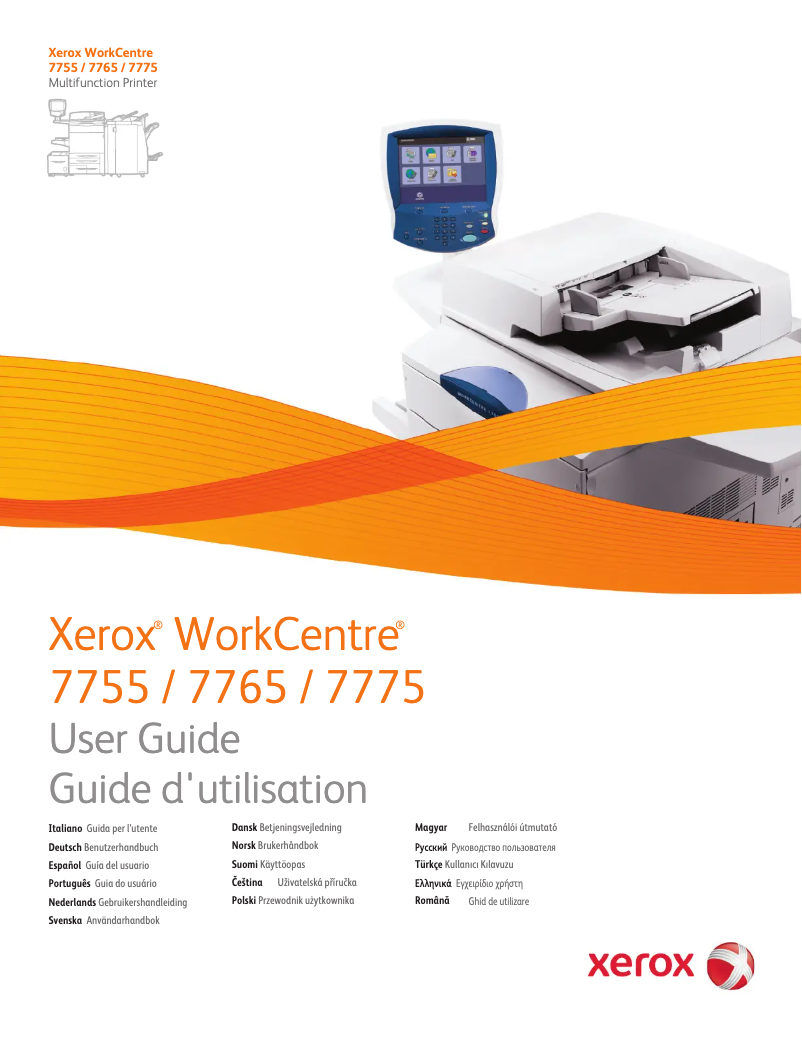
Editorial note
The Xerox WorkCentre 7755V UW is a multifunction printer that stands out for its impressive performance. With a printing speed of 55 pages per minute in black and 40 pages per minute in color, it perfectly meets the needs of work environments where frequent printing is essential. Additionally, its maximum resolution of 2400 x 2400 DPI ensures prints of exceptional clarity, ideal for professional documents and precise images. The user experience is also a strong point of this model, thanks to its intuitive touchscreen that makes navigation through its various features easy. The all-in-one functions, including copying, faxing, and scanning, add valuable versatility, allowing for various professional needs to be covered with a single device. However, the Xerox WorkCentre 7755V UW has some drawbacks. Its power consumption of 1096 W can lead to high costs, especially during intensive use. Moreover, its weight of 351 kg makes transport and installation difficult, potentially requiring several people to move it. The lack of compatibility with Mac operating systems also limits its use for some users. Finally, the duplex scanning feature is not available, which could be a disadvantage for those who need to scan double-sided documents efficiently. In summary, the Xerox WorkCentre 7755V UW is a solid choice for professionals looking for a high-performing and versatile printer. However, it is important to consider its limitations in terms of power consumption and compatibility before purchasing.Score details
User experience
The user experience is very satisfactory, especially thanks to the intuitive touchscreen that facilitates navigation through the various features of the device.
Performance
The printing performance is excellent with a speed of 55 ppm in black and 40 ppm in color, perfectly meeting the frequent printing needs in a professional environment.
Features
The all-in-one functions, including copying, faxing, and scanning, offer valuable versatility for various professional needs.
Design
The design is functional and suitable for work environments, although its weight of 351 kg may pose challenges during transport and installation.
Value for money
Although the product offers good performance, its energy consumption of 1096 W and incompatibility with Mac systems may limit its value for some users.
Advantages
Fast printing: 55 ppm black, 40 ppm color
Print quality: 2400 x 2400 DPI
All-in-one functions: copy, fax, scanning
Intuitive touchscreen for easy navigation
Ethernet/LAN connectivity for efficient sharing
Disadvantages
Incompatible with Mac operating systems.
Heavy weight, difficult to transport for multiple units.
No Wi-Fi connection, limited use.
No duplex scanning.
High power consumption, increased costs.
Technical Specifications WorkCentre 7755V UW
General Information
-
ModelWORKCENTRE 7755V UW
-
Brand
-
Category
-
Type
-
SKU231413
-
MPN231413
Print speed
-
Maximum resolution2400 x 2400 DPI
-
Print speed (black, normal quality, A4/US Letter)55 ppm
-
Print speed (color, normal quality, A4/US Letter)40 ppm
-
Printing technologyLaser
-
PrintingColor printing
Copier
-
Copy speed (normal quality, black, A4)55 cpm
-
Copy speed (normal quality, color, A4)40 cpm
-
CopySingle copy
Design
-
Touch screenYes
-
Market positionProfessional
-
Order typeTouchscreen
Representation / realization
-
Internal memory2000 MB
-
Internal storage capacity80 GB
-
Processor frequency1800 MHz
-
Mac CompatibilityYes
Network
-
Ethernet/LANYes
-
WifiNo
Other features
-
Dimensions (LxWxH)2096 x 782 x 1369 mm
-
Compatible operating systemsWindows 2000, XP, Vista, Windows Server 2003 +, Mac OS X, 10.3 +, UNIX & Linux
-
Power supply1096 W
-
All-in-one functionsCopy, Fax, Scan
-
All-in-one color functionsprint, scan
Weight and dimensions
-
Weight351000 g
Environmental conditions
-
Operating temperature10 - 28 °C
-
Operating relative humidity (H-H)10 - 85 %
Digitization
-
DigitizationColor scanning
-
Double-sided scanningYes
Fax
-
FaxSimple fax
Features
-
Digital senderNo
Frequently Asked Questions
What is the weight of the Xerox WorkCentre 7755V UW?
What is the recommended method for removing paper jammed in the printer?
Why is my printer not recognizing the original cartridges?
What could be the reasons for poor print quality?
How does a laser printer differ from an inkjet printer?
Why is my inkjet printer leaving black streaks?
What does the acronym DPI mean?
What is the memory capacity of the Xerox WorkCentre 7755V UW?
Is there a manual for the Xerox WorkCentre 7755V UW in French?
Similar products


More product categories from brand Xerox
Other Xerox
More product types from brand Xerox


Presentation of product WorkCentre 7755V UW specifications from brand Xerox
General Information
The Xerox WorkCentre 7755V UW is a multifunction printer model from the Xerox brand, known for its innovation and quality in the field of office equipment. This product, identified by the EAN code 95205763690, offers optimal performance tailored to the varied needs of professional users.
Print Speed
With a maximum resolution of 2400 x 2400 DPI, the Xerox WorkCentre 7755V UW ensures prints of exceptional clarity. Its print speed reaches 55 pages per minute in black and 40 pages per minute in color, making this device ideal for heavy use. Thanks to its laser printing technology, it delivers precise and high-quality results.
Copier
The copier of the Xerox WorkCentre 7755V UW offers a speed of 55 copies per minute in black and 40 copies per minute in color, ensuring optimal efficiency for document production. Its ability to make color copies allows for vibrant and accurate results.
Design and User Interface
Equipped with a touchscreen, the Xerox WorkCentre 7755V UW makes navigation through its various features easy, making it intuitive to use. Specifically designed for professionals, this device meets the demands of modern work environments.
Representation and Performance
The product has an internal memory of 2000 MB and a storage capacity of 80 GB, allowing for efficient management of large amounts of data. With a processor frequency of 1800 MHz, it offers smooth performance. Note that this model is not compatible with Mac operating systems.
Connectivity
The Xerox WorkCentre 7755V UW includes connectivity via Ethernet/LAN, facilitating its integration into a corporate network. However, it does not offer Wi-Fi connectivity, which may limit flexibility for some users.
Other Features
With dimensions of 2096 x 782 x 1369 mm, this device fits into various workspaces. It is compatible with Windows XP, Vista, and 7 operating systems, ensuring smooth usage. Its power consumption is 1096 W, which can lead to high electricity costs during intensive use. The Xerox WorkCentre 7755V UW also includes all-in-one functions such as copying, faxing, and scanning, providing great versatility for various professional needs.
Weight and Dimensions
Environmental Conditions
For optimal operation, the operating temperature of the Xerox WorkCentre 7755V UW should be between 10 and 28 °C, with a relative humidity of operation of 10 to 85 %.
Scanning
The model allows for color scanning, providing faithful reproductions of documents and images. However, it does not support duplex scanning, which could be a drawback for some users.
Fax
The integrated fax machine allows for quick and efficient sending and receiving of documents, although it is limited to simple faxing.
Features
The Xerox WorkCentre 7755V UW does not have a digital sender function, which could restrict some options for managing outgoing documents.


