

Manuals of product WorkCentre 7765

Editorial note
The Xerox WorkCentre 7765 stands out for its exceptional print quality, offering remarkable clarity and precision, making it an ideal choice for professionals. Its versatility is a major asset, as this multifunction device not only allows printing but also copying, scanning, and sending faxes, thus meeting various needs within an office. The intuitive user interface, equipped with a user-friendly touchscreen, facilitates navigation, making it accessible even for less experienced users. However, the initial purchase cost can represent a significant investment, especially for small businesses or individual users. Additionally, the size and weight of the printer can pose challenges in restricted workspaces. Maintenance costs, including ink cartridges and replacement parts, can accumulate, increasing the total cost of ownership. On the other hand, the complexity of advanced features may require a learning curve, which could discourage some users. Finally, connectivity issues with wireless networks may arise, leading to service interruptions. Overall, the Xerox WorkCentre 7765 is a robust device, backed by the reputation of the Xerox brand. Although it has some drawbacks, its performance and features make it a relevant choice for users seeking a quality multifunction printing solution.Score details
User experience
The intuitive user interface with a user-friendly touchscreen makes navigating the various functions easy, making it accessible even for less experienced users.
Performance
The exceptional print quality of the Xerox WorkCentre 7765, with remarkable clarity and precision, makes it an ideal choice for professional documents.
Value for money
The initial purchase cost can be high, representing a significant investment for small businesses or individual users, although the performance partly justifies this cost.
Robustness
Xerox's reputation for the durability of its equipment ensures prolonged use without compromising performance.
Support
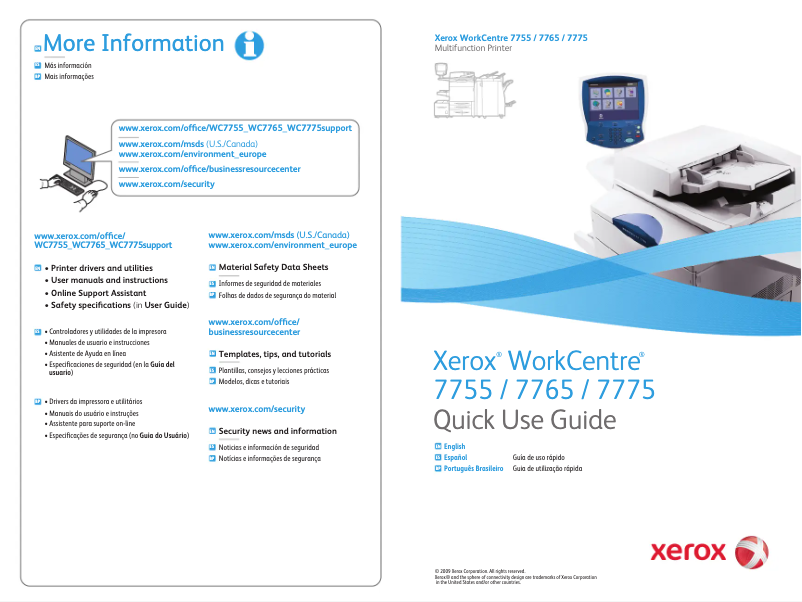
The product comes with a user manual and a quick start guide, providing valuable assistance for optimal setup and use.
Usability
The complexity of the advanced features may require a learning curve, which can be a barrier for less experienced users.
Features
The versatility of the features, including printing, copying, scanning, and faxing, meets a variety of needs within an office.
Design
The size and weight of the printer can make it difficult to place in tight workspaces, requiring a specific location.
Performance
Connectivity issues, particularly with wireless networks, may occur, leading to service interruptions and an impact on productivity.
Advantages
High-quality printing
Multifunction features: printing, copying, scanning, faxing
User-friendly touchscreen
Proven robustness and durability
Manual and user guide included
Disadvantages
High initial purchase cost.
Bulky size and weight.
Accumulated maintenance costs.
Learning curve for features.
Frequent connectivity issues.
Technical Specifications WorkCentre 7765
General Information
-
ModelWORKCENTRE 7765
-
Brand
-
Category
-
Type
-
SKU88678
-
MPN88678
Frequently Asked Questions
What is the ideal method for removing paper jammed in the printer?
Pourquoi mon imprimante ne reconnaît-elle pas les cartouches d'origine ?
Quelles peuvent être les raisons d'une qualité d'impression médiocre ?
En quoi une imprimante laser diffère-t-elle d'une imprimante à jet d'encre ?
Pourquoi mon imprimante à jet d'encre laisse-t-elle des rayures noires sur les impressions ?
Que signifie l'acronyme DPI ?
Le manuel du Xerox WorkCentre 7765 est-il accessible en français ?
Similar products


More product categories from brand Xerox
Other Xerox
More product types from brand Xerox


Presentation of product WorkCentre 7765 specifications from brand Xerox
General Information
The Xerox WorkCentre 7765 is a multifunction device from the Xerox brand, known for its expertise and innovation in printing technology. This model stands out for its remarkable performance, providing an optimized user experience thanks to a user-friendly and intuitive interface.
Advantages
- Exceptional print quality: The WorkCentre 7765 produces prints with unparalleled clarity and precision, ideal for demanding professional documents.
- Versatility of features: This device allows printing, copying, scanning, and sending faxes, thus meeting various needs within an office environment.
- Intuitive user interface: Equipped with a user-friendly touchscreen, the 7765 model makes it easy to navigate through its various functions, making it accessible even for novices.
- Reliability and durability: The robustness of Xerox equipment ensures prolonged use without compromising performance, ideal for growing businesses.
- Technical support and documentation: The product comes with a user manual and a quick start guide, providing valuable assistance for effective setup and operation.
Disadvantages
- Initial purchase cost: The acquisition price of the Xerox WorkCentre 7765 can be relatively high, representing a significant investment for small businesses or individual users.
- Dimensions and weight: Due to its size and weight, the printer may require a specific location, which can pose issues in restricted workspaces.
- Maintenance costs: Expenses related to maintenance, such as ink cartridges and replacement parts, can accumulate over time, thus increasing the total cost of ownership.
- Complexity of features: Using certain advanced features may require a learning curve, which could be a barrier for less experienced users.
- Connectivity issues: Difficulties may arise with wireless networks, leading to service interruptions that can affect productivity.


