

Manual of product EXO iQ pH

Editorial note
The Zodiac EXO iQ pH is a pH measuring device, designed by the brand Zodiac, known for its quality and innovation. This model stands out for its optimal performance, essential for the proper maintenance of your pool. Thanks to advanced technologies, it offers precise pH management, thus contributing to water health and a safe environment for swimmers. However, the price of the Zodiac EXO iQ pH may be perceived as high compared to other similar models, which could deter some consumers. Additionally, the device requires regular maintenance to ensure optimal performance, which can incur additional costs. Some users may also find certain features complex, which could complicate their experience, especially for those who are less experienced. The user manual, while helpful, may not be sufficient to resolve specific issues, leaving users in uncertainty. Finally, the lack of compatibility with certain monitoring or automation systems may limit its integration into existing installations, representing a drawback to consider. Overall, the Zodiac EXO iQ pH appears to be a solid choice for those seeking an effective pH management device, despite some limitations in terms of cost and usability complexity.Score details
User experience
The user experience is enhanced by advanced technologies, but some features may be complex for less experienced users.
Performance
The EXO iQ pH model ensures optimal performance for pH management, essential for pool maintenance.
Value for money
The price may be high compared to other similar models, which could deter some consumers.
Usability
Ease of use is present thanks to the available manual, but it may not be sufficient to resolve specific issues.
Support
The user manual is a good start, but it lacks details for users with particular problems.
repairability
The device requires regular maintenance to maintain its performance, which can lead to additional costs.
compatibility
The lack of compatibility with certain monitoring or automation systems may limit its integration into existing installations.
Advantages
Zodiac brand: quality and durability
Precise pH management for swimming pool
Easy-to-understand user manual
Advanced technologies for simplified monitoring
Promotes healthy water for swimmers
Disadvantages
High price compared to the competition
Requires regular maintenance
Complex to use for beginners
Uninformative manual for certain issues
Incompatible with some existing systems
Technical Specifications EXO iQ pH
General Information
-
ModelEXO IQ PH
-
Brand
-
Category
-
Type
-
SKU1406740
-
MPN1406740
Frequently Asked Questions
How do I calibrate the pH sensor on the Zodiac EXO iQ pH?
What should I do if the Zodiac EXO iQ pH displays unstable pH readings?
How do I change the temperature unit from Celsius to Fahrenheit on the Zodiac EXO iQ pH?
What is the recommended maintenance routine for the Zodiac EXO iQ pH?
How can I extend the battery life of the Zodiac EXO iQ pH?
Is the manual for the Zodiac EXO iQ pH available in French?
Similar products


More product categories from brand Zodiac
More product types from brand Zodiac


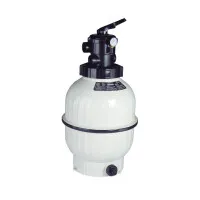


Presentation of product EXO iQ pH specifications from brand Zodiac
General Information
The Zodiac EXO iQ pH is a device from the Zodiac brand, known for its expertise and innovation in the field of household appliances. This model is specifically designed to ensure precise and effective pH management, an essential element for the proper maintenance of your pool. Thanks to its optimal performance, the EXO iQ pH significantly enhances the user experience.
Advantages
Designed by Zodiac, this product has a reputation for reliability and durability. The EXO iQ pH offers precise pH management, thus promoting the health of your pool water and ensuring a healthy environment for swimmers. Its use is simplified by a detailed manual, allowing users to quickly familiarize themselves with its features. The advanced technologies integrated further enhance the user experience by facilitating the monitoring and control of pH levels.
Disadvantages
However, the price of the Zodiac EXO iQ pH may be higher than that of other similar models on the market, which could deter some buyers. Additionally, the device requires regular maintenance to maintain optimal performance, resulting in additional costs and efforts. Some features may also present a certain complexity, making their use difficult for less experienced users. Finally, the user manual may not provide enough information to resolve specific issues, which could lead to frustration. The lack of compatibility with certain monitoring or automation systems may also limit its integration into existing installations.


