

Manual of product MiCube
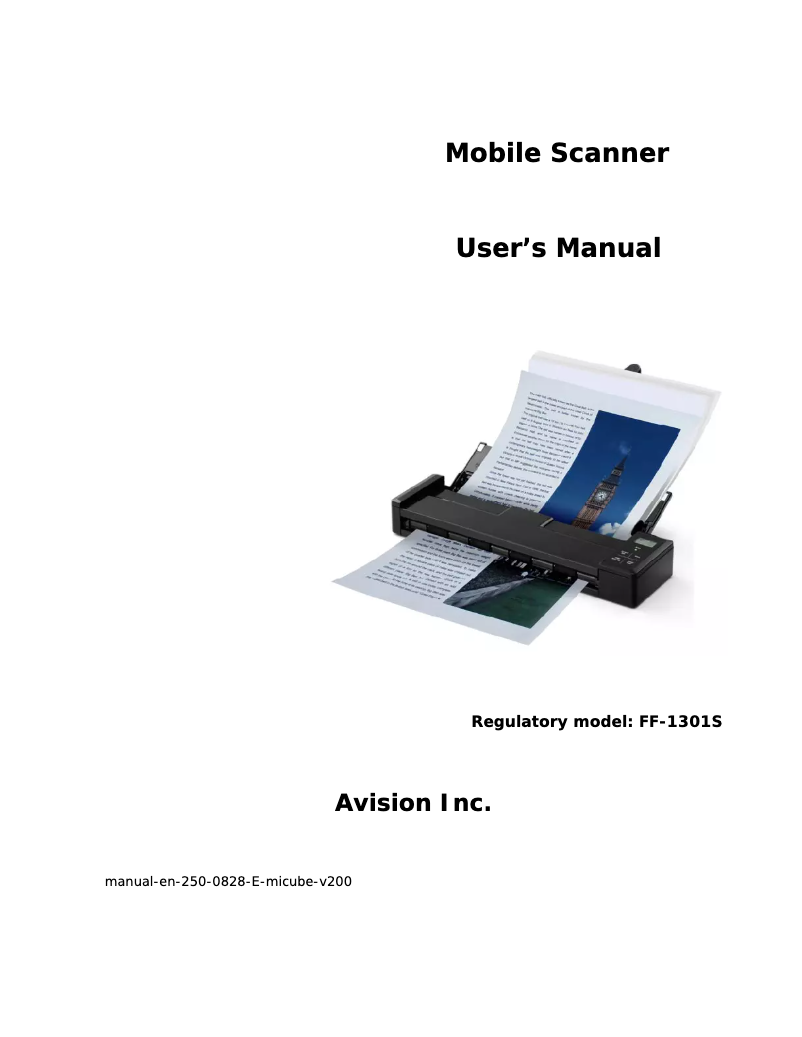
Technical Specifications MiCube
General Information
-
ModelMICUBE
-
Brand
-
Category
-
Type
-
SKU792002
-
MPN792002
Representation / realization
-
Sensor typeCIS
-
Light sourceLED
-
Internal memory128 MB
-
Formats of scanned filesJPG, PDF
-
Operating cycle per day (max)- pages
-
Compatible memory cardsMicroSD (TransFlash)
-
Scan toFile, Image
Design
-
Type of scannerScanner ADF
-
Built-in screenYes
-
Product colorBlack
-
ScreenLCD
-
Screen size1.2 "
-
Touch screenNo
Digitization
-
Film scanning-
-
Output grayscale resolution8 bit
-
Input color display depth48 bit
-
Output color display depth24 bit
-
Maximum scanning area216 x 356 mm
-
Optical scanning resolution- DPI
-
Color scanningYes
-
Double-sided scanningNo
Weight and dimensions
-
Width295 mm
-
Depth81 mm
-
Height41 mm
-
Weight800 g
Connectivity
-
Standard interfacesUSB 2.0
-
USB connectorMicro-USB
-
USB portYes
-
USB Version2.0
Power
-
Typical electricity consumption4 W
-
Energy consumption (standby mode)2 W
-
Type of power supplyBattery
-
Battery technologyLithium-Ion (Li-Ion)
-
Input voltage5 V
-
Current0.5 A
-
Battery capacity1700 mAh
Packaging contents
-
Provided softwarePaperPort 14SE
-
Cables includedUSB
-
Quick Start GuideYes
Paper management
-
Maximum scanning area (automatic paper feed)216 x 356 mm
-
Minimum scanning area (automatic paper feed)88 x 50 mm
-
Weight of the media, automatic document feeder60 - 107 g/m²
-
Maximum ISO A series paper sizeA4
-
Support for media scanning typesBusiness Card, Photo paper, Plain paper
-
Maximum sweep length916 mm
Input capacity
-
Automatic document feeder capacity8 sheets
Minimum system requirements
-
Support for the Mac operating systemYes
-
Support for the Mac operating systemYes
Environmental conditions
-
Operating temperature10 - 35 °C
-
Operating relative humidity (H-H)10 - 85 %
Technical details
-
Sustainability certificatesENERGY STAR
Similar products


More product categories from brand Avision
More product types from brand Avision


Presentation of product MiCube specifications from brand Avision
Generalities
The product model Avision MiCube is MiCube | FF-1301S. This model ensures optimal performance and an enhanced user experience. The EAN code of the product Avision MiCube is 4719868536007. This code allows for the unique identification of the product in the distribution system. The brand of the product Avision MiCube is Avision. This brand is known for its quality and innovation in the field of household appliances.
Representation / realization
The sensor type of the product Avision MiCube is CIS. This type of sensor ensures optimal image quality for your needs. The product Avision MiCube has a light source LED. This light source offers energy efficiency and a long lifespan, ensuring optimal lighting. The internal memory of the product Avision MiCube contains 128 Mo. This memory allows for the storage of a large amount of data and applications for smooth and efficient use. The format of the scanned files of the product Avision MiCube contains JPG, PDF. This format allows for great flexibility in storing and sharing documents. The daily operating cycle (max) of the product Avision MiCube is - pages. This cycle allows for intensive use while ensuring optimal performance. The product Avision MiCube has compatible memory cards: MicroSD (TransFlash). These memory cards ensure optimal performance for storing your data. The scanning mode of the product Avision MiCube contains File, Image. This mode allows flexibility in the choice of scanning protocols.
Design
The type of scanner of the product Avision MiCube is a Scanner ADF. This type of scanner allows for fast and efficient scanning of multiple documents at once. The color of the product Avision MiCube is Noir. This shade gives it a modern and elegant look. The Avision MiCube screen contains LCD. This screen offers exceptional image quality for an immersive visual experience. The Avision MiCube has a built-in screen. This screen provides an immersive and convenient visual experience, making it easier to use the device. The screen size of the product Avision MiCube is 1.2 ". This dimension allows for an optimal visual experience for all your content. Does the product Avision MiCube have a touchscreen? Non.
Weight and dimensions
The depth of the product Avision MiCube is 81 mm. This dimension allows for optimal integration into your space. The weight of the product Avision MiCube is 800 g. This weight is ideal for ensuring optimal use and easy handling. The width of the product Avision MiCube is 295 mm. This dimension is essential to ensure optimal integration into your space. The height of the product Avision MiCube is 41 mm. This dimension is essential to ensure that the product fits perfectly in your space.
Connectivity
The product Avision MiCube has standard interfaces. These interfaces ensure optimal connectivity and facilitate integration with various devices. The USB Version of the product Avision MiCube is 2.0. This USB Version allows for a fast and efficient connection with various devices. The USB connector of the product Avision MiCube is Micro-USB. This connector allows for a fast and efficient connection for data transfer and device charging. Does the Avision MiCube have a USB Port? Oui. This feature allows for easy and quick connection to various devices.
Digitization
The output grayscale resolution of the Avision MiCube is 8 bit. This specification allows for precise and detailed shades in scanned images. The color input display depth of the product Avision MiCube is 48 bit. This specification ensures accurate color reproduction for an optimal visual experience. The output color display depth of the product Avision MiCube is 24 bit. This feature ensures accurate and rich color reproduction for an optimal visual experience. Does the product Avision MiCube have Film Scanning? -. This specification indicates that the product does not allow film scanning. The maximum scanning surface of the product Avision MiCube is 216 x 356 mm. This feature allows for the precise and efficient scanning of large documents. Does the product Avision MiCube have color scanning? Oui. This feature allows capturing images with vibrant and accurate colors, thus providing superior image quality. The product Avision MiCube has an optical scanning resolution of - DPI. This specification ensures high-quality images and precise details during scanning. Does the product Avision MiCube have Duplex scanning? No. This feature would allow scanning documents on both sides, but this product does not offer it.
Power
The typical power consumption of the product Avision MiCube is 4 W. This feature allows for the assessment of the energy efficiency of the device. The energy consumption in standby mode of the product Avision MiCube is 2 W. This feature helps reduce electricity consumption when the device is not in use, thus contributing to energy savings. The battery technology of the product Avision MiCube is nickel-metal hydride (NiMH). This technology offers excellent performance and increased durability, ideal for daily use. The power supply type of the product Avision MiCube is Batterie. This specification ensures reliable and efficient use of the device. The input voltage of the product Avision MiCube is 5 V. This feature ensures compatibility with standard electrical systems. The current of the product Avision MiCube is 0.5 A. This current ensures optimal performance and safe use. The battery capacity of the product Avision MiCube is 1700 mAh. This capacity allows for extended use without interruption.
Packaging contents
The included cable of the product Avision MiCube contains a power plug. This cable is essential for ensuring an optimal electrical connection. The software provided with the product Avision MiCube contains PaperPort 14SE. This software enhances the user experience and optimizes the device's performance. Does the product Avision MiCube have a Quick Start Guide? Yes. This guide allows you to quickly and easily start using the product.
Input capacity
The capacity of the automatic document feeder of the product Avision MiCube is 8 feuilles. This capacity allows for the efficient processing of a large volume of documents at once.
Environmental conditions
The product Avision MiCube has an operating relative humidity (H-H) of 10 - 85 %. This specification ensures optimal operation in a wide range of ambient humidity. The operating temperature of the product Avision MiCube is 10 - 35 °C. This specification ensures optimal performance within a temperature range suitable for various environments.
Minimum system requirements
Does the product Avision MiCube support the Windows operating system? Oui. This feature ensures optimal compatibility with Windows systems, providing a smooth and uninterrupted user experience. Does the product Avision MiCube support the Mac operating system? Oui. This feature ensures optimal compatibility for Mac users.
Paper management
The product Avision MiCube has a maximum scanning surface (automatic paper feed) of 216 x 356 mm. This feature allows for efficient processing of large documents. The weight of the product support Avision MiCube is 60 - 107 g/m². This weight allows for optimal use with the automatic document feeder, thus ensuring efficient and reliable performance. The product Avision MiCube has a minimum scanning surface (automatic paper feed) of 88 x 50 mm. This specification allows for efficient scanning of small-sized documents. The support for the scanning types of the product Avision MiCube is suitable for business cards, envelopes, and plastic cards. This varied support allows for optimal flexibility for all your scanning needs. The product Avision MiCube has a maximum ISO A series paper size of A4. This specification ensures optimal compatibility with standard printers and office equipment. The maximum sweep length of the product Avision MiCube is 916 mm. This feature helps optimize efficiency when using the device.
Technical details
The product Avision MiCube has Sustainability Certificates: ENERGY STAR. These certificates ensure that the product meets high standards for energy efficiency and environmental respect.


