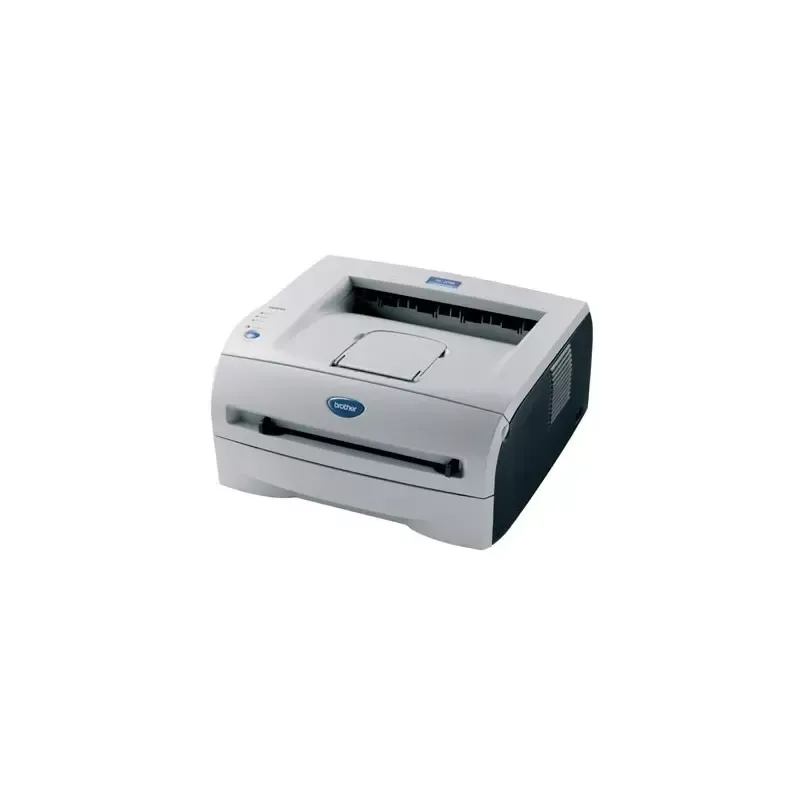

Manual of product HL-2030

Editorial note
The Brother HL-2030 printer stands out for its solid performance and printing speed, reaching 16 pages per minute, making it ideal for daily use, especially in demanding work environments. Its print resolution of 2400 x 600 DPI ensures results of exceptional clarity, thus meeting the needs of users looking for quality. Additionally, its 250-sheet paper capacity allows for handling a large volume of documents without interruption, which is a major asset for offices. However, a few drawbacks deserve to be highlighted. The lack of color printing limits its use for documents requiring graphic elements or visually appealing presentations. The limited compatibility with certain operating systems, particularly the lack of support for Mac, could pose integration issues for some users. Furthermore, with only 8 MB of internal memory, the printer may encounter difficulties when printing complex documents. The lack of network connectivity also represents a hindrance for collaborative environments where multiple users wish to access the printer simultaneously. In terms of design, although the printer is functional, its weight of 6500 g makes it less easy to move, which can be a disadvantage in tight workspaces. Nevertheless, for its price, the Brother HL-2030 offers good print quality and value for money, making it a wise choice for users seeking an economical solution. The provided documentation is comprehensive, although some specifications may be complex to understand. In summary, the Brother HL-2030 is a reliable printer that meets many printing needs, but it may not be suitable for everyone due to its limitations in color and compatibility with operating systems.Score details
User experience
The user experience is generally positive due to fast printing and good print quality, but limited compatibility with certain operating systems can be problematic.
Performance
Performance is good for everyday tasks with a printing speed of 16 pages per minute, but the internal memory of only 8 MB may limit its effectiveness on more complex documents.
Design
The design is functional, but its weight of 6500 g makes it less practical to move, which can be a disadvantage in tight workspaces.
Value for money
For its price, the printer offers good print quality and a paper capacity of 250 sheets, making it a good choice for users looking for an economical solution.
Features
Although the printer offers interesting features, such as high resolution, the lack of color printing and network connectivity limits its appeal to some users.
Support
The user manual is available, but limited compatibility with operating systems, particularly the lack of support for Mac, can pose integration issues.
Documentation
The documentation is comprehensive with 110 pages, but the accessibility of information may be impacted by the complexity of certain specifications.
Advantages
Fast printing: 16 pages per minute
High resolution: 2400 x 600 DPI
250-sheet capacity for heavy use
Quiet operation: 51 dB during printing
Compatible with various types of media
Disadvantages
Monochrome printing only."
No support for Mac."
8 MB internal memory."
No network connectivity."
Weight of 6500 g.
Technical Specifications HL-2030
General Information
-
ModelHL-2030
-
Brand
-
Category
-
Type
-
SKU75976
-
MPN75976
Print speed
-
Maximum resolution2400 x 600 DPI
-
Print speed (black, normal quality, A4/US Letter)16 ppm
-
ColorNo
-
Copy time for the first page (Black, normal)10 s
-
Printing technologyLaser
Representation / realization
-
Internal memory8 MB
-
Processor modelSPARClite
-
Processor frequency96 MHz
-
Sound pressure level (impression)51 dB
-
Sound emission in energy-saving mode30 dB
-
Integrated into the processorYes
Paper management
-
Maximum print format210 x 297 mm
-
Weight/Grammage of the support, bin 160 - 161 g/m2 (16 - 43 lb)
-
ISO, Format Series A (A0...A9)A4, A5, A6
-
ISO, Formats Series-B (B0...B9)B5
-
Type of paper tray supportBond paper, Envelopes, Labels, Plain paper, Recycled paper, Transparencies
-
Non-ISO print support sizesExecutive (184 x 267mm), Letter (media size)
-
Maximum ISO A series paper sizeA4
Other features
-
Toner cartridgeTN-2000
-
Compatible operating systemsWindows 98 / Me / 2000 / XP
-
Mac CompatibilityMac OS 9.1 - 9.2
-
Mac OSX 10.2.4+
-
Yes
Input and output capacity
-
Total power capacity250 sheets
-
Total output capacity100 sheets
Weight and dimensions
-
Dimensions (LxWxH)371 x 361 x 165.5 mm
-
Weight6500 g
Network
-
Ready-to-use networkNo
Power
-
Average power consumption in Print mode450 W
-
Energy consumption (standby mode)70 W
Frequently Asked Questions
What is the weight of the Brother HL-2030 printer?
What is the recommended method for removing jammed paper from the printer?
Why is my printer rejecting original cartridges?
Why is the quality of my prints poor?
What is the difference between a laser printer and an inkjet printer?
Why is my inkjet printer producing black streaks?
What does the term DPI mean?
Is the manual for the Brother HL-2030 available in French?
Similar products


More product categories from brand Brother
Home appliances Brother
Other Brother
Tools Brother
Phones Brother
Interior Brother
More product types from brand Brother


Presentation of product HL-2030 specifications from brand Brother
General Information
The Brother HL-2030 is a monochrome printer from the renowned Brother brand, known for its commitment to quality and innovation in the printing field. This model, the HL-2030, is designed to provide reliable performance and a smooth user experience. The associated EAN codes for the product, namely 3234422030902, 4977766630313, and 5051749488173, allow for unique identification in the distribution system.
Print Speed
With a maximum resolution of 2400 x 600 DPI, the Brother HL-2030 produces prints of remarkable clarity, suitable for both professional needs and personal use. Its print speed of 16 pages per minute allows for increased productivity, ideal for demanding work environments. Although the printer does not support color printing, its efficiency in monochrome printing is undeniable. The first page print time is only 10 seconds, contributing to appreciable responsiveness. The laser technology used ensures precise and high-quality print results.
Representation / Performance
The Brother HL-2030 is equipped with an internal memory of 8 MB, allowing it to effectively manage a substantial volume of data. Powered by a SPARClite processor running at a frequency of 96 MHz, it ensures stable performance during use. The sound pressure level of 51 dB in print mode and 30 dB in energy-saving mode guarantees discreet operation, making it ideal for noise-sensitive environments. Additionally, the integrated processor contributes to optimal device efficiency.
Paper Management
The Brother HL-2030 supports a maximum print size of 210 x 297 mm, allowing for the printing of standard-sized documents with optimal quality. It is compatible with media weighing between 60 and 161 g/m² and accepts various types of paper, including recycled paper, envelopes, and labels, thus offering great flexibility. Supported standard paper sizes include A4, A5, A6, and B5. Furthermore, it is capable of printing on non-ISO formats, such as Executive and Letter, which enhances its usability.
Other Features
The Brother HL-2030 uses a TN-2000 toner cartridge, which is essential for ensuring quality printing. It is compatible with several operating systems, including Windows XP, Vista, and 7, although it does not support Mac systems, which could pose integration issues for some users.
Input and Output Capacity
This printer has a total paper capacity of 250 sheets, allowing it to handle a large volume of documents without interruption. Its output capacity is limited to 100 sheets, ensuring adequate performance for daily printing needs.
Weight and Dimensions
The Brother HL-2030 measures 371 x 361 x 165.5 mm, offering a compact format that easily fits into various workspaces. Weighing 6500 g, it is relatively stable, although it may be less easy to move in confined environments.
Network
This model is not designed for network connectivity, which may limit its use in environments where multiple users need to access the printer simultaneously.
Power
In print mode, the average power consumption of the Brother HL-2030 is 450 W, while in standby mode, it is 70 W, thus contributing to reduced energy consumption when the device is not in use.


