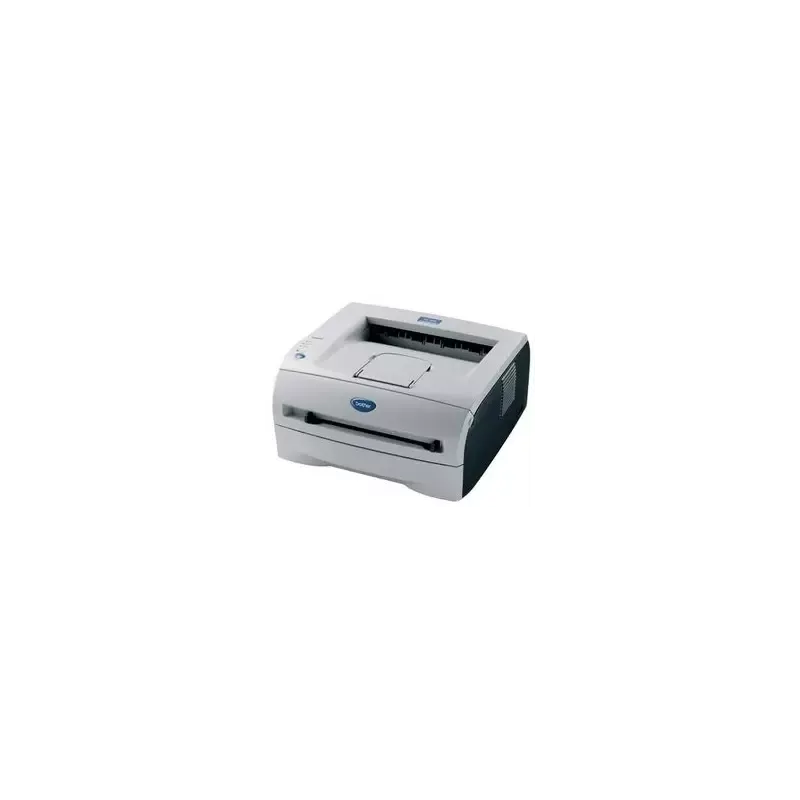

Manual of product HL-2035

Editorial note
The Brother HL-2035 printer stands out for its fast printing speed of 18 pages per minute and a maximum resolution of 2400 x 600 DPI, ensuring prints of exceptional clarity. Its 250-sheet paper capacity allows for efficient management of a large volume of documents, making it an ideal choice for demanding work environments. Additionally, the laser printing technology ensures optimal quality and precise results while maintaining a reasonable noise level of 51 dB during printing. However, this printer has some notable drawbacks. The lack of duplex printing functionality can lead to excessive paper consumption, which is a point to consider for those looking to optimize their resource usage. Furthermore, the limited compatibility with operating systems, particularly the lack of support for Mac, reduces its accessibility for some users. The internal memory of only 8 MB may also restrict performance when printing heavy or complex documents. Finally, the absence of network connectivity, such as Wi-Fi or Ethernet, limits its use in modern environments where wireless connectivity is often required. In terms of user experience, the product receives an overall score of 75, reflecting general satisfaction despite the mentioned limitations. Performance is rated satisfactory with a score of 80, although memory may pose issues in some cases. The value for money is also appreciated, with a score of 78, but it is tempered by compatibility restrictions. In summary, while the Brother HL-2035 offers effective basic features for everyday use, it may not be suitable for all users due to its limitations in connectivity and compatibility.Score details
User experience
The user experience is generally good, with a fast printing speed of 18 pages per minute, but the lack of duplex printing functionality can be a drawback.
Performance
The performance is satisfactory thanks to a maximum print resolution of 2400 x 600 DPI, but the internal memory of only 8 MB may limit efficiency when printing heavy documents.
Battery life
Although the printer is not battery-powered, its energy consumption in economy mode is low, which is a positive point for prolonged use.
Design
The design is functional, but its weight of 6500 g can make it difficult to move in tight workspaces.
Value for money
The value for money is good considering the printing performance, but the limited compatibility with operating systems, particularly the lack of support for Mac, may reduce its appeal.
Features
The printer's features are basic, with a lack of network connectivity such as Wi-Fi or Ethernet, which limits its use in modern environments.
Support
The user manual is available, but the lack of compatibility with certain operating systems may pose support issues for some users.
Advantages
Print speed of 18 pages per minute.
Maximum resolution of 2400 x 600 DPI.
Paper capacity of 250 sheets.
Laser printing for optimal quality.
Quiet operation at 51 dB.
Disadvantages
No double-sided printing, paper waste."
Limited compatibility, no Mac support."
8 MB internal memory, reduced performance."
No network connectivity, restricted use."
Heavy weight, difficult to move.
Technical Specifications HL-2035
General Information
-
ModelHL-2035
-
Brand
-
Category
-
Type
-
SKU75977
-
MPN75977
Print speed
-
Double-sided printingNo
-
Maximum resolution2400 x 600 DPI
-
Print speed (black, normal quality, A4/US Letter)18 ppm
-
Copy time for the first page (Black, normal)10 s
-
Printing technologyLaser
-
Layout option4, 9, 16, 25
-
Double-sided printingNo
Representation / realization
-
Processor frequency96 MHz
-
Internal memory8 MB
-
Sound power level (standby)30 dB
-
Sound pressure level (impression)51 dB
-
Maximum internal memory- MB
-
Processor familySPARClite
Input and output capacity
-
Total power capacity250 sheets
-
Total output capacity100 sheets
Paper management
-
ISO, Format Series A (A0...A9)A4
-
ISO, Formats Series-B (B0...B9)A5
-
Weight/Grammage of the support, bin 1A6
-
Weight of the multifunctional tray supportB5
-
Type of paper tray supportB6
-
Maximum print format60 - 105 gsm
-
Non-ISO print support sizes60 - 161 g/m²
-
Maximum ISO A series paper sizeEnvelopes
-
Labels
-
Plain paper
-
Recycled paper
-
Transparencies
-
210 x 297 mm
-
Executive (184 x 267mm)
-
Folio (media size)
-
Letter (media size)
-
Legal (media size)
-
A4
Other features
-
Standby LEDYes
-
Compatible operating systemsWindows 98/ME/2000/XP/Vista, Mac OS 9.1-9.2, OSX 10.2.4, Linux
-
Standby LEDYes
-
EmulationsGDI
-
Maximum support size (custom)69.9 x 116 mm - 215.9 x 406.4 mm
Weight and dimensions
-
Dimensions (LxWxH)371 x 361 x 166 mm
-
Weight6500 g
Power
-
Energy consumption (eco mode)5 W
-
Energy consumption (standby mode)70 W
-
Average power consumption in Print mode450 W
Network
-
WifiNo
-
WifiNo
-
WifiNo
Design
-
Screen-
Features
-
Service cycle (Maximum)- pages per month
-
Number of print cartridges1
-
Languages of the page descriptionGDI
Connectivity
-
Standard interfacesUSB 2.0
-
Quantity of USB 2.0 Ports1
Frequently Asked Questions
What is the weight of the Brother HL-2035 printer?
What is the best method to remove paper jammed in the printer?
Why does my printer not recognize original cartridges?
What could be the causes of poor print quality?
What is the difference between a laser printer and an inkjet printer?
Why does my inkjet printer leave black streaks on prints?
What does the acronym DPI mean?
How many cartridges are compatible with the Brother HL-2035?
Is the manual for the Brother HL-2035 available in French?
Similar products


More product categories from brand Brother
Home appliances Brother
Other Brother
Tools Brother
Phones Brother
Interior Brother
More product types from brand Brother


Presentation of product HL-2035 specifications from brand Brother
General Information
The Brother HL-2035 printer is a recognized model from the Brother brand, famous for its commitment to quality and innovation in the printing device sector. This model, designated HL-2035, is designed to deliver optimal performance and a smooth user experience. The EAN code, which uniquely identifies this product, includes several references: 3234422035044, 3234422035020, 4977766662116, 5051964213185, 5052461574298, and 5051395918734.
Print Speed
This printer is monochrome, meaning it only produces black and white prints. Its maximum resolution reaches 2400 x 600 DPI, ensuring prints of remarkable clarity, suitable for professional documents. With a print speed of 18 pages per minute (ppm) in normal quality for A4/US Letter size, it proves efficient for daily use. Additionally, the time to print the first page is only 10 seconds, which is ideal for dynamic work environments. The laser technology of this device ensures exceptional print quality, although the printer is not equipped with a duplex function, which could lead to higher paper consumption.
Performance / Execution
The Brother HL-2035 is equipped with a processor operating at a frequency of 96 MHz, which directly influences its execution speed. It has an internal memory of 8 MB, providing sufficient storage for common printing tasks, although this may limit its performance when printing particularly heavy documents. In terms of noise level, the printer is relatively quiet, with a sound level of only 30 dB in standby mode and 51 dB during printing, making it suitable for offices requiring a calm environment.
Input and Output Capacity
The paper capacity of the Brother HL-2035 printer is 250 sheets, allowing it to handle a large volume of documents without the need for frequent reloading. The output capacity is 100 sheets, thus ensuring reliable performance for your printing needs.
Paper Management
This printer supports several paper formats, including series A (A4, A5, A6) and B (B5, B6), as well as various media such as envelopes, labels, plain paper, recycled paper, and transparencies. The paper weight can vary from 60 to 105 g/m², ensuring compatibility with various types of documents. The maximum print size is 210 x 297 mm (A4), and non-ISO formats such as Letter and Legal are also supported, offering flexibility in use.
Other Features
The Brother HL-2035 is not compatible with Mac systems, but it works with Windows XP, Vista, and 7, ensuring smooth operation in these environments. The printer is equipped with a sleep function with an LED that reduces energy consumption, contributing to electricity savings. The GDI emulation mode allows for extended compatibility with various printing systems. The maximum size for custom media is from 69.9 x 116 mm to 215.9 x 406.4 mm, allowing the printer to adapt to different needs.
Weight and Dimensions
The dimensions of the Brother HL-2035 printer are 371 x 361 x 166 mm, allowing for easy adjustment in various workspaces. With a weight of 6500 g, it may be less easy to move, but it remains stable and suitable for fixed use.
Power
In terms of energy consumption, the Brother HL-2035 shows a consumption of 5 W in economy mode and 70 W in standby mode. During printing, the average power consumption rises to 450 W, allowing for an assessment of its energy efficiency.
Network
The Brother HL-2035 printer does not have network features such as Wi-Fi or Ethernet, which may limit its use in modern work environments where wireless connectivity is often preferred.
Design
The printer does not have a built-in screen, which may limit some direct interactions with the user, but it remains functional and efficient for printing tasks.
Features
The maximum duty cycle is designed to meet user needs, although this exact figure is not specified. The printer uses a single cartridge for printing, simplifying the replacement process. Supported languages for page description include GDI, thus contributing to suitable linguistic customization for users.
Connectivity
The Brother HL-2035 is equipped with a standard interface and has a USB 2.0 port, allowing for quick and simple connection with other devices, although wireless connectivity is not available.


