

Manual of product HL-5380DN
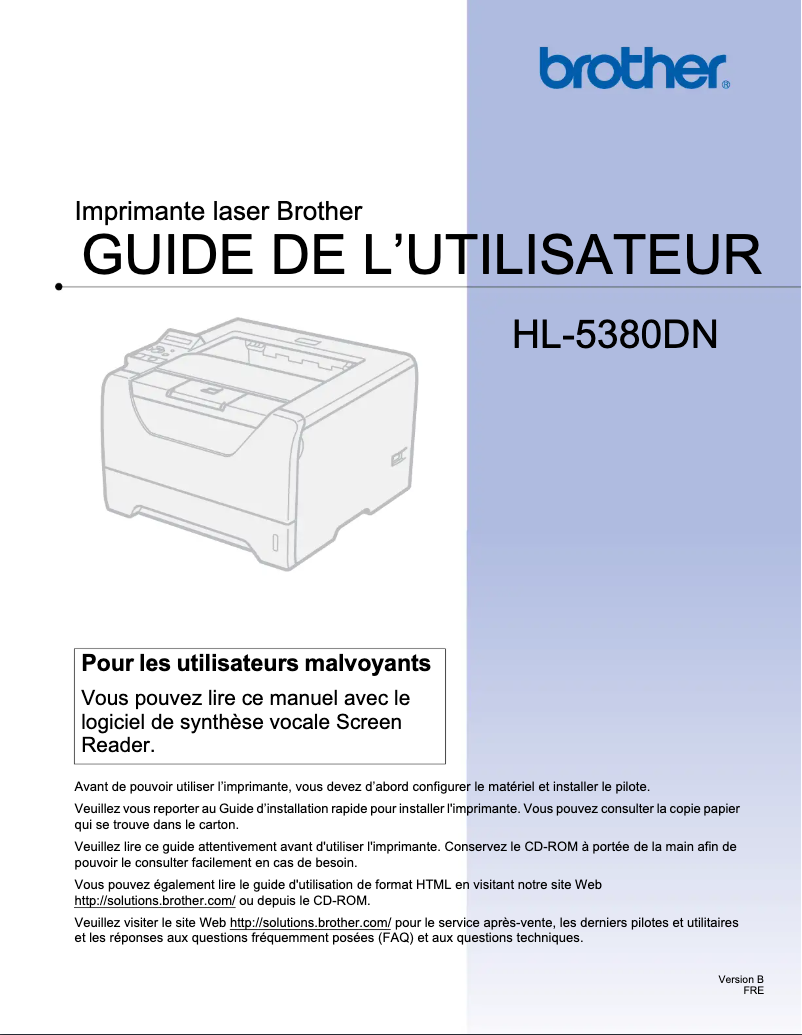
Editorial note
The Brother HL-5380DN printer stands out with its high printing speed of 30 pages per minute, making it ideal for work environments where speed is essential. Its laser printing technology and maximum resolution of 1200 x 1200 DPI ensure high-quality prints, both for professional documents and personal use. Additionally, the automatic duplex printing feature saves paper and reduces printing costs, which is a significant advantage. However, there are some drawbacks to consider. The lack of Wi-Fi connectivity limits usage flexibility, forcing users to rely on cabling for network connection. Furthermore, the internal memory of 32 MB may prove insufficient for more complex printing tasks, leading to slowdowns in some cases. Weighing 9900 g makes the printer difficult to move, which can be an issue for those who wish to reposition it frequently. Finally, its gray design may seem unappealing to some users seeking customization. Overall, the user experience is satisfactory thanks to an intuitive interface and practical features, although the absence of Wi-Fi may be a hindrance. Performance is generally good, although a few limitations should be noted. The value for money is excellent, and the robustness of laser technology makes it a reliable choice for daily use.Score details
User experience
The user experience is satisfactory thanks to features such as automatic duplex printing and an intuitive interface, although the lack of Wi-Fi limits flexibility.
Performance
With a printing speed of 30 pages per minute and a resolution of 1200 x 1200 DPI, performance is good, but the 32 MB internal memory can cause slowdowns in more demanding scenarios.
Design
The design is functional but may seem unattractive to some users, especially with a minimally customizable gray color.
Value for money
The value for money is excellent, considering the laser printing technology and paper-saving features.
Robustness
Laser technology ensures superior durability compared to inkjet printers, making it a robust choice for daily use.
Usability
Ergonomics are good thanks to a multifunction tray and a 250-sheet paper capacity, but the weight of 9900 g can pose mobility issues.
Advantages
Fast printing of 30 pages per minute.
Automatic double-sided printing for savings.
Maximum resolution of 1200 x 1200 DPI.
250-sheet capacity, easy loading.
Laser technology for durability and precision.
Disadvantages
No Wi-Fi connectivity
Limited 32 MB internal memory
Printing speed lower than the competition
Weight of 9900 g difficult to move
Unattractive gray design
Inconvenient single paper tray
Technical Specifications HL-5380DN
General Information
-
ModelHL-5380DN
-
Brand
-
Category
-
Type
-
SKU770041
-
MPN770041
Print speed
-
ColorNo
-
Maximum resolution1200 x 1200 DPI
-
Print speed (black, normal quality, A4/US Letter)30 ppm
-
Copy time for the first page (Black, normal)8.5 s
-
Economic printingYes
-
Printing technologyLaser
-
Layout option2, 4.9, 16, 25
-
Preheating time18 s
-
Economic printingYes
-
Duplex printing speed (Black, normal quality, A4/US Letter)6.5 ppm
Representation / realization
-
Processor frequency300 MHz
-
Internal memory32 MB
-
Maximum internal memory544 MB
-
Sound power level (standby)35 dB
-
Sound pressure level (impression)54 dB
-
Memory locations1
Input and output capacity
-
Total power capacity250 sheets
-
Input capacity of multi-purpose trays50 sheets
-
Total output capacity150 sheets
-
Total number of power supply units1
-
Maximum input capacity800 sheets
-
Multifunctional trayYes
Features
-
Service cycle (Maximum)- pages per month
-
Number of print cartridges1
-
Languages of the page descriptionBR-Script 3, Epson FX, IBM ProPrinter, PCL 6
Paper management
-
ISO, Format Series A (A0...A9)A4
-
Type of paper tray supportA5
-
Maximum print formatA6
-
Non-ISO print support sizesBond paper
-
ISO, Formats Series-B (B0...B9)Plain paper
-
Weight of paper tray supportRecycled paper
-
Weight of the multifunctional tray support216 x 356 mm
-
Types of multi-purpose binsLetter
-
Support width customizationB5
-
Customization of support lengthB6
-
Maximum ISO A series paper size60 - 105 g/m²
-
60 - 163 g/m²
-
Bond paper
-
Envelopes
-
Heavyweight paper
-
Labels
-
Plain paper
-
Transparencies
-
76.2 - 216 mm
-
116 - 406.4 mm
-
A4
Network
-
Ethernet/LANYes
-
Ethernet/LANYes
-
WifiNo
Power
-
Energy consumption (standby mode)75 W
-
Average power consumption in Print mode675 W
-
AC input voltage220 - 240 V
-
AC input frequency50 - 60 Hz
-
Energy consumption (eco mode)6 W
Weight and dimensions
-
Dimensions (LxWxH)393 x 259 x 384 mm
-
Weight9900 g
Design
-
ScreenLCD
-
Product colorGray
Connectivity
-
Standard interfacesEthernet
-
Parallel
-
USB 2.0
Minimum system requirements
-
Support for the Windows operating systemWindows 2000
-
Support for the Mac operating systemWindows 2000 Professional
-
Support for the Linux operating systemWindows 7 Home Premium
-
Support for the server operating systemWindows 7 Home Premium x64
-
Windows 7 Professional
-
Windows 7 Professional x64
-
Windows 7 Starter
-
Windows 7 Starter x64
-
Windows 7 Ultimate
-
Windows 7 Ultimate x64
-
Windows Vista Business
-
Windows Vista Business x64
-
Windows Vista Home Basic
-
Windows Vista Home Basic x64
-
Windows Vista Home Premium
-
Windows Vista Home Premium x64
-
Windows Vista Ultimate
-
Windows Vista Ultimate x64
-
Windows XP Home
-
Windows XP Home x64
-
Windows XP Professional
-
Windows XP Professional x64
-
Mac OS X 10.3 Panther
-
Mac OS X 10.4 Tiger
-
Mac OS X 10.5 Leopard
-
Mac OS X 10.6 Snow Leopard
-
Mac OS X 10.7 Lion
-
Yes
-
Windows 2000 Advanced Server
-
Windows 2000 Server
-
Windows Server 2003
-
Windows Server 2003 x64
-
Windows Server 2008
-
Windows Server 2008 R2
-
Windows Server 2008 x64
Packaging information
-
Package weight11.980 g
Other features
-
Package dimensions (LxWxH)486 x 500 x 455 mm
Sustainability
-
Sustainability certificatesENERGY STAR
Frequently Asked Questions
What is the weight of the Brother HL-5380DN printer?
What is the recommended method for removing a jammed paper from the printer?
Why is my printer not recognizing the original cartridges?
What are the possible reasons for poor print quality?
What are the differences between a laser printer and an inkjet printer?
Why does my inkjet printer leave black streaks on prints?
What does the acronym DPI mean?
How many cartridges can be installed in the Brother HL-5380DN?
Is the manual for the Brother HL-5380DN available in French?
Similar products


More product categories from brand Brother
Home appliances Brother
Other Brother
Tools Brother
Phones Brother
Interior Brother
More product types from brand Brother


Presentation of product HL-5380DN specifications from brand Brother
General Information
The Brother HL-5380DN printer, from the renowned Brother brand, is designed to deliver exceptional performance and an enhanced user experience. This model is recognized for its quality and innovation in the printing field. The associated EAN code, 4977766666053, allows for precise identification of the product in the distribution system.
Print Speed
This printer does not offer color options but compensates with a maximum resolution of 1200 x 1200 DPI, ensuring sharp and accurate prints. Its print speed reaches 30 pages per minute in black, making it ideal for work environments requiring fast production. The first page copy time is only 8.5 seconds, and it also offers an automatic duplex printing function, contributing to cost reduction and optimizing paper usage. Additionally, its laser printing technology ensures durability and quality.
Processor / Performance
With a processor frequency of 300 MHz and an internal memory of 32 MB, this printer is designed to execute tasks efficiently. Its maximum internal memory can reach 544 MB, allowing for the storage of a significant volume of data. In terms of noise level, it operates at 54 dB during printing and 35 dB in standby mode, ensuring a pleasant work environment.
Input and Output Capacity
The paper capacity of the Brother HL-5380DN is 250 sheets, with a multifunction tray that can hold up to 50 sheets. Its output capacity is 150 sheets, allowing for efficient print management. Furthermore, it supports a maximum input capacity of 800 sheets, which is ideal for users with high printing needs.
Features
The maximum duty cycle is designed to meet the demands of heavy users. The printer uses a single cartridge, ensuring quality printing. It also supports multiple page description languages, including BR-Script 3 and PCL 6.
Paper Management
Compatible with various paper formats, such as A series (A4, A5) and B series (B5), the Brother HL-5380DN can print on different types of media, including plain and recycled paper. The supported paper weight ranges from 60 to 105 g/m², allowing flexibility in paper choices.
Network
This printer is network-ready, with Ethernet/LAN connectivity. However, it does not offer Wi-Fi connectivity, which may limit some wireless usage options.
Power
The printer's power consumption is 75 W in standby mode and 675 W in printing mode. It operates with an input voltage of 220 - 240 V and a frequency of 50 - 60 Hz. In energy-saving mode, its consumption is reduced to 6 W, contributing to energy savings.
Weight and Dimensions
The dimensions of the printer are 393 x 259 x 384 mm, and its weight is 9900 g, making it robust but potentially less easy to move.
Design
Equipped with an LCD screen, the Brother HL-5380DN printer offers a clear and user-friendly interface. Its gray color gives it a sleek and modern look, suitable for various office environments.
Connectivity
Featuring standard interfaces, this printer ensures easy integration with many devices, although the lack of Wi-Fi may limit some connectivity options.
Minimum System Requirements
The Brother HL-5380DN is compatible with various operating systems, including several versions of Windows, Mac OS X, and Linux, ensuring flexible use across different platforms.
Packaging Information
The package weight is 11.980 g, ensuring adequate protection during transport.
Durability
This model is ENERGY STAR certified, attesting to its energy efficiency and compliance with environmental standards.


