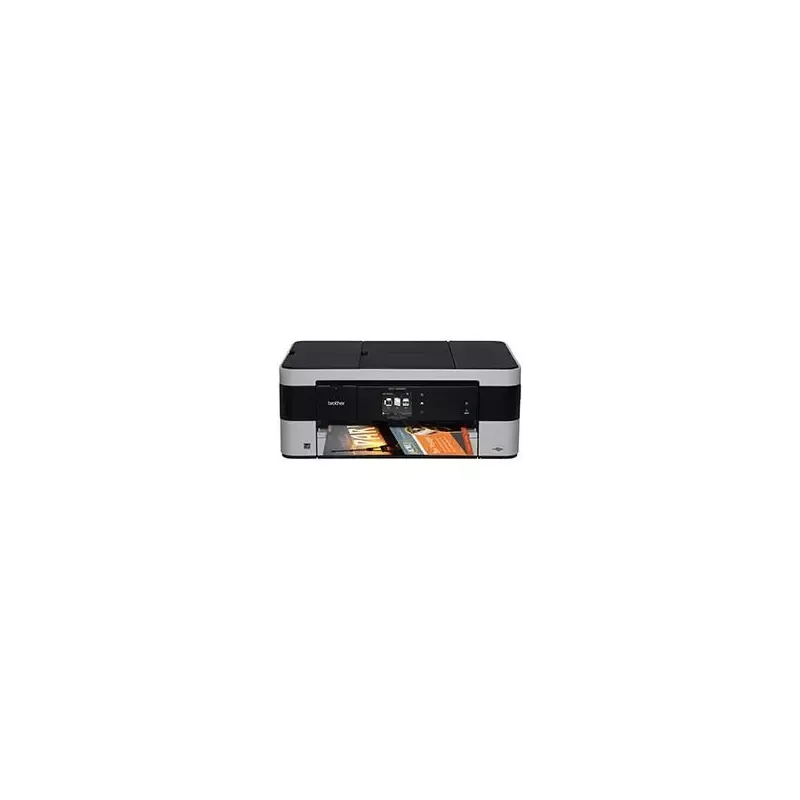

Manual of product MFC-J4420DW

Editorial note
The Brother MFC-J4420DW is a multifunction printer that stands out for its exceptional print quality, with a maximum resolution of 1200 x 6000 DPI. It offers great versatility with printing, copying, scanning, and faxing features, thus meeting a variety of office needs. Its fast printing speed, capable of reaching 35 pages per minute in black and 27 in color, makes it an ideal choice for everyday use. However, there are some drawbacks to consider. The duplex printing mode is manual, which could hinder those looking for an automatic solution to save time. Additionally, with an input capacity of 150 sheets and an output capacity of 50 sheets, the printer may not be suitable for users with frequent or high-volume printing needs. The lack of an Ethernet/LAN port also limits connectivity options, which could be a disadvantage for office environments that prefer a wired connection. In terms of user experience, wireless connectivity and the touchscreen make the device easy to use. However, the weight of 9500 g can complicate its mobility. In terms of value for money, the printer positions itself well thanks to its varied features and print quality, but the fax resolution is relatively low compared to other competing models. In summary, the Brother MFC-J4420DW is a solid option for those looking for a high-performing multifunction printer, but it may not be ideal for users with intensive printing needs or those who prioritize wired connectivity.Score details
User experience
The user experience is generally positive thanks to the printer's versatile features, which include printing, scanning, copying, and faxing. However, the manual duplex printing mode may be a drawback for some users.
Performance
The performance is satisfactory with a fast printing speed of up to 35 ppm in black and 27 ppm in color, ideal for daily use.
Design
The design is modern and suitable for office environments, but its weight of 9500 g can make it difficult to move.
Value for money
The printer offers good value for money with varied features and high print quality, but the limited input and output capacity may not be suitable for frequent users.
Usability
The use is simplified thanks to wireless connectivity, but the lack of an Ethernet/LAN port and the manual duplex printing mode may pose practicality issues.
Features
The printer's features are varied, including printing, scanning, and faxing, but the fax resolution is lower than that of some competitors.
Support
The technical support is adequate, but more comprehensive documentation could improve the user experience.
Documentation
The user manual is available, but it could be improved to facilitate the understanding of advanced features.
Advantages
High-resolution printing up to 1200 x 6000 DPI
Multifunction: printing, copying, scanning, faxing
Double-sided printing for paper savings
Fast printing speed up to 35 pages/minute
Wi-Fi connectivity for easy mobile printing
Disadvantages
Manual double-sided printing.
Limited input and output capacity.
No Ethernet/LAN port.
High weight complicates movement.
Low fax resolution.
Technical Specifications MFC-J4420DW
General Information
-
ModelMFC-J4420DW
-
Brand
-
Category
-
Type
-
SKU211909
-
MPN211909
Print speed
-
Printing technologyInkjet
-
PrintingColor printing
-
Double-sided printingYes
-
Duplex printing modeAuto
-
Print speed (black, normal quality, A4/US Letter)35 ppm
-
Maximum resolution1200 x 6000 DPI
-
Print speed (color, normal quality, A4/US Letter)27 ppm
-
Double-sided printingYes
Copier
-
CopyColor copy
-
Max. resolution of copies1200 x 2400 DPI
-
Copy speed (normal quality, black, A4)12 cpm
-
Copy speed (normal quality, color, A4)9 cpm
-
Resizing copy25 - 400 %
-
Maximum number of copies99 copies
Digitization
-
DigitizationColor scanning
-
Optical scanning resolution1200 x 2400 DPI
-
Maximum scan areaA4 (210 x 297) mm
-
Maximum scanning resolution19200 x 19200 DPI
-
Type of scannerFlatbed and ADF scanner
-
Scan toE-mail, E-mail Server, File, FTP, Image, SMB, USB
-
Supported image formatsBMP, EXIF, JPG, PNG, TIF
-
Support for text formatsPDF
-
Input color display depth48 bit
-
Output color display depth24 bit
-
Gray levels256
-
Scanning technologyCIS
-
Scan driversICA, TWAIN, WIA
Fax
-
FaxColor fax
-
Fax resolution (black)203 x 203 DPI
-
Modem speed14.4 Kbit/s
-
Automatic reminderYes
-
Fax transmission250 locations
-
Maximum number of shortcuts for numbers100
-
Fax coding methodsMMR
Features
-
Service cycle (Maximum)- pages per month
-
Digital senderNo
-
Number of print cartridges4
-
Printing colorsBlack, Cyan, Magenta, Yellow
Network
-
Email protocolsPOP3, SMTP
-
Ethernet/LANNo
-
WifiYes
-
Security-supported algorithm128-bit WEP, 64-bit WEP, SSID, WPA-AES, WPA-PSK, WPA-TKIP, WPA2-AES, WPA2-PSK, WPS
-
Wifi standards802.11b, 802.11g, Wi-Fi 4 (802.11n)
-
Support for network protocols (IPv6)ARP, RARP, BOOTP, DHCP, APIPA (Auto IP), WINS / NetBIOS, DNS Resolver, mDNS, LLMNR, LPR / LPD, Custom Raw Port / Port 9100, IPP, FTP Client/Server, SNMPv1 / v2c, TFTP server, SMTP Client, ICMP, CIFS Client, SNTP Client, POP3, IMAP4, HTTP Server IPv6 NDP, RA, mDNS, LLMNR, DNS, LPR / LPD, Custom Raw Port / Port 9100, IPP, FTP Client / Server, SNMPv1 / v2, TFTP server, SMTP Client, POP3, CIFS Client, SNTP Client, IMAP4, ICMPv6, HTTP Server
-
Support for network protocols (IPv6)ARP, RARP, BOOTP, DHCP, APIPA (Auto IP), WINS / NetBIOS, DNS Resolver, mDNS, LLMNR, LPR / LPD, Custom Raw Port / Port 9100, IPP, FTP Client/Server, SNMPv1 / v2c, TFTP server, SMTP Client, ICMP, CIFS Client, SNTP Client, POP3, IMAP4, HTTP Server IPv6 NDP, RA, mDNS, LLMNR, DNS, LPR / LPD, Custom Raw Port / Port 9100, IPP, FTP Client / Server, SNMPv1 / v2, TFTP server, SMTP Client, POP3, CIFS Client, SNTP Client, IMAP4, ICMPv6, HTTP Server
-
Mobile printing technologiesApple AirPrint, Brother iPrint & Scan, Google Cloud Print
-
Online services supportedBox, Dropbox, Evernote, Facebook, Flickr, Google Drive, Picasa, Sky Drive
Input and output capacity
-
Total power capacity- sheets
-
Paper feed typePaper bin
-
Maximum input capacity150 sheets
-
Automatic document feeder capacity20 sheets
-
Total output capacity50 sheets
-
Automatic Document Feeder (ADF)Yes
-
Automatic Document Feeder (ADF)Yes
Paper management
-
Maximum ISO A series paper sizeA3
-
Type of paper tray supportCoated paper
-
ISO, Format Series A (A0...A9)Envelopes
-
Non-ISO print support sizesGlossy paper
-
JIS series B format (B0...B9)Photo paper
-
Envelope sizesPlain paper
-
Photo paper formatsA3
-
Borderless print sizeA4
-
Weight of paper tray supportA5
-
Weight of the media, automatic document feederA6
-
Support weight supported in duplex mode2L
-
Support width customizationExecutive (184 x 267mm)
-
Customization of support lengthIndex card
-
L
-
Ledger (media size)
-
Legal (media size)
-
Letter (media size)
-
B4
-
B5
-
10
-
DL
-
Monarch
-
10x15
-
13x18 cm
-
10x15
-
2L
-
A3
-
A4
-
A6
-
Ledger
-
Letter
-
64 - 220 g/m²
-
64 - 90 g/m²
-
64 - 120 g/m²
-
148 - 215.9 mm
-
148 - 355.6 mm
Design
-
ScreenLCD
-
Screen size2.7 "
-
Built-in screenYes
-
Product colorBlack, silver
-
Built-in screenYes
-
Market positionDomestic and professional
-
Order typeTouchscreen
Connectivity
-
USB portYes
-
Standard interfacesUSB 1.1, USB 2.0, Wireless LAN
-
Quantity of USB 1.1 ports1
-
USB portYes
-
Quantity of USB 1.1 ports1
Other features
-
PictBridgeYes
-
Compatible faxITU-T G3
Representation / realization
-
Internal memory128 MB
-
Built-in memory card readerNo
-
Sound pressure level (impression)50 dB
Power
-
Electricity consumption (average operation)23 W
-
Energy consumption (eco mode)1.7 W
-
Electricity consumption (stop)0.04 W
-
Energy consumption (standby mode)5 W
-
AC input frequency50 - 60 Hz
-
AC input voltage220 - 240 V
Minimum system requirements
-
Support for the Windows operating systemWindows 7 Home Basic
-
Support for the Mac operating systemWindows 7 Home Basic x64
-
Support for the Linux operating systemWindows 7 Home Premium
-
Support for the server operating systemWindows 7 Home Premium x64
-
Minimal disk spaceWindows 7 Professional
-
Windows 7 Professional x64
-
Windows 7 Starter
-
Windows 7 Starter x64
-
Windows 7 Ultimate
-
Windows 7 Ultimate x64
-
Windows 8
-
Windows 8 Enterprise
-
Windows 8 Enterprise x64
-
Windows 8 Pro
-
Windows 8 Pro x64
-
Windows 8 x64
-
Windows 8.1
-
Windows 8.1 Enterprise
-
Windows 8.1 Enterprise x64
-
Windows 8.1 Pro
-
Windows 8.1 Pro x64
-
Windows 8.1 x64
-
Windows Vista Business
-
Windows Vista Business x64
-
Windows Vista Enterprise
-
Windows Vista Enterprise x64
-
Windows Vista Home Basic
-
Windows Vista Home Basic x64
-
Windows Vista Home Premium
-
Windows Vista Home Premium x64
-
Windows Vista Ultimate
-
Windows Vista Ultimate x64
-
Windows XP Home
-
Windows XP Home x64
-
Windows XP Professional
-
Windows XP Professional x64
-
Mac OS X 10.5 Leopard
-
Mac OS X 10.7 Lion
-
Mac OS X 10.8 Mountain Lion
-
Mac OS X 10.9 Mavericks
-
Yes
-
Windows Server 2003
-
Windows Server 2003 x64
-
Windows Server 2008
-
Windows Server 2008 R2
-
Windows Server 2008 x64
-
50 MB
Packaging contents
-
Provided softwareBrother BRAdmin Light
-
Drivers includedMFL-Pro Suite
-
PaperPort12 SE
-
Newsoft OCR (Mac)
-
Yes
Sustainability
-
Sustainability certificatesBlue Angel
-
ENERGY STAR
Weight and dimensions
-
Width480 mm
-
Depth290 mm
-
Height188 mm
-
Weight9500 g
Environmental conditions
-
Operating relative humidity (H-H)20 - 80 %
-
Operating temperature10 - 35 °C
Frequently Asked Questions
What is the weight of the Brother MFC-J4420DW printer?
What is the recommended method for removing paper jammed in the printer?
Why is my printer not recognizing the original cartridges?
What could be the reasons for poor print quality?
How does a laser printer differ from an inkjet printer?
Why is my inkjet printer producing black streaks?
What does the acronym DPI mean?
How many cartridges can be installed in the Brother MFC-J4420DW?
What is the size of the screen on the Brother MFC-J4420DW?
What is the height of the Brother MFC-J4420DW printer?
What is the width of the Brother MFC-J4420DW printer?
What is the depth of the Brother MFC-J4420DW?
Is the manual for the Brother MFC-J4420DW available in French?
Similar products


More product categories from brand Brother
Home appliances Brother
Other Brother
Tools Brother
Phones Brother
Interior Brother
More product types from brand Brother


Presentation of product MFC-J4420DW specifications from brand Brother
General Information
The Brother MFC-J4420DW printer is a multifunction device known for its print quality and efficiency. Designed by the Brother brand, recognized in the field of office equipment, it offers remarkable performance to meet the varied needs of users. The MFC-J4420DW model has a unique EAN code, facilitating its identification in the distribution system.
Print Speed
Equipped with inkjet printing technology, the Brother MFC-J4420DW ensures superior print quality with vibrant and accurate colors. Its print speed reaches up to 35 pages per minute in black and 27 pages per minute in color, making this device particularly efficient for daily tasks. The maximum print resolution of 1200 x 6000 DPI guarantees clear and sharp results. Although it offers a manual duplex printing mode, this feature contributes to cost reduction and a more eco-friendly use of paper.
Copier
The built-in copier allows for color copies with a maximum resolution of 1200 x 2400 DPI. It offers a copying speed of 12 copies per minute in black and 9 in color. Additionally, the resizing function from 25 to 400 % provides great flexibility to adapt to various printing needs. The device can handle up to 99 copies in a single operation.
Scanning
The color scanning function of the Brother MFC-J4420DW provides faithful reproductions of documents and images with an optical resolution of 1200 x 2400 DPI. The maximum scan area is A4 size (210 x 297 mm), and the maximum scanning resolution reaches 19200 x 19200 DPI for exceptional detail. The flatbed and ADF scanner allows for quick scanning of multiple documents at once, while supporting various image and text formats.
Fax
The fax machine of the Brother MFC-J4420DW allows for sending and receiving color documents with a resolution of 203 x 203 DPI. Its modem speed of 14.4 Kbit/s ensures fast communication. The device also supports up to 250 locations for sending faxes and allows for efficient contact management with 100 programmable shortcuts.
Features
The Brother MFC-J4420DW operates with four ink cartridges (black, cyan, magenta, yellow), ensuring optimal print quality. Although its monthly duty cycle is not specified, the device is designed to meet the demands of heavy users.
Network
Wireless connectivity is facilitated by the built-in Wi-Fi, allowing printing from various mobile devices. Although the printer does not have an Ethernet port, it supports several messaging protocols such as IMAP4, POP3, and SMTP, ensuring smooth email management.
Input and Output Capacity
The maximum input capacity is 150 sheets, while the output capacity is 50 sheets. The printer has a paper tray and an automatic document feeder (ADF) for efficient document processing. The automatic feeder capacity is 20 sheets, making scanning and copying easier.
Paper Management
Compatible with various paper sizes, the Brother MFC-J4420DW can print up to A3 size. It supports different types of media, including photo paper and envelopes. Customizing paper dimensions is also possible to meet specific needs.
Design
The modern design of the printer is highlighted by a 2.7-inch LCD screen, offering an intuitive user interface. The black and silver color scheme gives the device a professional look, suitable for both home and office use.
Connectivity
The Brother MFC-J4420DW supports direct printing and is equipped with a USB 2.0 port for quick connection to various devices. It is also compatible with the PictBridge function for direct printing from a digital camera.
Other Features
With an internal memory of 128 MB, the printer allows for significant data storage for smooth operation. Its operating noise level is 50 dB, providing a quiet working environment.
Power
The power consumption is 23 W in operation, 1.7 W in economy mode, and 0.04 W in standby mode, contributing to the device's energy efficiency. The input voltage is 220 - 240 V, suitable for standard electrical norms.
Minimum System Requirements
The Brother MFC-J4420DW is compatible with various operating systems, including Windows and Mac, ensuring easy integration into different computing environments. The disk space required for installation is 50 MB.
Durability
Certified with the Blue Angel and ENERGY STAR labels, the Brother MFC-J4420DW meets strict standards for energy efficiency and environmental respect.
Weight and Dimensions
With dimensions of 480 mm in width, 290 mm in depth, and 188 mm in height, this device weighs 9500 g, which may make its movement more complex but ensures solid construction.
Environmental Conditions
This printer operates effectively in a relative humidity of 20 to 80 % and at temperatures between 10 and 35 °C, ensuring optimal performance in various environments.


