Thumbnail of product KX-TU550 from brand Panasonic
Logo of brand Panasonic

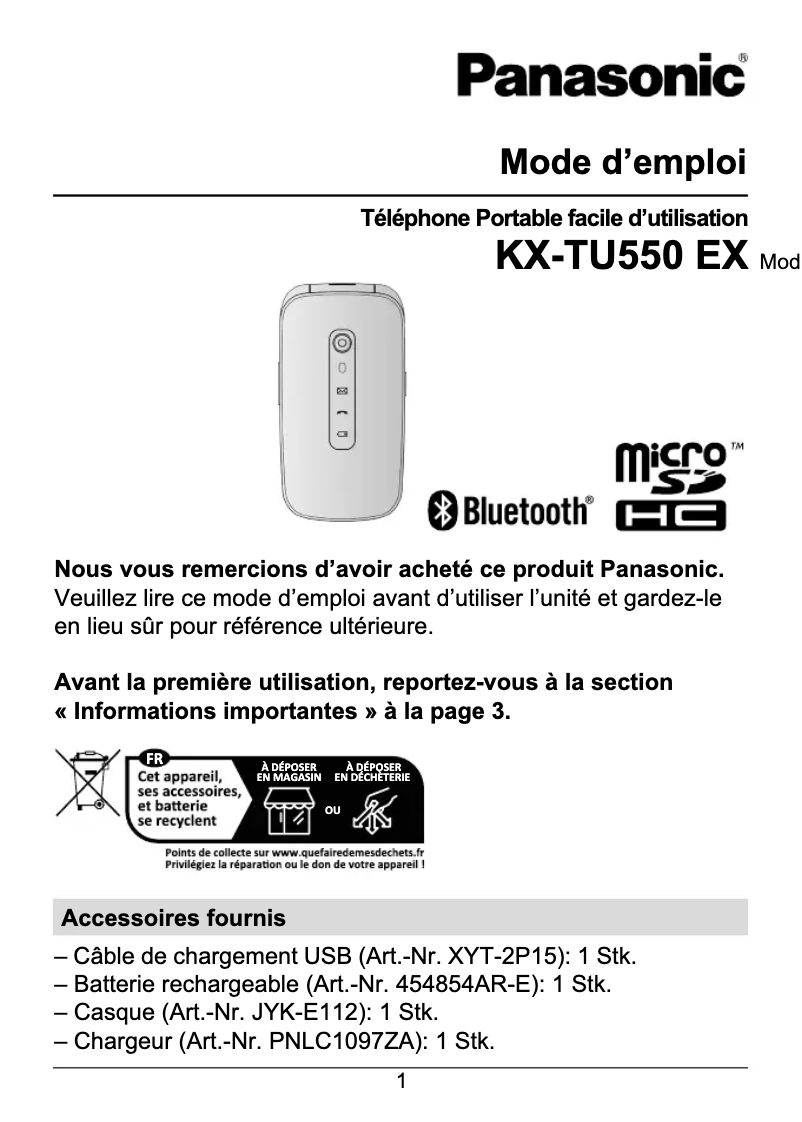
Smartphone Panasonic KX-TU550

The Panasonic KX-TU550 is a smartphone designed to provide a simple and efficient user experience. With a standby time of 300 hours, this phone allows you to stay connected without having to recharge frequently. Equipped with a 32 MB internal memory and a 64 MB RAM, it ensures smooth operation for daily tasks.

This model features a 1.2 MP rear camera to capture satisfactory quality images. In terms of connectivity, the KX-TU550 supports GSM, LTE, and UMTS networks, ensuring reliable communication. Additionally, it is equipped with Bluetooth 5.0 for fast wireless connection with other devices.

With a 2.8-inch screen and a resolution of 240 x 320 pixels, this phone offers decent display quality for your content. Its robust, shock-resistant design ensures durability in various environments.

Finally, the Panasonic KX-TU550 integrates practical features such as a calculator and a calendar, making it easier to organize your daily life. In summary, this smartphone is an ideal choice for those looking for a reliable and functional device for everyday use.

Manual of product KX-TU550
7 10

Editorial note

The Panasonic KX-TU550 stands out for its excellent standby time of 300 hours, making it an ideal choice for those looking for a durable and practical smartphone. Practical features like the calculator and calendar make daily management easier, enhancing the user experience. However, the product has some limitations. The 64 MB RAM may restrict performance, especially when using multiple applications simultaneously. Additionally, the lack of a front camera and Wi-Fi connectivity limits its appeal to modern users who prioritize these features. The 2.8-inch screen, while functional, is not touch-sensitive and offers a resolution of 240 x 320 pixels, which may seem dated compared to current standards. In terms of design, the shock-resistant construction is an undeniable advantage in terms of durability, but the absence of features like Assisted GPS (A-GPS) and Wi-Fi connectivity may limit navigation and internet access options. These elements can be drawbacks for some users, especially those who rely on a smartphone for advanced tasks. In summary, the Panasonic KX-TU550 is a solid phone, ideal for basic use, but it may disappoint those looking for more modern features.

Score details

User experience

The user experience is generally satisfactory, with practical features like a calculator and a calendar, but the lack of a touchscreen limits interaction.

Performance

The 64 MB RAM may restrict performance when using multiple applications simultaneously, which can be frustrating for some users.

Battery life

The standby time is excellent at 300 hours, allowing for prolonged use without frequent recharging, which is a major advantage.

Design

The shock-resistant design is a benefit for durability, but the 2.8-inch screen with a resolution of 240 x 320 pixels may seem dated compared to modern standards.

Features

Although the product has practical features, the lack of a front camera and Wi-Fi connectivity limits its appeal to modern users.

connectivity

The absence of Wi-Fi and Assisted GPS (A-GPS) may restrict internet connectivity options and hinder navigation, which can be a drawback for some users.


Advantages

300 hours of standby time

Built-in calculator and calendar

Bluetooth 5.0 for fast connections

MicroSD card slot for storage

Shock-resistant design

Disadvantages

RAM memory limited to 64 MB

No front camera

Non-touchscreen, low resolution

No Wi-Fi connectivity

No assisted GPS

Technical Specifications KX-TU550

General Information

Technical details

  • Standby autonomy
    300 h
  • Calendar
    Yes
  • Calendar
    Yes

Memory

  • Flash Card Support
    Yes
  • RAM capacity
    64 MB
  • Internal memory
    32 MB
  • Compatible memory cards
    MicroSD (TransFlash)
  • ROM capacity
    128 MB

Power

  • Talk time (2G)
    7.4 h
  • Battery technology
    Lithium-Ion (Li-Ion)
  • Waiting time (2G)
    - h
  • Battery capacity
    1400 mAh
  • Battery recharge time
    3.3 h
  • Talk time (3G)
    7 h
  • Battery voltage
    3.7 V

Messaging

  • Short Message Service (SMS)
    Yes
  • Short Message Service (SMS)
    Yes

Detectors

  • Ambient light sensor
    No
  • Ambient light sensor
    No

GPS Performance

  • Assisted GPS (A-GPS)
    No
  • Assisted GPS (A-GPS)
    No

Audio

  • Supported audio formats
    AMR-NB
  • FM Radio
    AMR-WB
  • No

Camera

  • Resolution of the rear camera (digital)
    1.2 MP
  • Rear camera
    Yes
  • Front camera
    No

Phone features

  • Format
    Valve
  • Java Technology
    No
  • Personal Information Management (PIM)
    Alarm clock
  • Calculator
  • SOS

Network

  • SIM card capacity
    -
  • GPRS
    No
  • GPRS
    No
  • 3G bands supported
    900,2100 MHz
  • GPRS
    No
  • Network data
    GSM, LTE, UMTS
  • Mobile network generation
    4G
  • SIM card type
    NanoSIM

Design

  • Product color
    Red
  • Built-in flashlight
    No
  • Type
    Entry-level phone
  • Protection functions
    Shock resistant

Data transmission

  • Bluetooth Profiles
    A2DP
  • Bluetooth
    AVRCP
  • Bluetooth model
    HFP
  • OPP
  • PBAP
  • Yes
  • 5.0

Screen

  • Screen resolution
    240 x 320 pixels
  • External screen
    No
  • Screen size
    2.8 "
  • External screen
    No
  • Type of panel
    TFT
  • Type of panel
    TFT

Weight and dimensions

  • Depth
    23 mm
  • Width
    58 mm
  • Weight
    - g
  • Height
    109 mm

Connectivity

  • USB port
    Yes
  • USB connector
    USB Type-C

Environmental conditions

  • Operating relative humidity (H-H)
    20 - 80 %
  • Operating temperature
    0 - 40 °C

Registration

  • Registration type
    Without plan

Video

  • Video call
    No

Frequently Asked Questions

How can I reset my Panasonic KX-TU550?
To reset your KX-TU550, press and hold the volume +, power, and home buttons simultaneously while turning on the device. Q: What should I do if my SIM card is too small for my Panasonic phone? A: You can use a SIM card adapter to insert the smaller SIM card, which will then fit into the phone. Q: What is the IMEI number? A: The IMEI, or "International Mobile Equipment Identity," is a unique fifteen-digit number that identifies your Panasonic phone among other devices. Q: What is the screen size of my smartphone? A: The size of your smartphone is measured in inches, where 1 inch equals 2.54 centimeters. This measurement corresponds to the diagonal of the screen, which you should measure from the bottom left corner to the top right corner. Q: Can my smartphone's battery explode? A: It is important to ensure that your smartphone's battery does not overheat, as there is a very low risk of it exploding. Q: What is the weight of the Panasonic KX-TU550? A: The weight of the Panasonic KX-TU550 is - g. Q: What is the screen size of the Panasonic KX-TU550? A: The screen of the Panasonic KX-TU550 measures 2.8 inches. Q: What is the height of the Panasonic KX-TU550? A: The Panasonic KX-TU550 has a height of 109 mm. Q: How long does it take to charge the battery of the Panasonic KX-TU550? A: The charging time for the Panasonic KX-TU550 battery is 3.3 hours. Q: What is the resolution of the screen of the Panasonic KX-TU550? A: The resolution of the screen of the Panasonic KX-TU550 is 240 x 320 pixels. Q: What is the width of the Panasonic KX-TU550? A: The width of the Panasonic KX-TU550 is 58 mm. Q: What is the depth of the Panasonic KX-TU550? A: The depth of the Panasonic KX-TU550 is 23 mm. Q: What type of USB connection is present on the Panasonic KX-TU550? A: The Panasonic KX-TU550 is equipped with a USB Type-C connection. Q: Does the Panasonic KX-TU550 have a proximity sensor? A: No, this means that the phone may lack some advanced features, such as automatically turning off the screen during calls, but it may also contribute to better battery life compared to models with a proximity sensor. Q: Does the Panasonic KX-TU550 support Wi-Fi? A: No, this may be a disadvantage for those who require a constant internet connection, but it could also lead to lower power consumption compared to smartphones with Wi-Fi. Q: Can I increase the storage capacity of the Panasonic KX-TU550 with a flash card? A: Yes, this allows users to easily increase the phone's memory to store more photos, videos, and files. Q: What is the resolution of the main camera of the Panasonic KX-TU550? A: The rear camera has a resolution of 1.2 MP. Although this may seem low compared to modern smartphones, it may be sufficient for basic photography needs. Q: Is the Panasonic KX-TU550 compatible with multimedia messaging service (MMS)? A: Yes, this feature allows sending multimedia messages such as photos and videos, thus enriching communication options. Q: How to properly charge the Panasonic KX-TU550 smartphone? A: To charge the Panasonic KX-TU550, follow these steps: 1. Insert the battery into the phone before charging it. 2. Plug the charger adapter into the phone's charging port, ensuring it is securely inserted. 3. Plug the adapter into a power outlet. 4. During charging, the battery level indicators will blink until the battery is fully charged. 5. It is normal for the battery to heat up during charging. 6. The battery icon will stop blinking once charging is complete. Keep the product away from smoke, dust, moisture, high temperatures, and vibrations for optimal operation. Charge the battery within a temperature range of 10°C to 35°C to avoid damaging the device. Q: How to set a PIN code for the SIM card of the Panasonic KX-TU550 to prevent unauthorized use? A: To set a PIN code for the SIM card, follow these steps: 1. Turn off the phone by holding down the End key. 2. Remove the back cover and the battery. 3. Insert the Nano SIM card into its slot with the gold part facing down until it is securely in place. 4. Replace the battery and press until it locks. 5. To set the PIN code, go to the phone's lock settings. 6. Enter the default PIN code provided by your carrier (often 1234). 7. Enter your new PIN code (between 4 and 8 digits) and confirm it. 8. If you enter the wrong PIN code three times, the SIM card will be locked. 9. To unlock the SIM card, enter the PUK code given by your carrier. 10. Follow the on-screen instructions to reset the PIN code. Q: Is the manual for the Panasonic KX-TU550 available in French? A: Yes, the manual for the Panasonic KX-TU550 is available in French.
Que faire si ma carte SIM est trop petite pour mon téléphone Panasonic ?
Vous pouvez utiliser un adaptateur de carte SIM pour insérer la carte SIM plus petite, qui se placera ensuite dans le téléphone.
Qu'est-ce que le numéro IMEI ?
L'IMEI, ou « International Mobile Equipment Identity », est un numéro unique de quinze chiffres qui permet d'identifier votre téléphone Panasonic parmi d'autres appareils.
Quelle est la taille de l'écran de mon smartphone ?
La taille de votre smartphone est mesurée en pouces, où 1 pouce équivaut à 2,54 centimètres. Cette mesure correspond à la diagonale de l'écran, que vous devez mesurer du coin inférieur gauche au coin supérieur droit.
La batterie de mon smartphone peut-elle exploser ?
Il est important de veiller à ce que la batterie de votre smartphone ne surchauffe pas, car il existe un très faible risque qu'elle explose.
Quel est le poids du Panasonic KX-TU550 ?
Le poids du Panasonic KX-TU550 est de - g.
Quelle est la taille de l'écran du Panasonic KX-TU550 ?
L'écran du Panasonic KX-TU550 mesure 2,8 pouces.
Quelle est la hauteur du Panasonic KX-TU550 ?
Le Panasonic KX-TU550 a une hauteur de 109 mm.
Combien de temps faut-il pour charger la batterie du Panasonic KX-TU550 ?
Le temps de charge de la batterie du Panasonic KX-TU550 est de 3,3 heures.
Quelle est la résolution de l'écran du Panasonic KX-TU550 ?
La résolution de l'écran du Panasonic KX-TU550 est de 240 x 320 pixels.
Quelle est la largeur du Panasonic KX-TU550 ?
La largeur du Panasonic KX-TU550 est de 58 mm.
Quelle est la profondeur du Panasonic KX-TU550 ?
La profondeur du Panasonic KX-TU550 est de 23 mm.
Quel type de connexion USB est présent sur le Panasonic KX-TU550 ?
Le Panasonic KX-TU550 est équipé d'une connexion USB Type-C.
Le Panasonic KX-TU550 dispose-t-il d'un capteur de proximité ?
Non, cela signifie que le téléphone peut manquer certaines fonctionnalités avancées, comme l'extinction automatique de l'écran lors des appels, mais cela peut également contribuer à une meilleure autonomie de la batterie par rapport aux modèles avec capteur de proximité.
Le Panasonic KX-TU550 prend-il en charge le Wi-Fi ?
Non, cela peut être un inconvénient pour ceux qui nécessitent une connexion Internet permanente, mais cela pourrait également entraîner une consommation d'énergie moindre comparé aux smartphones dotés du Wi-Fi.
Puis-je augmenter la capacité de stockage du Panasonic KX-TU550 avec une carte flash ?
Oui, cela permet aux utilisateurs d'augmenter facilement la mémoire du téléphone pour stocker davantage de photos, vidéos et fichiers.
Quelle est la résolution de l'appareil photo principal du Panasonic KX-TU550 ?
L'appareil photo arrière a une résolution de 1,2 MP. Bien que cela puisse sembler faible par rapport aux smartphones modernes, cela peut suffire pour des besoins de photographie basiques.
Le Panasonic KX-TU550 est-il compatible avec le service de messagerie multimédia (MMS) ?
Oui, cette fonctionnalité permet d'envoyer des messages multimédias comme des photos et des vidéos, enrichissant ainsi les options de communication.
Comment charger correctement le smartphone Panasonic KX-TU550 ?
Pour charger le Panasonic KX-TU550, suivez ces étapes : 1. Insérez la batterie dans le téléphone avant de le charger. 2. Branchez l'adaptateur du chargeur à la prise de charge du téléphone, en vous assurant qu'il est bien inséré. 3. Branchez l'adaptateur à une prise électrique. 4. Pendant la charge, les indicateurs de niveau de batterie clignoteront jusqu'à ce que la batterie soit complètement chargée. 5. Il est normal que la batterie chauffe pendant la charge. 6. L'icône de la batterie arrêtera de clignoter une fois la charge terminée. Gardez le produit éloigné de la fumée, de la poussière, de l'humidité, des températures élevées et des vibrations pour un fonctionnement optimal. Chargez la batterie dans une plage de température de 10°C à 35°C pour éviter d'endommager l'appareil.
Comment définir un code PIN pour la carte SIM du Panasonic KX-TU550 afin de prévenir toute utilisation non autorisée ?
Pour définir un code PIN pour la carte SIM, procédez comme suit : 1. Éteignez le téléphone en maintenant la touche Fin enfoncée. 2. Retirez le capot arrière et la batterie. 3. Insérez la carte SIM Nano dans son emplacement avec la partie dorée vers le bas jusqu'à ce qu'elle soit bien en place. 4. Remettez la batterie et appuyez jusqu'à ce qu'elle se verrouille. 5. Pour définir le code PIN, allez dans les paramètres de verrouillage du téléphone. 6. Entrez le code PIN par défaut fourni par votre opérateur (souvent 1234). 7. Saisissez votre nouveau code PIN (entre 4 et 8 chiffres) et confirmez-le. 8. Si vous entrez le mauvais code PIN trois fois, la carte SIM sera verrouillée. 9. Pour déverrouiller la carte SIM, entrez le code PUK donné par votre opérateur. 10. Suivez les instructions à l'écran pour réinitialiser le code PIN.
Le manuel du Panasonic KX-TU550 est-il disponible en français ?
Oui, le manuel du Panasonic KX-TU550 est proposé en français.

Similar products


Discover the technical sheet of KX-TU466 from Panasonic and its manuals...
Available manuals:
Discover the technical sheet of KX-TU301 from Panasonic and its manuals...
Available manuals:
Discover the technical sheet of KX-TU329 from Panasonic and its manuals...
Available manuals:
Discover the technical sheet of Charm from Motorola and its manuals...
Available manuals:
Discover the technical sheet of Cliq from Motorola and its manuals...
Available manuals:
Discover the technical sheet of KX-TU110 from Panasonic and its manuals...
Available manuals:
Discover the technical sheet of KX-TU456 from Panasonic and its manuals...
Available manuals:
Discover the technical sheet of Electrify from Motorola and its manuals...
Available manuals:
Discover the technical sheet of KX-TU150 from Panasonic and its manuals...
Available manuals:
Discover the technical sheet of Cliq 2 from Motorola and its manuals...
Available manuals:
Discover the technical sheet of DEFY XT from Motorola and its manuals...
Available manuals:
Discover the technical sheet of Droid 4 from Motorola and its manuals...
Available manuals:

Presentation of product KX-TU550 specifications from brand Panasonic

General Information

The Panasonic KX-TU550 is a smartphone from the Panasonic brand, known for its innovation and quality in the electronics sector. Represented by the models KX-TU550 and KX-TU550EXR, this device promises reliable performance and a pleasant user experience. Its EAN code, 5025232950850, allows it to be identified in distribution systems.

Technical Details

With an impressive standby time of 300 hours, the Panasonic KX-TU550 is designed for prolonged use without requiring frequent recharging. It also features a calculator for quick operations and a calendar for effective management of your schedule.

Memory

The smartphone is equipped with a MicroSD memory card slot, allowing for increased storage capacity. Its RAM is 64 MB, ensuring acceptable responsiveness when using applications. It has an internal memory of 32 MB for data storage and a capacity of 128 MB for ROM, guaranteeing sufficient space for your needs.

Power

The Panasonic KX-TU550 offers a talk time of 7.4 hours on 2G and 7 hours on 3G, allowing you to stay in touch without interruption. Its nickel-metal hybrid (NiMH) battery of 1400 mAh ensures a decent autonomy, with a charging time of 3.3 hours.

Messaging

This model supports MMS (Multimedia Messaging Service) and SMS (Short Message Service), facilitating the sending and receiving of text and multimedia messages.

Sensors

The Panasonic KX-TU550 does not have proximity or ambient light sensors, which may limit some practical features.

GPS Performance

This model does not have location functionality or Assisted GPS (A-GPS), which may be a disadvantage for users seeking precise navigation.

Audio

Regarding audio, the KX-TU550 supports AMR-NB and AMR-WB formats, offering decent compatibility for listening. However, it does not include a FM radio.

Camera

It is equipped with a 1.2 MP rear digital camera, sufficient for capturing images of acceptable quality. However, it does not have a front camera, limiting selfie and video call possibilities.

Phone Features

The format of the Panasonic KX-TU550 is bar-type, promoting easy handling. It includes personal information management (PIM) features such as alarms, a calculator, and a calendar, useful for daily organization.

Network

This smartphone does not have Wi-Fi connectivity, which may restrict internet access. It operates on 3G bands (850, 900, 1900, 2100 MHz) and supports GSM, LTE, and UMTS networks. The SIM card capacity is single, and the type of SIM card used is NanoSIM.

Design

The Panasonic KX-TU550 features a red color, giving it a modern look. It is designed to be shock-resistant, providing appreciable durability in various environments.

Data Transmission

The smartphone is equipped with Bluetooth 5.0 connectivity, allowing for fast and reliable connections with other devices, and supports multiple Bluetooth profiles.

Screen

Its 2.8-inch screen has a resolution of 240 x 320 pixels, ensuring decent display quality, although it is not touch-sensitive. The type of screen used is TFT, which offers vibrant colors.

Weight and Dimensions

The KX-TU550 measures 58 mm in width, 23 mm in depth, and 109 mm in height, making it easy to carry. Its weight is designed for easy handling.

Connectivity

It is equipped with a USB Type-C port for fast data transfer and efficient charging.

Environmental Conditions

This model operates in a relative humidity of 20 to 80% and at temperatures between 0 and 40 °C, ensuring its effectiveness in various environments.

Subscription

The subscription type for the Panasonic KX-TU550 is no contract, providing flexibility without commitment.

Video

The smartphone does not support video calls, thus limiting certain real-time communication options.

