

Manual of product Serea 51
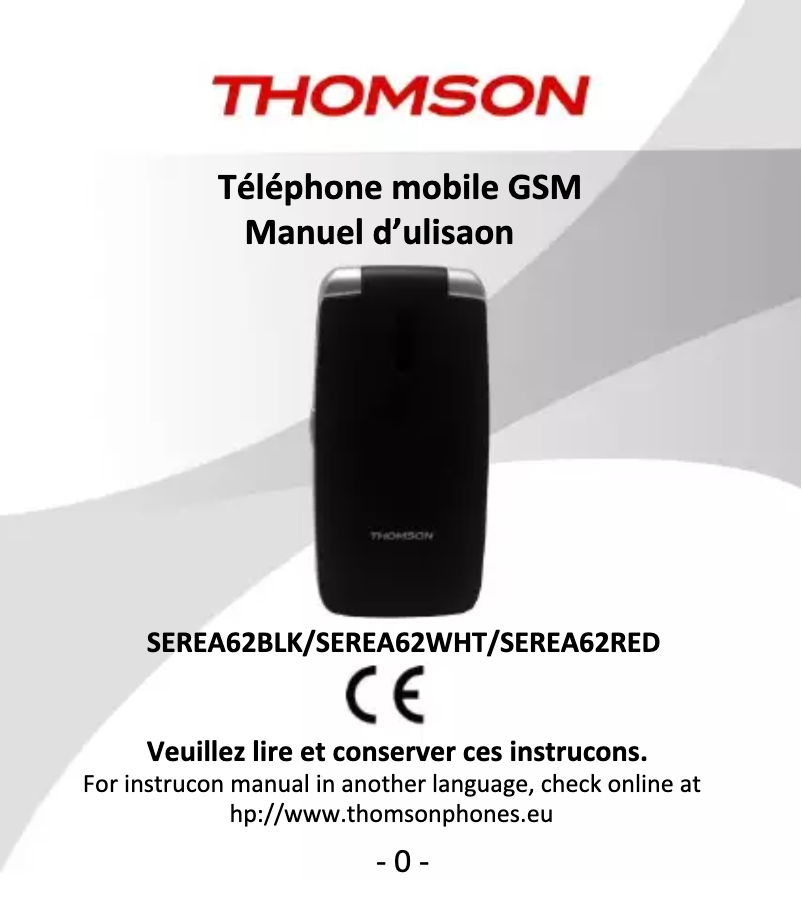
Editorial note
The Thomson Serea 51 presents itself as a reliable mobile phone, designed to provide a pleasant user experience thanks to its ergonomic design. Its comfortable grip and accessible user manual allow users to quickly familiarize themselves with its features. In terms of performance, the Serea 51 proves effective for daily tasks such as browsing and calls. However, heavy users may find its multitasking capabilities limited, which could be a drawback for those using multiple applications simultaneously. Additionally, the battery life may not be sufficient for frequent users, leading to regular recharges. The modern design of the phone is an asset, although it may seem less innovative than some competing models. Regarding value for money, it is satisfactory, bolstered by the reputation of the Thomson brand, which inspires confidence. Finally, although the provided documentation is comprehensive and facilitates daily use, the quality of the camera may not meet the expectations of users seeking high photographic performance. In summary, the Thomson Serea 51 is an interesting choice for those looking for a simple and effective phone, while keeping in mind its limitations in multitasking and battery life.Score details
User experience
The user experience is generally positive due to ergonomic design and an accessible user manual, but the quality of the camera may disappoint some users.
Performance
The performance is reliable for browsing and calls, but multitasking can be a weak point, making the phone less suitable for heavy users.
Battery life
The battery life is insufficient for frequent users, requiring frequent recharges, which can be a major drawback.
Design
The design is modern and suits various tastes, although some may find it unoriginal compared to other contemporary models.
Value for money
The value for money is satisfactory, especially due to the reputation of the Thomson brand which ensures a certain level of trust.
Documentation
The provided documentation is comprehensive and allows for a quick grasp of the features, thus facilitating daily use.
Advantages
Comfortable grip
Smooth and reliable performance
Trusted and reputable brand
Easy-to-access user manual
Modern and appealing design
Disadvantages
Insufficient battery life for heavy users
Uninspired and outdated design
Limited multitasking performance
Disappointing photo quality for demanding users
Restricted internal storage capacity
Technical Specifications Serea 51
General Information
-
ModelSEREA 51
-
Brand
-
Category
-
Type
-
SKU934731
-
MPN934731
Frequently Asked Questions
How do I connect to a Wi-Fi network on my Thomson Serea 51?
What are some tips to extend the battery life of my Thomson Serea 51?
How do I take a screenshot on my Thomson Serea 51?
How do I transfer files from my Thomson Serea 51 to my computer?
How can I set up a screen lock or unlock pattern on my Thomson Serea 51?
Is the manual for the Thomson Serea 51 available in French?
Similar products




More product categories from brand Thomson
Audio Thomson
Household appliances Thomson
Phones Thomson
Home appliances Thomson
Other Thomson
Interior Thomson
Tools Thomson
More product types from brand Thomson




Presentation of product Serea 51 specifications from brand Thomson
General Information
The Thomson Serea 51 is a mobile phone designed by the brand Thomson, known for its commitment to quality and innovation in the electronics sector. This model stands out for its optimized performance, providing a smooth user experience for everyday tasks such as browsing the internet, making calls, and using various applications.
Advantages
This smartphone has several strengths:
- Ergonomic design: Its shape is designed to ensure a comfortable grip, making it easy to use on a daily basis.
- Reliable performance: With its well-balanced technical features, it guarantees a seamless usage experience.
- Recognized brand: Thomson has a solid reputation, which inspires confidence among users.
- Accessible documentation: The provided user manual allows for a quick understanding of the offered features.
- Modern design: Its contemporary aesthetic aligns with the varied preferences of users.
Disadvantages
However, the Thomson Serea 51 also has some limitations:
- Battery life: For heavy users, the battery life may prove insufficient, leading to frequent recharges.
- Uninspired design: Some users may find its appearance less original compared to other models on the market.
- Multitasking performance: Multitasking capabilities may be limited, making it less suitable for those who need to run multiple applications simultaneously.
- Camera quality: Mobile photography enthusiasts might be disappointed by the camera's performance.
- Storage capacity: The internal memory may be limited, posing a problem for users wishing to keep many multimedia files.


