Thumbnail of product Serea 62 from brand Thomson
Logo of brand Thomson

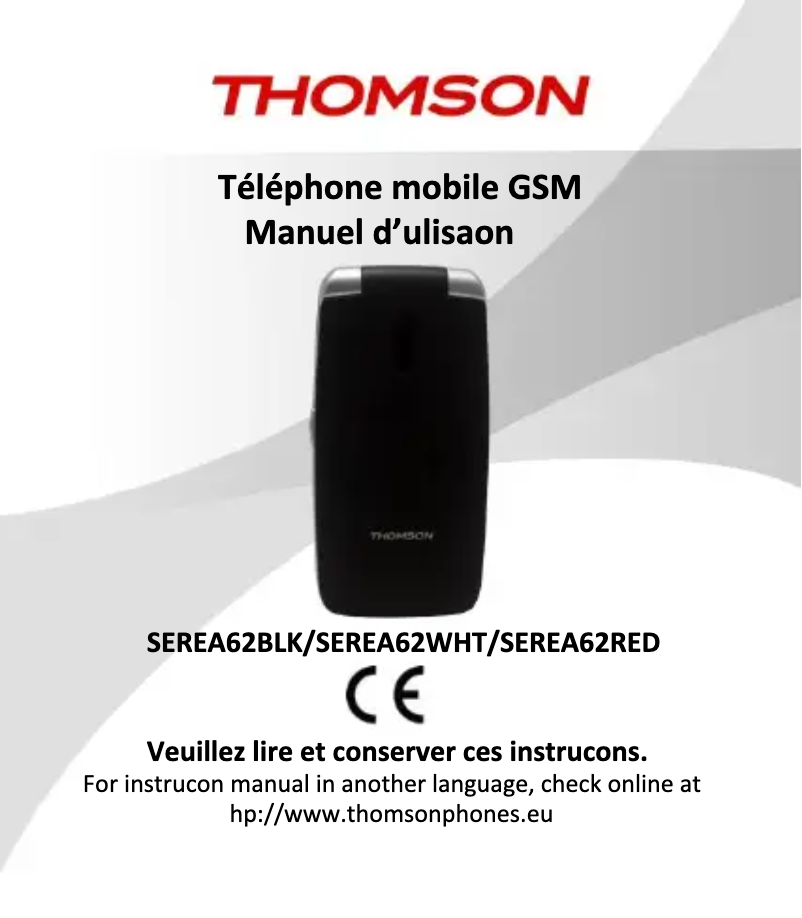
Mobile phone Thomson Serea 62

The Thomson Serea 62 is a mobile phone from the renowned brand Thomson, famous for its innovations and quality in the field of electronic devices. This model is designed to offer optimal performance and a pleasant user experience.

With its practical and functional design, the Thomson Serea 62 meets daily needs, whether for making calls, sending messages, or accessing essential applications. It also comes with a user manual to facilitate handling and using its features.

In summary, the Thomson Serea 62 is a wise choice for those looking for a reliable mobile phone, combining simplicity and efficiency in a modern design.

Manual of product Serea 62
7 10

Editorial note

The Thomson Serea 62 stands out for its brand reputation, offering an intuitive user experience thanks to a modern design. Its performance is suited for everyday tasks, although slowdowns may occur when using multiple applications simultaneously. Accessibility and ease of use are major strengths of this model, making the phone available to a wide audience. However, it is important to note that battery life is limited, requiring frequent recharges for prolonged use. Additionally, the quality of the camera does not meet current standards, which may disappoint photography enthusiasts. The screen, with its modest resolution, can also affect the visual experience when consuming multimedia content. Finally, the absence of certain modern features, such as 5G or wireless charging, could deter those looking for the latest technological innovations. Regarding documentation, the user manual is comprehensive and facilitates the handling of the Serea 62, thus enhancing the overall user experience. In summary, the Thomson Serea 62 is a practical choice for users looking for a functional phone, although it has some limitations in terms of performance and features.

Score details

User experience

The user experience is enhanced by an intuitive design, making the Serea 62 accessible to everyone.

Performance

Performance is optimal for everyday tasks, but can be poor in multitasking, leading to slowdowns.

Battery life

Battery life is limited, requiring frequent recharges for extended use.

Design

The design is modern and aimed at providing a smooth user experience, although it could be improved in terms of visual quality.

Features

The Serea 62 offers practical features but lacks modern options such as 5G or wireless charging.

Documentation

The user manual is comprehensive and facilitates the onboarding and optimal use of the phone's features.


Advantages

Renowned brand for its quality

High and responsive performance

User manual included

Intuitive and accessible use

Versatile for various daily needs

Disadvantages

Insufficient battery life

Poor multitasking performance

Disappointing photo quality

Limited screen resolution

Lack of 5G and wireless charging

Technical Specifications Serea 62

General Information

Frequently Asked Questions

How to use the Thomson Serea 62 mobile phone?
To use the Thomson Serea 62 mobile phone, follow these steps: 1. Familiarize yourself with the device: The Thomson Serea 62 has a large screen, an intuitive menu, and large buttons for easy navigation. It also comes with a charging dock and two quick dial buttons. 2. Turn the phone on or off: Press and hold the power button until the device turns on or off. This button is usually located on the side or top of the phone. 3. Unlock the phone: If a lock screen is present, slide or enter the unlock code, pattern, or password to access the home screen. 4. Navigate the menu: Use the navigation buttons or touchscreen to explore the different menu options, which include calls, messages, contacts, settings, etc. 5. Make a call: From the home screen or dialer app, enter the phone number using the keypad and press the call button. You can also choose a contact from your directory and press the call button. 6. Send a message: Open the messaging app, select the option to create a new message, enter the recipient's number or choose a contact, write your message, and press send. 7. Customize settings: Access settings to adjust your phone preferences, including display, sound, connectivity, and security. 8. Charge the phone: When the battery is low, connect the phone to the charging dock or use a compatible charger. Refer to the manual for detailed instructions and features specific to your device.
How to import the Thomson Serea 62 mobile phone?
To import the Thomson Serea 62 mobile phone, follow these steps: 1. Unbox the device: Open the packaging and take out the phone along with its accessories. 2. Insert the SIM card: Locate the SIM card tray on the phone. Use the provided eject tool or a small pin to eject the tray, place the SIM card correctly aligned, and then reinsert the tray. 3. Insert the battery: If the battery is removable, find the compartment at the back of the phone, insert the battery ensuring the contacts are aligned, and close the compartment. 4. Turn on the phone: Press and hold the power button until the device powers on. Follow the on-screen instructions to set up initial settings like language, date, and time. 5. Connect to a network: Once the phone is on, it will search for available networks. Choose the desired network and enter the required credentials, such as a Wi-Fi password. 6. Complete the setup: Follow the on-screen prompts to finish the setup, including signing in with your Google or Apple ID and setting up email accounts. 7. Transfer data (optional): If you want to transfer data from your old phone to the Thomson Serea 62, refer to the manual or use a transfer app. 8. Explore and enjoy: Once the setup is complete, you can use your phone to make calls, send messages, browse the internet, and take advantage of its features. Note that the steps may vary slightly depending on the model and software version of the Thomson Serea 62.
How to change the language on the Thomson Serea 62 mobile phone?
To change the language on the Thomson Serea 62 mobile phone, proceed as follows: 1. From the home screen, press the left selection key to access the Contacts icon. 2. Press the key again to see the "Settings" option. 3. Confirm by pressing the left selection key (Ok). 4. Select the 8th option "Network," then choose "Manual." 5. After a few moments, the list of available networks will appear. 6. Scroll through the list using the up and down keys. 7. Select the desired language by pressing the left selection key (Ok). 8. Save your choice by pressing the left selection key (Options) and selecting "Save." Be aware that menu options may vary depending on the language currently set on your Thomson Serea 62 phone.
How to troubleshoot issues with the Thomson Serea 62 mobile phone in English?
To troubleshoot issues on the Thomson Serea 62 mobile phone in English, follow these steps: 1. Refer to the "Important Safety Information" section on page 110 of the manual for general safety instructions. 2. Read the "Welcome" section on page 121 for an overview of the phone's features. 3. Start with the steps in the "Getting Started" section on page 124, which provides instructions on setting up your phone. 4. For specific issues, refer to the corresponding sections of the manual. For example, for camera issues, consult the "Camera and Photo Album" section on page 143. 5. For difficulties sending SMS or MMS messages, refer to the "Sending an SMS or MMS" section on page 145 for troubleshooting tips. 6. If you have connection issues with a Bluetooth hands-free kit, consult the "Connecting a Bluetooth Hands-Free Kit to this Phone" section on page 152. 7. For security issues, such as locking or unlocking the phone, refer to the "Secure Your Phone" section on page 154. 8. If you experience difficulties with multimedia functions or file management, consult the sections on pages 155 and 156. Troubleshooting procedures may vary depending on the nature of the issue encountered.
How to troubleshoot issues with the Thomson Serea 62 mobile phone in French?
To resolve issues with the Thomson Serea 62 mobile phone in French, follow these steps: 1. For SOS emergency call issues, press and hold the SOS button to contact your loved ones. You can customize this function in the Settings menu under "SOS Help." 2. If the flashlight is not working, use the dedicated button to turn it on or off. 3. To charge your phone, use the provided USB cable and connect it to a micro-computer to access the phone's Micro SD card and transfer files. 4. If you have difficulties with the charging dock, ensure that the phone is properly positioned on the dock and that the contacts are aligned. 5. For connectivity or network issues, check the network settings in the Settings menu to ensure you are on the correct network. 6. For issues with specific features, refer to the appropriate sections in the manual for detailed instructions. Note that the steps may vary depending on the nature of the problem.
How to troubleshoot issues with the Thomson Serea 62 mobile phone in Spanish?
To resolve issues on the Thomson Serea 62 mobile phone in Spanish, follow these steps: 1. Refer to the "Important Safety Information" section on page 2 of the manual for safety guidelines. 2. Read the "Welcome" section on page 70 for an overview of the device's features. 3. To start troubleshooting, follow the steps in the "Getting Started" section on page 73, which explains how to set up your phone. 4. If you have issues with specific features, refer to the corresponding sections of the manual. For example, for camera problems, see the "Camera Function" section on page 94. 5. For difficulties sending SMS or MMS, consult the "Sending an SMS or MMS" section on page 95 for troubleshooting steps. 6. For connectivity or network issues, check the network settings in the "Settings" menu. 7. For issues related to multimedia functions or file management, consult the sections on pages 106 and 108. Troubleshooting steps may vary depending on the nature of the problem.
Is the manual for the Thomson Serea 62 available in French?
Yes, the manual for the Thomson Serea 62 is available in French.

Similar products


Discover the technical sheet of M81 from BenQ-Siemens and its manuals...
Available manuals:
Discover the technical sheet of S68 from BenQ-Siemens and its manuals...
Available manuals:
Discover the technical sheet of TLink 11 from Thomson and its manuals...
Available manuals:
Discover the technical sheet of C81 from BenQ-Siemens and its manuals...
Available manuals:
Discover the technical sheet of Serea S from Thomson and its manuals...
Available manuals:
Discover the technical sheet of TLink 18 from Thomson and its manuals...
Available manuals:
Discover the technical sheet of EL71 from BenQ-Siemens and its manuals...
Available manuals:
Discover the technical sheet of Serea 350 from Thomson and its manuals...
Available manuals:
Discover the technical sheet of Serea 51 from Thomson and its manuals...
Available manuals:
Discover the technical sheet of E61 from BenQ-Siemens and its manuals...
Available manuals:
Discover the technical sheet of S81 from BenQ-Siemens and its manuals...
Available manuals:
Discover the technical sheet of Serea 65 from Thomson and its manuals...
Available manuals:

Presentation of product Serea 62 specifications from brand Thomson

General Information

The Thomson Serea 62 is a mobile phone designed by the brand Thomson, known for its commitment to quality and innovation in the electronics sector. This model is crafted to provide reliable performance, ensuring a smooth and enjoyable user experience.

Advantages

Among the strengths of the Thomson Serea 62, we find:

  • Recognized brand: Thomson's reputation ensures trust and durability for this model.
  • Optimal performance: Designed to operate responsively, the Serea 62 effectively meets daily demands.
  • User manual available: A user guide is included, making it easier to get started and utilize the features.
  • Enhanced user experience: Its ergonomic design and intuitive features make it accessible for everyone.
  • Versatility: This phone adapts to various needs, whether for calls, messaging, or accessing applications.

Disadvantages

However, the Thomson Serea 62 also has some limitations:

  • Limited battery life: The user will need to recharge frequently to maintain prolonged use.
  • Poor multitasking performance: The phone may experience slowdowns when using multiple applications simultaneously.
  • Camera quality below standards: Photos and videos may lack sharpness compared to current expectations.
  • Modest screen resolution: This may affect the visual experience when consuming multimedia content.
  • Lack of certain modern features: The absence of technologies such as 5G or wireless charging may disappoint some users.