
Manual of product E-Studio 256SE
Editorial note
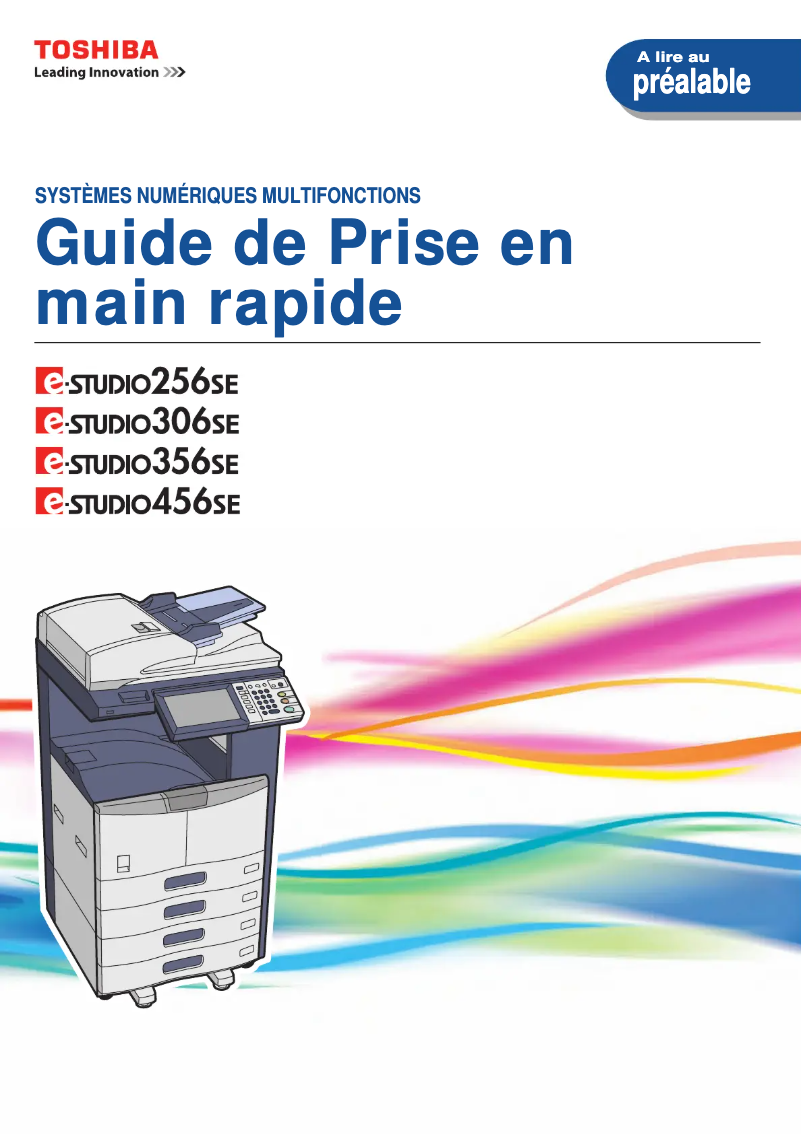
The Toshiba E-Studio 256SE is a printer that stands out for its recognized quality and optimal performance. Designed to meet the varied needs of professionals, it guarantees superior print quality, making it a wise choice for demanding businesses. Its user-friendly interface and advanced features provide an enhanced user experience, facilitating use even for novices. Additionally, the included user manual allows for quick familiarization with the device. However, some drawbacks are worth noting. The acquisition cost of the printer may be discouraging for small businesses or individuals with a limited budget. Furthermore, its relatively large physical footprint could pose space issues in restricted work environments. The complexity of certain features may also require a learning curve, which can be a barrier for less experienced users. Moreover, maintenance and toner consumption costs can accumulate, making long-term use potentially expensive. Finally, the operating noise could be disruptive in quiet work environments. In summary, the Toshiba E-Studio 256SE is a high-performing printer, ideal for professional use, but its cost and size may limit its appeal to some users.Score details
User experience
The user experience is enhanced by a user-friendly interface and advanced features, although some complexities may require a learning curve.
Performance
The performance of the E-Studio 256SE printer is exceptional, suited to various professional needs, ensuring superior print quality.
Value for money
The acquisition cost is relatively high, which may be a barrier for small businesses or individuals with a limited budget.
Design
The physical footprint of the printer is relatively large, which can pose space issues in restricted work environments.
Support
The included user manual facilitates the setup and optimal use of the printer.
Robustness
Maintenance and toner consumption costs can add up, making long-term use potentially expensive.
Usability
Although the complexity of some features may be a barrier for less experienced users, general use remains simple and effective.
Advantages
Superior print quality from Toshiba.
Optimal performance for various professional needs.
User-friendly interface for easy use.
User manual included for easy handling.
Versatile features: printing, scanning, copying.
Disadvantages
High acquisition cost for small budgets.
Large size, requires a lot of space.
Complex features, learning required.
High maintenance and toner costs.
Annoying operating noise.
Technical Specifications E-Studio 256SE
General Information
-
ModelE-STUDIO 256SE
-
Brand
-
Category
-
Type
-
SKU859259
-
MPN859259
Frequently Asked Questions
What is the recommended method for removing jammed paper from the printer?
Why is my printer not recognizing the original cartridges?
What are the possible reasons for poor print quality?
How does a laser printer differ from an inkjet printer?
Why is my inkjet printer leaving black streaks on prints?
What does the acronym DPI mean?
Is the manual for the Toshiba E-Studio 256SE available in French?
Similar products


More product categories from brand Toshiba
Home appliances Toshiba
Audio Toshiba
Phones Toshiba
Other Toshiba
Interior Toshiba
More product types from brand Toshiba








Presentation of product E-Studio 256SE specifications from brand Toshiba
General Information
The Toshiba E-Studio 256SE model is a printer from the Toshiba brand, known for its expertise in quality and innovation in the office equipment sector. Designed to meet the demands of professional environments, this device offers optimal performance and an enriched user experience.
Advantages
The Toshiba E-Studio 256SE stands out with several notable strengths:
- Superior print quality: The Toshiba brand is synonymous with reliability, ensuring clear and precise prints.
- Exceptional performance: Suitable for various professional needs, this printer excels in managing diverse tasks.
- User-friendly interface: With its advanced features, using the printer is simple and intuitive, even for novice users.
- User manual included: A practical guide is provided to facilitate handling and optimize the use of the device.
- Versatility: In addition to printing, the E-Studio 256SE model also offers scanning and copying features.
Disadvantages
However, it is important to consider some potential drawbacks:
- Acquisition cost: The purchase price can be high, which may be a barrier for small businesses or individuals with a limited budget.
- Physical footprint: Its size may pose problems in small workspaces.
- Complexity of features: Some advanced options may require a learning curve, which can discourage less experienced users.
- Maintenance costs: Expenses related to maintenance and toner purchases can quickly add up, making long-term use potentially costly.
- Noise level: The operating noise can be disruptive in quiet work environments.


