
Manual of product e-studio 262cp
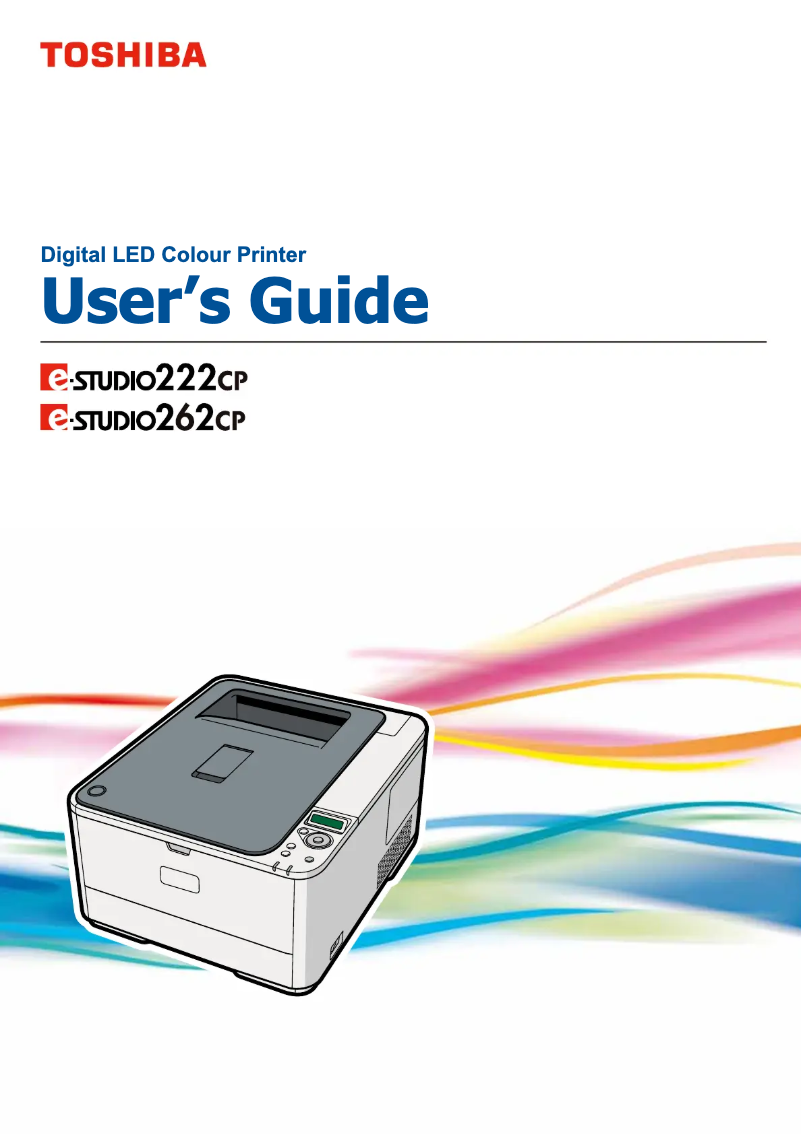
Editorial note
The Toshiba e-studio 262cp stands out for its superior print quality, delivering sharp text and vibrant colors, making it an ideal choice for professional documents. Its reputation for reliability and durability, characteristic of the Toshiba brand, ensures optimal performance and appreciable longevity. Additionally, its user-friendly interface enhances the user experience, making daily use more intuitive. The versatility of this printer, capable of printing on various types of media, also meets diverse professional needs, while its energy-saving features help reduce operating costs and environmental impact. However, there are some drawbacks to consider. The maintenance cost can be relatively high, especially for replacing ink cartridges and spare parts, which may affect long-term profitability. Although the print speed is acceptable, it may not be suitable for high-volume work environments. Furthermore, the weight and size of the printer can pose mobility issues in tight spaces. Finally, the user interface, while generally user-friendly, may seem complex to some, making initial setup more challenging. Connectivity is adequate, but the lack of modern options like direct Wi-Fi limits printing possibilities from mobile devices. In summary, the Toshiba e-studio 262cp is a robust and high-performing printer, but it is essential to consider its maintenance costs and connectivity limitations before making a choice.Score details
User experience
The user experience is generally positive due to a user-friendly interface, but some users may find the initial setup complex.
Performance
Print performance is good for normal use, but the speed may not satisfy high-volume environments.
Value for money
The maintenance cost is high due to ink cartridges and spare parts, which can affect long-term profitability.
Robustness
The Toshiba brand is known for its durability, ensuring longevity and optimal performance of the printer.
Features
The Toshiba e-studio 262cp offers good versatility in printable media, but lacks some modern options like direct Wi-Fi.
Design
The design is functional, but the weight and size of the printer can pose mobility issues in tight workspaces.
Advantages
High-quality prints and vibrant colors
Reliable and durable brand
User-friendly and intuitive interface
Printing on various media and formats
Built-in energy-saving features
Disadvantages
High maintenance cost for cartridges and parts.
Weight and volume difficult to move.
Insufficient printing speed for large volumes.
Complex user interface for some.
Limited connectivity, no direct Wi-Fi.
Technical Specifications e-studio 262cp
General Information
-
ModelE-STUDIO 262CP
-
Brand
-
Category
-
Type
-
SKU86849
-
MPN86849
Frequently Asked Questions
What is the best method to remove a paper jam from the printer?
Why does my printer not recognize original cartridges?
Why is the print quality poor?
What is the difference between a laser printer and an inkjet printer?
Why does my inkjet printer leave black streaks on prints?
What does the acronym DPI mean?
Is the manual for the Toshiba e-studio 262cp available in French?
Similar products


More product categories from brand Toshiba
Home appliances Toshiba
Audio Toshiba
Phones Toshiba
Other Toshiba
Interior Toshiba
More product types from brand Toshiba








Presentation of product e-studio 262cp specifications from brand Toshiba
General Information
The Toshiba e-studio 262cp, manufactured by the renowned brand Toshiba, stands out for its reputation for innovation and quality in the office equipment sector. This model is designed to provide reliable performance, thus offering an optimized user experience.
Advantages
The Toshiba e-studio 262cp is distinguished by its superior print quality, ensuring well-defined text and vibrant colors, making it particularly suitable for professional documents. Additionally, the reliability of the Toshiba brand ensures durability and consistent performance over time.
With a user-friendly interface, this printer makes navigation easier, making daily printing more intuitive. Its versatility allows printing on various types of media and formats, thus meeting a variety of professional needs. Finally, it is equipped with features aimed at reducing energy consumption, contributing to savings and environmental preservation.
Disadvantages
However, some aspects may pose challenges. The maintenance cost can be high, particularly for replacing ink cartridges and spare parts. Additionally, the weight and size of the printer can make it difficult to move, especially in confined workspaces.
The print speed, while satisfactory, may not be suitable for environments requiring high print volumes. The user interface may also seem complex for some, making the initial setup more challenging. Finally, connectivity, while acceptable, may lack certain modern options such as direct Wi-Fi, thus limiting printing possibilities from mobile devices.


